
1. Product Overview
The Sweetcrispy Electric Standing Desk is designed to provide a versatile and ergonomic workspace. This 55x24 inch model features electric height adjustment, allowing seamless transitions between sitting and standing positions. It includes a dual-panel desktop, a quiet motor, and a smart memory preset controller for personalized height settings.
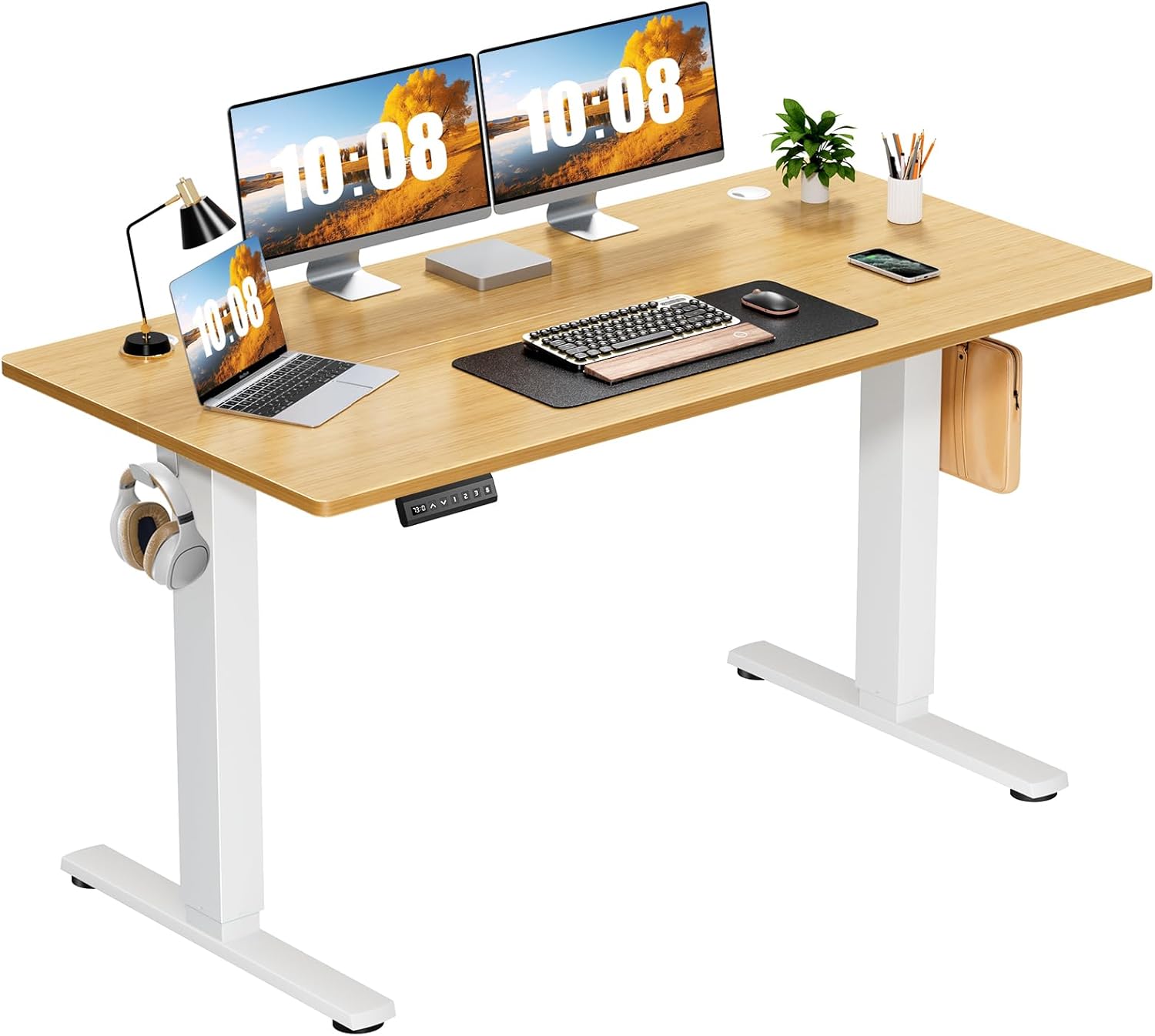
Image 1.1: The Sweetcrispy Electric Standing Desk in an office setup, showcasing its spacious desktop and integrated control panel.

Image 1.2: Front view of the desk, highlighting the clean design and ample surface area for work essentials.
2. Safety Information
Please read and understand all safety instructions before assembly and use. Failure to follow these instructions may result in injury or damage to the product.
- Always follow the assembly instructions carefully to avoid injury.
- Do not exceed the maximum weight recommendation of 176 lbs (80 kg) to maintain stability.
- Consider securing the desk to the wall or floor to prevent tipping, especially if using the desk at its maximum height or with heavy equipment.
- Keep children and pets away from the desk during operation.
- Ensure no obstacles are in the path of the desk's movement during height adjustments.
- Do not sit or stand on the desk.
- Disconnect power before cleaning or maintenance.
3. Package Contents
Verify that all components are present before beginning assembly. If any parts are missing or damaged, please contact customer support.
- Desktop (Splice Wood Board)
- Metal Frame (Legs and Crossbar)
- Electric Motor and Control Box
- Control Panel with LED Display
- Power Adapter and Cable
- Assembly Tools
- Instruction Manual (this document)
- Headphone Hook (set of 2)
- Cable Management Holes (grommets)
4. Assembly Instructions
Assembly typically takes approximately 30 minutes. Follow the detailed steps provided in the included printed instruction manual for best results. Ensure you have adequate space and a clean work area.
Key Assembly Steps:
- Unpack and Identify Parts: Lay out all components and verify against the package contents list.
- Assemble the Frame: Attach the lifting columns to the foot supports and then connect the crossbar.
- Install Motor and Control Box: Secure the motor and control box to the frame according to the manual.
- Attach Desktop: Carefully place the two spliced desktop panels onto the assembled frame and secure them using the provided screws. The innovative dual-panel design simplifies this step.
- Connect Control Panel and Power: Mount the control panel to the underside of the desk and connect all necessary cables to the control box and power adapter.
- Install Accessories: Attach the headphone hooks and insert the cable management grommets into the desktop holes.

Image 4.1: The industrial-grade steel frame, which forms the stable base of the desk.

Image 4.2: Detail of the two spliced desktop boards, designed for seamless and sturdy assembly.
5. Operating Instructions
Height Adjustment:
The desk features an electric height adjustment system, allowing you to smoothly transition between sitting and standing positions. The height range is from 28.7 inches to 48 inches.
- Up/Down Buttons: Use the ▲ (Up) and ▼ (Down) buttons on the control panel to manually adjust the desk to your desired height.
- The motor operates quietly, typically under 50dB, ensuring minimal disturbance.

Image 5.1: Illustration of the desk's height adjustment range, accommodating both sitting and standing postures.

Image 5.2: Visual representation of the desk's quiet operation, indicating noise levels below 50dB.
Memory Presets:
The control panel features an LED display and three programmable memory preset buttons (1, 2, 3) to save your preferred sitting and standing heights.

Image 5.3: The multi-function control panel, showing the LED display and memory preset buttons.
- Set a Memory Position: Adjust the desk to your desired height using the Up/Down buttons. Press the 'M' or 'S' button (if available, otherwise hold the number button) until the display flashes, then press one of the number buttons (1, 2, or 3) to save the current height.
- Recall a Memory Position: Press the corresponding number button (1, 2, or 3) to automatically move the desk to the saved height.
Anti-Collision Technology:
The desk is equipped with anti-collision technology. If the desk encounters an obstacle during height adjustment, it will automatically stop and reverse slightly to prevent damage.

Image 5.4: Visual explanation of the anti-collision feature, demonstrating how the desk detects and avoids obstacles.
6. Maintenance
Proper maintenance ensures the longevity and optimal performance of your standing desk.
- Cleaning: Wipe the desktop and frame with a dry cloth. Avoid abrasive cleaners or harsh chemicals that could damage the finish.
- Cable Management: Regularly check and organize cables to prevent tangles and damage. Utilize the integrated cable management holes.
- Inspection: Periodically inspect all screws and connections to ensure they are tight. Retighten if necessary.
- Motor Care: The electric motor is designed for long-term use and generally requires no special maintenance. Avoid exposing it to moisture.

Image 6.1: Detail of the cable management hole, designed to keep your workspace tidy.
7. Troubleshooting
If you encounter issues with your Sweetcrispy Electric Standing Desk, refer to the following common troubleshooting steps:
| Problem | Possible Cause | Solution |
|---|---|---|
| Desk does not move | Power cable disconnected; Control box issue; Overload | Check power connections. Ensure desk is plugged in. Reduce weight on desk. Reset the system (refer to main manual for specific reset procedure). |
| Uneven height adjustment | Obstruction; Unbalanced load | Clear any obstructions. Redistribute weight evenly on the desktop. |
| Error code on display | Specific system fault | Refer to the detailed error code list in the full instruction manual for specific solutions. Often requires a system reset. |
| Desk stops unexpectedly | Anti-collision activated; Overheat protection | Check for obstructions. Allow the motor to cool down if used continuously for an extended period. |
If the problem persists after attempting these solutions, please contact Sweetcrispy customer support.
8. Specifications
Detailed technical specifications for the Sweetcrispy Electric Standing Desk (Model A-SWELT55OAK).

Image 8.1: Diagram illustrating the key dimensions and weight capacity of the desk.
- Model Number: A-SWELT55OAK
- Product Dimensions (D x W x H): 23.6"D x 55"W x 46.5"H
- Desktop Size: 55x24 inch
- Height Adjustment Range: 28.7 inches (min) to 48 inches (max)
- Maximum Weight Capacity: 176 lbs (80 kg)
- Motor Noise Level: <50dB
- Desktop Material: Wood (Splice Wood Board)
- Base Material: Stainless Steel
- Color: Oak (desktop), White (frame)
- Special Features: Adjustable Height, Electric, Ergonomic, 3 Memory Presets, Anti-collision Technology, Headphone Hooks, Cable Management Holes
- Assembly Required: Yes
- Item Weight: 45.2 Pounds
- UPC: 720314560600
9. Warranty and Support
Your Sweetcrispy Electric Standing Desk comes with a Limited Warranty. Please refer to the warranty card included in your package for specific terms and conditions.
Customer Support:
For technical assistance, warranty claims, or to purchase replacement parts, please contact Sweetcrispy customer support. You can find more information and contact details by visiting the official Sweetcrispy Store: