1. Introduction
This manual provides detailed instructions for the operation and maintenance of your VAHOIALD 4K Digital Camera, Model DC101. Please read this manual thoroughly before using the camera to ensure proper function and to maximize your photography and videography experience.
2. Product Overview
The VAHOIALD DC101 is a versatile 4K digital camera designed for photography and vlogging. It features a 48MP image sensor, 4K Ultra HD video recording, and a convenient 3-inch 180° flip screen. Key features include:
- 48MP Image Resolution: Capture sharp and vibrant still images.
- 4K Ultra HD Video Recording: Record high-definition video with a pause function.
- Autofocus Function: Ensures clear focus for both static and moving subjects.
- 3-inch 180° Flip Screen: Ideal for vlogging, selfies, and easy framing.
- 16X Digital Zoom: Allows for capturing distant subjects.
- Anti-Shake Function: Helps stabilize images and videos.
- Webcam Capability: Can be used for video calls, online teaching, and live streaming.
- Multiple Shooting Modes: Includes continuous shooting, self-timer (2/5/10S), slow motion, and face capture.
- 20 Filter Effects: Enhance your photos with various creative filters.
- Fill Light: Provides additional illumination for low-light conditions.

Figure 2.1: Front and rear view of the camera with key components labeled.
3. What's in the Box
Upon unpacking, please ensure all the following items are included:
- VAHOIALD 4K Digital Camera (DC101)
- 32GB SD Card
- 2 Rechargeable Batteries
- Battery Charging Stand
- Charging Cable
- Camera Lens Cap
- User Manual
- Strap
- Camera Bag
- Cleaning Cloth

Figure 3.1: All items included in the product package.
4. Setup
4.1. Battery Installation and Charging
- Open the battery compartment cover located at the bottom of the camera.
- Insert a fully charged battery into the compartment, ensuring correct polarity.
- Close the battery compartment cover securely.
- To charge the battery, insert it into the provided charging stand and connect the charging cable to a power source. The indicator light on the charger will show charging status.
4.2. SD Card Installation
- Locate the SD card slot, usually near the battery compartment.
- Insert the 32GB SD card with the metal contacts facing the correct direction until it clicks into place.
- To remove, gently press the card until it pops out.
4.3. Powering On/Off
- To power on, press and hold the Power button (usually located on the top of the camera).
- To power off, press and hold the Power button again until the screen turns off.
Video 4.1: An overview of the camera's features, including battery and SD card installation, 4K video, 48MP image, autofocus, 16x zoom, slow motion, anti-shake, fill light, timing function, and webcam for live streaming.
5. Operating Instructions
5.1. Basic Operation
- Using the Flip Screen: Gently pull the screen outwards and rotate it 180 degrees for self-recording or vlogging.
- Navigation: Use the directional buttons and the OK button to navigate through menus and settings on the LCD screen.

Figure 5.1: Demonstrating the 180° flip screen for selfies and vlogging.
5.2. Photography Modes
- Taking a Photo: Half-press the shutter button to focus, then fully press to capture the image.
- Autofocus: The camera automatically adjusts focus. Ensure the subject is within the focus frame.
- Digital Zoom: Use the zoom in/out buttons to adjust the 16X digital zoom.
- Filter Effects: Access the menu to select from 20 different filter effects to apply to your photos.
- Self-Timer: Set a delay of 2, 5, or 10 seconds before a photo is taken.
- Continuous Shooting: Capture a series of photos rapidly by holding down the shutter button.

Figure 5.2: Autofocus in action and examples of various filter effects.
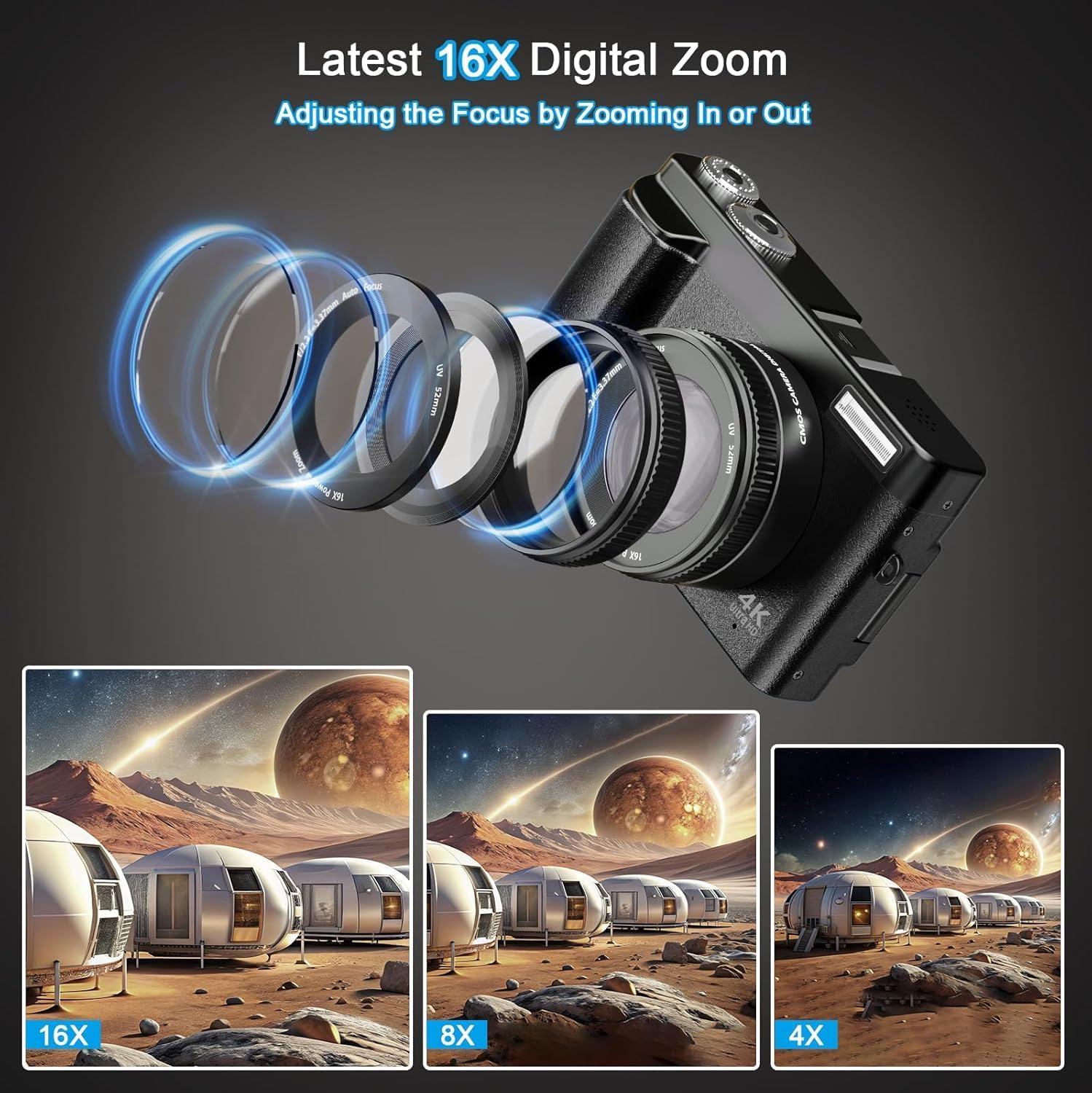
Figure 5.3: Illustration of the 16X digital zoom feature.
5.3. Video Modes
- Recording Video: Press the dedicated video record button to start and stop 4K video recording.
- Pause Function: During video recording, press the OK button to pause and resume recording without creating a new file.
- Anti-Shake: This feature helps reduce blur from camera movement during video recording.
- Slow Motion: Select the slow motion mode from the menu to capture videos at a higher frame rate for slow-motion playback.

Figure 5.4: Visual examples of anti-shake, continuous shooting, self-timer, slow motion, live streaming, and USB output features.
5.4. Special Features
- Webcam Function: Connect the camera to a computer via USB to use it as a webcam for live streaming or video calls.
- Fill Light: Activate the built-in fill light for improved illumination in dark environments.
- External Connections: The camera supports external tripods, microphones, and flash lights (accessories not included).

Figure 5.5: The camera being used as a webcam for live streaming.

Figure 5.6: Demonstration of the fill light feature for improved brightness.
6. Maintenance
- Cleaning the Lens: Use a soft, lint-free cloth specifically designed for camera lenses. Avoid harsh chemicals.
- Cleaning the Screen: Use a microfiber cloth to gently wipe the LCD screen.
- Storage: Store the camera in a dry, cool place away from direct sunlight and extreme temperatures. Use the provided camera bag for protection.
- Battery Care: Remove batteries if the camera will not be used for an extended period.
7. Troubleshooting
| Problem | Possible Cause | Solution |
|---|---|---|
| Camera does not power on | Low or uncharged battery; incorrectly inserted battery. | Charge the battery fully. Ensure the battery is inserted correctly. |
| Blurry images/videos | Subject too close/far; insufficient lighting; camera shake. | Ensure subject is within focus range. Use fill light or better lighting. Activate anti-shake function. |
| SD card error | SD card full; incorrectly inserted; corrupted. | Delete unnecessary files or use a new SD card. Reinsert the card. Format the card (this will erase all data). |
| Short battery life | Frequent use of flash/screen; old battery. | Reduce flash/screen usage. Carry a spare charged battery. |
8. Specifications
| Feature | Detail |
|---|---|
| Brand | VAHOIALD |
| Model Name | DC101 |
| Photo Sensor Resolution | 48 MP |
| Video Resolution | 4320p (4K) |
| Digital Zoom | 16 x |
| Screen Size | 3 Inches |
| Display Type | LCD, Articulating |
| Autofocus | Yes (Phase Detection) |
| Image Stabilization | Optical |
| Supported File Format | JPEG (Image), AVI (Video) |
| Memory Storage Capacity | 32 GB (External-Memory Size) |
| Connectivity Technology | USB, HDMI |
| Item Weight | 0.55 Kilograms |
| Battery Type | Non-standard rechargeable battery |
| Special Features | Autofocus, 4K Camera, 180° Flip Screen, Video Recording with Pause Function, 16x Digital Zoom, Time Lapse, Slow Motion, Beauty Face, Continuous Shooting, Self-Timer, Smile Detection, Webcam For Live Stream and Vlogging, Recording While Charging, Anti-Shake Function, Date Stamp, Auto Off, 2 Rechargeable Batteries |
9. Warranty and Support
This VAHOIALD product comes with a 1-Year Warranty from the date of purchase. For warranty claims, technical support, or any inquiries, please refer to the contact information provided in your product packaging or visit the official VAHOIALD store on Amazon: VAHOIALD Store.


