
Important Safety Instructions
Please read this manual thoroughly before using the appliance and retain it for future reference. Failure to follow these instructions may result in electric shock, fire, or serious injury.
- Always plug heaters directly into a wall outlet/receptacle. Never use with an extension cord or relocatable power tap (outlet/power strip).
- This heater is hot when in use. To avoid burns, do not let bare skin touch hot surfaces.
- Extreme caution is necessary when any heater is used by or near children or invalids and whenever the heater is left operating and unattended.
- Do not operate any heater with a damaged cord or plug or after the heater malfunctions, has been dropped or damaged in any manner.
- Do not use outdoors.
- To disconnect heater, turn controls to OFF, then remove plug from outlet.
- Do not insert or allow foreign objects to enter any ventilation or exhaust opening as this may cause an electric shock or fire, or damage the heater.
- To prevent a possible fire, do not block air intakes or exhaust in any manner. Do not use on soft surfaces, like a bed, where openings may become blocked.
- A heater has hot and arcing or sparking parts inside. Do not use it in areas where gasoline, paint, or flammable liquids are used or stored.
- Use this heater only as described in this manual. Any other use not recommended by the manufacturer may cause fire, electric shock, or injury to persons.
- Always use a GFI outlet if available.
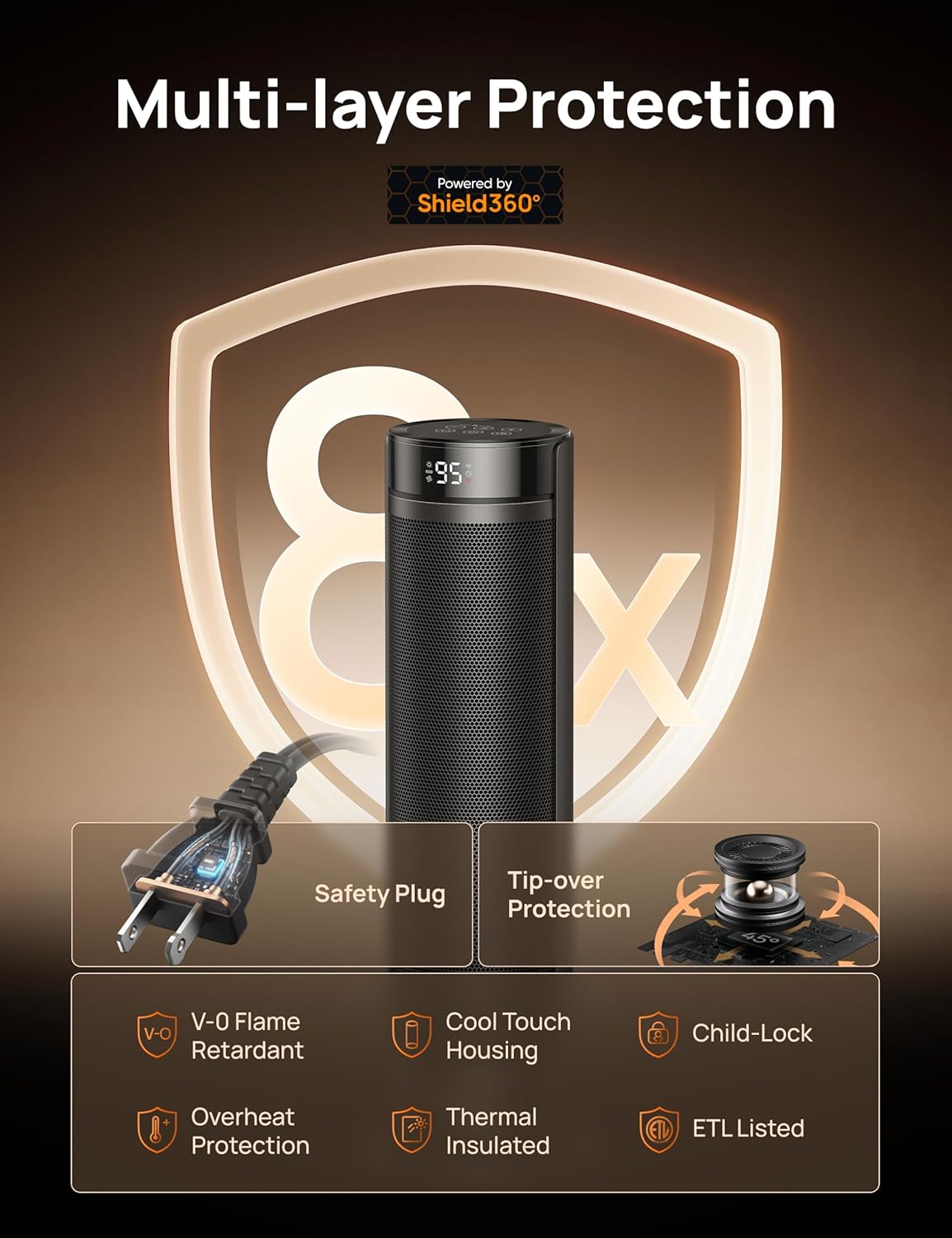
Image: Multi-layer Protection features of the Dreo Space Heater, highlighting safety mechanisms like the safety plug, tip-over protection, and child lock.
Product Overview
The Dreo DR-HSH025 is a 23-inch electric PTC ceramic tower heater designed for indoor use. It features 70° oscillation, a thermostat, remote control, and multiple safety protections.

Image: The Dreo DR-HSH025 space heater and its accompanying remote control.
Setup and Assembly
The Dreo DR-HSH025 heater requires minimal assembly. Follow these steps to prepare your heater for use:
- Unpack: Carefully remove the heater and all accessories from the packaging.
- Base Installation: The heater comes with a single base that needs to be attached. Align the base with the bottom of the heater and secure it according to the instructions provided in the packaging. This is a tool-free process.
- Placement: Place the heater on a firm, level surface. Ensure there is at least 3 feet (0.9 meters) of clear space around the heater from walls, furniture, and other objects.
- Power Connection: Plug the safety plug directly into a 120V AC, 60Hz wall outlet. Do not use extension cords or power strips.

Image: Visual guide for tool-free assembly of the heater's base.
Operating Instructions
Familiarize yourself with the heater's controls and functions for optimal use.
Control Panel and Remote Control
The heater can be operated using the touch buttons on the top panel or the included remote control. The remote control requires 1 Lithium Metal battery (included).
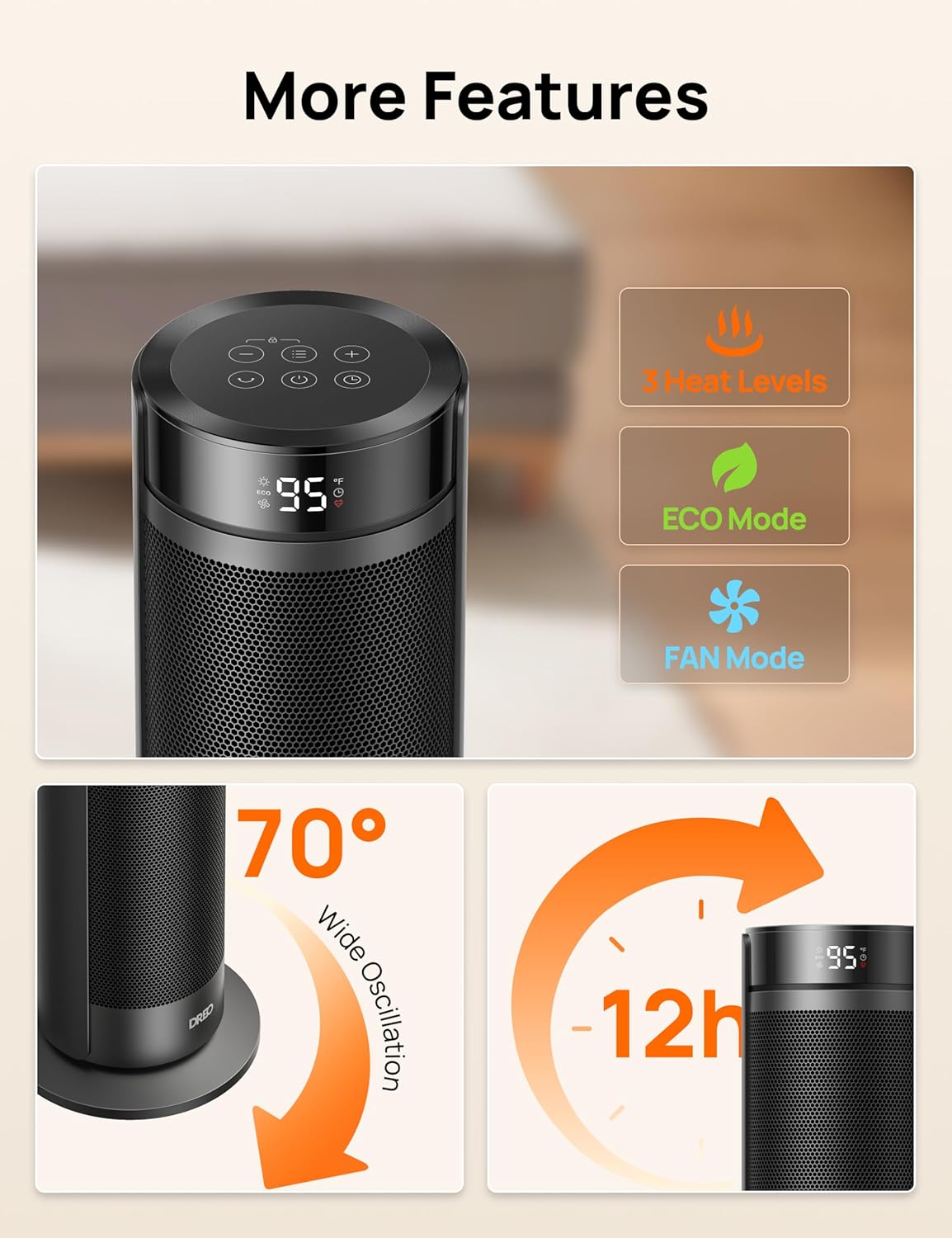
Image: Overview of the heater's control panel and key features.
Power On/Off
- Press the Power button (●) on the control panel or remote to turn the heater ON or OFF.
Temperature Control
The heater allows precise temperature adjustment from 41°F to 95°F in 1°F increments.
- Use the + and - buttons on the control panel or remote to set your desired temperature.
- The display will show the set temperature.

Image: Heater display showing temperature setting and range.
Heat Levels and Modes
The heater offers three heat levels and an ECO mode for energy efficiency, plus a fan-only mode.
- Heat Levels (H1, H2, H3): Press the Mode button (often represented by an icon resembling bullets or waves) to cycle through H1 (low), H2 (medium), and H3 (high) heat settings.
- ECO Mode: This mode automatically adjusts the power level to maintain the set temperature, optimizing energy consumption.
- Fan Mode: Operates as a fan without heating.
Oscillation Function
The 70° wide oscillation feature helps distribute heat evenly across the room.
- Press the Oscillation button (↻) on the control panel or remote to activate or deactivate the oscillation.
Timer Function
Set the heater to automatically turn off after a specified period, up to 12 hours.
- Press the Timer button (⏱) to set the desired operating duration. Each press typically increases the time by one hour.
Child Lock
To prevent accidental changes to settings, activate the child lock.
- Refer to your specific remote control or control panel for the child lock activation method, usually a long press of a specific button or a combination.
Maintenance and Cleaning
Regular maintenance ensures efficient operation and extends the life of your heater.
- Before Cleaning: Always turn off the heater and unplug it from the power outlet. Allow it to cool down completely before cleaning.
- Exterior Cleaning: Use a soft, damp cloth to wipe the exterior surfaces of the heater. Do not use abrasive cleaners or solvents, as these may damage the surface.
- Dust Removal: Use a vacuum cleaner with a brush attachment to remove dust from the air intake and exhaust grilles.
- Storage: If storing the heater for an extended period, clean it thoroughly and store it in its original packaging or a dust-free environment.
- Do Not Disassemble: Do not attempt to disassemble the heater for cleaning or repair. This will void the warranty and could lead to safety hazards.
Troubleshooting
If you encounter issues with your Dreo space heater, refer to the following common problems and solutions:
| Problem | Possible Cause | Solution |
|---|---|---|
| Heater does not turn on. | Not plugged in; power outlet not working; tip-over switch activated; overheat protection activated. | Ensure plug is fully inserted. Test outlet with another device. Place heater on a flat, stable surface. Unplug and allow to cool for 30 minutes before restarting. |
| Heater produces no heat or insufficient heat. | Temperature setting too low; ECO mode active; air inlets/outlets blocked. | Increase the set temperature. Adjust to a higher heat level (H1, H2, H3). Ensure no obstructions are blocking the air flow. |
| Oscillation function not working. | Oscillation motor issue; function not activated. | Press the oscillation button to activate. If it still doesn't work, contact customer support. |
| Remote control not working. | Battery depleted; obstruction between remote and heater. | Replace the remote control battery (Lithium Metal). Ensure a clear line of sight to the heater's receiver. |
If the problem persists after trying these solutions, please contact Dreo Customer Support.
Specifications
| Brand | Dreo |
| Model Number | DR-HSH025 |
| Color | Black |
| Form Factor | Tower |
| Indoor/Outdoor Usage | Indoor |
| Product Dimensions | 8.27"D x 8.27"W x 23.23"H |
| Heating Coverage | Up to 250 sq.ft. |
| Burner Type | PTC Ceramic |
| Fuel Type | Electric |
| Number of Speeds | 4 (likely referring to fan speeds or heat levels) |
| Voltage | 120 Volts (AC) |
| Amperage | 12.5 Amps |
| Min Temperature Setting | 41 Degrees Fahrenheit |
| Max Temperature Setting | 95 Degrees Fahrenheit |
| Item Weight | 5.19 pounds |
| Batteries | 1 Lithium Metal battery required (included for remote) |
| Special Features | Child Lock, Electronic Thermostat, Energy Efficient (ECO Mode), Overheat Protection, Tip-Over Protection, 70° Oscillation, 12H Timer, Quiet Operation (34dB) |
Warranty and Support
Dreo provides a warranty for its products. For detailed warranty information, please refer to the warranty card included with your product or visit the official Dreo website.
If you have any questions, require technical assistance, or need to report an issue, please contact Dreo Customer Support:
- Website: Visit the Dreo Store on Amazon (for general product information)
- Email: [Insert Customer Support Email Here, if available]
- Phone: [Insert Customer Support Phone Number Here, if available]
Please have your model number (DR-HSH025) and purchase information ready when contacting support.