
1. Introduction
This manual provides essential information for the proper use and care of your PITAKA Ultra-Slim Aramid Fiber Case, designed specifically for the iPhone 17 Pro (6.3-inch model). Crafted from aerospace-grade aramid fiber, this case offers a lightweight, durable, and scratch-resistant solution while maintaining a minimalist profile and enhancing functionality with integrated features.
2. Compatibility
This PITAKA case is exclusively designed for the iPhone 17 Pro (6.3-inch). It is not compatible with other iPhone models, including the iPhone 17 Air/17 or iPhone 17 Pro Max.
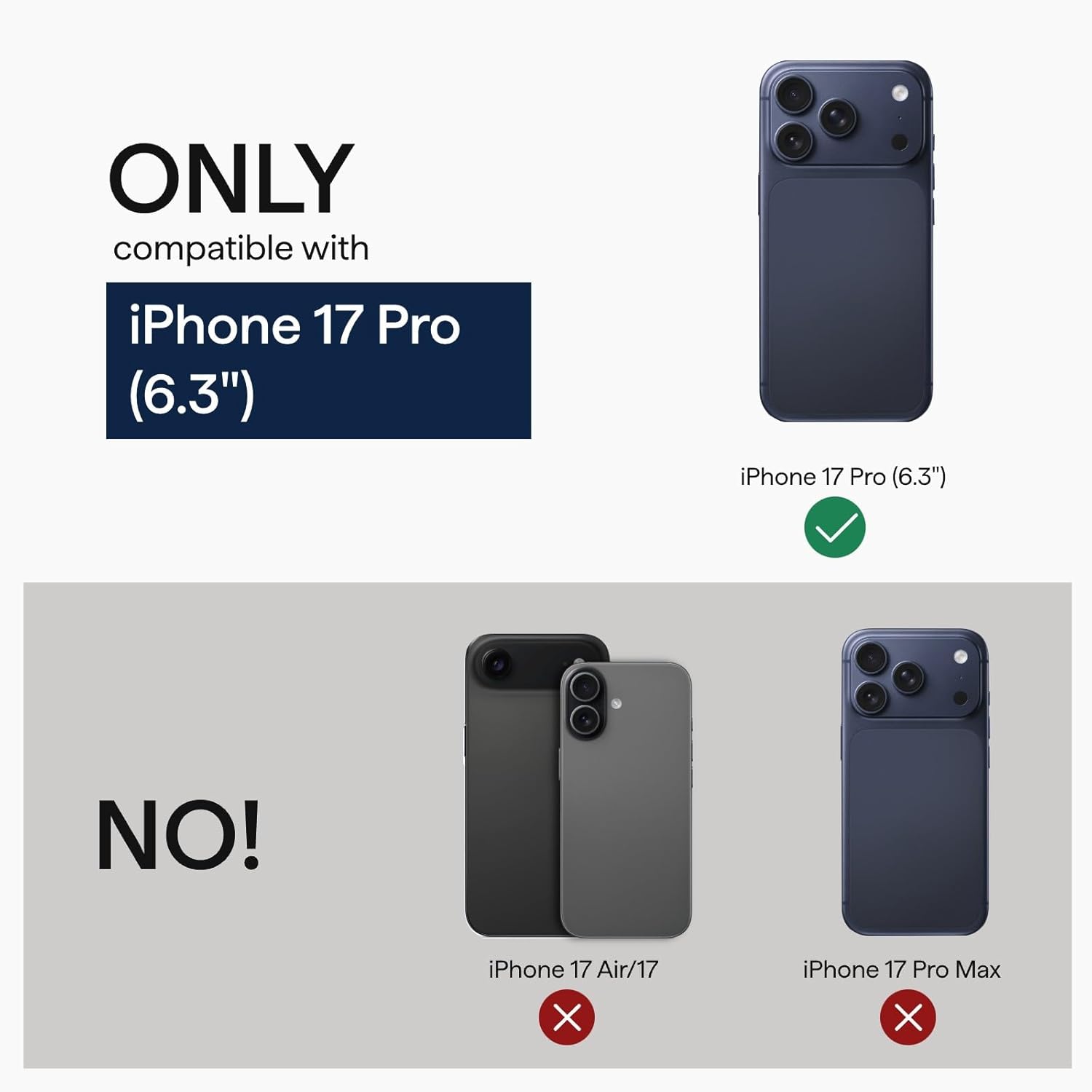
Figure 2.1: Visual representation of case compatibility, highlighting the iPhone 17 Pro (6.3") as the only compatible device.
3. Setup: Installing Your PITAKA Case
Follow these steps to correctly install your PITAKA case on your iPhone 17 Pro:
- Prepare Your Device: Ensure your iPhone 17 Pro is clean and free of dust or debris.
- Align the Top: Gently slide the top edge of your iPhone into the case, aligning the camera module with the case's camera cutout.
- Secure the Bottom: Press the bottom corners of your iPhone firmly into the case until it snaps securely into place. Ensure all edges are flush with the case.

Figure 3.1: Proper installation of the PITAKA case onto the iPhone 17 Pro.
Video 3.1: An official PITAKA video demonstrating the unboxing and installation process of the iPhone 17 Pro case.
4. Operating Features
4.1. Camera Control Button (PitaTap)
The case features a responsive, built-in camera control button, referred to as PitaTap. This button allows for quick and effortless photo capture, perfectly aligned with your iPhone 17 Pro’s controls. It provides solid, responsive clicks without wobble, enhancing your photography experience.

Figure 4.1: Close-up of the integrated PitaTap camera control button.
Video 4.1: An official PITAKA video demonstrating the functionality of the PitaTap camera control button.
4.2. MagSafe Optimization
The case is fully compatible with MagSafe chargers, mounts, and accessories. Utilizing MagSafe SlimBoard technology, it ensures full-speed wireless charging, similar to using your iPhone without a case. The integrated magnets provide a secure attachment for MagSafe accessories.
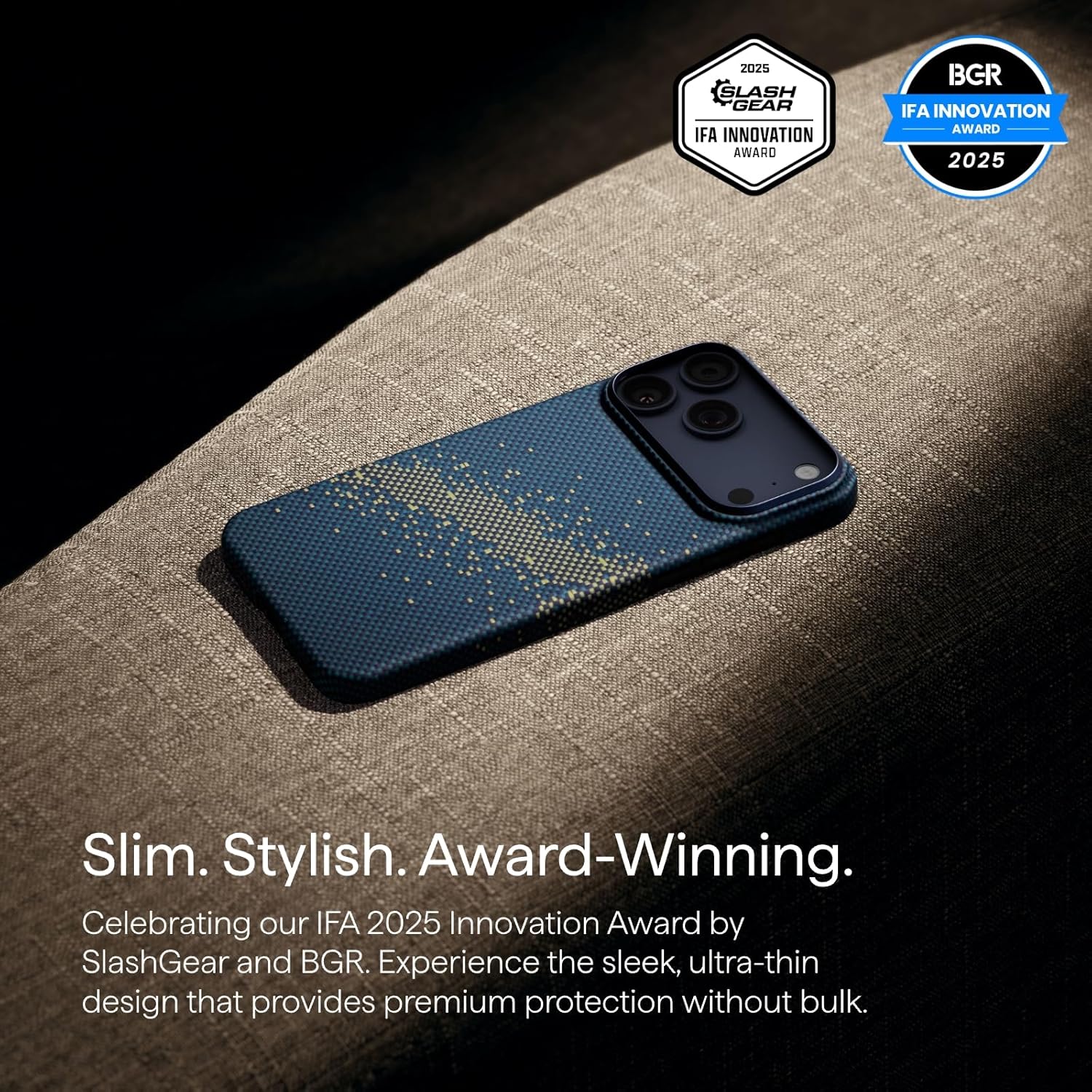
Figure 4.2: The MagSafe compatible design of the case, showing strong magnetic strength.
Compatible accessories include:
- MagSafe wireless chargers
- MagSafe car mounts (e.g., PITAKA MagEZ Car Mount Pro)
- MagSafe wallets and ring holders
4.3. Caseless Touch Feeling
Constructed from 1500D aramid fiber, the case is ultra-slim (approximately 1mm thin) and featherlight (1.06 ounces), preserving the iPhone's original sleek profile. The woven aramid fiber provides a unique, tactile texture that enhances grip and comfort, offering a 'caseless' feel while providing protection against daily wear.

Figure 4.3: The case's minimal thickness and weight, designed for a caseless feel.
5. Care and Maintenance
To ensure the longevity and appearance of your PITAKA case, follow these maintenance guidelines:
- Cleaning: Wipe the case regularly with a soft, damp cloth to remove dust and fingerprints. For stubborn stains, use a mild soap solution and rinse thoroughly.
- Avoid Harsh Chemicals: Do not use abrasive cleaners, solvents, or harsh chemicals, as these can damage the aramid fiber and its coating.
- Proper Handling: While the case is durable, avoid excessive bending or twisting, which could compromise its structural integrity.
- Storage: When not in use, store the case in a cool, dry place away from direct sunlight.
6. Troubleshooting
If you encounter any issues with your PITAKA case, refer to the following common troubleshooting tips:
- Case Not Fitting Correctly: Ensure you have the correct model (iPhone 17 Pro 6.3-inch). Remove the case and re-install, ensuring proper alignment of all buttons and cutouts.
- MagSafe Accessories Not Attaching Securely: Check that both the case and the MagSafe accessory are clean and free of obstructions. Verify the accessory is MagSafe compatible.
- Camera Control Button Not Responding: Ensure your iPhone is fully seated within the case and that no debris is obstructing the button mechanism. Restart your iPhone if the issue persists.
7. Product Specifications
| Feature | Detail |
|---|---|
| Material | Aramid Fiber (1500D) |
| Compatible Phone Models | iPhone 17 Pro (6.3-inch) |
| Item Weight | 1.06 ounces |
| Package Dimensions | 7.8 x 4.57 x 1.06 inches |
| Item Model Number | I17CM0US-ABGIADAA |
| Special Features | Anti-Slip, Camera Control (PitaTap), Lightweight, Slim Fit, Wireless Charging Compatible (MagSafe) |
8. Warranty and Support
For detailed warranty information and customer support, please visit the official PITAKA website or contact their customer service directly. PITAKA is committed to providing high-quality products and assistance.
Official PITAKA Store: Visit the PITAKA Store on Amazon


