
Safety Information
Always unplug the vanity before assembly or disassembly. Be cautious of sharp edges and heavy components during assembly. Keep the vanity away from water and heat sources. Do not use the vanity if the mirror is cracked or damaged.
Product Overview
The COMHOMA Makeup Vanity Desk with Mirror and Lights (Model B200) is designed to provide a functional and organized space for your daily routine. It features a large mirror with adjustable LED lighting, ample storage, and a built-in charging station for convenience.
Key Features:
- Large Mirror with Adjustable LED Lights: Features a wide rectangular mirror with three color lighting options (Cold white, Warm white, Warm yellow) and adjustable brightness to suit various lighting needs.
- Ample Storage Capacity: Includes five drawers of varying sizes and open shelves for organizing cosmetics, skincare products, and accessories.
- Built-in Charging Station: Equipped with two standard AC outlets (125V/12A) and two USB ports (5V/2A) for charging electronic devices.
- Durable Construction: Made with engineered wood and crystal-inspired knobs for a sturdy and elegant design.

Figure 1: Overall view of the COMHOMA Makeup Vanity Desk.

Figure 2: Illustrates the large storage capacity with multiple drawers and open compartments.
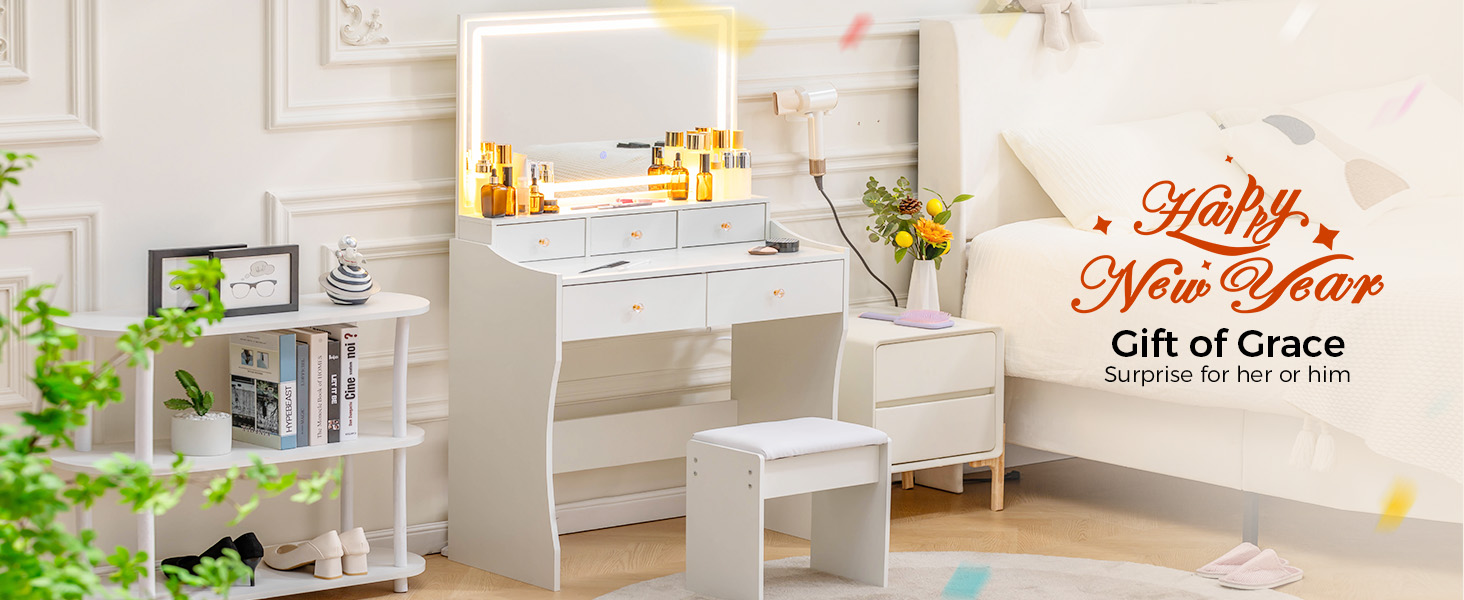
Figure 3: Demonstrates the three adjustable color lighting modes of the LED mirror.
Setup and Assembly
This section provides guidance for assembling your COMHOMA Makeup Vanity Desk. All parts and accessories are labeled for easy identification. It is recommended to follow the instructions carefully for proper assembly.
Assembly Video Guide:
Video 1: Detailed installation guide for the COMHOMA Vanity Desk Model B200. This video demonstrates step-by-step assembly of the vanity desk components.
Product Dimensions:

Figure 4: Detailed dimensions of the vanity desk and its components for reference during assembly.
Operating Instructions
LED Mirror Lights:
The vanity mirror features integrated LED lights with three color modes and adjustable brightness. To operate:
- Power On/Off: Locate the touch sensor on the mirror surface. Tap once to turn the lights on or off.
- Change Color Mode: With the lights on, tap the touch sensor repeatedly to cycle through the three color modes: Cold white, Warm white, and Warm yellow.
- Adjust Brightness: With the lights on, press and hold the touch sensor to gradually increase or decrease the brightness. Release when the desired brightness level is reached.
Figure 5: Visual representation of the three color lighting modes available on the LED mirror.
Built-in Charging Station:
The vanity desk includes a built-in power strip for convenient charging and powering of devices.
- AC Outlets: Two standard 125V/12A AC outlets are provided for plugging in hair dryers, curling irons, or other small appliances.
- USB Ports: Two 5V/2A USB ports are available for charging smartphones, tablets, and other USB-powered devices.
- Ensure the vanity desk is properly plugged into a wall outlet for the charging station to function.
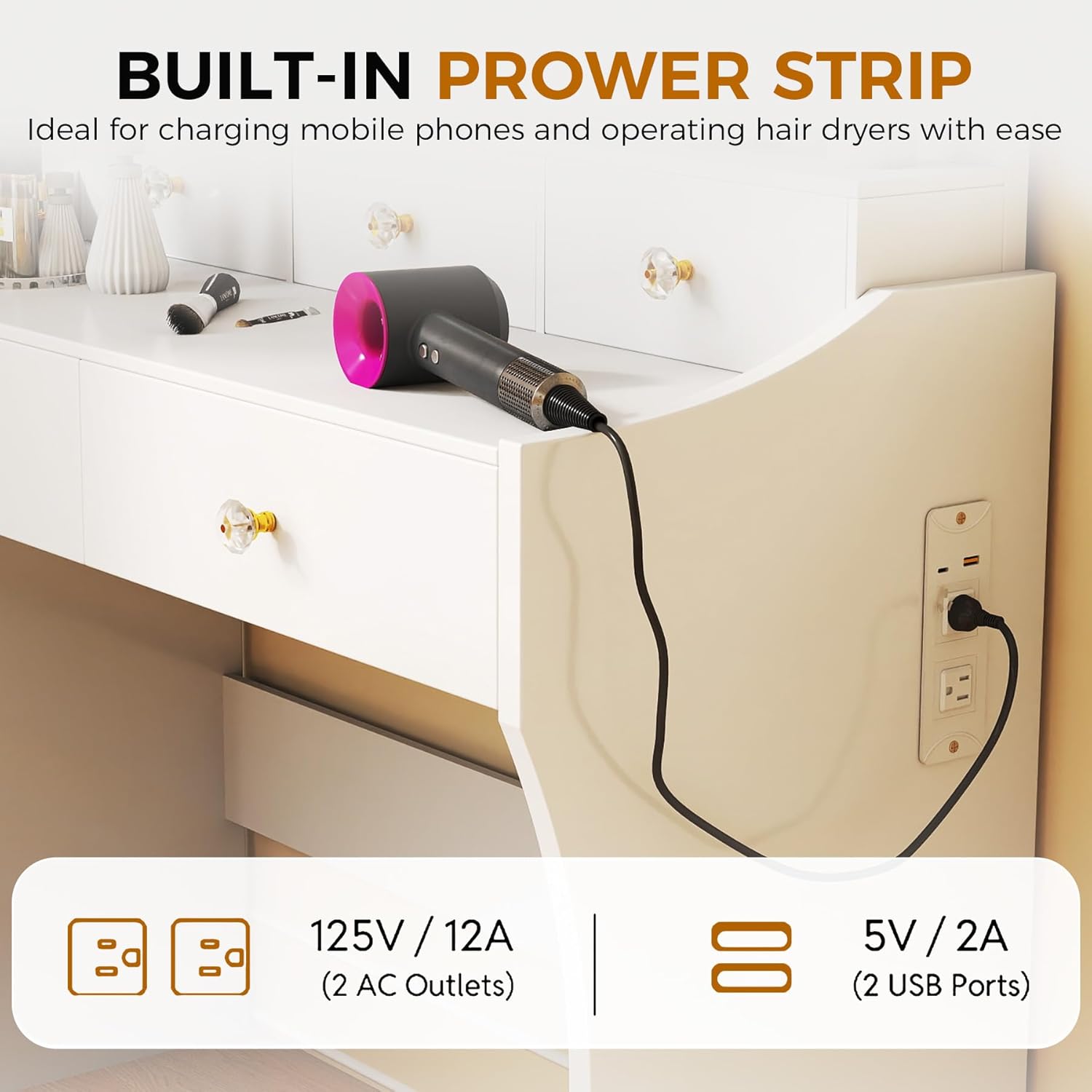
Figure 6: Close-up of the integrated charging station with AC outlets and USB ports.
Maintenance
To ensure the longevity and appearance of your vanity desk, follow these maintenance guidelines:
- Cleaning Surfaces: Wipe down all surfaces with a soft, damp cloth. Avoid abrasive cleaners or harsh chemicals that may damage the finish.
- Mirror Care: Clean the mirror with a glass cleaner and a lint-free cloth. Do not spray cleaner directly onto the mirror; apply it to the cloth first.
- Drawer Maintenance: Periodically check drawer slides for smooth operation. If needed, apply a small amount of silicone lubricant to the slides.
- Electrical Components: Ensure the charging station and mirror lights are unplugged before cleaning. Do not expose electrical components to water.
- Tighten Fasteners: Periodically check and tighten all screws and fasteners to maintain stability.
Troubleshooting
If you encounter any issues with your vanity desk, refer to the following common troubleshooting tips:
- LED Lights Not Working:
- Ensure the power cord is securely plugged into a working wall outlet.
- Check if the power switch on the mirror is in the 'On' position.
- Verify that the touch sensor is clean and free from obstructions.
- Charging Station Not Functioning:
- Confirm the vanity desk's main power cord is connected to a live electrical outlet.
- Test the outlets and USB ports with different devices to rule out device-specific issues.
- Drawers Sticking or Not Closing Properly:
- Check for any obstructions in the drawer slides.
- Ensure the drawer slides are properly aligned and securely attached.
- Verify that the drawer contents are not overflowing or preventing closure.
- Vanity Desk Wobbles:
- Ensure all assembly screws and fasteners are tightened.
- Place the vanity on a flat, level surface.
If problems persist, please contact COMHOMA customer support for assistance.
Specifications
| Feature | Detail |
|---|---|
| Brand | COMHOMA |
| Model Number | B200 |
| Product Dimensions | 16"D x 31.5"W x 54.3"H |
| Item Weight | 57 pounds |
| Frame Material | Engineered Wood |
| Furniture Finish | MDF |
| Seat Material Type | Faux Leather (for included stool) |
| Assembly Required | Yes |
| Charging Station | 2 AC Outlets (125V/12A), 2 USB Ports (5V/2A) |
| Mirror Lighting | LED, Stepless Dimmable, 3 Color Modes (Cold white/Warm white/Warm yellow) |
Warranty and Support
For warranty information or customer support, please refer to the contact details provided in your product packaging or visit the official COMHOMA website. Keep your purchase receipt for any warranty claims.
Customer Service Support: E-mail: info@comhoma.com