
Introduction
The ISDT Q6 Retro is a compact and powerful DC smart charger and discharger designed for various RC battery types, including LiPo, LiHv, LiIon, LiFe, NiMH, Ni-Cd, and Pb. Featuring a 2.4-inch IPS display, app control, and BattAir technology support, this device offers efficient and intelligent battery management for hobbyists and professionals.
This manual provides essential information for the safe and effective operation of your ISDT Q6 Retro charger. Please read it thoroughly before use.
Safety Information
Always prioritize safety when handling batteries and charging equipment. Failure to follow these guidelines can result in property damage, injury, or fire.
- Use only compatible power adapters and cables. The power adapter and cable are not included with this product.
- Never leave the charger unattended during operation.
- Ensure proper ventilation around the charger to prevent overheating.
- Do not charge damaged or swollen batteries.
- Keep the charger away from moisture, heat sources, and flammable materials.
- Always connect the battery to the charger before connecting the power supply. Disconnect the power supply before disconnecting the battery.
- Observe correct polarity when connecting batteries.
- Dispose of old or damaged batteries responsibly, utilizing the battery destruction function where appropriate to reduce environmental impact.
Package Contents
Verify that all items are present in your package:
- 1 x ISDT Q6 Retro Balance Charger
Note: A power adapter and charging cables are not included and must be purchased separately.
Product Features

Enhanced Performance
The ISDT Q6 Retro offers significantly optimized smart charging capabilities. It features a maximum output increase of 75%, with charger power up to 350W and discharge power up to 10W. This allows for faster and more efficient charging of various battery types.

Smart App Control and Connectivity
Experience intelligent battery management with the built-in app control and multi-connectivity features. The "ISDLink" app enables wireless operation, allowing you to preset charging tasks, monitor the charging process remotely, and perform one-click OTA firmware upgrades. Download the ISDLink app from the official ISDT website.

BattAir Smart Battery Technology Support
The Q6 Retro supports BattAir smart battery technology. This allows the charger to intelligently exchange information with BattAir batteries, automatically identify the battery type, and match the optimal charging parameters for safe and efficient charging.

Compact Design with Increased Power
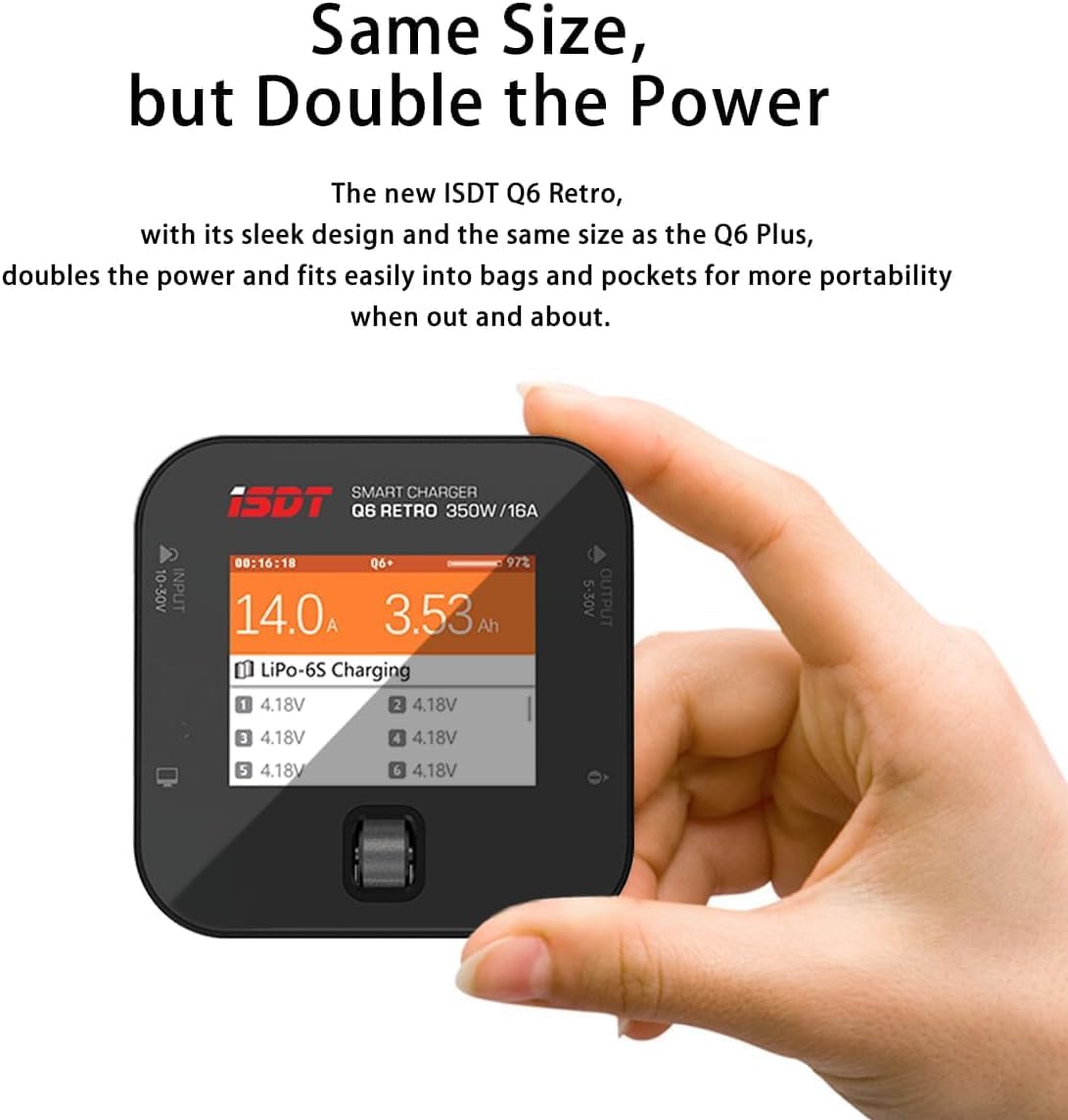
Despite its compact size, similar to the Q6 Plus, the new ISDT Q6 Retro doubles the power. Its sleek design and portability make it easy to carry in bags and pockets, ideal for use on the go.

Optimized Cooling Efficiency
The internal construction is highly optimized for superior cooling. It incorporates high-speed and high-efficiency synchronized digital power supply technology, combined with an active high-speed bearing fan, resulting in a 300% increase in cooling efficiency.
Adjustable Digital Power Supply and Battery Destruction
A new feature includes an adjustable digital power supply mode, offering increased flexibility for various user needs. Additionally, a dedicated battery destruction function is available to safely render old batteries unusable, reducing environmental pollution.

Upgradeable Firmware
The charger's firmware can be updated via a USB-C port connected to a PC or Mac. This ensures the charger maintains optimized performance and has access to the latest features without hassle.
2.4-inch IPS Display
The Q6 Retro features a 2.4-inch IPS display with up to a 178° visible angle. The auto-brightness screen ensures visibility even under strong sunlight, providing clear information at a glance.
Setup
- Connect Power Supply: Connect a DC power supply (10-30V) to the charger's input port (XT60). Ensure the power supply is capable of providing sufficient wattage for your charging needs (up to 350W). Note: Power adapter and cable are not included.
- Connect Battery: Connect your battery to the appropriate charging port (XT60) and the balance port (if applicable) on the ISDT Q6 Retro. Ensure correct polarity.
- Power On: The charger will power on automatically once a valid DC input is detected.
- Initial Settings: Upon first use or after a reset, you may need to configure basic settings such as language and system preferences.
Operating Instructions
Basic Charging
- Select Battery Type: Navigate through the menu using the scroll wheel/button to select the correct battery type (e.g., LiPo, LiHv, NiMH).
- Set Charging Mode: Choose your desired charging mode (e.g., Balance Charge, Fast Charge, Storage Charge).
- Adjust Current: Set the charging current (0.1A-16.0A) according to your battery's specifications. Refer to your battery's manual for recommended charging rates.
- Start Charging: Confirm the settings and start the charging process. The display will show real-time charging status, including cell voltage, total voltage, and current.
Discharging
The Q6 Retro supports discharging with a power of up to 10W and current from 0.1A-1.0A.
- Select Battery Type: Choose the correct battery type.
- Select Discharge Mode: Select the discharge function from the menu.
- Set Discharge Parameters: Adjust the discharge current and target voltage as needed.
- Start Discharging: Confirm and begin the discharge process.
Using the ISDLink App
The ISDLink app provides enhanced control and monitoring capabilities:
- Download the "ISDLink" app from the official ISDT website or your device's app store.
- Enable Bluetooth on your mobile device and open the app.
- Pair your ISDT Q6 Retro charger with the app.
- From the app, you can preset charging tasks, monitor charging progress, view battery information, and initiate OTA firmware updates.
Battery Destruction Function
This feature allows for the safe discharge of old or damaged batteries to a very low voltage, making them safer for disposal. Consult local regulations for proper battery disposal.
- Connect Battery: Connect the battery to be destroyed to the charger.
- Select Destruction Mode: Navigate to the "Battery Destruction" or similar mode in the charger's menu.
- Confirm and Start: Follow the on-screen prompts to confirm and initiate the destruction process. Monitor the process until completion.
Maintenance
- Keep the charger clean and free from dust and debris. Use a soft, dry cloth for cleaning.
- Store the charger in a cool, dry place when not in use.
- Regularly check cables and connectors for signs of wear or damage. Replace any damaged components immediately.
- Ensure the cooling fan is not obstructed to maintain optimal performance.
Troubleshooting
- Issue: Charger button is unresponsive or device is not functioning correctly.
- Solution: Go to the official ISDT website (www.isdt.co) and update the charger to the latest firmware. This often resolves software-related issues.
- Issue: Charger does not power on.
- Solution: Ensure the DC input voltage is within the 10-30V range and the power supply is correctly connected and functional. Verify that the power supply can deliver sufficient current.
- Issue: Charging process does not start or stops prematurely.
- Solution:
- Check battery connections and balance lead (if used) for proper contact and polarity.
- Verify that the correct battery type and cell count are selected in the charger settings.
- Ensure the charging current is set appropriately for the battery.
- Inspect the battery for any signs of damage or swelling. Do not charge damaged batteries.
- Issue: Charger or battery becomes excessively hot during operation.
- Solution: Immediately stop the charging/discharging process. Check for proper ventilation around the charger. Ensure the charging current is not set too high for the battery. If the battery is hot, allow it to cool down before attempting further operations. Discontinue use of any battery that consistently overheats.
Specifications

| Model Name: | Q6 Retro |
| Input Voltage: | DC 10-30V |
| Output Voltage: | DC 1-30V |
| Max Charging Power: | 350W |
| Charging Current: | 0.1A-16.0A |
| Max Discharging Power: | 10W |
| Discharging Current: | 0.1A-1.0A |
| Balance Current: | 1.5A/Cell Max |
| Supported Cell Count: | 1-6S |
| Supported Battery Types: | LiFe, LiPo, LiHV (1-6S), Pb (1-12S), NiMH (1-16S) |
| Dimensions: | 80 x 80 x 33.5 mm (3.15 x 3.15 x 1.32 inches) |
| Weight: | 119 g (4.2 oz) |
| Display: | 2.4" 320x240 IPS LCD |
Warranty and Support
ISDT products are manufactured to high-quality standards. For warranty information and technical support, please visit the official ISDT website or contact their customer service directly. Keep your purchase receipt as proof of purchase for warranty claims.
Official Website: www.isdt.co


