
1. Introduction
The Shark Detect Ultralight Corded Stick Vacuum, model HZ752, is engineered to provide powerful and efficient cleaning across various floor types. Featuring advanced Direction Detect technology and a self-cleaning brushroll, this vacuum is designed for ease of use and effective debris removal.
Key Features
- ULTRA-POWERFUL HAIR PICKUP: Shark Detect brushroll is no match for long, short, or pet hair.
- DIRECTION DETECT: While most vacuums tackle debris only when moving forward, the Detect nozzle picks up debris in both forward and reverse for powerful cleaning.
- ULTRA-LIGHTWEIGHT: Weighs less than 10 pounds for easy lifting and maneuverability.
- NO HAIR WRAP: The self-cleaning brushroll delivers powerful pet hair pickup without wrapping hair.
- Includes specialized cleaning tools for removing pet hair and cleaning hard-to-reach areas.
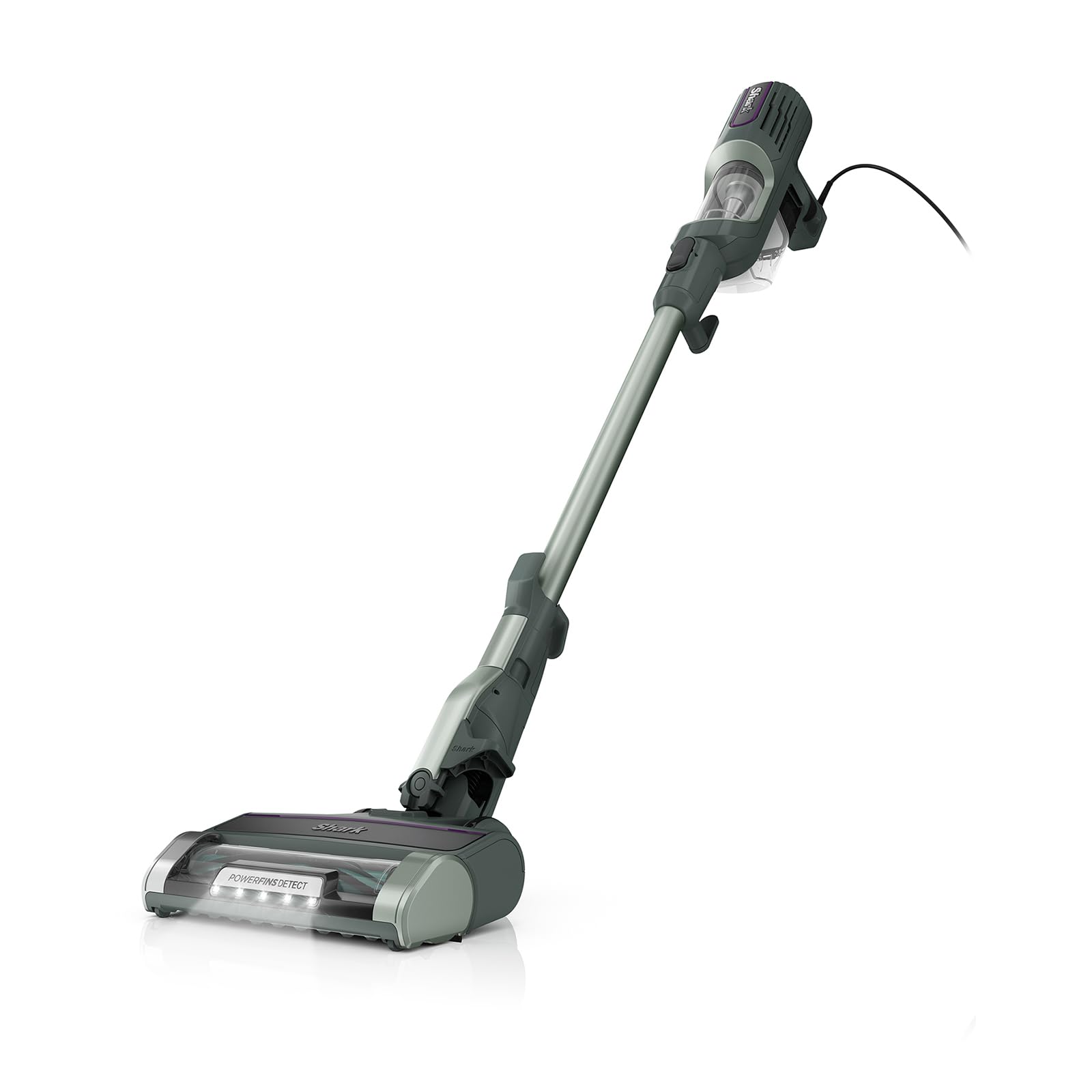
Figure 1.1: Shark Detect Ultralight Corded Stick Vacuum, HZ752.

Figure 1.2: Shark Detect Corded Ultralight - Lightweight and Powerful.

Figure 1.3: Self-Cleaning Brushroll for pet and long hair without tangling.
2. Safety Instructions
Please read all instructions carefully before using your Shark Detect Ultralight Corded Stick Vacuum. Failure to follow these instructions may result in electric shock, fire, or serious injury.
- Always unplug the power cord from the electrical outlet when not in use and before cleaning or servicing.
- Do not use outdoors or on wet surfaces.
- Do not allow to be used as a toy. Close attention is necessary when used by or near children.
- Use only as described in this manual. Use only manufacturer’s recommended attachments.
- Do not use with a damaged cord or plug. If appliance is not working as it should, has been dropped, damaged, left outdoors, or dropped into water, return it to a service center.
- Do not pull or carry by cord, use cord as a handle, close a door on cord, or pull cord around sharp edges or corners. Do not run appliance over cord. Keep cord away from heated surfaces.
- Do not unplug by pulling on cord. To unplug, grasp the plug, not the cord.
- Do not handle plug or appliance with wet hands.
- Do not put any object into openings. Do not use with any opening blocked; keep free of dust, lint, hair, and anything that may reduce air flow.
- Keep hair, loose clothing, fingers, and all parts of body away from openings and moving parts.
- Do not pick up anything that is burning or smoking, such as cigarettes, matches, or hot ashes.
- Do not pick up flammable or combustible liquids, such as gasoline, or use in areas where they may be present.
- Do not use without dust cup and/or filters in place.
3. What's in the Box
Your Shark Detect Ultralight Corded Stick Vacuum comes with the following components:
- Main Vacuum Unit (Handheld)
- Motorized Floor Nozzle with Self-Cleaning Brushroll
- Wand
- Crevice Tool
- Upholstery Tool
- Precision Duster
- Onboard Storage Clip

Figure 3.1: All components included with the Shark Detect Ultralight Corded Stick Vacuum.
4. Assembly
Follow these steps to assemble your Shark Detect Ultralight Corded Stick Vacuum:
- Insert the wand into the motorized floor nozzle until it clicks securely into place.
- Insert the handheld vacuum unit onto the top of the wand until it clicks securely into place.
- Attach the desired accessory (Crevice Tool, Upholstery Tool, or Precision Duster) to the handheld vacuum unit or the end of the wand, depending on your cleaning needs.
- Wrap the power cord around the cord clips on the side of the wand for organized storage.
5. Operating Instructions
Powering On/Off
To turn the vacuum on or off, press the power button located on the handheld unit. The LED headlights on the nozzle will illuminate when the vacuum is powered on.
Selecting Floor Type
The Shark Detect Ultralight features Direction Detect technology, which automatically adjusts brushroll speed for optimal cleaning on different floor types. However, you can manually select floor types:
- Hard Floor Setting: For bare floors and delicate area rugs.
- Carpet Setting: For carpets and rugs.
Handheld Mode
To use the vacuum in handheld mode for above-floor cleaning, press the release button on the wand to detach the handheld unit. You can then attach accessories directly to the handheld unit or to the end of the wand for extended reach.

Figure 5.1: Easily remove the 3-pound hand vac for effortless cleaning above the floor.

Figure 5.2: Detach the hand vac and wand from the nozzle to take on hard-to-reach spaces.

Figure 5.3: Low-profile design allows for effortless cleaning under furniture.

Figure 5.4: LED headlights reveal hidden dirt and debris around your home.
Video 5.1: Official product video demonstrating the Shark Detect Ultralight Corded Stick Vacuum's features and operation.
6. Maintenance
Emptying the Dust Cup
To empty the dust cup, ensure the vacuum is unplugged. Press the dust cup release button and remove the dust cup from the handheld unit. Hold the dust cup over a trash bin and press the empty button to release debris. Close the dust cup lid and reattach it to the handheld unit.

Figure 6.1: The removable easy-empty dust cup clears debris in seconds.
Cleaning Filters
Regularly clean the foam and felt filters to maintain optimal suction. Remove the dust cup, then pull out the foam and felt filters. Rinse them with water and allow them to air dry completely before reinserting. It is recommended to clean filters monthly.
Cleaning the Brushroll
The self-cleaning brushroll is designed to prevent hair wrap. However, if any debris or hair becomes tangled, carefully remove it using scissors or by hand. Ensure the vacuum is unplugged before performing any maintenance on the brushroll.

Figure 6.2: Self-cleaning brushroll picks up pet hair and long hair without tangling.

Figure 6.3: PowerFins Detect grips and captures dirt, debris, and hair on carpets and floors.
7. Troubleshooting
| Problem | Possible Cause | Solution |
|---|---|---|
| Vacuum not picking up debris or no suction. | Dust cup is full. Filters are dirty. Nozzle is clogged. | Empty dust cup. Clean filters. Check nozzle for blockages. |
| Brushroll not spinning. | Brushroll is jammed. Floor type setting is incorrect. | Remove any obstructions from the brushroll. Ensure correct floor type is selected. |
| Vacuum turns off on its own. | Overheating due to clogged filters or nozzle. | Check and clean filters and nozzle. Allow vacuum to cool down for at least 60 minutes. |
8. Product Specifications
| Feature | Specification |
|---|---|
| Brand | Shark |
| Model Name | Detect Ultralight |
| Item Model Number | HZ752 |
| Power Source | Corded Electric |
| Wattage | 680 watts |
| Item Weight | 7.94 pounds |
| Product Dimensions | 10.5"L x 8.8"W x 41.6"H |
| Capacity | 0.39 Quarts |
| Filter Type | Foam |
| Special Feature | Headlight, Lightweight, Portable |
| Recommended Uses | Carpet, Furniture, Hard Floor |
9. Warranty and Customer Support
For warranty information or customer support, please refer to the documentation included with your product or visit the official Shark website. You can also contact Shark customer service directly for assistance with product registration, troubleshooting, or replacement parts.
Online Support: Visit Shark's Official Store


