
1. Product Overview
The Bewinner 4G 5G Portable WiFi Hotspot is a modern, high-speed mobile router designed for convenient internet access on the go. It operates by simply inserting a 4G or 5G SIM card (not included), eliminating the need for a broadband connection. This device provides fast internet speeds, supporting LTE Cat4 for up to 300 Mbps, making it ideal for travel, business trips, camping, and RV use.
Equipped with a built-in 3650mAh battery, it offers over 10 hours of continuous use. It can also be powered externally via a USB-C port, allowing for charging through a computer, power bank, or car charger. The hotspot supports network bands B1, B3, B5, B40 and can connect up to 10 devices simultaneously, including smartphones, tablets, and laptops. Its plug-and-play design ensures ease of use.

Image 1.1: Front view of the Bewinner 4G 5G Portable WiFi Hotspot, showing the display and power button.
2. Package Contents
Please check the package contents upon unboxing to ensure all items are present.
- 1 x Bewinner 4G 5G Portable WiFi Hotspot
- 1 x USB-C Charging Cable
- 1 x User Manual (this document)
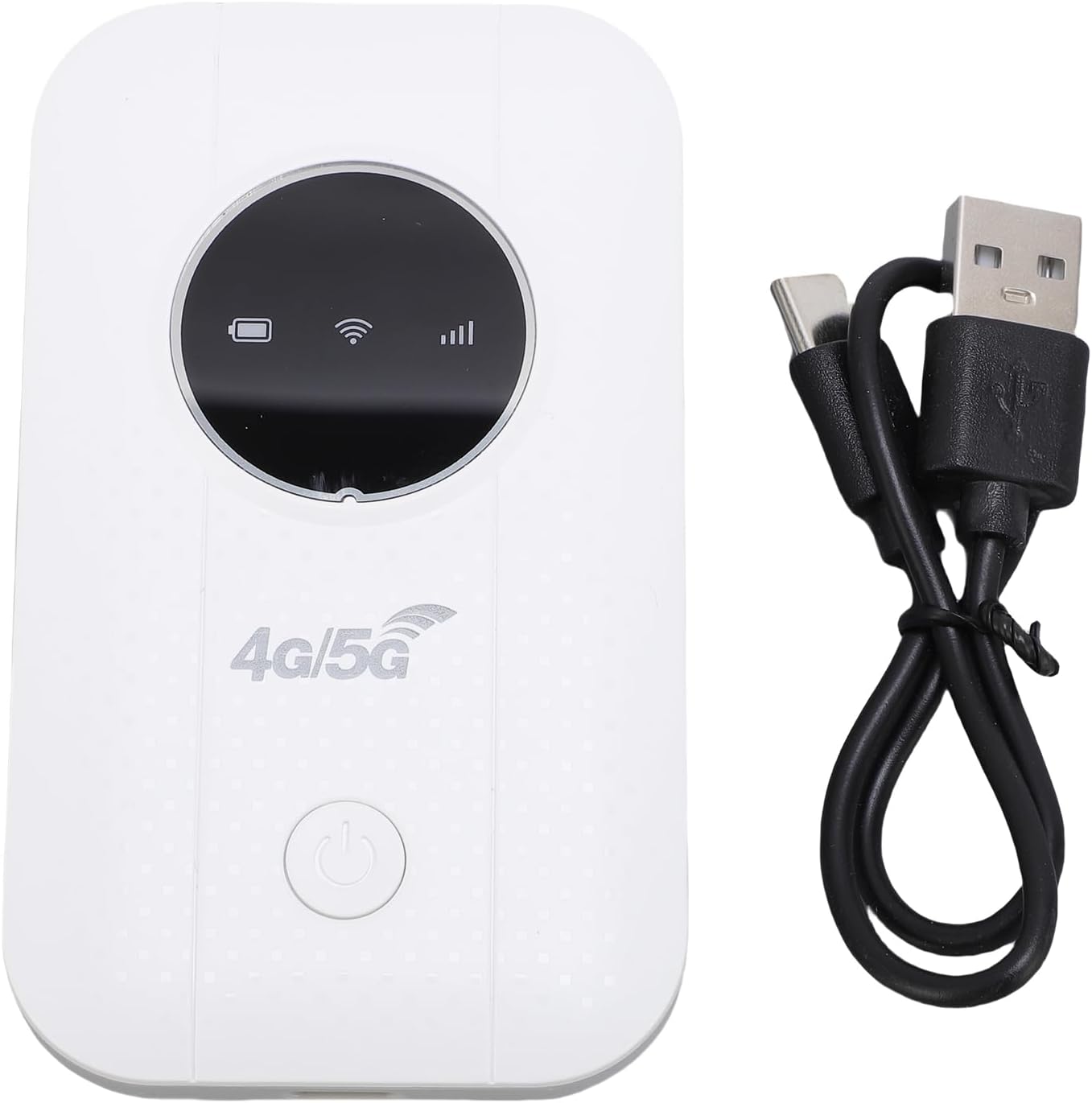
Image 2.1: The portable WiFi hotspot alongside its USB-C charging cable.
3. Setup Instructions
3.1. Inserting the SIM Card
- Ensure the device is powered off.
- Locate the SIM card slot on the side or back of the device.
- Gently open the SIM card slot cover.
- Insert a standard 4G or 5G SIM card (not included) into the slot with the gold contacts facing down and the notched corner aligned correctly.
- Close the SIM card slot cover securely.
3.2. Charging the Device
- Connect the provided USB-C charging cable to the device's USB-C port.
- Connect the other end of the cable to a USB power source (e.g., computer USB port, power bank, or USB wall adapter).
- The battery indicator on the device's display will show charging status. A full charge typically takes several hours.

Image 3.1: Illustration of the device's battery life, indicating a 3650mAh capacity for over 10 hours of continuous use.
4. Operating Instructions
4.1. Powering On/Off
- To power on: Press and hold the power button (usually located on the front or side) for a few seconds until the display lights up.
- To power off: Press and hold the power button again until the device shuts down.
4.2. Connecting Devices to the Hotspot
- Once the hotspot is powered on and has detected the SIM card, it will broadcast a Wi-Fi network.
- On your smartphone, tablet, or laptop, go to your Wi-Fi settings.
- Search for available Wi-Fi networks. The hotspot's network name (SSID) and password (WPA2-PSK, WPA3) are typically displayed on the device's screen or on a sticker inside the battery compartment.
- Select the hotspot's SSID and enter the password when prompted.
- Your device should now be connected to the internet via the portable hotspot. The hotspot supports up to 10 connected devices simultaneously.
4.3. Checking Network Status
The device's display provides real-time information on network signal strength, battery level, and the number of connected devices.
5. Maintenance
- Cleaning: Use a soft, dry cloth to clean the device. Avoid liquid cleaners or abrasive materials.
- Storage: Store the device in a cool, dry place away from direct sunlight and extreme temperatures.
- Battery Care: To prolong battery life, avoid fully discharging the battery frequently. If storing for extended periods, charge the battery to about 50% and recharge every few months.
- Heat Dissipation: If the device is used for long periods, especially when charging or with multiple connected devices, ensure it has adequate ventilation to prevent overheating.
6. Troubleshooting
| Problem | Possible Cause | Solution |
|---|---|---|
| No internet connection |
|
|
| Device won't power on |
|
|
| Slow internet speed |
|
|
7. Specifications
| Feature | Detail |
|---|---|
| Model Number | Bewinner16r4afipkd |
| Network Frequency | LTE: B1 / B3 / B5 / B40, WCDMA: B1 / B3 |
| Wireless Standard | 802.11b, 802.11g, 802.11n |
| Wireless Transfer Rate | Up to 300 Mbps (LTE Cat4) |
| SIM Card Slot | 1 x SIM card (not included) |
| Battery Type | Built-in 3650mAh Li-ion Battery |
| Battery Life | Over 10 hours continuous use |
| Connectivity Technology | LTE, Wi-Fi |
| Security Protocol | WPA2-PSK, WPA3 |
| Max Connected Devices | 10 |
| Compatible Devices | Laptop, Smartphone, Tablet |
| Power Method | USB-C |
8. Warranty and Support
8.1. Manufacturer's Warranty
This Bewinner product comes with a 2-year manufacturer warranty. Please retain your proof of purchase for warranty claims. The warranty covers defects in materials and workmanship under normal use. It does not cover damage caused by misuse, accidents, unauthorized modifications, or natural disasters.
8.2. Customer Support
For technical assistance, troubleshooting, or warranty inquiries, please contact Bewinner customer support. Refer to the product packaging or the official Bewinner website for the most up-to-date contact information.
- Online Support: Visit the official Bewinner website for FAQs and support resources.
- Email Support: Check your product documentation for a support email address.