
Introduction
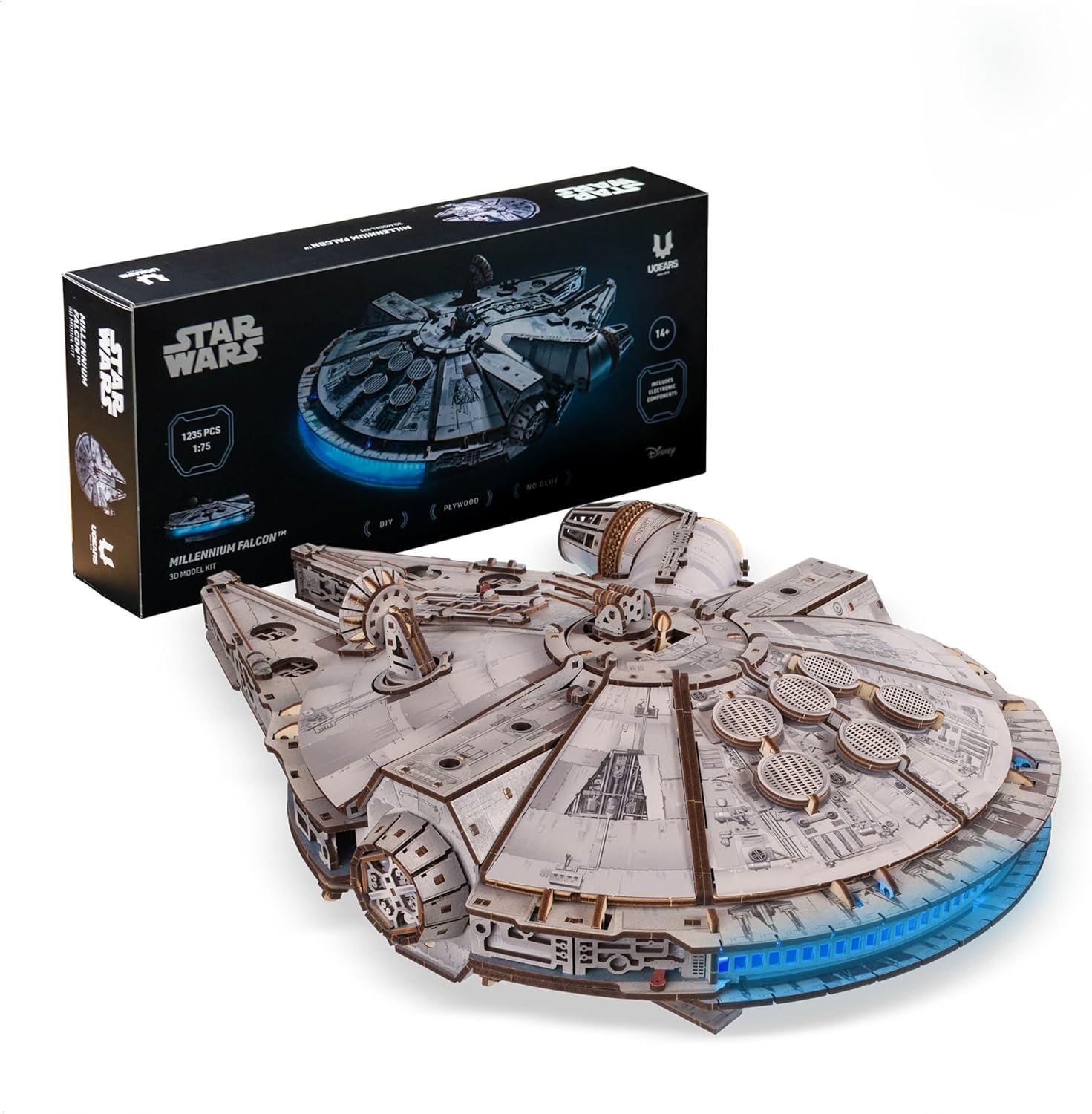
This instruction manual provides detailed guidance for the assembly, operation, and maintenance of your UGEARS Star Wars Millennium Falcon 3D Wooden Puzzle. This mechanical model kit is designed for experienced builders and offers an engaging construction experience, resulting in a detailed replica of the iconic starship.
Please read all instructions carefully before beginning assembly to ensure a smooth and successful building process.
What's in the Box:
- Precision-cut plywood sheets with 1235 parts
- Sandpaper for smoothing edges
- Detailed instruction booklet
- LED lighting components (battery-powered)
- Display stand components

Image: A person engaged in the assembly of the UGEARS Millennium Falcon model, highlighting the detailed building experience.
Safety Information
Warning: This product contains small parts and is not suitable for children under 14 years of age due to potential choking hazards. Adult supervision is recommended for younger builders within the recommended age range.
- Handle plywood parts carefully to avoid splinters.
- Keep all components away from open flames or excessive heat.
- Dispose of waste materials responsibly.
- Ensure batteries for LED lights are inserted correctly and disposed of properly.
Assembly Instructions
The UGEARS Millennium Falcon model is an advanced build, requiring patience and precision. Follow the included detailed instruction booklet step-by-step. Do not force parts together; if a connection is tight, use the provided sandpaper to gently smooth the edges.
It is recommended to organize parts by number before starting. Some parts may be delicate; exercise caution when detaching them from the plywood sheets.
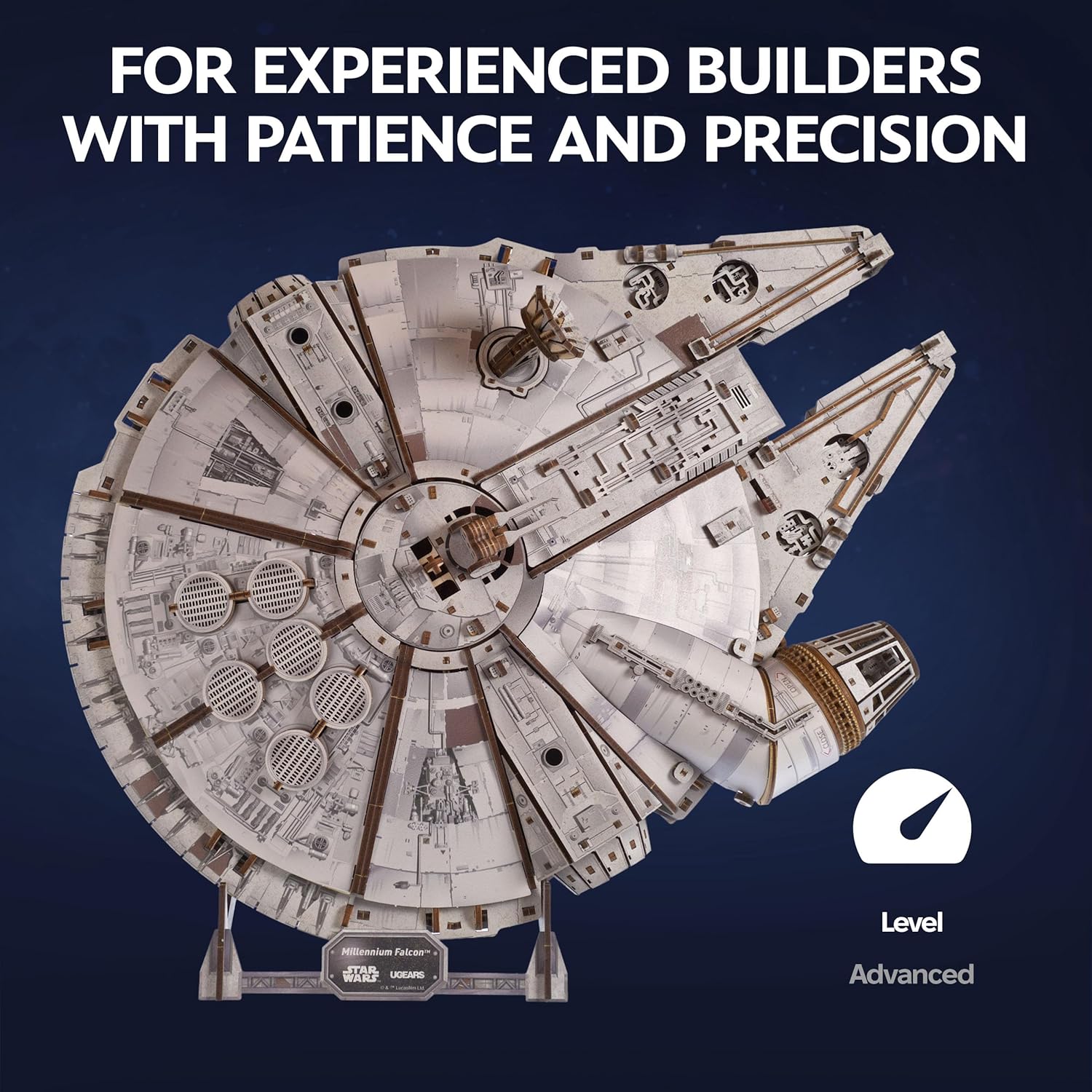
Image: The assembled Millennium Falcon model, emphasizing that the kit is designed for experienced builders who value patience and precision.
General Assembly Tips:
- Part Removal: Gently press out parts from the plywood sheets. If a part is stubborn, use a hobby knife to carefully cut the connecting points.
- Smoothing Edges: Use the included sandpaper to smooth any rough edges or burrs on the parts, especially on moving components, to ensure smooth operation.
- Waxing (Optional): For optimal movement of gears and mechanical parts, a small amount of wax (e.g., beeswax or a candle) can be applied to the teeth of gears and axles.
- LED Installation: Follow the specific instructions for installing the battery-powered LED lights. Ensure correct battery polarity.
Video: An overview of the UGEARS Star Wars Millennium Falcon 3D Model Kit, demonstrating its assembly and key features. This video provides a visual guide to the building process and the model's interactive elements.
Operating Features
Once assembled, your Millennium Falcon model features several interactive mechanical elements and integrated lighting:
- Rotating Radar Dish: The iconic radar dish on top of the ship can be manually rotated 360 degrees.
- Deployable Landing Gear: The landing gear can be manually extended for display or retracted for a flight configuration.
- Opening Cargo Compartment Door: A cargo compartment door on the side of the ship can be opened and closed.
- Movable Gun Turrets: The top and bottom gun turrets can be manually positioned.
- Hyperdrive Engine LED Lights: Battery-powered LED lights simulate the blue glow of the hyperdrive engine at the rear of the ship.

Image: Detailed views of the Millennium Falcon model highlighting its interactive features: an opening cargo compartment door, a 360-degree rotating antenna, a lowering and raising boarding ramp, and movable gun turrets.

Image: A close-up showing the battery-powered LED lights illuminating the rear of the Millennium Falcon model, alongside an intricate view of the ship's interior details.
Maintenance
To ensure the longevity and optimal performance of your UGEARS Millennium Falcon model, follow these maintenance guidelines:
- Cleaning: Dust the model regularly with a soft, dry cloth or a soft brush. Avoid using water or chemical cleaners, as these can damage the wood.
- Storage: Store the model in a dry environment, away from direct sunlight and extreme temperature fluctuations, which can cause the wood to warp or crack.
- Moving Parts: If any mechanical parts become stiff, apply a small amount of wax (e.g., paraffin or beeswax) to the contact surfaces to reduce friction.
- LED Batteries: If the LED lights dim or stop working, replace the batteries. Remove batteries if the model will be stored for an extended period to prevent leakage.
Troubleshooting
If you encounter issues during or after assembly, refer to the following common problems and solutions:
- Parts do not fit:
- Ensure you are using the correct parts as indicated in the instruction booklet.
- Gently sand the edges of the connecting tabs or slots with the provided sandpaper until they fit without excessive force.
- Mechanical parts are stiff or do not move smoothly:
- Apply wax to the gears, axles, and other moving contact points.
- Check for any misaligned parts or excess material that might be causing friction.
- LED lights are not working:
- Verify that the batteries are inserted with the correct polarity.
- Check if the batteries are fresh and fully charged.
- Ensure all electrical connections are secure according to the assembly instructions.
- Parts break during assembly:
- Contact UGEARS customer support for replacement parts if necessary. Avoid forcing delicate components.
Product Specifications
| Model Name | Star Wars Millennium Falcon |
| Model Number | 70271 |
| Brand | UGEARS |
| Number of Parts | 1235 |
| Assembled Dimensions (L x W x H) | 18.11 x 13.39 x 5.7 inches (460 x 340 x 145 mm) |
| Item Weight | 2.57 pounds (1.17 kg) |
| Recommended Age | 14 years and up |
| Material | Plywood |

Image: A person holding the UGEARS Millennium Falcon model, illustrating its substantial size. Overlaid text indicates the model's length (18.1 in / 460 mm), width (13.4 in / 340 mm), and height (5.7 in / 145 mm), along with the total of 1235 parts.
Warranty and Support
UGEARS products are manufactured with high-quality materials and undergo strict quality control. For information regarding warranty coverage, replacement parts, or technical support, please visit the official UGEARS website or contact their customer service department.
You can find more information and contact details on the UGEARS Store on Amazon.


