
1. Introduction
The AlpsWolf HC260 is a versatile and portable lighting device designed for various situations, including camping, home use, and emergencies. It combines the functionality of a powerful flashlight with a 360-degree LED lantern and features a built-in power bank for charging other devices.
2. Safety Information
- Do not look directly into the light source to avoid eye strain or temporary vision impairment.
- Keep the device away from extreme temperatures and direct sunlight.
- This product is rated IPX4 waterproof, meaning it is resistant to splashing water from any direction. It is not designed for submersion in water.
- Keep out of reach of children.
- Use only the provided or certified charging cables.
3. Package Contents
- AlpsWolf HC260 Rechargeable LED Camping Lantern and Flashlight
- USB-C Charging Cable
- Two-Way Hook
4. Product Overview
The AlpsWolf HC260 is designed for ease of use and durability. It features a robust construction and multiple lighting options to suit various needs.

Figure 1: AlpsWolf HC260 Rechargeable LED Camping Lantern and Flashlight.
4.1. Key Features
- 6-in-1 Functionality: Offers a powerful flashlight and a 360-degree LED camping lantern with six distinct lighting modes, including two red emergency settings.
- Simple One-Button Operation: Easy to cycle through modes and power off.
- USB Rechargeable & Power Bank: Equipped with a 4000mAh built-in battery, it can also charge external devices like phones, GPS, or radios.
- Lightweight and Portable: Compact design (0.8 lbs) for easy transport and storage.
- Two-Way Hook: Includes a versatile handle and a two-way hook for hands-free use, allowing it to be hung on tents, trees, backpacks, or car roofs.
- Durable Design: IPX4 waterproof rating provides resistance against splashing water.
5. Setup and Initial Use
5.1. Initial Charging
Before first use, fully charge your AlpsWolf HC260. Connect the provided USB-C cable to the charging port on the device and plug the other end into a compatible USB power source (e.g., wall adapter, computer USB port). The indicator light on the power button will show red during charging and turn blue when fully charged.
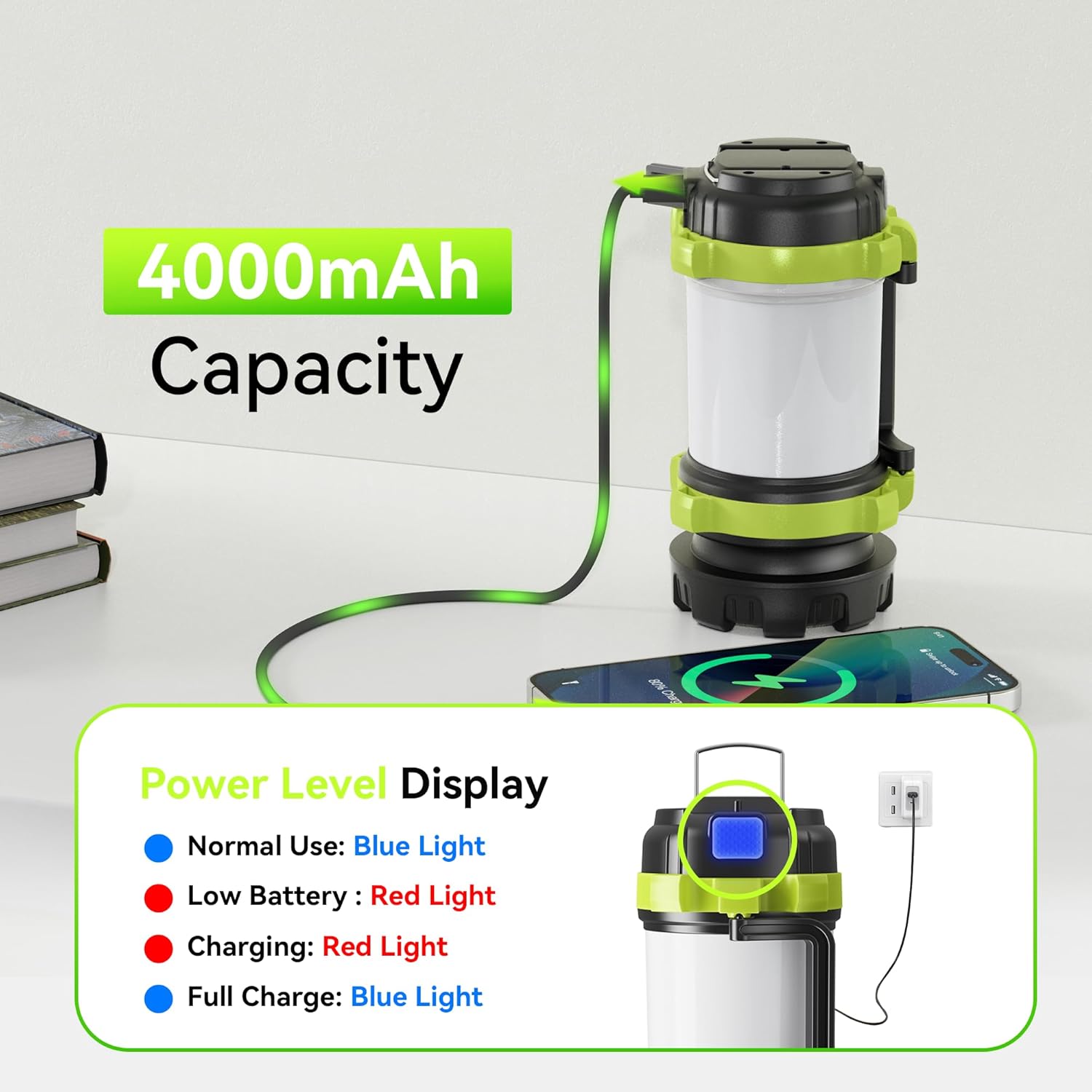
Figure 2: Charging port location and power indicator lights.
6. Operating Instructions
6.1. Power Button and Mode Cycling
The AlpsWolf HC260 features a single power button for all lighting functions.
- Short Press: Press the power button briefly to cycle through the six available lighting modes. The modes typically cycle as follows:
- White Flashlight (High)
- White Flashlight (Low)
- White Lantern (High)
- White Lantern (Low)
- Red Lantern (Stable)
- Red Lantern (Strobe)
- Long Press: Press and hold the power button for approximately 2-3 seconds to turn the device off from any mode.
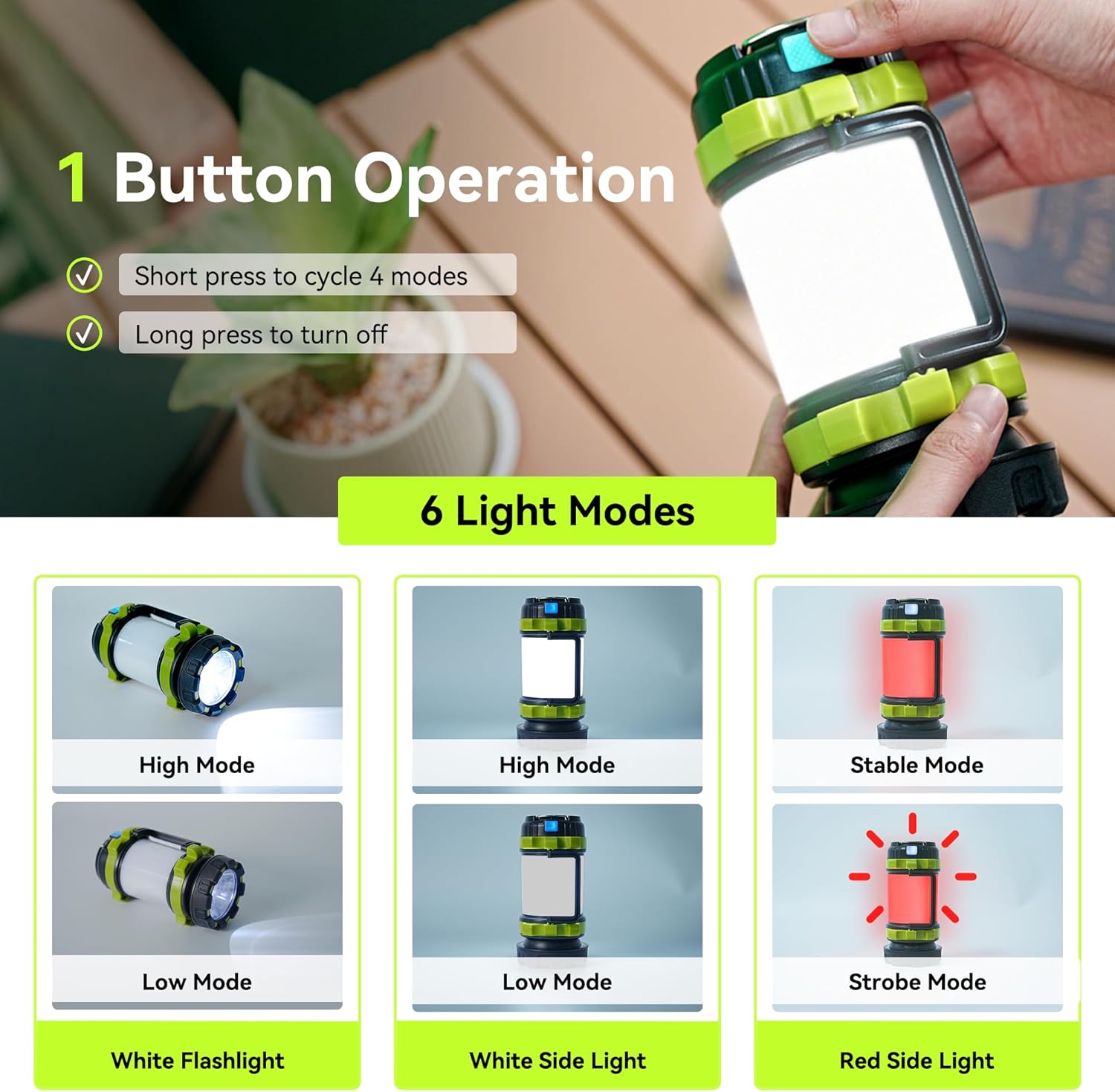
Figure 3: Visual representation of the 6 light modes and simple operation.
6.2. Power Level Display
The power button itself acts as an indicator light:
- Blue Light: Indicates the device is fully charged or has a high battery level.
- Red Light: Signals a low battery level or that the device is currently charging.
6.3. Using as a Power Bank
To charge an external device, open the rubber cover on the side to reveal the USB-A output port. Connect your device's charging cable to this port. The internal 4000mAh battery will then supply power to your external device.
Video 1: Demonstration of the AlpsWolf Camping Flashlight's features, including its use as a power bank and various light modes.
6.4. Hanging Options
The device includes a foldable handle and a two-way hook for versatile placement. Use the hook to hang the lantern inside a tent, from a tree branch, or on a backpack for hands-free illumination.

Figure 4: The portable design and two-way hanging hooks for convenient placement.
7. Maintenance
- Cleaning: Wipe the device with a soft, damp cloth. Do not use abrasive cleaners or solvents.
- Storage: Store the device in a cool, dry place when not in use. If storing for extended periods, charge the battery every 3-6 months to maintain battery health.
- Water Resistance: Ensure the rubber cover for the charging ports is securely closed to maintain IPX4 water resistance.
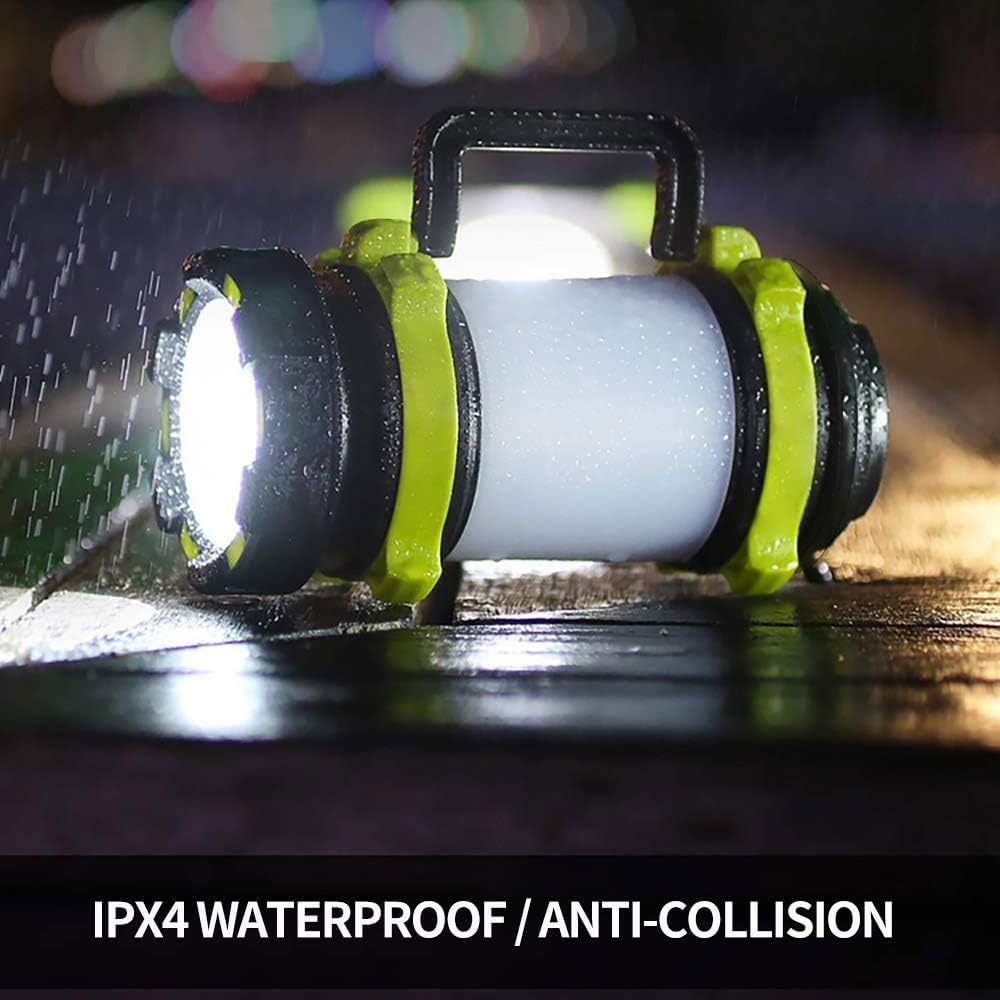
Figure 5: The IPX4 waterproof and anti-collision design of the lantern.
8. Troubleshooting
- Device not turning on: Check the battery level. If the indicator light is red, charge the device fully.
- External device not charging: Ensure the AlpsWolf HC260 has sufficient battery charge. Verify that the charging cable is properly connected to both the lantern's USB-A output port and your external device.
- Light modes not cycling: Ensure you are performing a short press on the power button. If the issue persists, try fully charging the device.
9. Specifications
| Feature | Specification |
|---|---|
| Model Number | HC260 |
| Brand | AlpsWolf |
| Light Source Type | LED (Light Emitting Diode) |
| Power Source | Rechargeable Battery |
| Battery Type | Lithium-Ion (4000mAh capacity) |
| Voltage | 5 Volts |
| Product Dimensions | 3.1"L x 3.1"W x 6"H (7.87 cm L x 7.87 cm W x 15.24 cm H) |
| Item Weight | 14.5 ounces (approx. 411 grams) |
| Water Resistance Level | IPX4 (Waterproof) |
| Material | Acrylonitrile Butadiene Styrene (ABS) |
| Finish Type | Plastic |
| Special Features | Portable, Multiple lighting modes and emergency settings |
10. Warranty and Support
For warranty information or technical support, please refer to the product packaging or contact AlpsWolf customer service directly through their official website or the retailer where the product was purchased. Please have your model number (HC260) and purchase details ready when contacting support.