1. Introduction
The VTOMAN Jump 1800 Portable Power Station with 200W Solar Panel is a versatile and robust power solution designed for various applications, including camping, emergency backup, and home use. This manual provides essential information for safe and efficient operation, maintenance, and troubleshooting of your device.
Video: Overview of the VTOMAN Jump 1800 Power Station with Solar Panel, demonstrating its features and portability.
2. Package Contents
- 1x Jump 1800 Portable Power Station
- 1x VTOMAN 200W/19V Portable Solar Panel
- 1x MC4 to Anderson/XT60/DC5521 Adapter
- 1x AC Adapter & Charging Cable
- 1x Car Charging Cable
- 1x USB-A to USB-C Cable
- 1x USB-C to USB-C Cable
- 1x User Manual

Image: The VTOMAN Jump 1800 Power Station and its complete set of included accessories.
3. Product Features
3.1. SuperSafe LIFEBMS Battery Management System
The power station is built with VTOMAN's SuperSafe LIFEBMS (Battery Management System), offering up to 10 battery protections including over-charge, over-discharge, over-voltage, and over-current protection. Its integrated LiFePO4 battery provides enhanced heat resistance and safety compared to other battery types.

Image: Internal view of the VTOMAN Jump 1800, highlighting the LiFePO4 battery cells and SuperSafe LIFEBMS technology.
3.2. Expandable Capacity
The VTOMAN Jump 1800 features a large 1548Wh capacity, which can be expanded to 3096Wh by connecting an optional VTOMAN Jump 1500 extra battery (sold separately). The LiFePO4 battery is designed for long-term use, offering over 3,000 charge cycles before its capacity degrades to 80%.
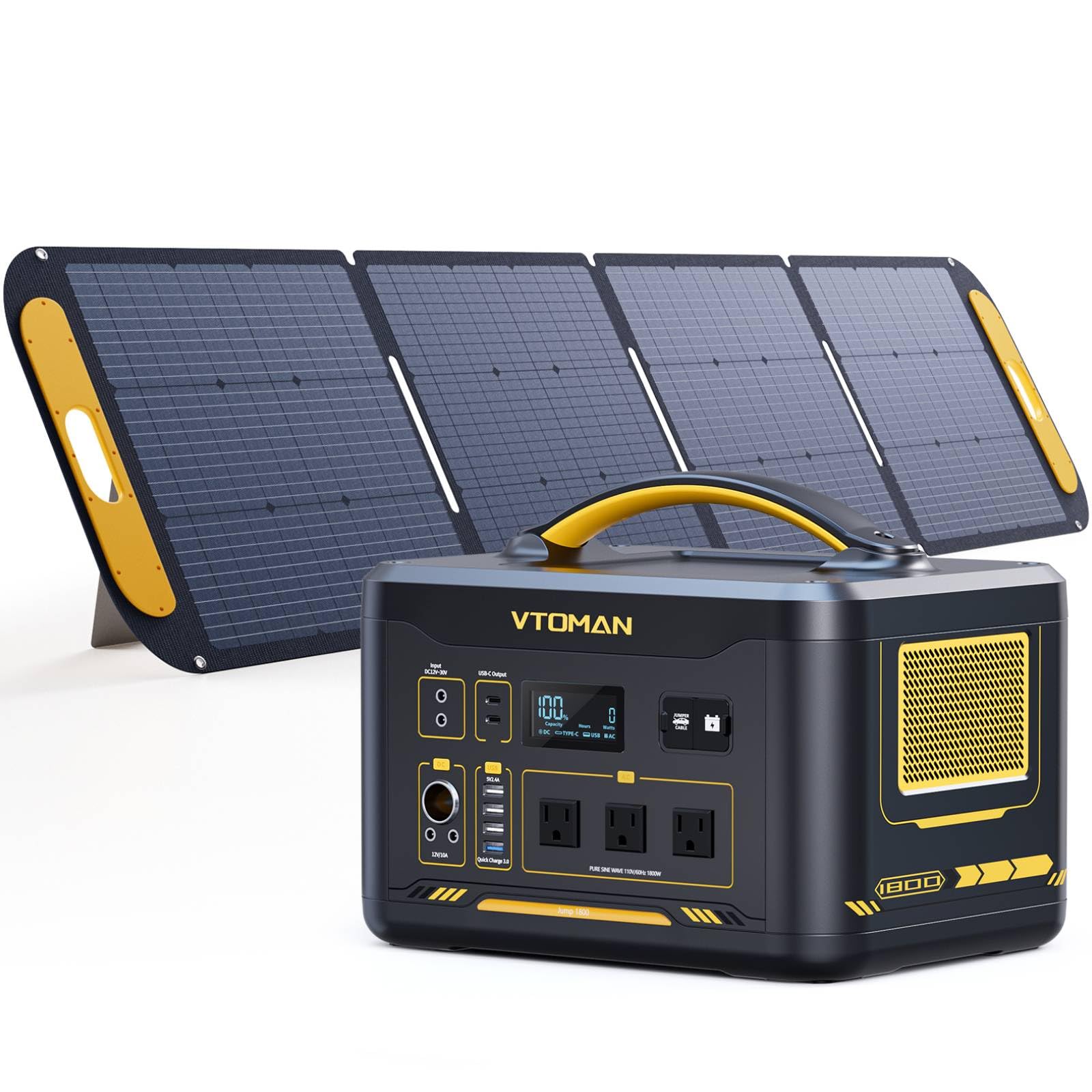
Image: Two VTOMAN power stations connected, demonstrating the expandable capacity feature.
3.3. 1800W Constant-Power Output
This portable solar generator provides a pure sine wave 1800W continuous output with a 3600W surge capacity. Its Constant-Power technology allows it to power appliances rated over 1800W by maintaining a steady 1800W output, preventing the unit from shutting down. This is ideal for high-wattage devices like water heaters, space heaters, and ovens.

Image: The VTOMAN Jump 1800 powering kitchen appliances, showcasing its V-Beyond Technology for high-wattage devices.
3.4. Multiple Output Ports
The Jump 1800 is equipped with a comprehensive array of output ports to charge up to 12 devices simultaneously:
- 3x 110V/1800W AC Outlets
- 2x Regulated 12V/10A DC5521 Output
- 1x Regulated 12V/10A Car Port
- 4x USB-A Output (including 1x QC 3.0 18W max)
- 2x Type-C PD100W Output

Image: Detailed view of the VTOMAN Jump 1800's output ports, including AC, DC, USB-A, and USB-C.
3.5. Pass-Through Charging
The power station supports pass-through charging, allowing you to power external devices while the unit itself is being recharged. This ensures continuous power supply without interruption.

Image: The power station charging multiple devices while also being recharged, illustrating pass-through functionality.
3.6. 12V Car Jump Starter
The Jump 1800 can be used as an emergency 12V car jump starter, getting your vehicle back on the road quickly. Jumper cables are sold separately.

Image: The VTOMAN Jump 1800 connected to a car battery, demonstrating its jump-start capability.
3.7. Integrated LED Light
A convenient built-in LED light illuminates dark areas, making it easy to find supplies or navigate during power outages or in low-light environments.

Image: The VTOMAN Jump 1800 with its LED light active, providing illumination.
3.8. 200W Portable Solar Panel
The included 200W portable solar panel features monocrystalline silicon solar cells, achieving up to 23% energy conversion efficiency. It has a universal MC4 interface and comes with a 3-in-1 adapter for compatibility with various power systems. The panel includes 2 adjustable kickstands for quick setup and 4 circular holes for hanging.
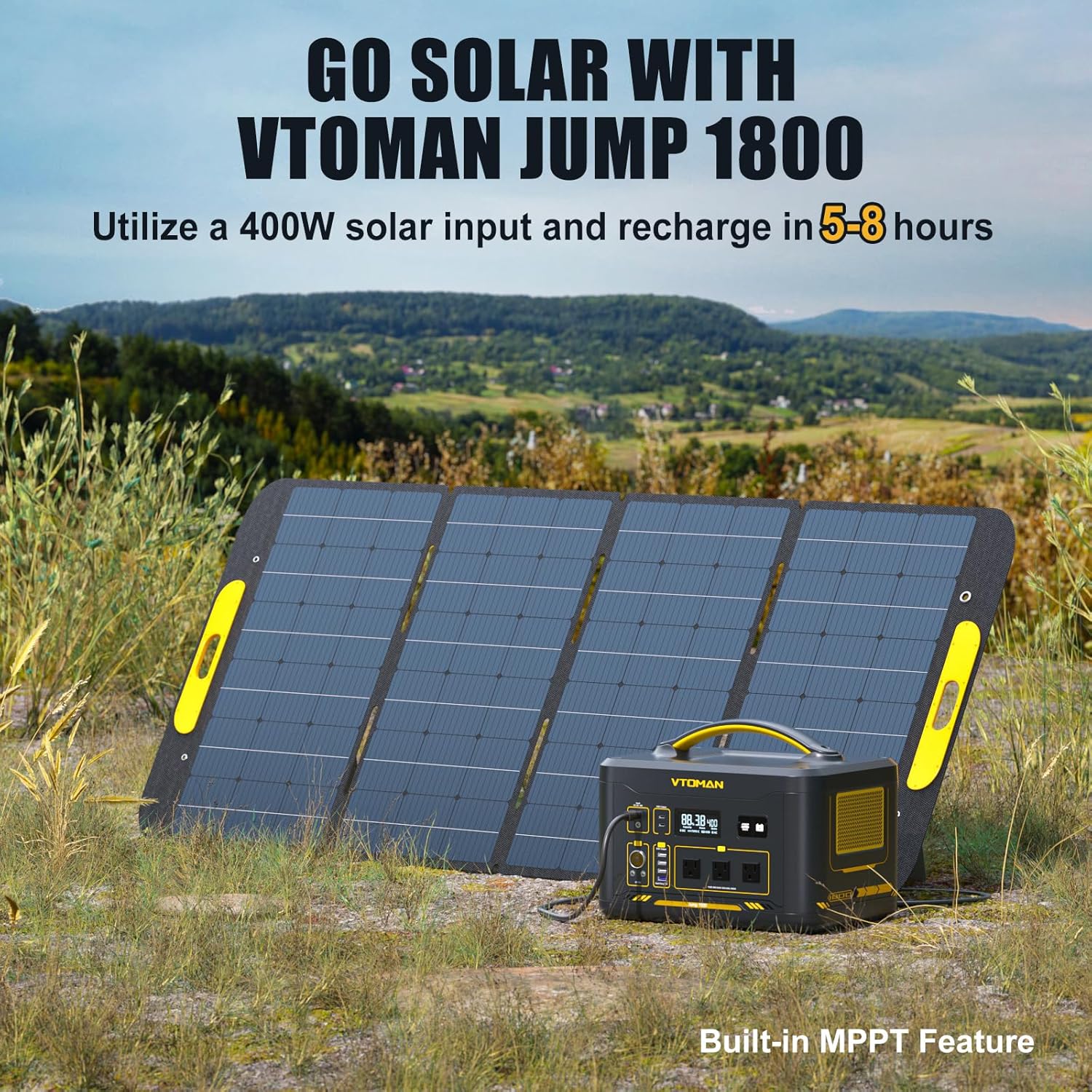
Image: The VTOMAN 200W solar panel in use, charging the power station outdoors.
4. Setup
4.1. Power Station Setup
- Unpack the Jump 1800 Power Station and all accessories.
- Place the power station on a stable, flat surface.
- Ensure all vents are clear for proper airflow.
4.2. Solar Panel Setup
- Unfold the VTOMAN 200W Solar Panel.
- Use the adjustable kickstands to position the panel towards direct sunlight for optimal charging.
- Alternatively, use the circular holes to hang the panel in a suitable location.
- Connect the solar panel to the Jump 1800 Power Station using the provided MC4 to DC5521 adapter cable.

Image: Quick and easy setup of the VTOMAN 200W portable solar panel.
5. Operating Instructions
5.1. Turning On/Off
Press and hold the main power button for a few seconds to turn the unit on or off. The display will illuminate, showing battery status and output information.
5.2. Using AC Outputs
Press the AC power button to activate the 110V AC outlets. Plug in your AC appliances. Press the button again to turn off the AC output.
5.3. Using DC Outputs
Press the DC power button to activate the 12V DC5521 ports and the car port. Plug in your 12V devices. Press the button again to turn off the DC output.
5.4. Using USB Outputs
The USB-A and Type-C ports are typically active when the main unit is powered on. Plug in your USB-powered devices for charging.
5.5. Charging the Power Station
- AC Wall Charging: Connect the AC adapter and charging cable to the input port and a standard wall outlet.
- Solar Charging: Connect the solar panel to the input port using the appropriate adapter. Position the panel in direct sunlight for optimal charging efficiency.
- Car Charging: Connect the car charging cable to the input port and your vehicle's 12V cigarette lighter socket.

Image: Various charging methods for the power station, including AC wall, solar, and car charging.
5.6. Jump Starting a Vehicle
- Ensure the power station has sufficient charge.
- Connect the jumper cables (sold separately) to the designated jump start port on the power station.
- Follow standard vehicle jump-starting procedures, connecting to the car battery terminals (red to positive, black to negative).
- Once the car starts, disconnect the cables in reverse order (negative first, then positive).
5.7. Using the LED Light
Press the LED light button to cycle through different light modes, which may include steady illumination, strobe, and SOS signals.
6. Maintenance
6.1. Battery Care
- Charge the power station fully before its first use.
- Recharge the unit at least every 3-6 months to maintain optimal battery health, even if it is not actively in use.
- Avoid frequent full discharge cycles to prolong battery lifespan.
6.2. Cleaning
Use a dry, soft cloth to clean the exterior surfaces of the power station and solar panel. Do not use abrasive cleaners, solvents, or immerse the device in water.
6.3. Storage
Store the device in a cool, dry, and well-ventilated area. Keep it away from direct sunlight, high temperatures, and moisture. Ensure the power station is fully charged before storing it for extended periods.
7. Troubleshooting
- Device Not Turning On: Check the battery level on the display. Ensure the main power button is pressed and held correctly for a few seconds.
- No Output from Ports: Verify that the specific output section (AC, DC, or USB) is activated by pressing its respective button. Confirm that the connected device does not exceed the power station's output limits.
- Slow Solar Charging: Ensure the solar panels are positioned in direct sunlight and are free from any shadows or obstructions. Check all cable connections for proper seating.
- Overload Protection: If an overload occurs, the power station may automatically shut down to prevent damage. Disconnect the overloaded device and restart the power station.
- Fan Noise: The internal cooling fan may activate automatically during high power output or charging to dissipate heat. This is a normal part of the device's operation.
8. Specifications
| Feature | Specification |
|---|---|
| Brand | VTOMAN |
| Model Name | Jump1800+200W |
| Part Number | PB-29 |
| Battery Type | LiFePO4 |
| Capacity | 1548Wh (Expandable to 3096Wh) |
| AC Output | 3x 110V/1800W Pure Sine Wave (3600W Surge) |
| DC Output | 2x 12V/10A DC5521, 1x 12V/10A Car Port |
| USB-A Output | 4x (including 1x QC 3.0 18W Max) |
| USB-C Output | 2x PD100W Max |
| Input (DC) | DC12V-60V (Max 400W) |
| Solar Panel | 200W Monocrystalline Silicon (23% Efficiency) |
| Dimensions | 14.1"L x 10.6"W x 11.1"H |
| Weight | 38.6 Pounds |
| UPC | 717504135458 |
9. Warranty and Support
9.1. Warranty Information
The VTOMAN Jump 1800 Portable Power Station and 200W Solar Panel are covered by a 2-Year Warranty. For detailed terms, conditions, and to register your product, please visit the official VTOMAN website or contact their customer service.
9.2. Customer Support
For any technical assistance, troubleshooting guidance, or service inquiries, please contact VTOMAN customer support. Contact information can typically be found on the VTOMAN website or in the product packaging.


