
1. Introduction
Thank you for choosing the MOJOGEAR NovaMag All-in-1 Power Bank. This device is designed to provide convenient and versatile charging for your mobile devices, featuring 10,000 mAh capacity, Qi2 wireless fast charging, and integrated USB-C and Lightning cables. Please read this manual carefully before use to ensure optimal performance and safety.
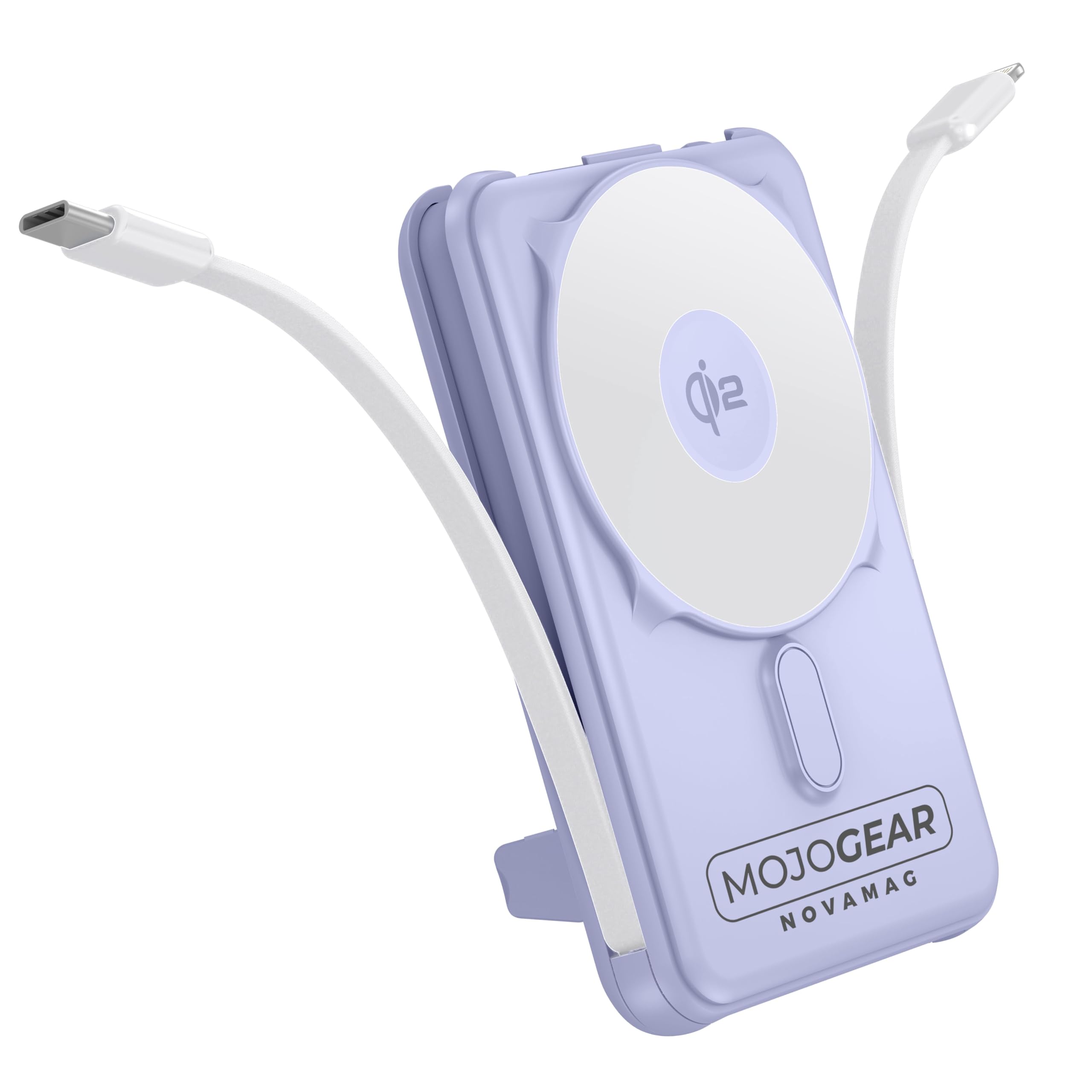
Image 1.1: MOJOGEAR NovaMag All-in-1 Power Bank with connected devices.
2. Safety Information
- Do not expose the power bank to extreme temperatures (above 45°C or below -10°C), direct sunlight, or fire.
- Do not disassemble, modify, or repair the device yourself. Contact qualified service personnel for repairs.
- Keep the power bank away from water, moisture, and corrosive substances.
- Avoid dropping or subjecting the power bank to strong impacts.
- Do not use the power bank if it is damaged, swollen, or leaking.
- Keep out of reach of children.
- Use only certified charging cables and adapters.
- Dispose of the power bank responsibly according to local regulations.
3. Package Contents
Please check the package for the following items:
- 1x MOJOGEAR NovaMag All-in-1 Power Bank (MG-PB10)
- 1x User Manual (this document)
- 1x Mag Safe Qi2 Ring (integrated)
- 1x Integrated USB-C Cable
- 1x Integrated Lightning Cable

Image 3.1: Power Bank and its packaging.
4. Product Overview
The MOJOGEAR NovaMag Power Bank features a compact design with multiple charging options.
- Qi2 Wireless Charging Pad: For fast wireless charging of compatible devices (e.g., iPhone 12 and newer).
- Integrated USB-C Cable: For charging Android devices, other USB-C accessories, or recharging the power bank itself.
- Integrated Lightning Cable: For charging Apple devices (iPhone, AirPods).
- USB-C Port (Input/Output): For charging devices or recharging the power bank with your own cable.
- LED Display: Shows battery percentage and charging status.
- Power Button: Activates the LED display and initiates charging.
- Foldable Kickstand: Allows you to prop up your smartphone while charging.

Image 4.1: Power Bank attached to a smartphone, highlighting its compact form.

Image 4.2: Dimensions and various views of the power bank.
5. Setup
5.1 Initial Charging of the Power Bank
Before first use, fully charge your NovaMag Power Bank. This ensures optimal battery performance.
- Connect the integrated USB-C cable from the power bank to a USB-C power adapter (not included).
- Alternatively, use your own USB-C to USB-C cable and connect it to the USB-C port on the bottom of the power bank and a USB-C power adapter.
- The LED display will show the charging progress, indicating the battery percentage. A green flash symbol confirms the charging process.
- The power bank is fully charged when the LED display shows 100%.

Image 5.1: LED display showing battery percentage.
6. Operating Instructions
6.1 Charging Devices Wirelessly (Qi2 / MagSafe)
The NovaMag supports Qi2 wireless fast charging and MagSafe compatibility for iPhone 12 and newer models.
- Press the power button once to activate the power bank.
- Align your MagSafe-compatible iPhone (or other Qi2-compatible device) with the wireless charging pad on the power bank. The strong magnet will ensure a secure connection.
- Wireless charging will begin automatically. The LED display may show a charging indicator.

Image 6.1: Attaching a smartphone for wireless charging.
6.2 Charging Devices via Integrated Cables
The power bank includes built-in USB-C and Lightning cables for convenient wired charging.
- Gently pull out the integrated USB-C or Lightning cable from its storage slot.
- Connect the appropriate cable to your device.
- Charging will start automatically. Press the power button once if charging does not initiate.
6.3 Charging Devices via USB-C Port
An additional USB-C port is available for charging devices with your own cable.
- Connect your device to the USB-C port on the power bank using a compatible USB-C to USB-C cable (not included).
- Press the power button once to begin charging.
6.4 Recharging the Power Bank
You can recharge the power bank using its integrated USB-C cable or the dedicated USB-C input port.
- Using Integrated USB-C Cable: Connect the integrated USB-C cable to a USB-C power adapter.
- Using USB-C Port: Connect a USB-C to USB-C cable from a power adapter to the USB-C port on the power bank.
- The LED display will show the charging status and battery percentage.
6.5 Using the Foldable Kickstand
The integrated kickstand allows for hands-free viewing while your device charges.
- Locate the kickstand on the back of the power bank.
- Gently pull it out until it locks into position.
- Place your wirelessly charging smartphone onto the power bank, utilizing the kickstand to prop it up.

Image 6.2: Power Bank with kickstand in use.
6.6 Pass-Through Charging
The NovaMag supports pass-through charging, allowing you to charge your devices while the power bank itself is being recharged.
- Connect the power bank to a power source for recharging (as described in 6.4).
- Simultaneously connect your device(s) to the power bank using wireless charging, integrated cables, or the USB-C output port.
- The power bank will intelligently manage power distribution to charge both itself and your connected devices.
7. Maintenance
- Cleaning: Wipe the power bank with a soft, dry cloth. Do not use harsh chemicals or abrasive cleaners.
- Storage: Store the power bank in a cool, dry place away from direct sunlight and extreme temperatures. For long-term storage, it is recommended to charge the power bank to about 50-70% every three months to preserve battery health.
- Cable Care: Ensure integrated cables are properly stored when not in use to prevent damage.
8. Troubleshooting
| Problem | Possible Cause | Solution |
|---|---|---|
| Power bank not charging devices. | Power bank battery is depleted. Power bank is not activated. Incorrect cable connection. Device is not compatible with wireless charging. |
Recharge the power bank. Press the power button once to activate. Ensure cables are securely connected. Check device compatibility for Qi2/MagSafe. |
| Power bank not recharging. | Charging cable or adapter is faulty. Power source issue. |
Try a different USB-C cable and power adapter. Ensure the power outlet is functional. |
| Wireless charging is slow or intermittent. | Device misalignment. Thick phone case. Device not Qi2 compatible. |
Ensure device is centered on the charging pad. Remove thick phone cases. Confirm device supports Qi2 for optimal speed. |
| LED display is off. | Power bank is in standby mode. | Press the power button once to activate the display. |
9. Specifications
| Model Number | MG-PB10 |
| Capacity | 10,000 mAh (37 Wh) |
| Wireless Output | 15W (Qi2) |
| USB-C Output | 20W |
| USB-C Input | 18W |
| Lightning Cable Output | 12W |
| USB-C Cable Output | 20W |
| Efficiency | 85% |
| Dimensions (L x W x H) | 10.62 x 6.96 x 1.86 cm |
| Weight | 202 grams |
| Battery Type | Lithium-ion |
| Color | Purple |
| Material | Plastic |
| Safety Features | Overcharge protection, tested safety |
| Airline Approved | Yes (10,000 mAh / 37 Wh meets carry-on requirements) |
Note: Specifications are subject to change without notice.
10. Warranty & Support
The MOJOGEAR NovaMag All-in-1 Power Bank comes with a 2-year warranty from the date of purchase. This warranty covers manufacturing defects and workmanship under normal use.
The warranty does not cover:
- Damage caused by misuse, abuse, accident, or neglect.
- Unauthorized repair or modification.
- Normal wear and tear.
For warranty claims or technical support, please contact MOJOGEAR customer service through the retailer where you purchased the product or visit the official MOJOGEAR website for contact information.


