
1. Introduction
The Govee TV LED Backlight 2 (Model H6671) is a 14.4ft RGBWIC LED strip light designed to enhance your TV viewing experience. This smart lighting system offers vivid color output, a cuttable design for custom fit, and convenient control options via the Govee Home App, Alexa, and Google Assistant. It features high-density LEDs for superior brightness and smooth color mixing, along with over 210 preset scene modes and 11 music modes to create dynamic audio-visual immersion.

Figure 1: Govee TV LED Backlight 2 (H6671) Product Overview
2. What's in the Box
Verify that all components are present before beginning installation:
- 14.4ft LED Strip Lights x 1
- Adapter x 1
- Clips x 6
- Quick Start Guide x 1
- Installation Guide x 1
- User Manual x 1
- Alcohol Prep Pads x 2
- Service Card x 1

Figure 2: Hardware and Accessories List
3. Setup and Installation
Follow these steps to properly install your Govee TV LED Backlight 2:
- Prepare the Surface: Use the provided alcohol prep pads to thoroughly clean the back surface of your TV where the LED strip will be installed. Ensure the surface is dry and free of dust or grease for optimal adhesive performance.
- Attach the LED Strip: Carefully peel the adhesive backing from the LED strip. Begin attaching the strip from a bottom corner of your TV. Gently press the strip along the edges of your TV. For optimal bending around corners, leave a distance of approximately 6cm (3 LEDs) from the clip to the corner point of the strip to avoid damaging the LEDs. Do not press firmly until the entire strip is positioned correctly.
- Secure with Clips: Use the provided clips to further secure the LED strip, especially around corners and along longer sections. Ensure the clip's bracket is positioned on the inner side of the strip, away from the LEDs.
- Cut Excess Length (if necessary): If the LED strip is too long for your TV, unplug the device before cutting. Cut the strip ONLY at the marked scissor symbols. Cutting elsewhere will damage the circuitry and render segments unusable.
- Connect Power: Connect the LED strip to the adapter and then plug the adapter into a power outlet.
- App Pairing and Calibration:
- Download the Govee Home App from your smartphone's app store.
- Open the app, select your device model (H6671 or H6672), and follow the on-screen instructions to pair the device via Bluetooth.
- Once paired, perform a length calibration. Drag the green dot in the app while checking the far end of the light strip. Once a green light appears at the end, the length calibration is complete.
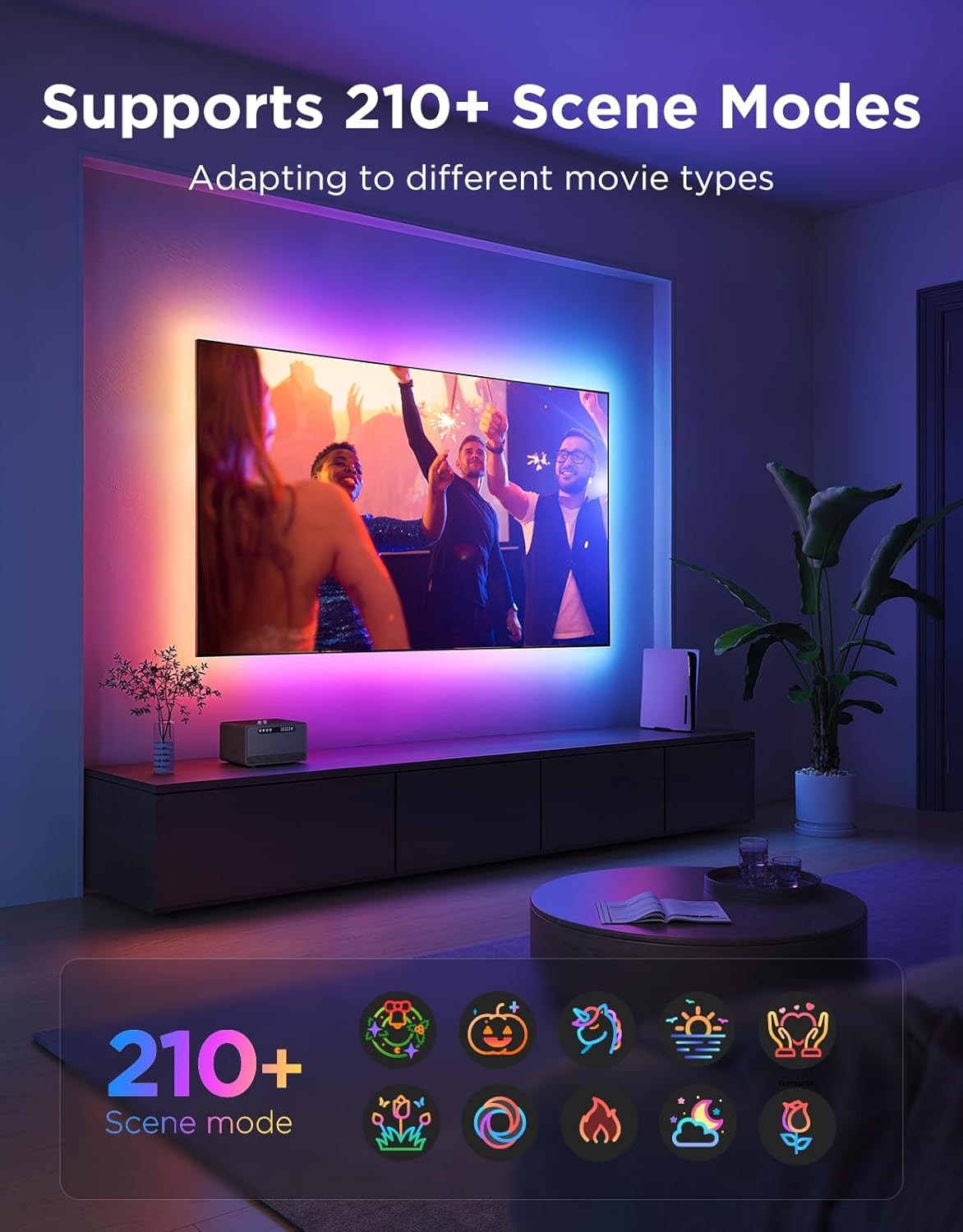
Figure 3: Flexible Installation and Cutting Guide
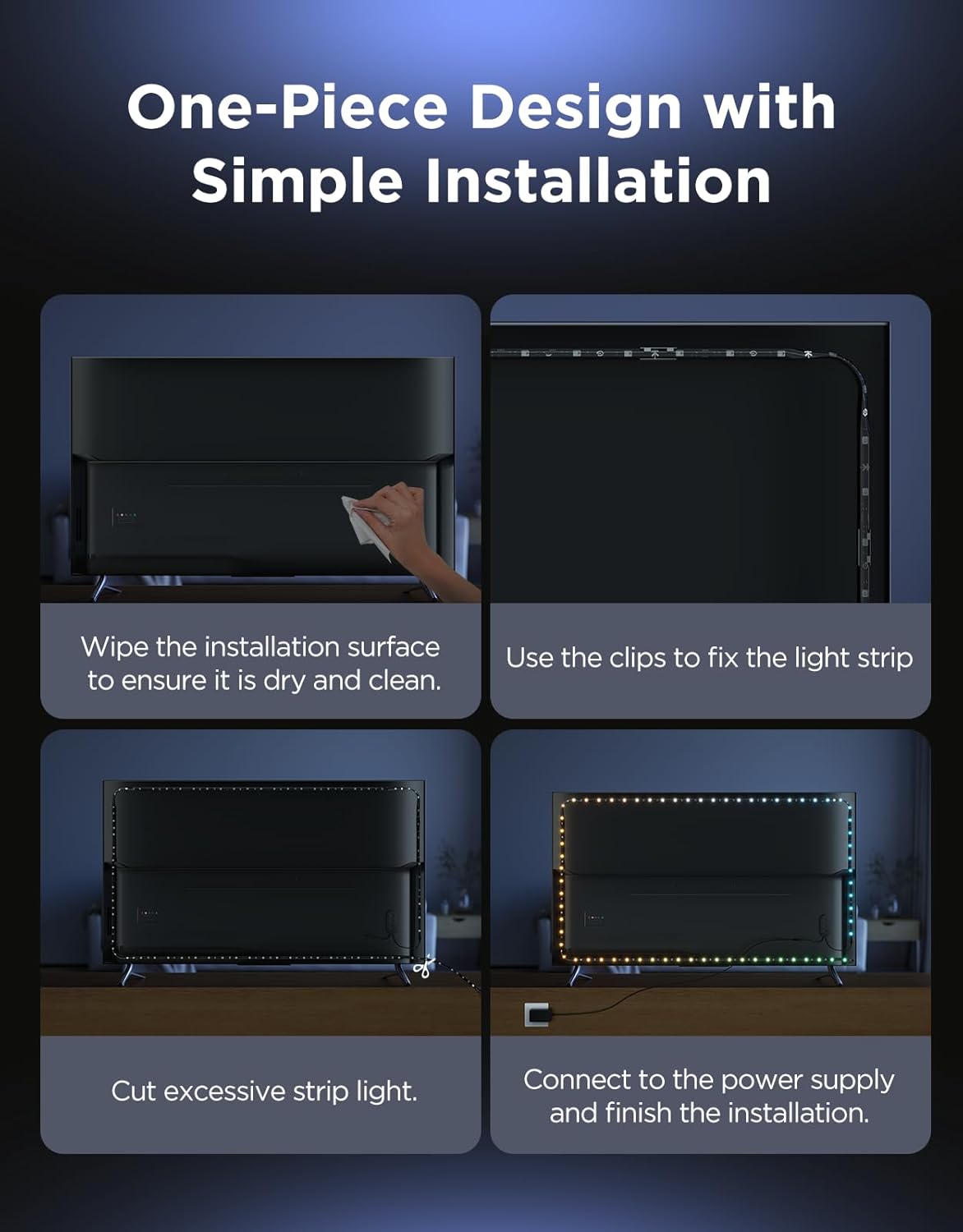
Figure 4: One-Piece Design with Simple Installation
Video 1: Official Govee Installation Guide for TV LED Backlight. This video demonstrates the step-by-step process of installing the Govee TV LED backlight on your television, including surface preparation, strip attachment, and securing with clips.
4. Operating Instructions
The Govee TV LED Backlight 2 offers multiple ways to control your lighting experience:
4.1. Smart App Control
Utilize the Govee Home App for comprehensive control over your LED strip lights. The app allows you to:
- Select from over 210 preset scene modes to match any mood or activity.
- Choose from 11 music modes that synchronize lights with sound in real-time.
- Customize RGBWIC colors, adjust brightness, set timers, and apply various animation effects.
- Manage multiple Govee devices.
4.2. Voice Control
The Govee TV LED Backlight 2 is compatible with Amazon Alexa and Google Assistant, enabling hands-free control:
- Connect your Govee device to your Alexa or Google Home account via the Govee Home App.
- Use voice commands to change colors, adjust brightness, activate scene modes, and set timers.
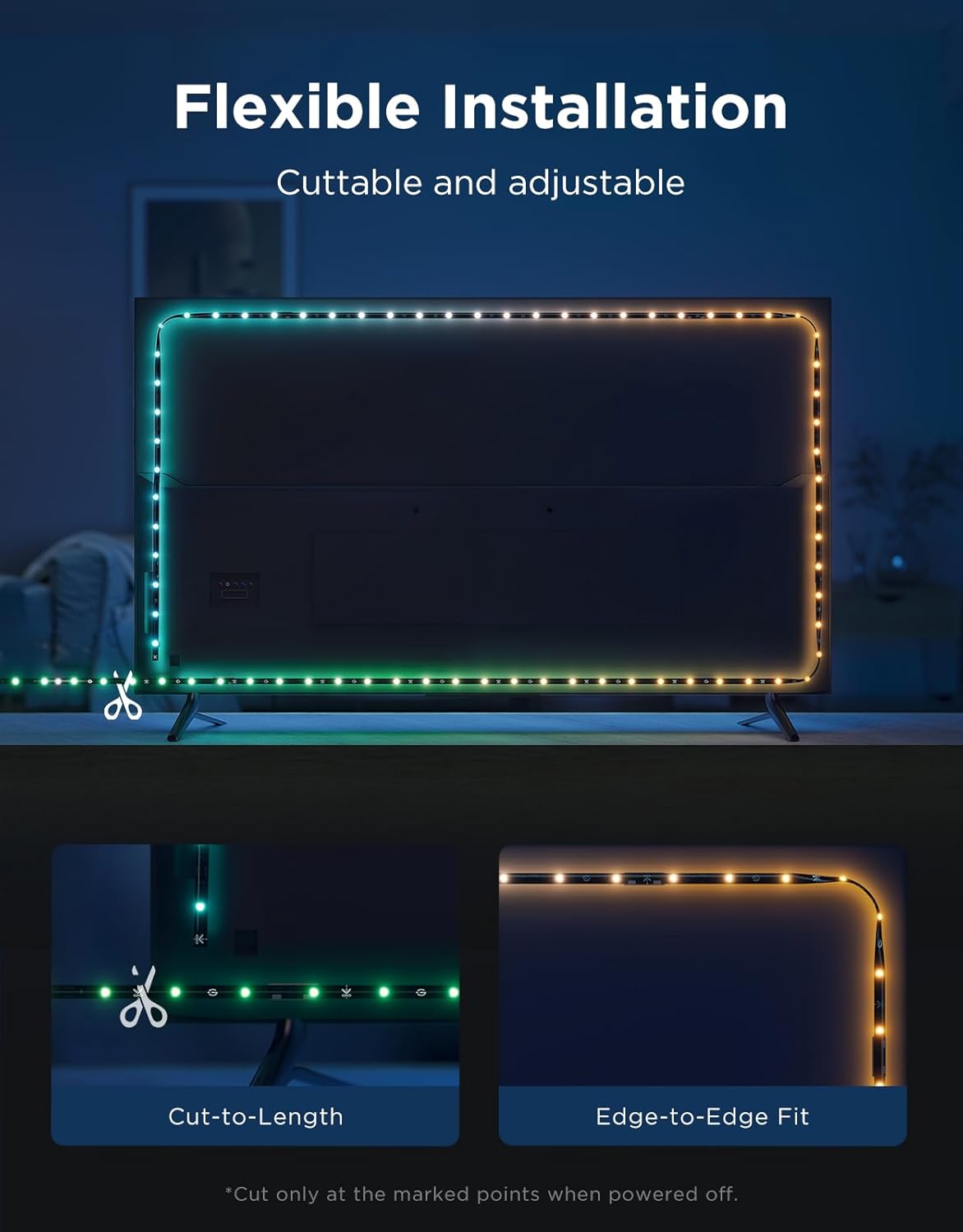
Figure 5: Smart Control via Voice Commands

Figure 6: Over 210 Scene Modes Available
Video 2: Govee RGBWIC TV Backlight 2 Features. This video highlights the cuttable design and various smart features of the Govee RGBWIC TV Backlight 2, including scene modes and music sync capabilities.
5. Maintenance
To ensure the longevity and optimal performance of your Govee TV LED Backlight 2:
- Cleaning: Gently wipe the LED strip with a dry, soft cloth to remove dust. Avoid using harsh chemicals or abrasive cleaners.
- Placement: Ensure the LED strip is not exposed to extreme temperatures or direct moisture.
- Adhesion: If the adhesive begins to weaken over time, you may reinforce it with additional clips or suitable adhesive tape.
6. Troubleshooting
If you encounter issues with your Govee TV LED Backlight 2, refer to the following common solutions:
- Lights not turning on:
- Check if the power adapter is securely plugged into both the LED strip and the power outlet.
- Ensure the power button on the control box is pressed.
- Incorrect colors or segments not lighting up:
- Verify that the LED strip was cut only at the designated scissor marks. Improper cutting can damage the circuit.
- Perform a length calibration in the Govee Home App to ensure the app recognizes the correct length of your strip.
- App connection issues:
- Ensure your smartphone's Bluetooth is enabled and you are within range of the LED strip.
- Restart the Govee Home App and try pairing again.
- For Wi-Fi connection, ensure your router supports 2.4GHz Wi-Fi, as this device may not be compatible with 5GHz networks.
- No TV screen synchronization:
- This model (H6671) does not include a camera for direct TV screen color synchronization. It provides ambient backlighting based on preset scenes, music, or manual color selection.
7. Specifications
| Model Number | H6671 |
| Brand | Govee |
| Color | RGBWIC (Multicolor) |
| Item Length | 14.4 Feet (4.4 meters) |
| Voltage | 12 Volts |
| Wattage | 24 watts |
| Light Source Type | LED |
| Indoor/Outdoor Usage | Indoor |
| Control Method | App, Voice (Alexa, Google Assistant) |
| UPC | 810172721333 |
8. Warranty and Support
For warranty information, technical support, or further assistance, please refer to the Service Card included in your product packaging or visit the official Govee website. You can also find additional resources and contact information on the Govee Store on Amazon.


