
Introduction
This manual provides detailed instructions for the assembly, operation, and maintenance of your HLDIRECT 32-inch Computer Desk with Storage Bag. Please read this manual thoroughly before assembly and use to ensure proper setup and safe operation. Keep this manual for future reference.
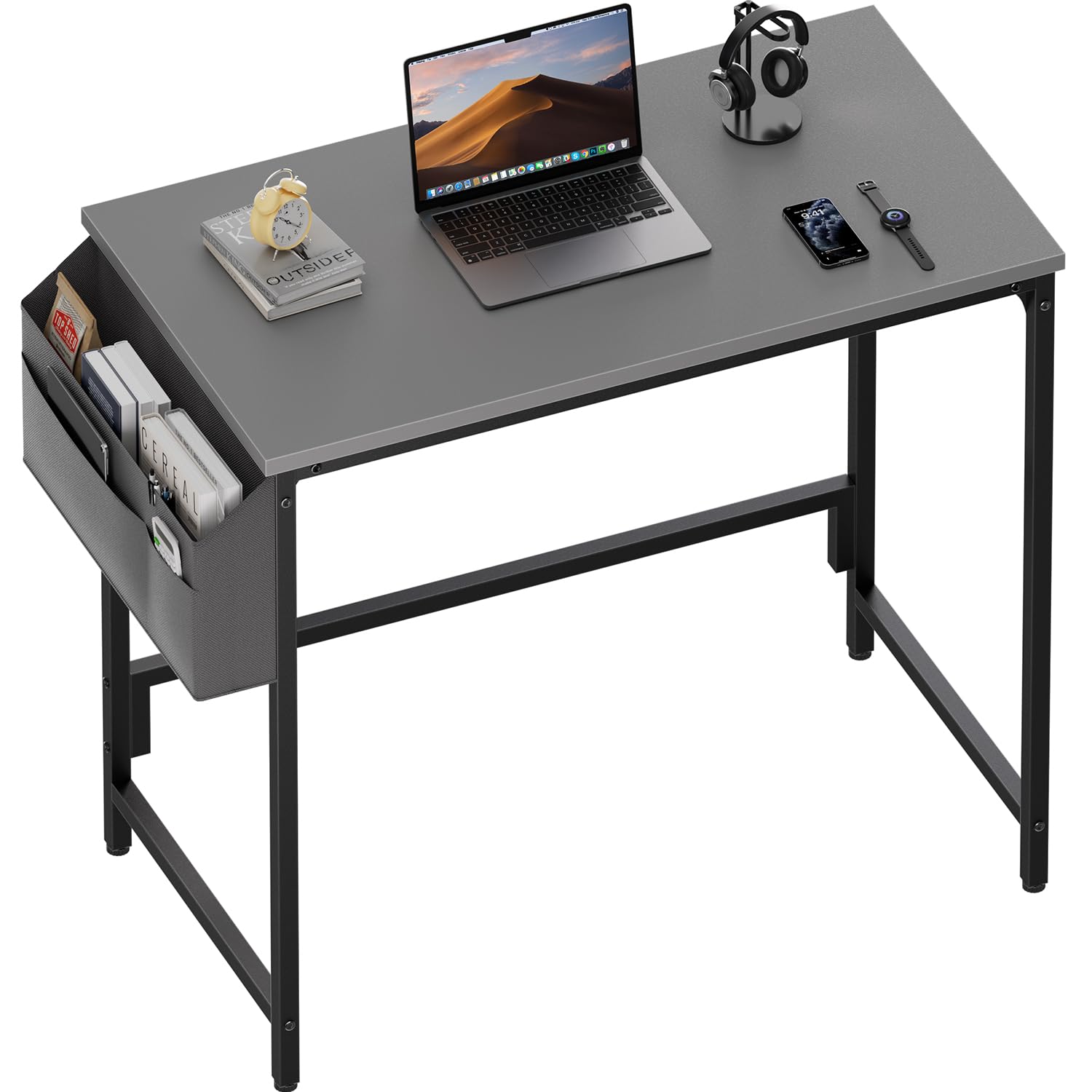
Image: The HLDIRECT 32-inch computer desk in grey, featuring a side storage bag, suitable for home office or study use.
Safety Information
Please observe the following safety precautions:
- Ensure all parts are present and undamaged before beginning assembly.
- Assemble the desk on a soft, clean surface to prevent scratches.
- Do not overtighten screws during assembly to avoid damaging components.
- Keep small parts away from children to prevent choking hazards.
- Do not stand or sit on the desk.
- Distribute weight evenly on the desktop.
- Regularly check all fasteners to ensure they remain tight.
Package Contents
Verify that all components listed below are included in your package. If any parts are missing or damaged, please contact customer support.
| Part | Description | Quantity |
|---|---|---|
| A | Desktop Panel | 1 |
| B | Desk Legs (Left & Right) | 2 |
| C | Support Bars | 2 |
| D | Side Storage Bag | 1 |
| E | Adjustable Footpads | 4 |
| F | Assembly Hardware (Screws, Wrench) | 1 Set |
Setup and Assembly Instructions
Follow these steps for quick and easy assembly. All necessary tools are included.
- Step 1: Attach the Support Bars. Secure the support bars (C) under the desktop panel (A) using the provided screws. Ensure they are aligned correctly.
- Step 2: Connect the Frame. Attach the desk legs (B) to the desktop panel (A) and the support bars (C). Fasten all screws securely but do not overtighten.
- Step 3: Install Adjustable Footpads. Screw the adjustable footpads (E) into the bottom of each desk leg.
- Step 4: Add the Side Fabric Bag. Attach the side storage bag (D) to either the left or right side of the desk frame using the designated attachment points.

Image: Visual guide demonstrating the four-step assembly process for the desk, including attaching support bars, connecting the frame, installing footpads, and adding the storage bag.
Operating Instructions
Using the Side Storage Bag
The integrated side storage bag provides convenient access to your essentials. It features multiple pockets for organizing items such as notebooks, pens, tablets, or headphones. The bag can be installed on either the left or right side of the desk during assembly to suit your preference.

Image: A close-up view of the fabric storage bag, showing its multiple compartments holding various office supplies and personal items.
Adjusting Footpads for Stability
The desk is equipped with adjustable footpads to ensure stability on uneven floors. To adjust, simply rotate each footpad clockwise or counter-clockwise until the desk is level and stable. This also helps protect your floor from scratches.

Image: A detailed view of an adjustable footpad at the base of a desk leg, illustrating how it can be rotated to level the desk.
Maintenance
To maintain the appearance and longevity of your HLDIRECT computer desk, follow these simple maintenance guidelines:
- Cleaning: Wipe the desktop surface with a soft, damp cloth. For stubborn stains, use a mild soap solution and dry immediately. Avoid harsh chemicals or abrasive cleaners.
- Spills: Immediately wipe up any spills to prevent water damage or staining, especially on the particleboard surface.
- Fasteners: Periodically check all screws and bolts to ensure they are tight. Retighten if necessary to maintain desk stability.
- Avoid Extreme Conditions: Do not place the desk in direct sunlight or near heat sources, as this can cause material degradation or discoloration.
Troubleshooting
If you encounter any issues with your desk, refer to the following common problems and solutions:
| Problem | Possible Cause | Solution |
|---|---|---|
| Desk is wobbly | Uneven floor or loose fasteners. | Adjust the footpads until the desk is stable. Check and tighten all assembly screws. |
| Parts do not align during assembly | Incorrect orientation of parts or overtightened screws. | Loosen screws slightly, re-align parts, then retighten. Refer to the assembly diagram. |
| Side storage bag is loose | Improper attachment. | Ensure the bag is securely fastened to the designated attachment points on the desk frame. |

Image: A visual comparison highlighting the enhanced stability provided by the desk's triangular structure, contrasting it with a wobbly, unstable desk.
Specifications
| Feature | Detail |
|---|---|
| Brand | HLDIRECT |
| Model Number | 1 |
| Color | Grey (for this variant) |
| Product Dimensions | 80W x 40D x 74H cm (32W x 16D x 30H inches) |
| Material | Wood (Particleboard) with Alloy Steel Frame |
| Item Weight | 7 kg |
| Special Features | Adjustable Footpads, Compact Design, Side Storage Bag |
| Desk Design | Computer Desk |
| Finish Type | Laminated (Scratch and Water Resistant) |

Image: A diagram illustrating the key dimensions of the HLDIRECT 32-inch computer desk, including length, width, and height.

Image: A visual comparison demonstrating the quality of the premium particle board used for the desktop, contrasting it with lower density materials prone to cracking.
Warranty and Support
For warranty information or technical support, please refer to the contact details provided with your purchase documentation or visit the official HLDIRECT website. Keep your purchase receipt as proof of purchase.