1. Introduction
This manual provides detailed instructions for the Kimeag S81 Smart Watch. Please read this guide thoroughly to ensure proper setup, operation, and maintenance of your device. The Kimeag S81 is a versatile smartwatch designed for daily use and fitness tracking, compatible with both Android and iOS smartphones.
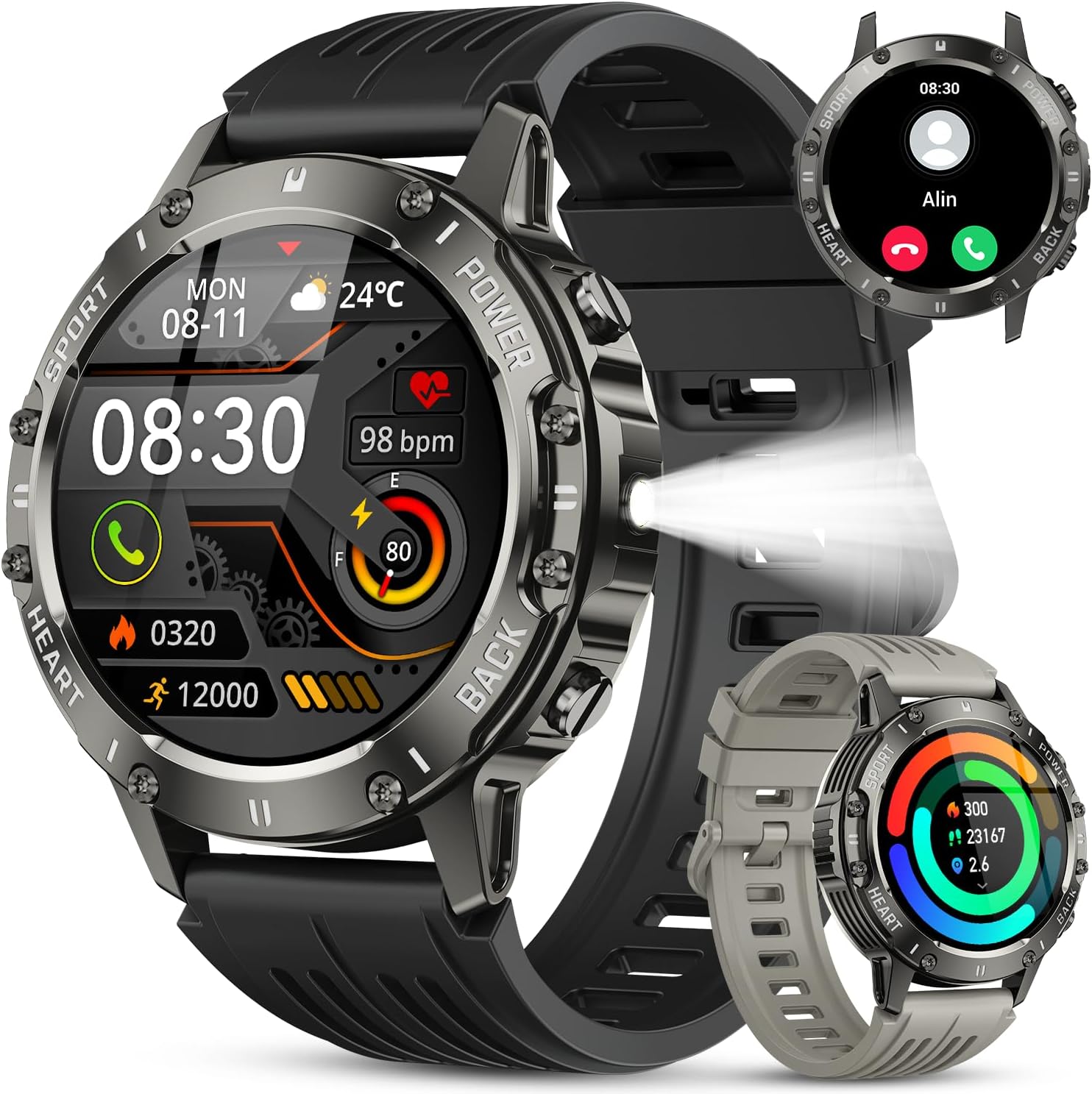
Image: Kimeag S81 Smart Watch, showcasing its design and key features like heart rate monitoring and call display.
2. Package Contents
Upon opening the package, verify that all items are present:
- Kimeag S81 Smart Watch
- Watch Band (typically pre-attached or included separately)
- Charging Cable
- User Manual (this document)
3. Setup
3.1 Initial Charging
Before first use, fully charge the smartwatch. Connect the charging cable to the watch's charging port and a USB power source. The watch display will indicate charging status.
3.2 App Installation (FitCloudPro)
To unlock all features and synchronize data, download the 'FitCloudPro' application on your smartphone.
- Scan the QR code provided in the manual or on the watch screen, or search for "FitCloudPro" in your phone's app store (Google Play Store for Android, Apple App Store for iOS).
- Download and install the application.

Image: Visual guide for downloading the FitCloudPro app and connecting the smartwatch via Bluetooth. The QR code links to https://qr21.cn/CPE9oML.
3.3 Pairing the Watch
Follow these steps to pair your Kimeag S81 Smart Watch with your smartphone:
- Ensure your phone's Bluetooth is enabled.
- Open the 'FitCloudPro' app.
- Navigate to the 'Device' or 'Add Device' section within the app.
- The app will search for available devices. Select "S81" from the list to connect.
- Confirm the pairing request on both your phone and the watch if prompted.
3.4 Enabling Call Function
To use the Bluetooth call feature, an additional connection is required:
- After initial pairing, go to your phone's Bluetooth settings.
- Locate "S81_CALL" (or similar) in the list of available devices and connect to it.
- Ensure all necessary permissions (e.g., contacts, call logs) are granted to the 'FitCloudPro' app and the Bluetooth connection for calls.
- If you do not wish to use the call function, you can disable "S81_CALL" in your phone's Bluetooth settings to conserve battery life.
4. Operating Instructions
4.1 Basic Navigation
- Touchscreen: Swipe left/right, up/down to navigate through menus and features. Tap to select.
- Side Buttons: The watch typically has one or more physical buttons for power, back, or quick access to specific functions (e.g., flashlight). Refer to the on-screen prompts for specific button functions.
- Raise to Wake: The screen will automatically light up when you raise your wrist. This can be enabled/disabled in the app settings.
4.2 Health Monitoring
The Kimeag S81 Smart Watch provides various health monitoring features:
- Heart Rate: The watch continuously monitors your heart rate. View real-time data on the watch or detailed trends in the FitCloudPro app.
- Blood Oxygen (SpO2): Measure your blood oxygen levels. Ensure the watch is worn snugly on your wrist for accurate readings.
- Sleep Monitoring: The watch automatically tracks your sleep patterns, including deep sleep, light sleep, and awake times. Review your sleep analysis in the app.
- Breath Training: Access guided breathing exercises to help manage stress.

Image: Sleep monitoring interface showing sleep duration and stages, alongside health monitoring icons for heart rate, blood oxygen, and breath training.

Image: Blood oxygen monitoring display on the watch, indicating current SpO2 percentage.
4.3 Fitness Tracking
The watch supports over 120 sports modes to track your physical activity:
- Sports Modes: Select your activity (e.g., running, cycling, climbing) from the watch menu to record duration, heart rate, calories burned, and distance.
- Pedometer: Automatically tracks your daily steps and estimates calories burned and distance covered.

Image: Interface showing multiple sports modes and a cyclist, illustrating the watch's fitness tracking capabilities.
4.4 Communication Features
- Bluetooth Calls: Make and answer calls directly from your wrist after enabling the call function (Section 3.4). Access call logs and contacts.
- Message Alerts: Receive notifications for calls, SMS, and various social media apps (e.g., Facebook, Instagram, WhatsApp) directly on your watch.
- AI Voice Assistant: Interact with your phone's voice assistant through the watch for tasks like checking weather or making calls.

Image: Bluetooth call and message notification features, including an AI voice assistant interface.
4.5 Utility Features
- LED Flashlight: Activate the built-in flashlight for convenience in low-light conditions.
- Music Control: Control music playback on your phone (play, pause, skip tracks, adjust volume) directly from the watch.
- Camera Control: Use your watch as a remote shutter for your phone's camera.
- Weather Forecast: View current weather conditions and forecasts.
- Stopwatch & Timer: Utilize these tools for various activities.
- Alarm Clock: Set alarms directly on the watch or through the app.
- Find Phone: Use this feature to locate your misplaced smartphone.
- Sedentary Reminder: Receive alerts to move if you've been inactive for too long.
- Drink Reminder: Get reminders to stay hydrated throughout the day.
- Menstrual Cycle Tracking: For female users, track and predict menstrual cycles.

Image: Display of practical functions including music control, camera remote, weather updates, and stopwatch.

Image: Close-up of the 1.39-inch HD display and the integrated powerful flashlight function.
5. Maintenance
5.1 Cleaning
Regularly clean your watch and strap to prevent skin irritation and maintain functionality. Use a soft, damp cloth. Avoid harsh chemicals or abrasive materials.
5.2 Water Resistance Guidelines
The Kimeag S81 Smart Watch is IP68 waterproof, meaning it is resistant to dust and can withstand immersion in water up to 1.5 meters for 30 minutes. It is suitable for daily activities like hand washing and rain exposure.
Important:
- Do not use the watch in hot water, saunas, or steam rooms.
- Avoid prolonged immersion or high-pressure water exposure (e.g., diving, high-pressure washing).
- Do not operate buttons underwater.
- After exposure to water, wipe the watch dry before charging.

Image: Depiction of the watch's robust design, highlighting its IPX8 waterproof rating, temperature resistance, dust-proof nature, and anti-impact capabilities.
5.3 Charging Guidelines
Use only the provided charging cable. Ensure the charging contacts on the watch and cable are clean and dry before connecting. Avoid overcharging the battery.
6. Troubleshooting
If you encounter issues with your Kimeag S81 Smart Watch, refer to the following common solutions:
- Watch not turning on: Ensure the watch is fully charged. Connect it to the charger for at least 30 minutes.
- Unable to pair with phone:
- Ensure Bluetooth is enabled on your phone.
- Make sure the watch is within range of your phone.
- Restart both your phone and the watch.
- Clear Bluetooth cache on your phone (Android).
- Ensure the 'FitCloudPro' app has necessary permissions.
- Call function not working: Verify that "S81_CALL" is connected in your phone's Bluetooth settings (Section 3.4). Check app permissions for calls and contacts.
- Inaccurate health data: Ensure the watch is worn snugly on your wrist, not too tight or too loose. Avoid excessive movement during measurements.
- Notifications not received: Check if notifications are enabled in the 'FitCloudPro' app and in your phone's system settings for the app. Ensure the app is running in the background.
- Short battery life: Disable unused features (e.g., continuous heart rate monitoring, raise to wake), reduce screen brightness, and ensure the call function Bluetooth is only connected when needed.
If problems persist, consult the 'Help' section within the FitCloudPro app or contact customer support.
7. Specifications
| Model | S81 |
| Brand | Kimeag |
| Display Size | 1.39 Inches |
| Display Resolution | 360x360 pixels |
| Connectivity | Bluetooth |
| Operating System | Android and iOS compatible |
| Water Resistance | IP68 |
| Battery Type | Lithium Ion (included) |
| Special Features | Heart Rate Monitor, Blood Oxygen Monitor, Sleep Monitor, Pedometer, Bluetooth Call, 120+ Sports Modes, LED Flashlight, Music Control, Camera Control, Weather, Alarm, Stopwatch, Timer, Sedentary Reminder, Drink Reminder, Menstrual Cycle Tracking |
8. Warranty and Support
For warranty information and customer support, please refer to the documentation included with your purchase or contact the seller directly. Keep your purchase receipt as proof of purchase for warranty claims.