
1. Introduction
Thank you for choosing the RCF SUB 18-AX Active Subwoofer. This manual provides essential information for the safe and efficient operation of your new audio equipment. Please read this manual thoroughly before operating the device and retain it for future reference. The RCF SUB 18-AX is a high-performance 2,200-watt 18-inch active subwoofer designed for professional audio applications, delivering powerful and precise low-frequency reproduction.
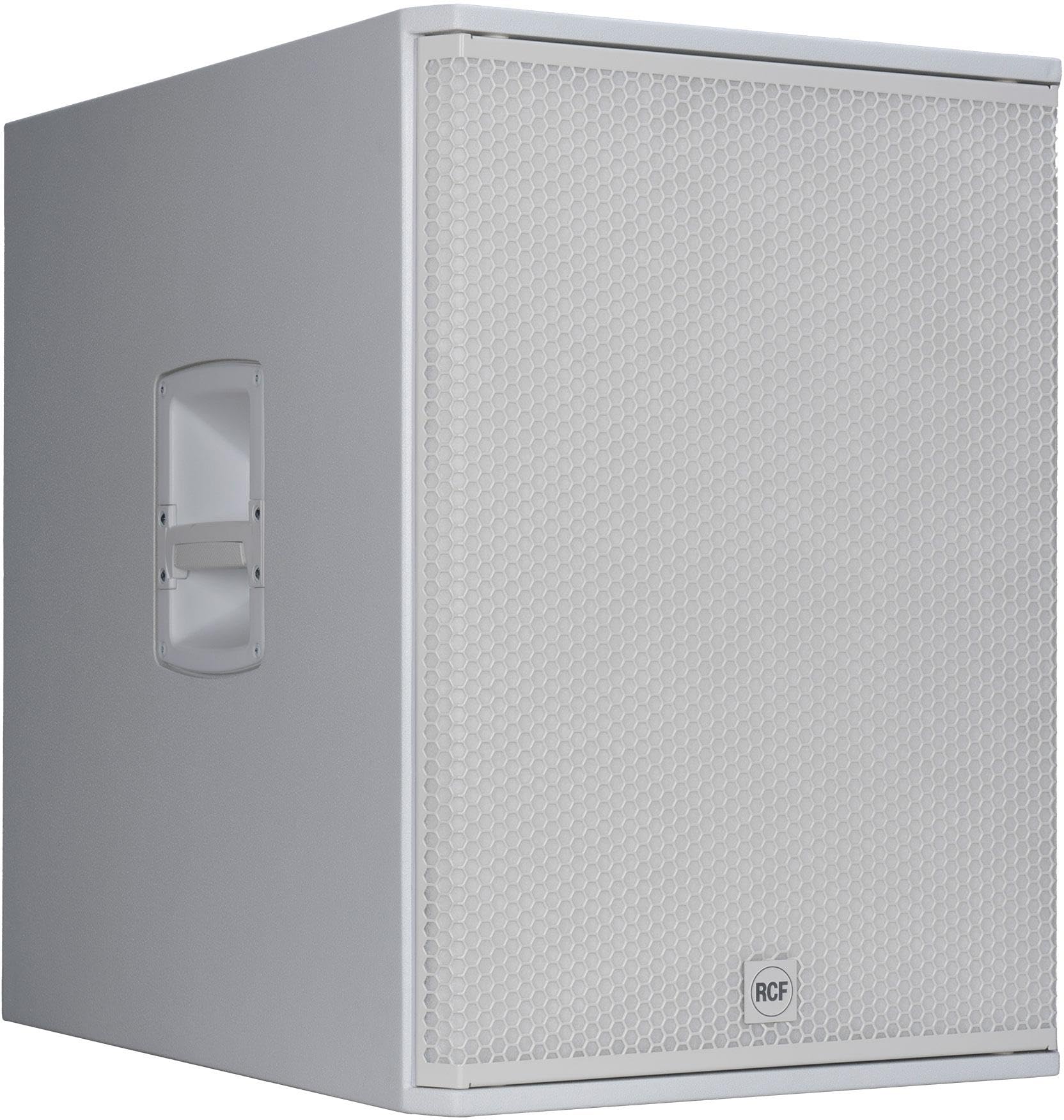
Figure 1.1: Front view of the RCF SUB 18-AX Active Subwoofer. This image shows the robust enclosure and the protective grille covering the 18-inch speaker driver.
2. Safety Information
Always observe the following safety precautions to prevent electric shock, injury, or damage to the equipment.
- Power Supply: Connect the unit only to the specified voltage and frequency as indicated on the product label. Ensure the power cord is undamaged and properly grounded.
- Ventilation: Do not block ventilation openings. Ensure adequate airflow around the unit to prevent overheating. Maintain a minimum distance of 10 cm (4 inches) from walls or other objects.
- Moisture: Do not expose the unit to rain, moisture, dripping, or splashing liquids. Do not place objects filled with liquids, such as vases, on the apparatus.
- Placement: Place the subwoofer on a stable, level surface capable of supporting its weight (approximately 97 lbs / 44 kg). Avoid placing it near heat sources or in direct sunlight.
- Hearing Protection: This product is capable of producing high sound pressure levels. Prolonged exposure to high volume levels can cause permanent hearing damage. Use appropriate hearing protection when operating at high volumes.
- Servicing: Do not attempt to service this unit yourself. Refer all servicing to qualified service personnel.
- Cleaning: Disconnect the power cord before cleaning. Use a dry, soft cloth. Do not use liquid cleaners or aerosol cleaners.
3. Setup
3.1 Unpacking
Carefully remove the RCF SUB 18-AX from its packaging. Inspect the unit for any signs of damage that may have occurred during transit. Retain the original packaging for future transport or storage.
3.2 Placement
Optimal placement of the subwoofer is crucial for sound quality.
- Room Acoustics: Experiment with different positions in the room to find the best balance of bass response. Corner placement often yields the most bass, but can sometimes sound boomy.
- Stability: Ensure the subwoofer is placed on a flat, stable surface to prevent vibrations and movement during operation.
- Proximity to Walls: Placing the subwoofer too close to walls can exaggerate certain bass frequencies. A distance of at least 30 cm (12 inches) from walls is generally recommended.
3.3 Connections
Before making any connections, ensure the subwoofer is powered off and disconnected from the mains power supply.
- Audio Input: Connect your audio source (e.g., mixer, audio interface) to the subwoofer's input connectors. The SUB 18-AX typically features XLR inputs. Use high-quality balanced cables for optimal signal integrity.
- Audio Output (Link): If you are connecting additional full-range speakers or another subwoofer, use the XLR output connectors to link the signal.
- Power Connection: Once all audio connections are made, connect the supplied power cord to the subwoofer's AC inlet and then to a grounded electrical outlet.
Note: Refer to the rear panel diagram (if available in future revisions) for specific input/output locations.
4. Operating the SUB 18-AX
4.1 Powering On/Off
After making all connections, switch on your audio source devices first, then power on the RCF SUB 18-AX using the main power switch located on the rear panel. When powering off, switch off the subwoofer first, then your audio source devices.
4.2 Controls and Adjustments
The SUB 18-AX features several controls on its rear panel to optimize its performance within your audio system.
- Volume/Gain Control: Adjusts the overall output level of the subwoofer. Start with a low setting and gradually increase to match the level of your main speakers.
- Crossover Frequency: This control determines the upper frequency limit of the subwoofer. Set it to integrate smoothly with your main speakers. Common settings range from 80 Hz to 120 Hz.
- Phase Switch: A 0°/180° phase switch helps align the subwoofer's output with your main speakers. Listen for the fullest bass response at your listening position and select the setting that provides it.
- EQ Presets/Modes: Some models may include EQ presets (e.g., "Deep," "Punch," "Flat") or specific modes (e.g., "Cardioid") to tailor the sound for different applications or environments. Consult the specific model's detailed specifications for available options.
4.3 System Integration
For optimal performance, ensure proper integration with your full-range speakers. Adjust the subwoofer's volume and crossover frequency in conjunction with your main speakers to achieve a seamless frequency response.
5. Maintenance
Regular maintenance ensures the longevity and optimal performance of your RCF SUB 18-AX.
- Cleaning: Use a soft, dry cloth to clean the exterior of the subwoofer. For stubborn dirt, a slightly damp cloth can be used, followed by a dry cloth. Avoid abrasive cleaners or solvents.
- Ventilation Grilles: Periodically check and clean the ventilation grilles to ensure they are free from dust and debris, which can impede airflow and lead to overheating.
- Cable Inspection: Regularly inspect all audio and power cables for signs of wear, cuts, or damage. Replace any damaged cables immediately.
- Storage: If storing the subwoofer for an extended period, disconnect it from power, clean it thoroughly, and store it in a dry, temperature-controlled environment, ideally in its original packaging or a protective cover.
6. Troubleshooting
If you encounter issues with your RCF SUB 18-AX, refer to the following common problems and solutions before contacting support.
| Problem | Possible Cause | Solution |
|---|---|---|
| No sound from subwoofer |
|
|
| Distorted or unclear bass |
|
|
| Subwoofer hums or buzzes |
|
|
7. Specifications
Key technical specifications for the RCF SUB 18-AX Active Subwoofer:
- Model: SUB 18-AX
- Type: Active Subwoofer
- Power Output: 2,200 Watts (Peak)
- Speaker Size: 18 Inches
- Item Weight: 97 Pounds (approx. 44 kg)
- Brand: RCF
- Manufacturer: RCF
- Unit Count: 1.0 Count
- ASIN: B0FJLM7Y6L
8. Warranty and Support
RCF products are manufactured to the highest standards and are backed by a limited warranty. For specific warranty terms and conditions, please refer to the warranty card included with your product or visit the official RCF website.
For technical support, service, or spare parts, please contact your authorized RCF dealer or distributor. You can also find support information on the official RCF website. When contacting support, please have your product model (SUB 18-AX) and serial number ready.
Online Resources:
- Official RCF Website: www.rcf.it


