
Introduction
This manual provides essential information and instructions for the safe and efficient use of your realme 15 5G Smartphone. Please read this manual thoroughly before using your device to ensure proper operation and to prevent damage.
The realme 15 5G features a 144Hz curved display, a 7000mAh battery with 80W SuperVOOC fast charging, dual 50MP 4K cameras, and is powered by the Dimensity 7300+ chipset, offering robust performance and an IP69 rating for dust and water resistance.
1. Setup
1.1 Unboxing
Carefully remove all items from the packaging. The box contents typically include:
- realme 15 5G Smartphone
- USB Cable
- Quick Start Guide
- Safety Information
1.2 SIM Card Installation
The realme 15 5G supports Dual Nano SIM cards.
- Locate the SIM card tray on the side of the device.
- Insert the SIM ejector tool into the small hole next to the tray and press firmly until the tray pops out.
- Place your Nano SIM card(s) into the tray with the gold contacts facing down. Ensure they are correctly seated.
- Gently push the tray back into the slot until it clicks into place.
1.3 Initial Power On
To power on your device for the first time:
- Press and hold the Power button located on the side of the phone until the realme logo appears.
- Follow the on-screen prompts to complete the initial setup, including language selection, Wi-Fi connection, Google account setup, and security settings.
2. Operating Your Device
2.1 Display Features
The realme 15 5G features a 144Hz curved display for smooth visuals.
- Brightness: The display offers up to 6500 nits peak brightness for clear visibility in various lighting conditions.
- Refresh Rate: A 144Hz refresh rate provides fluid scrolling and responsiveness.
- Touch Response: A 2500Hz touch response rate ensures minimal lag for precise interactions.
- Screen-to-body Ratio: The display boasts a 94% screen-to-body ratio for an immersive viewing experience.
- Protection: Equipped with Corning Gorilla Glass for enhanced durability.

Image: Overview of the realme 15 5G display features, highlighting its 144Hz refresh rate, 6500 nits brightness, 2500Hz touch response, 94% screen-to-body ratio, and Corning Gorilla Glass protection.
2.2 Battery Management
The device is equipped with a 7000mAh battery and supports 80W SuperVOOC fast charging.
- Charging: Use the provided 80W SuperVOOC charger and USB cable for optimal charging speed.
- Battery Life: The 7000mAh battery provides extended usage. For example, it can support up to 113 hours of Spotify playback or 22 hours of YouTube video playback on a single charge.
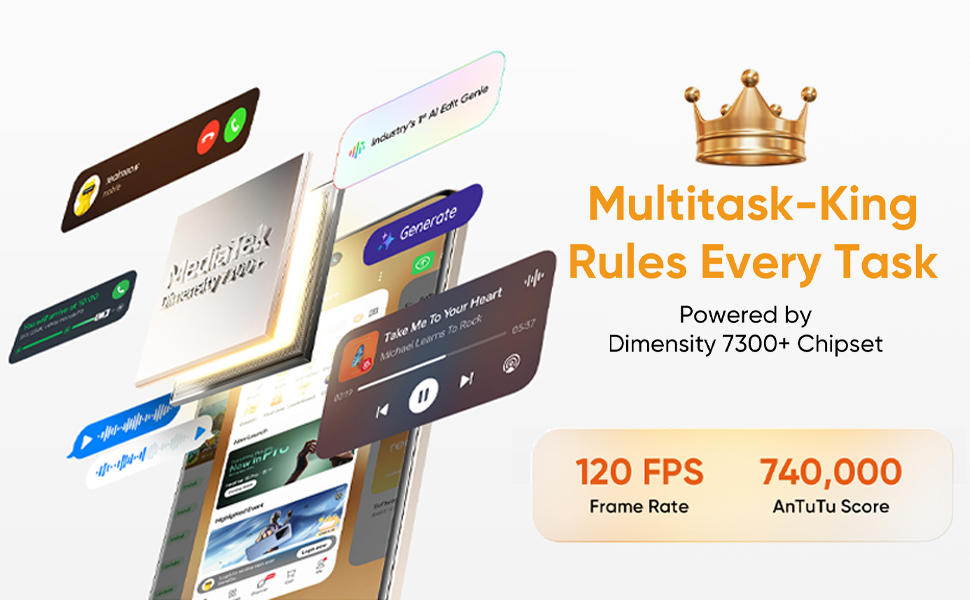
Image: Illustration of the realme 15 5G being charged, highlighting its 7000mAh battery and 80W SuperVOOC charging capability, with examples of extended usage times.
2.3 Camera Usage
The realme 15 5G features a dual 50MP rear camera system and a 50MP front camera, capable of 4K video recording.
- Rear Cameras: Includes a 50MP Sony IMX882 AI Camera and an 8MP Wide-Angle Camera.
- Front Camera: A 50MP Selfie AI Camera.
- Video Recording: Both front and rear cameras support ultra-smooth 4K video capture.
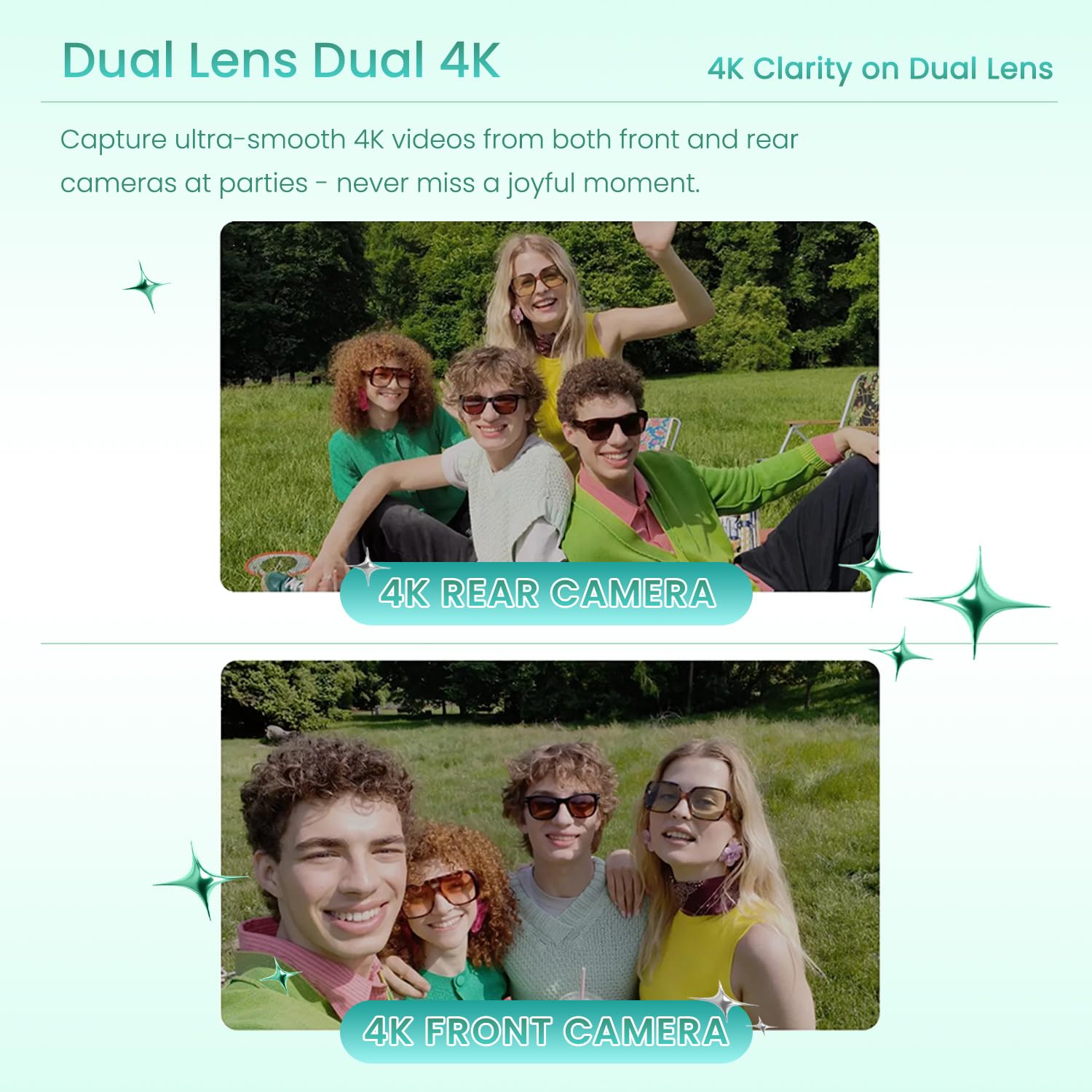
Image: Close-up view of the realme 15 5G's camera module, detailing the 50MP Sony IMX882 AI Camera, 8MP Wide-Angle Camera, and 50MP Selfie AI Camera.

Image: Examples of 4K video clarity captured by both the rear and front cameras of the realme 15 5G, demonstrating its dual-lens 4K capability.
2.4 Performance
The device is powered by the Dimensity 7300+ 5G chipset, ensuring efficient multitasking and gaming performance.
- Processor: Dimensity 7300+ chipset for strong and reliable operation.
- RAM: 8GB of dynamic RAM for smooth application handling.
- Storage: Available with 128GB or 256GB of internal storage.
- Gaming: The 4nm chipset supports up to 120 frames per second (FPS) in mainstream games.

Image: Depiction of the Dimensity 7300+ 5G Chipset, emphasizing its role in enabling seamless multitasking and faster gaming experiences.

Image: Visual representation of the smartphone's internal memory, showing 8GB of dynamic RAM and 256GB of ROM (storage).
2.5 Security
The device includes fingerprint recognition for secure unlocking and authentication.
2.6 Operating System
The realme 15 5G runs on Android 15, providing the latest features and security updates.
3. Maintenance
3.1 Water and Dust Resistance
The realme 15 5G has an IP69 rating, providing robust resistance against dust and water. While resistant, it is not waterproof. Avoid intentional submersion or exposure to high-pressure water jets.
3.2 Software Updates
Regularly check for and install software updates to ensure your device has the latest features, security patches, and performance improvements. You can usually find this option in Settings > System > Software Update.
3.3 Cleaning
To clean your device, use a soft, lint-free cloth. Avoid using abrasive materials, alcohol, or chemical cleaners, as these can damage the screen and finish.
4. Troubleshooting
This section addresses common issues you might encounter with your realme 15 5G.
| Issue | Possible Solution |
|---|---|
| Device not powering on | Ensure the battery is charged. Connect to the charger for at least 15 minutes, then try powering on again. If unresponsive, perform a force restart by holding the Power button for 10-15 seconds. |
| Camera not working | Check camera app permissions in Settings. Clear the cache and data of the camera app. Restart the device. If the issue persists, consider a factory reset (backup data first). |
| Slow performance | Close unused apps. Clear cache from apps and system. Check for available software updates. Ensure sufficient storage space. |
| Overheating | Avoid using the device while charging or during prolonged heavy usage (e.g., gaming). Close background apps. Reduce screen brightness. If overheating persists, contact support. |
| Network connectivity issues | Check SIM card installation. Toggle Airplane Mode on and off. Reset network settings (Settings > System > Reset options > Reset Wi-Fi, mobile & Bluetooth). |
For more complex issues, please refer to the official realme support website or contact customer service.
5. Specifications
Key technical specifications for the realme 15 5G Smartphone:
| Feature | Detail |
|---|---|
| Brand | realme |
| Model | realme 15 5G |
| Operating System | Android 15 |
| Processor | Dimensity 7300+ Chipset (2.6 GHz CPU Speed) |
| RAM | 8 GB |
| Internal Storage | 128 GB (variant shown) |
| Display Size | 6.8 Inches |
| Display Resolution | 1280 x 2800 Pixels |
| Refresh Rate | 144 Hz |
| Display Type | LCD |
| Rear Camera | Dual 50 MP (main) + 8 MP (wide-angle) |
| Front Camera | 50 MP |
| Video Capture Resolution | 4K (2160 Pixels Effective) at 30 fps |
| Battery Capacity | 7000 mAh |
| Charging | 80W SuperVOOC |
| SIM Card Slot Count | Dual SIM (Nano) |
| Biometric Security | Fingerprint Recognition |
| Water Resistance Level | IP69 (Water Resistant) |
| Connectivity | 5G, GSM, LTE, Bluetooth |
| Connector Type | USB Type C |
| Item Dimensions | 10 x 10 x 10 Millimeters |
| Item Weight | 10 Grams |
6. Warranty and Support
6.1 Warranty Information
The realme 15 5G Smartphone typically comes with a 1-year manufacturer's warranty. Please refer to the warranty card included in your product packaging for specific terms and conditions, or visit the official realme website for detailed warranty policy information.
6.2 Customer Support
For further assistance, technical support, or service inquiries, please contact realme customer support through their official channels:
- Official Website: www.realme.com
- Service Center Locator: Visit the realme website to find authorized service centers in your region.
- Customer Service Hotline: Refer to your regional realme website for local contact numbers.