
Lenovo ZAFM0706IN
Lenovo Idea Tab User Manual
Brand: Lenovo | Model: ZAFM0706IN
Introduction
This manual provides comprehensive instructions for the setup, operation, and maintenance of your Lenovo Idea Tab. Designed for productivity and entertainment, this tablet features an 11-inch 2.5K display, MediaTek Dimensity 6300 processor, and comes with a Lenovo Tab Pen for enhanced interaction. Please read this manual thoroughly to ensure optimal performance and longevity of your device.
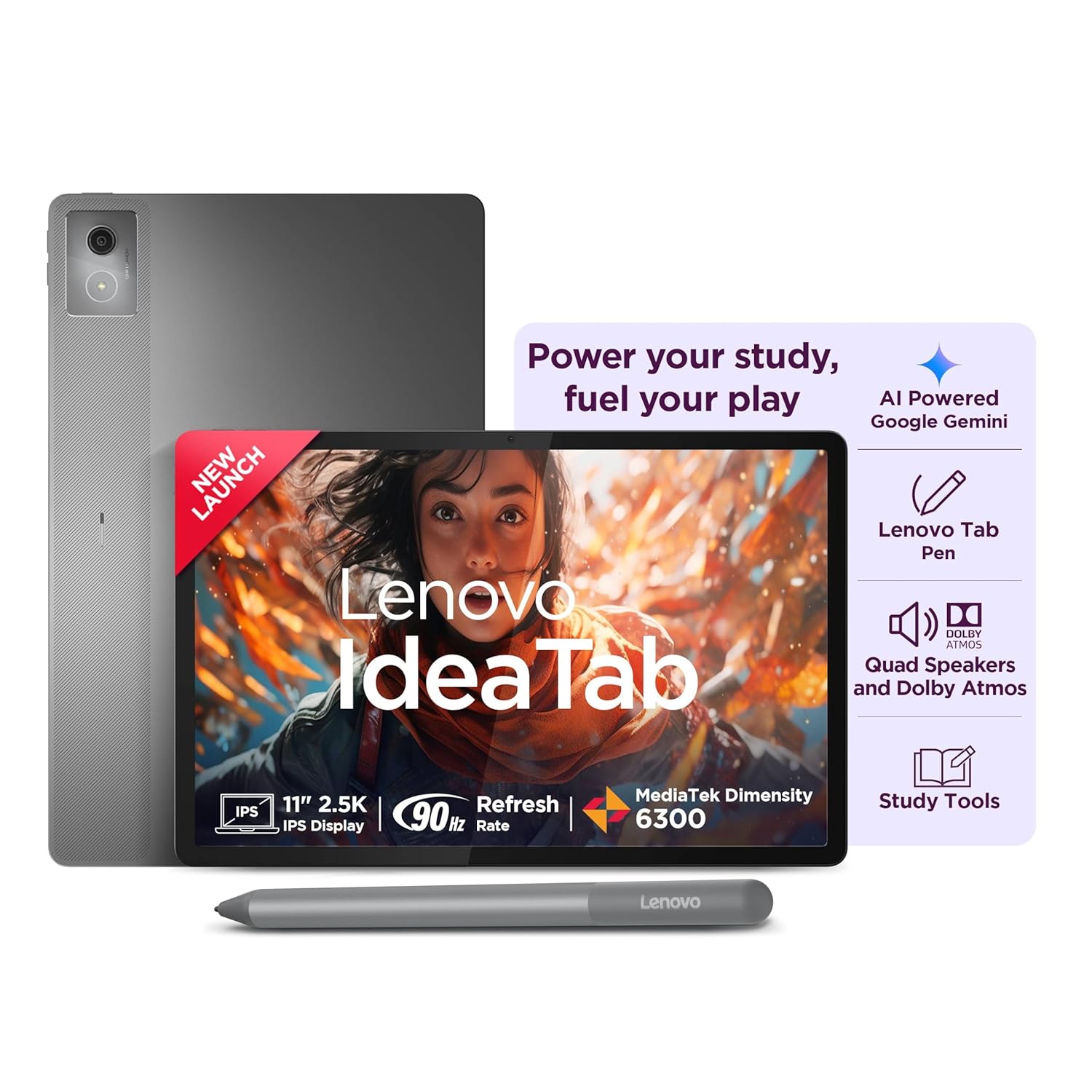
Figure 1: Lenovo Idea Tab with included Pen, highlighting key features like AI Powered Google Gemini, Lenovo Tab Pen, Quad Speakers with Dolby Atmos, and Study Tools.
What's in the Box
Verify that all items are present in the packaging:
- Lenovo Idea Tab
- Lenovo Tab Pen
- USB Type-C 2.0 Charging Cable
- MicroSD Tray Pin
- Quick Start Guide & Safety, Warranty Information
- In-box 20W Charging Adapter
Product Overview

Figure 2: Comprehensive feature set of the Lenovo Idea Tab, including its 11-inch 2.5K display, MediaTek Dimensity 6300 processor, Lenovo ZUI 17 OS, and the included Lenovo Tab Pen with 4096 levels of pressure sensitivity.
Display and Audio
- Screen: 11-inch 2.5K IPS Display (2560x1600 resolution) with 500 nits brightness and 90Hz refresh rate. Features Anti-Reflection and TÜV Lowblue Light certification for eye comfort.
- Audio: Four speakers optimized with Dolby Atmos for an immersive sound experience.

Figure 3: Visual representation of the tablet's sharp 2.5K display and clear quad speakers with Dolby Atmos support.
Performance and Storage
- Processor: MediaTek Dimensity 6300 Octa-core processor (2x A76 2.4 GHz + 6x A55 2.0 GHz).
- Memory: 8GB Soldered LPDDR4x RAM.
- Storage: 256GB UFS 2.2 internal storage, expandable up to 2TB via MicroSD card.
- Operating System: Android 15, with support for future Android upgrades and 4 years of security updates.
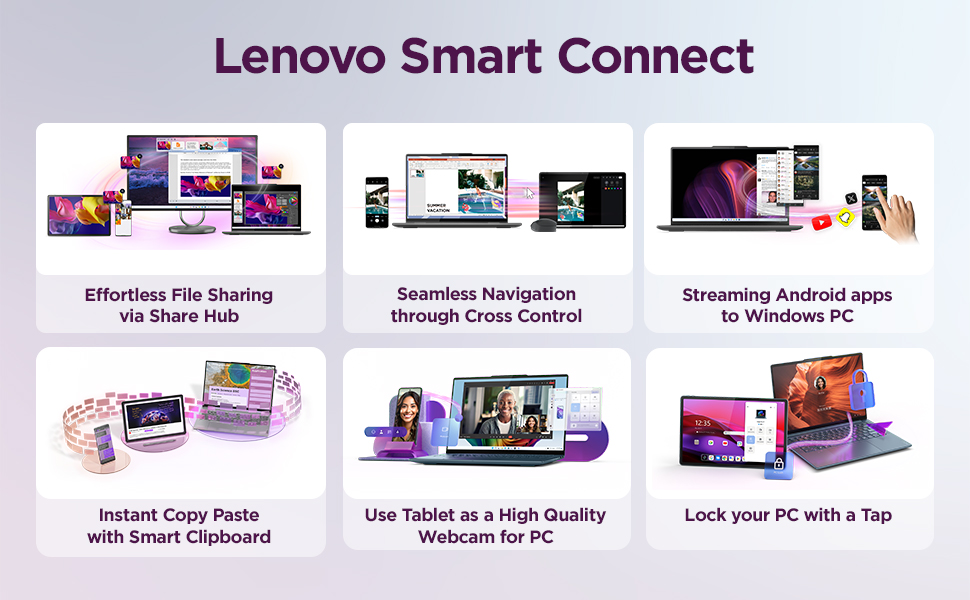
Figure 4: Illustration of the tablet's powerful MediaTek D6300 processor, 8GB RAM, 256GB storage, and long-lasting 7040mAh battery.
Camera and Battery
- Cameras: Front 5.0MP camera and Rear 8.0MP camera.
- Battery: Integrated 7040mAh (Typical) battery, providing up to 12 hours of YouTube streaming or 14 hours of Chrome browsing. Supports 20W fast charging with the included adapter.
Connectivity
- Wireless: Wi-Fi (802.11ac), Bluetooth, and 5G cellular connectivity (for 5G models).
- Ports: USB Type-C 2.0 (for charging and audio), MicroSD slot, and three-point pogo-pin connectors for keyboard connection.

Figure 5: Diagram showing the various ports and physical features of the Lenovo Idea Tab, including the USB Type-C port, MicroSD slot, volume keys, power key, and pogo-pin connectors.
Setup
Initial Charging
Before first use, fully charge your Lenovo Idea Tab. Connect the included USB Type-C cable to the tablet's USB-C port and the 20W charging adapter to a power outlet. The battery indicator on the screen will show charging progress.
Power On/Off
- To Power On: Press and hold the Power key (located on the side) until the Lenovo logo appears.
- To Power Off: Press and hold the Power key, then select "Power off" from the options on the screen.
- To Restart: Press and hold the Power key, then select "Restart" from the options.
First-Time Setup Wizard
Upon first power-on, the tablet will guide you through an initial setup wizard. Follow the on-screen prompts to:
- Select your language and region.
- Connect to a Wi-Fi network.
- Sign in with your Google account or create a new one.
- Set up screen lock (PIN, pattern, password, or fingerprint).
- Review and accept terms and conditions.
Connecting the Lenovo Tab Pen
The Lenovo Tab Pen is designed to work seamlessly with your tablet. It typically connects automatically when in proximity. Ensure the pen is charged if it has a battery. The tablet has a magnetic attaching place for the pen for convenient storage and charging (if supported by the pen model).
Operating Instructions
Basic Navigation
- Touch Gestures: Tap, swipe, pinch-to-zoom, and long-press are standard Android gestures for navigating the interface.
- Volume Control: Use the Volume Up and Volume Down keys on the side of the tablet to adjust audio levels.
Using the Lenovo Tab Pen
The Lenovo Tab Pen offers precise input for various tasks:
- Writing and Drawing: Use compatible apps like Lenovo AI Note, Nebo, Squid, or MyScript for natural writing and sketching. The pen supports 4096 levels of pressure sensitivity for detailed work.
- Navigation: Tap the screen with the pen to select items, or use it for precise dragging and dropping.
- Smart Features: Leverage AI-powered tools for instant translation, circle-to-search, chat assistance, and more.

Figure 6: Examples of using the Lenovo Tab Pen with AI tools for tasks such as Circle to Search, Instant Translation, and AI-powered chat assistance.
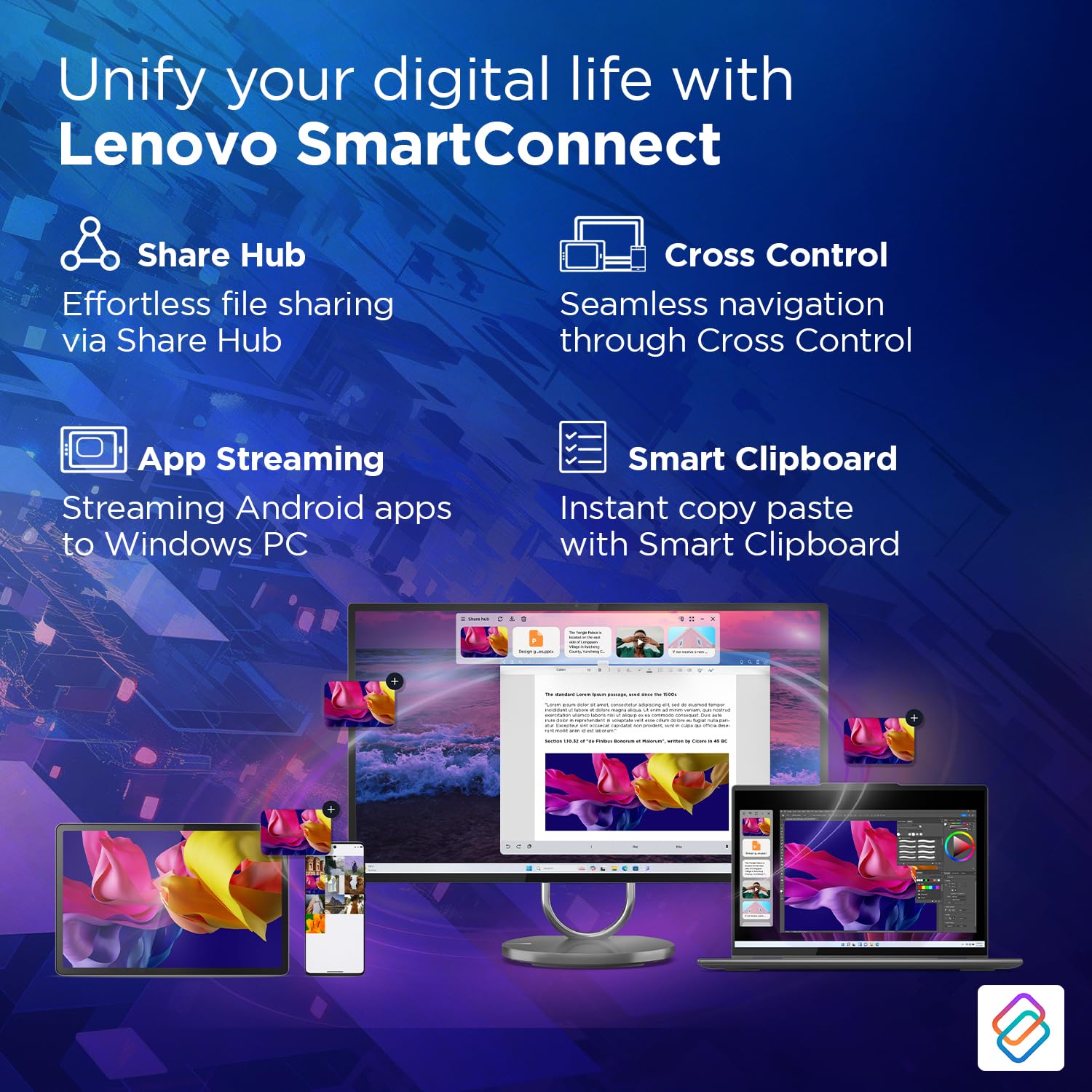
Figure 7: Demonstrating AI features like Lenovo AI Note, TurboSystem optimization, and integration with Nebo, Squid, and MyScript for enhanced study and productivity.
Lenovo SmartConnect
Lenovo SmartConnect unifies your digital life by enabling seamless interaction between your tablet and other devices:
- Share Hub: Effortless file sharing between devices.
- Cross Control: Seamless navigation and control across multiple screens.
- App Streaming: Stream Android apps directly to your Windows PC.
- Smart Clipboard: Instant copy-paste functionality across connected devices.
- Use Tablet as Webcam: Utilize your tablet's camera as a high-quality webcam for your PC.
- Lock PC with a Tap: Conveniently lock your computer from your tablet.
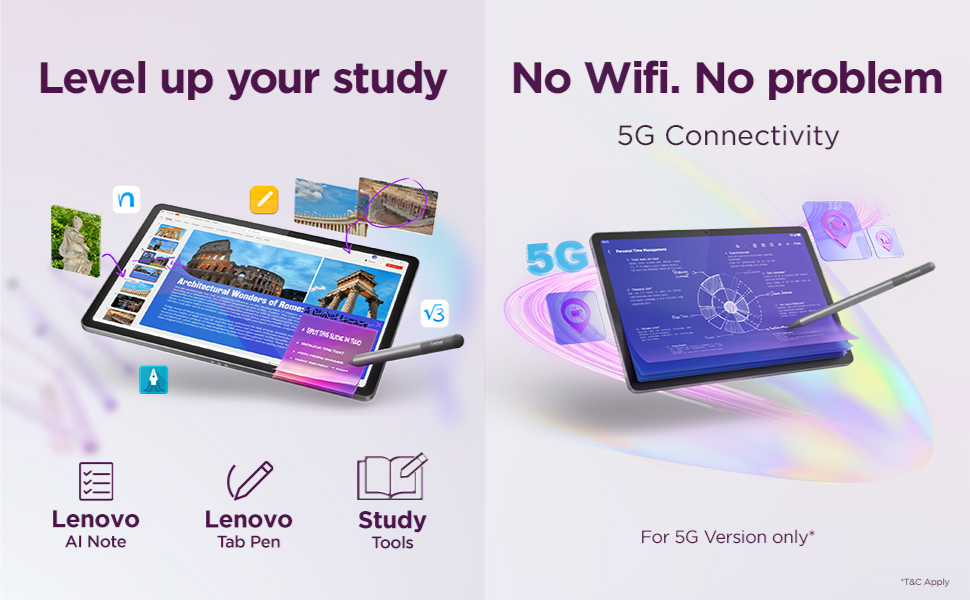
Figure 8: Overview of Lenovo SmartConnect features, illustrating how the tablet integrates with other devices for enhanced productivity and convenience.
Maintenance
Cleaning Your Tablet
- Use a soft, lint-free cloth to clean the screen and body.
- For stubborn smudges, slightly dampen the cloth with water or a screen-cleaning solution. Avoid harsh chemicals or abrasive materials.
- Do not spray liquids directly onto the tablet.
Battery Care
- Avoid exposing the tablet to extreme temperatures (hot or cold) as this can degrade battery life.
- For optimal battery health, avoid frequently discharging the battery completely or keeping it at 100% charge for extended periods.
- Use only the original or certified charging adapter and cable.
Software Updates
Regularly check for and install software updates to ensure your tablet has the latest features, security patches, and performance improvements. You can usually find this option in the tablet's Settings menu under "System" or "About tablet."
Troubleshooting
| Problem | Possible Cause | Solution |
|---|---|---|
| Tablet does not turn on. | Battery is depleted. | Connect the charger and allow it to charge for at least 30 minutes before attempting to power on. |
| Screen is unresponsive. | Software glitch or temporary freeze. | Perform a force restart by holding the Power key for about 10-15 seconds. |
| Cannot connect to Wi-Fi. | Incorrect password, router issue, or Wi-Fi disabled. | Check Wi-Fi password, restart your router, or toggle Wi-Fi off/on in tablet settings. |
| Lenovo Tab Pen not responding. | Pen battery low or connection issue. | Ensure the pen is charged. Re-pair the pen via Bluetooth settings if necessary. |
| Apps are crashing or running slowly. | Too many apps running, low storage, or outdated software. | Close background apps, clear app caches, free up storage, or check for system updates. |
Specifications
| Feature | Detail |
|---|---|
| Brand | Lenovo |
| Model Name | Idea Tab |
| Item Model Number | ZAFM0706IN |
| Colour | Luna Grey |
| Screen Size | 11 Inches |
| Screen Resolution | 2560 x 1600 pixels (2.5K) |
| Processor Brand | MediaTek |
| Processor Model | Dimensity 6300 |
| RAM | 8GB LPDDR4x |
| Memory Storage Capacity | 256GB UFS 2.2 (Expandable up to 2TB via MicroSD) |
| Operating System | Android 15 |
| Front Webcam Resolution | 5 MP |
| Rear Camera Resolution | 8 MP |
| Speaker Description | 4 speakers, optimized with Dolby Atmos |
| Connectivity Type | Bluetooth, Cellular (5G), Wi-Fi (802.11ac) |
| Battery Capacity | 7040 mAh (Typical) |
| Average Battery Life | 9 Hours (general usage), 12 Hours (YouTube streaming), 14 Hours (Chrome browsing) |
| Item Weight | 480 g |
| Included Components | Idea Tab, In-box 20W Charging Adapter, MicroSD Tray Pin, Quick Start Guide & Safety, Warranty, USB Type-C 2.0 Charging Cable |
Warranty and Support
Your Lenovo Idea Tab comes with a 1 Year Warranty Care from the date of purchase, covering manufacturing defects. Please refer to the included warranty card for detailed terms and conditions.
For technical support, service, or warranty claims, please visit the official Lenovo support website or contact their customer service. You can find more information and support resources at support.lenovo.com.
Related Documents - ZAFM0706IN
 |
Lenovo Tab Plus (TB351FU) Product Specifications and Data Sheet Detailed product specifications, energy labeling, and service information for the Lenovo Tab Plus (TB351FU) tablet, including performance, design, software, connectivity, and warranty details. |
 |
Lenovo Idea Tab TB336FUZU Product Maintenance Manual This Product Maintenance Manual provides detailed technical instructions for servicing and repairing the Lenovo Idea Tab TB336FUZU, covering safety information, product specifications, diagnostics, and part replacement procedures. |
 |
Lenovo Idea Tab Plus (TB361FU) Produktdatenblatt & Technische Spezifikationen Umfassendes Produktdatenblatt und detaillierte technische Spezifikationen für das Lenovo Idea Tab Plus (TB361FU) Tablet, einschließlich Energieeffizienz, Reparierbarkeitsindex, Konnektivität und Leistung. |
 |
Lenovo Idea Tab Pro User Guide Comprehensive user guide for the Lenovo Idea Tab Pro, covering setup, basic operations, advanced features, and troubleshooting. Learn how to navigate your device, customize settings, and utilize its full potential. |
 |
Lenovo Tab M10 Plus 3rd Gen: Safety, Warranty & Quick Start Guide A comprehensive guide for the Lenovo Tab M10 Plus 3rd Gen, covering safety information, warranty details, and quick start instructions for models TB128FU and TB128XU. |
 |
Regulamin Promocji Lenovo: Kup Tablet i Odbierz Słuchawki Gratis Oficjalny regulamin promocji Lenovo. Dowiedz się, jak kupić wybrane tablety Lenovo (serie M11, K11, Lenovo Tab Plus, Idea Tab Pro, Yoga Tab Plus) i otrzymać w prezencie słuchawki bezprzewodowe Lenovo E310 True Wireless Stereo Earbuds. Sprawdź okresy promocji, zasady zgłoszeń i wymagania. |