
1. Introduction and Overview
Thank you for choosing the SANODESK Electric Standing Desk. This manual provides detailed instructions for the assembly, operation, and maintenance of your new height-adjustable desk. Designed for ergonomic comfort and versatility, this desk allows you to seamlessly switch between sitting and standing positions, promoting a healthier and more productive work environment.
The SANODESK Electric Standing Desk features a spacious 63 x 32 inch desktop, an intuitive 6-button controller with memory presets, and a robust electric lifting system. Please read this manual thoroughly before assembly and use to ensure proper function and longevity of your product.

Figure 1: SANODESK Electric Standing Desk in a typical office environment.
2. Product Features
- Spacious 63" x 32" Desktop: Provides ample space for multiple monitors, laptops, and office accessories, supporting a productive workspace.
- LED Memory Control Panel: Features a 6-button controller with 4 programmable memory presets for quick and accurate height adjustments.
- Electric Lifting System: Smoothly adjusts height from 28.9 inches to 46.5 inches, accommodating various user heights and preferences. The thickened steel pipe frame ensures stability and supports up to 198 lbs.
- Sleek and Timeless Design: White frame and tabletop with a fine, smooth, waterproof, and rustproof paint coating, easy to clean and suitable for diverse decor styles.
- Quiet Operation: Engineered for smooth and quiet height adjustments, minimizing disruption in your workspace.

Figure 2: Broad desk surface providing ample workspace.
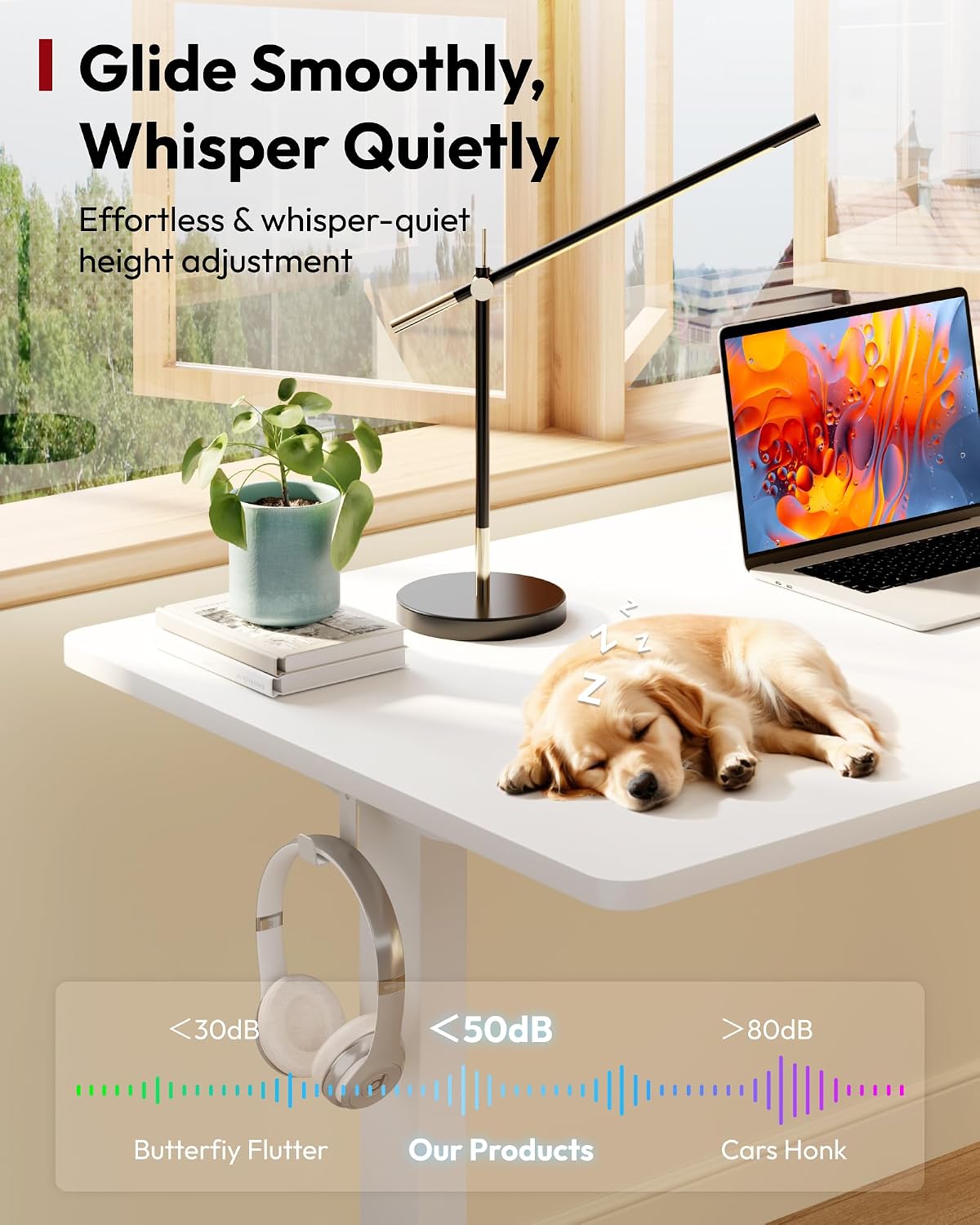
Figure 3: Intelligent keyboard with LED display and memory buttons.
3. Specifications
| Attribute | Detail |
|---|---|
| Brand | SANODESK |
| Product Dimensions (D x W x H) | 63"D x 32"W x 28.3"H |
| Color | White Frame + White Top |
| Style | Modern |
| Base Material | Alloy Steel |
| Top Material Type | Wood |
| Height Adjustment Range | 28.9 inches to 46.5 inches |
| Weight Capacity | 198 lbs |
| Assembly Required | Yes |
| UPC | 840460489737 |

Figure 4: Product dimensions overview.
4. Setup and Assembly
The SANODESK Electric Standing Desk requires assembly. Please ensure you have all components listed in the packaging before beginning. A detailed assembly guide with step-by-step instructions and diagrams is included in the product packaging. It is recommended to assemble the desk with two people for ease and safety.
- Unpacking: Carefully unpack all components and lay them out on a clean, soft surface to prevent scratches.
- Component Identification: Refer to the parts list in the included assembly manual to identify each component.
- Assembly Steps: Follow the numbered steps in the assembly manual precisely. Ensure all screws and fasteners are tightened securely.
- Cable Management: Once assembled, route power cables and other wires neatly to prevent tripping hazards and maintain a clean aesthetic.
Note: Tools required for assembly are typically included or commonly available household tools. Refer to the assembly manual for specific tool requirements.
5. Operating Instructions
The SANODESK Electric Standing Desk is equipped with an intuitive 6-button control panel for easy height adjustment and memory functions.
- Adjusting Height:
- Press and hold the Up (▲) button to raise the desk.
- Press and hold the Down (▼) button to lower the desk.
- Release the button at your desired height. The current height will be displayed on the LED screen.
- Setting Memory Presets: The control panel has 4 memory buttons (1, 2, 3, 4) to store your preferred sitting and standing heights.
- Adjust the desk to your desired height using the Up/Down buttons.
- Press the 'M' button (or similar memory set button, if present, otherwise proceed to step 3).
- Immediately press one of the number buttons (1, 2, 3, or 4) to save the current height to that preset. A confirmation beep or display change may occur.
- Using Memory Presets: Simply press the corresponding number button (1, 2, 3, or 4) to automatically move the desk to the saved height.
- Safety Features: The desk is equipped with anti-collision features. If the desk encounters an obstacle during adjustment, it will stop and slightly reverse direction.

Figure 5: Height adjustment range of the desk.

Figure 6: Illustration of the desk's quiet operation.
6. Maintenance
Regular maintenance will help prolong the life and maintain the appearance of your SANODESK Electric Standing Desk.
- Cleaning the Desktop: Use a soft, damp cloth with mild soap and water to clean the desktop surface. Avoid abrasive cleaners or harsh chemicals that could damage the finish. The desktop is waterproof, making cleaning easy.
- Cleaning the Frame: Wipe the steel frame with a dry or slightly damp cloth. The frame is rustproof, but avoid excessive moisture.
- Cable Management: Periodically check and tidy up cables to prevent tangles and ensure smooth operation.
- Motor and Control Panel: Keep the motor and control panel free from dust and debris. Do not attempt to open or service these components yourself.
- Check Connections: Occasionally check that all screws and connections are secure, especially after moving the desk.
7. Troubleshooting
If you encounter any issues with your SANODESK Electric Standing Desk, please refer to the following common troubleshooting tips:
- Desk Not Moving:
- Ensure the power cord is securely plugged into both the desk and a working power outlet.
- Check if any cables are pinched or disconnected.
- Perform a reset (refer to the specific reset procedure in your included assembly manual, as it can vary by model). Typically, this involves holding down certain buttons for a few seconds.
- Uneven Movement:
- Ensure the desk is placed on a flat, level surface.
- Check that all assembly screws are tightened evenly.
- Distribute weight evenly on the desktop.
- Error Codes on Display: If an error code appears on the LED display, consult the troubleshooting section of your included assembly manual for specific meanings and solutions.
- Noise During Operation: A slight hum is normal during movement. If you hear unusual or loud noises, ensure no cables or objects are obstructing the lifting mechanism.
If these steps do not resolve the issue, please contact customer support.
8. Warranty and Support
SANODESK is committed to your satisfaction. If you encounter any problems when you receive the product or during its use, we provide a 30-day return or exchange service.
For assistance, troubleshooting beyond this manual, or to inquire about warranty claims, please contact SANODESK customer service through the order page where you purchased the product. Please have your order details and product model information ready when contacting support.
We are very much willing to offer assistance and ensure your experience with the SANODESK Electric Standing Desk is positive.


