1. Introduction
The Aputure Storm 400x is a powerful 400W bi-color LED video light, designed as a compact point-source fixture. It incorporates the advanced Blair Chipset, offering an ultra-wide CCT range from 2500K to 10000K with precise ±G tint control. Featuring CRMX and DMX connectivity, IP65 weather resistance, and a robust ProLock Bowens Mount, the Storm 400x is engineered for professional lighting applications in diverse environments. A 35° reflector is included for focused light output.
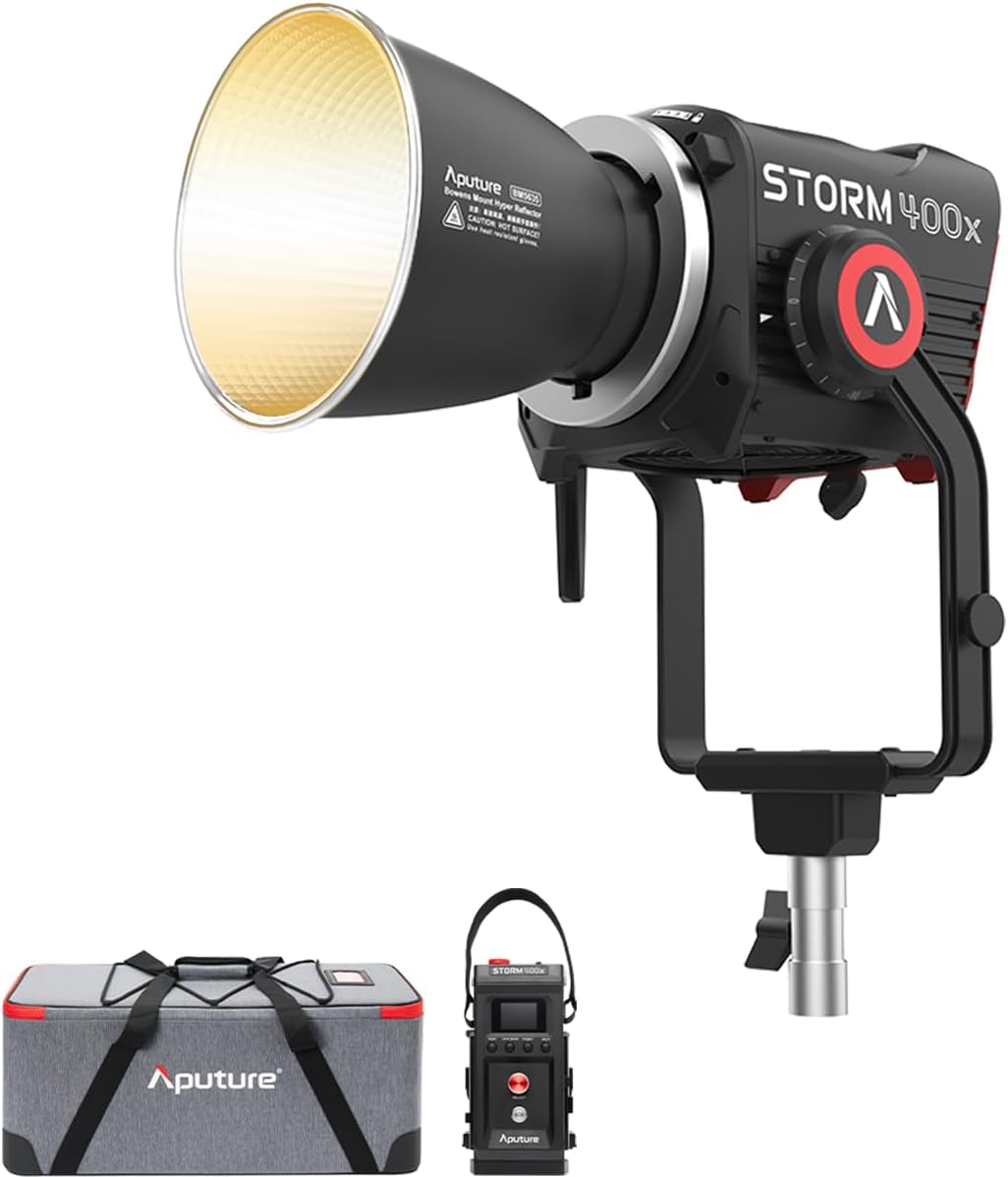
Image 1.1: The Aputure Storm 400x LED Video Light, including the lamp head, control box, and soft carrying case.
2. What's in the Box
Verify that all components are present upon unboxing:
- 1x STORM 400x Lamp Head
- 1x STORM 400x Control Box
- 1x Lightning Clamp
- 1x 35° Angle Hyper Reflector
- 1x STORM 400x Head Cable (3m)
- 1x AC Power Cable (6m)
- 1x Bowens Mount Protection Cover
- 1x Soft Carrying Case

Image 2.1: Visual representation of the Aputure Storm 400x package contents.
3. Product Overview
The Storm 400x features a robust design with intuitive controls. Familiarize yourself with the main components:

Image 3.1: Detailed diagrams of the Storm 400x lamp head (with ProLock Handle, 35° Reflector, 5-pin Weatherproof Head Cable Connector, Ratcheting Disk Brake Handle, 28mm/16mm Junior/Baby Pin) and the Control Box (with LCD Display, Menu Button, Light Mode Button, Select Wheel, Power Button, Back Button, Preset Button, 5pin Female Head, AC 100-240V Input, DMX OUT Port, DMX IN Port, USB-A Port).

Image 3.2: Various product views of the Aputure Storm 400x, showcasing its design from different angles.
4. Setup
- Mounting the Lamp Head: Attach the Storm 400x lamp head to a compatible light stand using the 28mm/16mm Junior/Baby Pin. Secure it with the ratcheting disk brake handle.
- Connecting the Control Box: Connect the 5-pin weatherproof head cable from the lamp head to the control box. Ensure a secure connection.
- Powering the Unit:
- AC Power: Connect the AC power cable (6m) to the control box and a suitable power outlet (100V ~ 240V / 50–60Hz).
- Battery Power: The control box features two battery plates for remote operation. Attach compatible 14.4V batteries (not included) to these plates.
- Attaching Modifiers: The Storm 400x features a ProLock Bowens Mount.
- Align the 35° Angle Hyper Reflector (or other Bowens mount modifier) with the mount on the lamp head.
- Twist the modifier clockwise until it locks securely into place. The ProLock mechanism ensures a tight and stable fit.

Image 4.1: The front of the Storm 400x, highlighting the Bowens mount for attaching light modifiers.
5. Operating Instructions
5.1. Power On/Off
Press the Power Button on the control box to turn the unit on or off.
5.2. CCT and Tint Control
The Storm 400x offers a CCT range of 2500K to 10000K and ±G tint control, enabled by the BLAIR chipset.
- Use the Select Wheel and Menu/Light Mode buttons on the control box to navigate to the CCT settings.
- Adjust the CCT (Correlated Color Temperature) to achieve the desired white balance.
- Utilize the ±G (Green/Magenta) control for fine-tuning the color accuracy, especially when matching other light sources or compensating for color shifts in the environment.
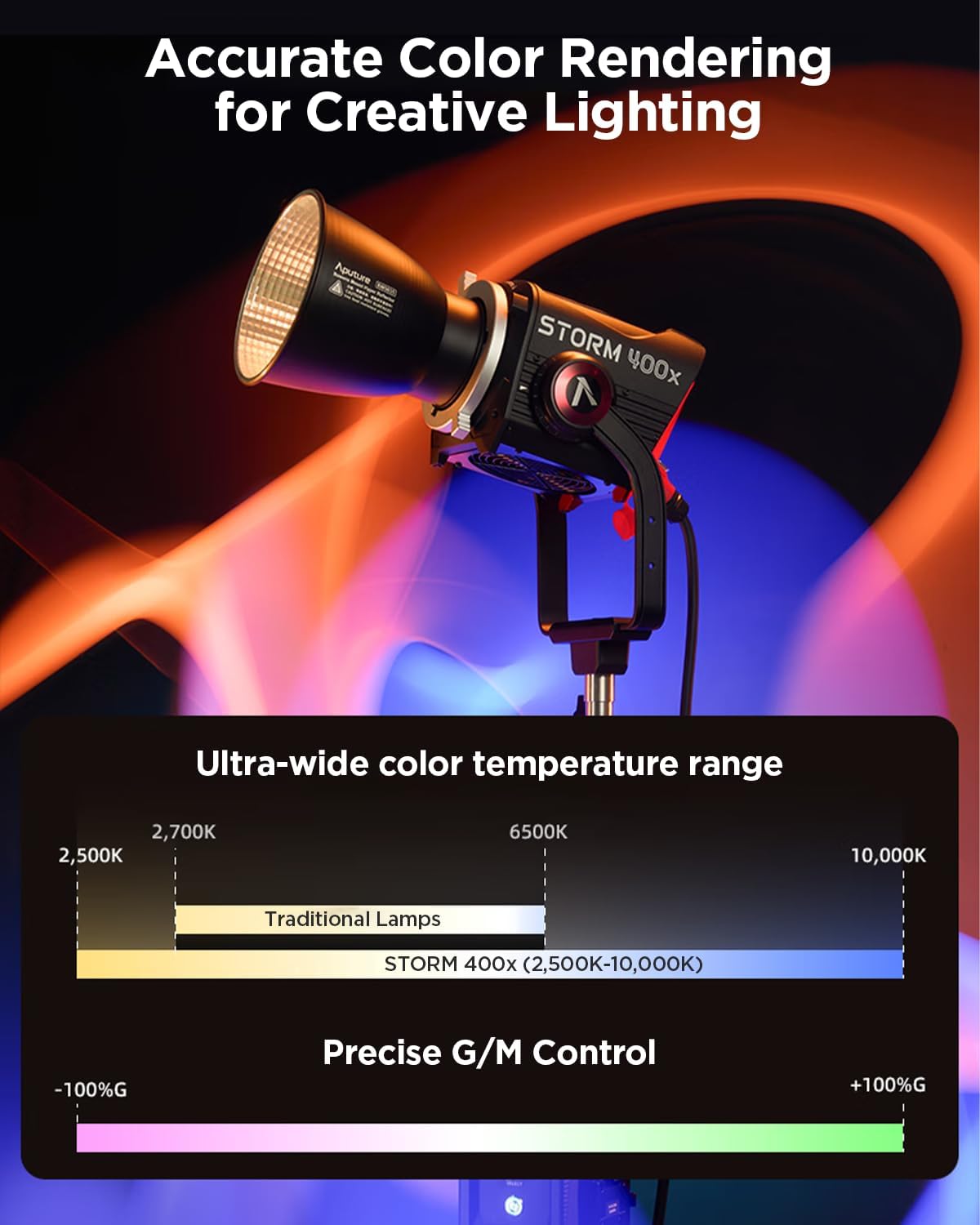
Image 5.1: The Storm 400x provides an ultra-wide color temperature range from 2500K to 10000K and precise Green/Magenta control for accurate color rendering.
5.3. Dimming and Effects
The fixture supports 0.1–100% stepless dimming, 9 built-in lighting effects, 10 user presets, and 4 dimming curves. Dual output modes (Max/Constant) and 4 fan settings optimize power and silence.
- Navigate through the menu to access dimming, effects, and fan settings.
- Adjust intensity using the Select Wheel.
- Select desired lighting effects or recall user presets.
5.4. Connectivity and Control Options
The Storm 400x offers multiple control methods for integration into professional workflows:
- On-board Control: Utilize the physical buttons and LCD display on the control box.
- Sidus Link App: Control the light wirelessly via Bluetooth using the Sidus Link or Sidus Link Pro apps.
- DMX/RDM: Connect via 5-Pin DMX In/Out ports for wired DMX control. Supports 12 DMX profiles.
- CRMX: Integrated LumenRadio CRMX for wireless DMX control.
- etherCON: For network-based control.
6. Key Features
6.1. BLAIR Chipset for Unrivaled Color Fidelity
The proprietary 5-diode BLAIR chipset (Blue, Lime, Amber, Indigo, Red) ensures superior spectral mixing and exceptional color rendering. This results in ultra-precise tones with CRI/TLCI ≥ 95, CQS ≥ 96, TM-30 Rf/Rg averages of 95/100, and over 87% coverage of the Rec. 709 color gamut, crucial for color-critical productions.

Image 6.1: The BLAIR 5-Color Engine provides exceptional color accuracy and rendering.
6.2. IP65 Weather Resistance
The Storm 400x is housed in a compact, IP65 weather-resistant body. This rating ensures reliable performance even in inclement weather conditions, making it suitable for demanding outdoor shoots. The head, ballast, power cable, and head cable are all IP rated.

Image 6.2: The Storm 400x is designed to withstand water jets from any direction, ensuring durability in various weather conditions.
6.3. ProLock Bowens Mount
The rugged ProLock Bowens Mount provides a secure attachment for light modifiers. This locking mechanism ensures that modifiers fit tightly, enhancing optical efficiency and preventing accidental detachment during use.
6.4. Precision Low-End Dimming
The Blair Engine's efficiency extends to low-end dimming, allowing for precise control down to 0.1% intensity. This capability is essential for subtle lighting adjustments and achieving specific atmospheric effects.
7. Maintenance
- Cleaning: Use a soft, dry cloth to clean the exterior of the light and control box. For stubborn dirt, a slightly damp cloth may be used, ensuring no moisture enters openings.
- Storage: Store the unit in its soft carrying case in a cool, dry place when not in use.
- Cable Care: Inspect all cables regularly for any signs of wear or damage. Replace damaged cables immediately to prevent electrical hazards.
- Ventilation: Ensure the fan vents on the lamp head and control box are clear of obstructions to maintain proper cooling.
8. Troubleshooting
- Light Not Turning On:
- Check all power connections (AC cable, head cable, batteries).
- Ensure the power button is fully pressed.
- If using batteries, verify they are charged and properly seated.
- No Light Output:
- Verify the intensity setting is above 0.1%.
- Check for any error messages on the LCD display.
- Connectivity Issues (Sidus Link/DMX):
- For Bluetooth, ensure the device is within range and Bluetooth is enabled.
- For DMX, check cable connections and DMX address settings.
- Overheating Warning:
- Ensure adequate ventilation around the lamp head and control box.
- Check that fan vents are not blocked.
9. Specifications
| Feature | Specification |
|---|---|
| CCT Range | 2,500K – 10,000K |
| CRI | ≥95 |
| TLCI | ≥95 |
| CQS | ≥94 |
| SSI (Tungsten) | 87 |
| SSI (D56) | 85 |
| TM-30 Rf (Average) | 95 |
| TM-30 Rg (Average) | 100 |
| LED Chipset | BLAIR (Blue, Lime, Amber, Indigo, Red) |
| Color Gamut Coverage | ±G 100% Green-Magenta Adjustment (Full ASC MITC Range); 87%+ coverage of Rec. 709 |
| Max Power Consumption | 500W |
| Max Power Output | 400W |
| Operating Voltage | 100V ~ 240V / 50–60Hz |
| Battery Mount Operating Voltage | 14.4V |
| USB-A Power Output | 5V / 0.5A |
| Weather Resistance Rating | IP65 |
| Native COB Beam Angle | 57° |
| Included Reflector Beam Angle | 35° |
| Operating Temperature | -20°C ~ 45°C / -4°F ~ 113°F |
| Storage Temperature | -40°C ~ 80°C / -40°F ~ 176°F |
| Control Methods | On-board, Sidus Link App, Sidus Link Pro App, DMX/RDM, CRMX, etherCON |
| Data Ports | 1x 5-Pin DMX In, 1x 5-Pin DMX Out |
| Firmware Upgradeable | Sidus Link, Sidus Link Pro, USB-A Drive |
| Sidus Bluetooth Wireless Range | ≤100m / ≤262.5ft |
| CRMX (TimoTwo) Wireless Range | ≤100m / ≤262.5ft |
| Fan Noise Levels (at 1m) | Smart Mode: 36 dBA; High Mode: 33 dBA; Medium Mode: 29 dBA; Silent Mode: 0 dBA |
| Lamp Head (with Yoke) Dimensions | 23.9 x 25.3 x 42.4 cm / 9.4 x 10.0 x 16.7 in |
| Control Box Dimensions | 13.6 x 14.1 x 24.3 cm / 5.4 x 5.6 x 9.6 in |
| Lamp Head with Yoke Weight | 3.95 kg / 7.99 lbs |
| Control Box Weight | 3.00 kg / 6.07 lbs |
10. Official Product Videos
Aputure Storm 400x Product Walkthrough
Video 10.1: A comprehensive walkthrough of the Aputure Storm 400x, detailing its features, controls, and capabilities. This video provides an in-depth look at the product's design and functionality.
Introducing the STORM 400x Baby BLAIR
Video 10.2: An introductory video highlighting the innovative BLAIR chipset within the Storm 400x, showcasing its advanced color rendering and tunable white light capabilities.
11. Warranty and Support
For warranty information and technical support, please refer to the official Aputure website or contact your local distributor. Keep your purchase receipt as proof of purchase for warranty claims.
Online Resources: www.aputure.com


