
Introduction
The ERAZERL Ki Translator Headphones XF26 are designed to facilitate real-time communication across language barriers. These open-ear headphones offer instant translation in up to 150 languages, powered by AI technology, and are compatible with both iOS and Android devices through the dedicated EarJoy app. This manual provides essential information on setting up, operating, maintaining, and troubleshooting your device.
Setup Guide
Follow these steps to set up your ERAZERL Ki Translator Headphones XF26:
- Download the EarJoy App: Search for "EarJoy" in your device's app store (Google Play Store for Android or Apple App Store for iOS) and download the application. This app is required for all translation functions.
- Register/Log In: Open the EarJoy app and follow the on-screen instructions to create a new account or log in with an existing one.
- Pair Headphones via Bluetooth:
- Ensure your headphones are charged.
- Open your mobile phone's Bluetooth settings.
- Take the headphones out of their charging case. They should automatically enter pairing mode.
- Select "XF26" from the list of available Bluetooth devices on your phone to pair.
- Connect Device in App: Open the EarJoy app. The app should automatically detect and connect to your paired XF26 headphones. Confirm the connection within the app interface.

Image: Step-by-step guide for initial setup, including app download, registration, Bluetooth pairing, and app connection.
Operating Instructions
1. Real-time Translation
The XF26 headphones provide instant translation for conversations in 150 global languages. Ensure both your headphones and the EarJoy app are connected and your device has an active internet connection for optimal performance.

Image: Overview of the 150 supported languages for real-time translation.
2. Translation Modes
The EarJoy app offers various translation modes to suit different communication scenarios:
- Dialog Mode: For two-way conversations, where each person speaks their native language and hears the translation.
- Free Talk Mode: Allows for more fluid, multi-person conversations.
- Translation Machine Mode: For one-way translation, where one person speaks and the device translates for others.
- Headphone + Phone Mode: Use one earbud for yourself and share the other, or use the phone's speaker for the other party.
- Voice Note Mode: Records and translates spoken notes.
- Photo Translation: Translates text from images captured by your phone's camera.

Image: Different usage scenarios illustrating the various translation modes.

Image: Example of real-time translation in a casual setting.

Image: Example of real-time translation in a business setting.
3. Photo Translation
The photo translation feature allows you to translate text from documents, signs, or other printed materials by taking a picture with your smartphone camera through the EarJoy app. Ensure the app has camera access permissions.
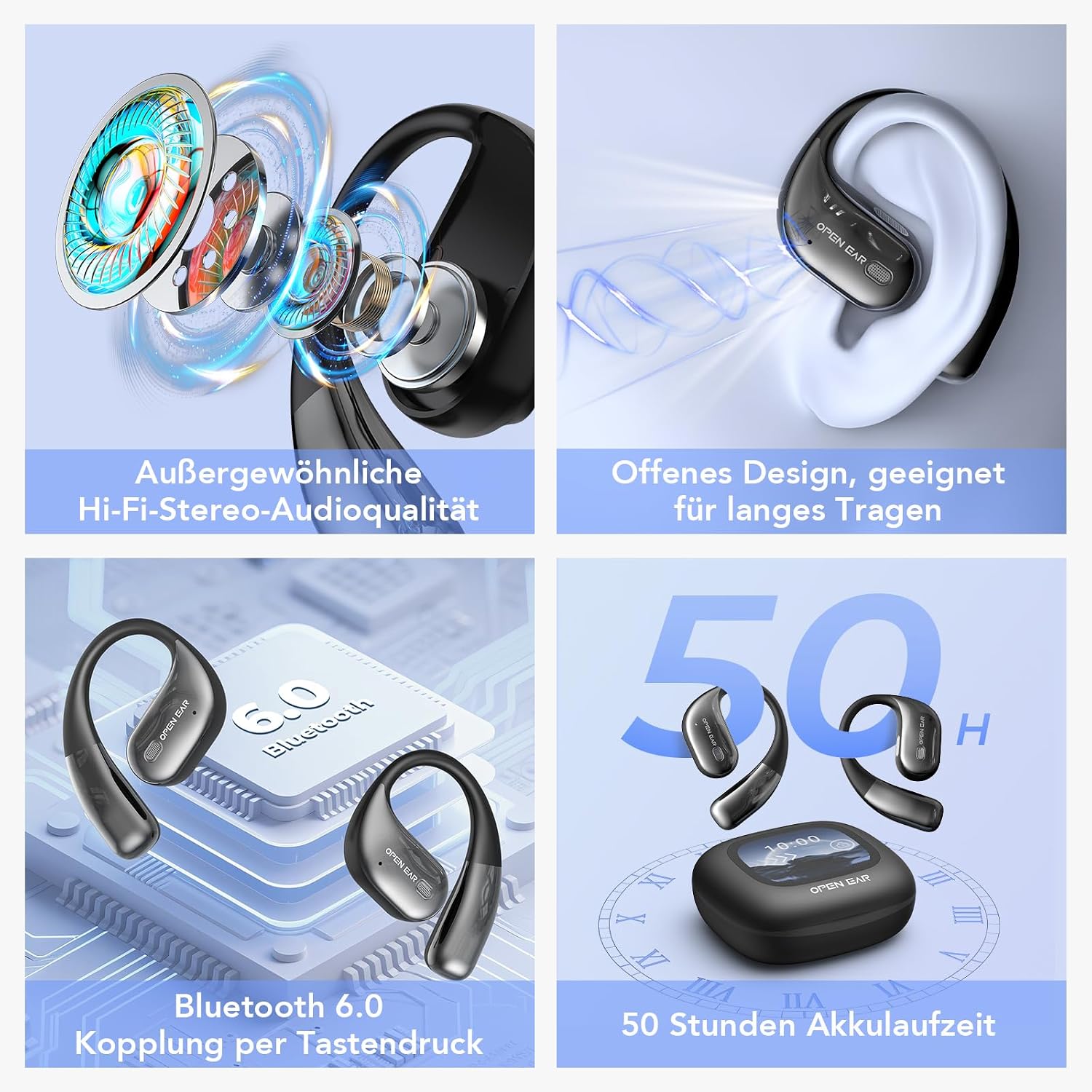
Image: Photo translation feature in action, translating text from documents and road signs.
4. Smart Touch Interface
The charging case features an LED full-color touchscreen for intuitive control of various functions, including music playback, volume adjustment, spatial sound settings, equalizer, alarm clock, light level, language switching, and wallpaper customization. The headphones themselves also feature smart touch controls for basic functions.

Image: Touchscreen interface of the charging case showing various settings and controls.
5. Audio Quality and Design
The XF26 headphones feature an open-ear design for comfortable long-term wear, suitable for sports, work, and daily use. They deliver Hi-Fi stereo audio quality with Active Noise Cancellation (ANC) for clear sound and reduced environmental noise.
6. Battery Life
The headphones offer a total battery life of up to 50 hours with the charging case. The fast-charging function minimizes downtime.

Image: Summary of key features including audio quality, design, Bluetooth, and battery life.
Maintenance
1. Cleaning
- Gently wipe the headphones and charging case with a soft, dry, lint-free cloth.
- Do not use abrasive cleaners, alcohol, or chemical solvents.
- Avoid getting moisture into any openings.
2. Storage
- Store the headphones in their charging case when not in use to protect them and keep them charged.
- Keep the device in a cool, dry place, away from direct sunlight and extreme temperatures.
Troubleshooting
| Problem | Possible Cause | Solution |
|---|---|---|
| Headphones not pairing/connecting | Low battery; Bluetooth off; not in pairing mode; app not open. | Charge headphones; enable Bluetooth; ensure headphones are out of case; open EarJoy app. |
| Translation not working | No internet connection; incorrect language settings; microphone blocked; app issue. | Ensure stable internet; check language settings in EarJoy app; ensure microphone is clear; restart app. |
| Poor audio quality | Low battery; environmental interference; improper fit. | Charge headphones; move away from interference sources; adjust headphone fit. |
| App not responding | Software glitch; outdated app version. | Close and reopen the app; check for app updates in your app store. |
If you encounter persistent issues, please refer to the customer support section for assistance.
Specifications
- Brand: ERAZERL
- Model Number: XF26
- Color: Black (XT66PRO Noir)
- Battery Composition: Lithium-ion
- Rechargeable Battery: Yes (1 Lithium-polymer battery included)
- Translation Languages: 150 (via EarJoy app)
- Compatibility: iOS and Android devices
- Connectivity: Bluetooth 6.0
- Battery Life: Up to 50 hours (with charging case)
- Features: Real-time AI translation, open-ear design, smart touch interface, ANC (Active Noise Cancellation), photo translation, voice recording.
Warranty Information
Specific warranty details for the ERAZERL Ki Translator Headphones XF26 are not provided in the product information. Please refer to your purchase documentation or contact the seller/manufacturer directly for warranty terms and conditions.
Customer Support
For further assistance, technical support, or inquiries regarding your ERAZERL Ki Translator Headphones XF26, please contact ERAZERL customer service through the contact information provided with your product packaging or on the official ERAZERL website.
The EarJoy app also provides support resources and updates. Ensure your app is always updated to the latest version for optimal performance and access to new features.