
Important Safety Instructions
Please read all instructions carefully before using your Kismile Nugget Ice Maker. Keep this manual for future reference.
- Ensure the appliance is placed on a stable, level surface away from heat sources and direct sunlight.
- Do not immerse the appliance, power cord, or plug in water or other liquids.
- Supervise children when the appliance is in use.
- Unplug the ice maker before cleaning or when not in use.
- Do not operate any appliance with a damaged cord or plug, or after the appliance malfunctions or has been damaged in any manner.
- Use only potable water in the water tank.
- Do not block any ventilation openings.
- This appliance is for household use only.
Product Components
Familiarize yourself with the parts of your Kismile Nugget Ice Maker.
- Ice Maker Unit
- Removable Ice Basket
- Ice Scoop
- 1.8L Front Pull-Out Water Tank
- Control Panel (Light, Clean, Ice buttons)
- Visualization Window

Image: Kismile Nugget Ice Maker with its ice basket partially pulled out, revealing the chewable nugget ice. The control panel with 'LIGHT', 'CLEAN', and 'ICE' buttons is visible at the top, along with a white ice scoop resting on the unit.
Setup Guide
- Unpacking: Carefully remove the ice maker from its packaging. Remove all packing materials, including any tape or protective film.
- Placement: Place the ice maker on a flat, stable, and heat-resistant surface. Ensure there is at least 5 inches of space around the unit for proper ventilation.
- Initial Cleaning: Before first use, clean the interior of the ice maker.
- Remove the ice basket and water tank.
- Wash the ice basket and water tank with warm water and a mild detergent. Rinse thoroughly.
- Wipe the interior of the ice maker with a soft, damp cloth.
- Dry all parts completely before reassembling.
- Fill Water Tank: Pull out the 1.8L water tank from the front of the unit. Fill it with potable water up to the "MAX" line.
Video: Demonstrates how to pull out and refill the 1.8L water tank of the Kismile Nugget Ice Maker. The video shows water being poured into the tank and the tank being reinserted into the machine.
- Plug In: Plug the power cord into a grounded electrical outlet.
Operating Instructions
Making Ice
- Ensure the water tank is filled and the ice maker is plugged in.
- Press the "ICE" button on the control panel to start the ice making cycle. The "Making Ice" indicator light will illuminate.
- The first batch of nugget ice will be ready in approximately 10 minutes, depending on ambient temperature and water temperature.
- The ice maker will continue to produce ice until the ice basket is full or the water tank is empty.
- When the ice basket is full, the "Ice Full" indicator will light up, and the ice making process will pause. It will resume automatically once ice is removed.
- When the water tank is low, the "Water Shortage" indicator will light up. Refill the water tank to continue ice production.
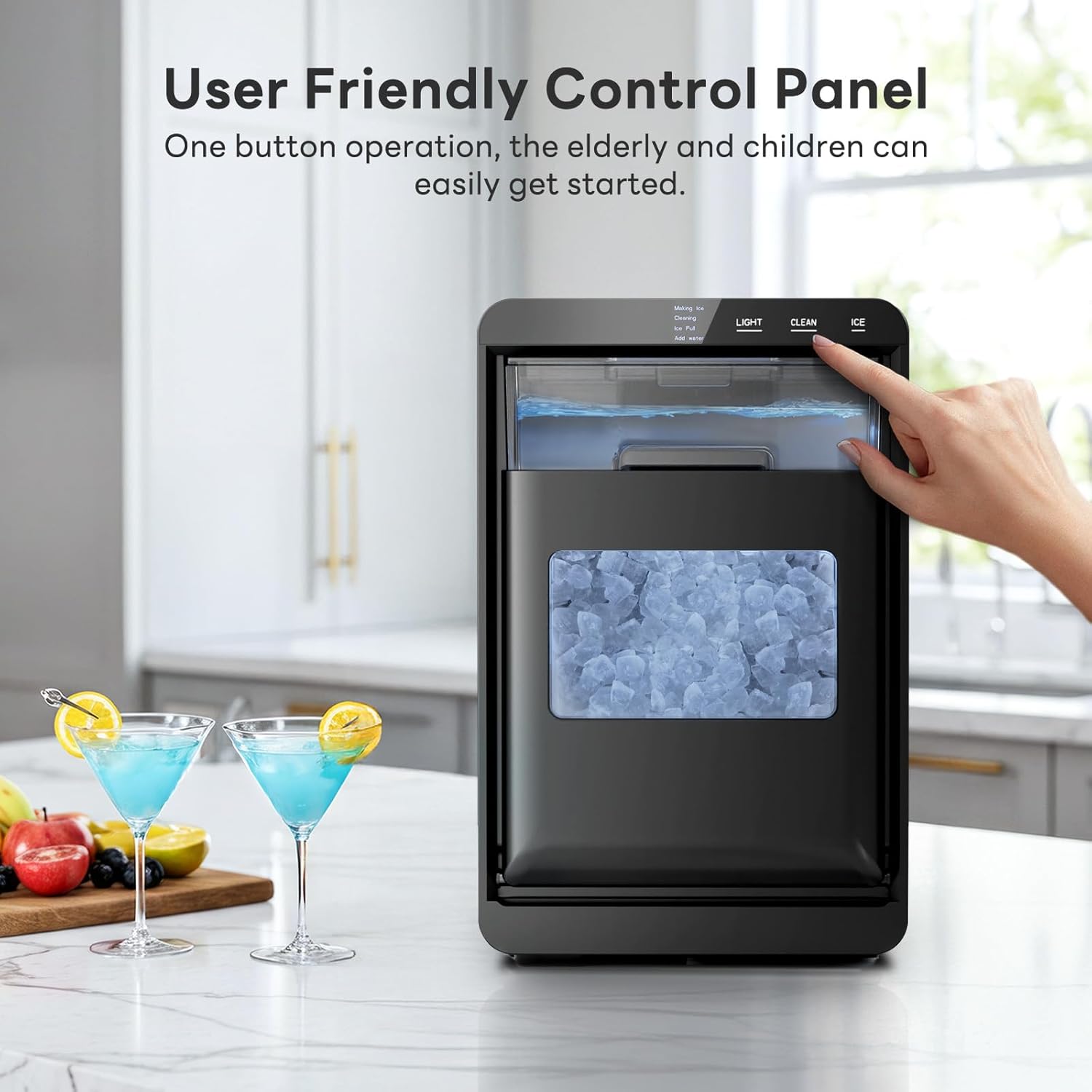
Image: Close-up of the Kismile Nugget Ice Maker's control panel, showing a finger pressing the 'ICE' button to initiate ice production. The 'LIGHT', 'CLEAN', and 'ICE' indicators are visible.
Using the Light
- Press the "LIGHT" button to turn the interior light on or off, allowing you to view the ice level through the visualization window.

Image: The Kismile Nugget Ice Maker with its internal light activated, showcasing the clear visualization window filled with nugget ice. This feature allows users to easily monitor ice levels.
Care and Maintenance
Self-Cleaning Function
- Ensure the ice maker is empty of ice and water.
- Fill the water tank with clean, potable water.
- Press and hold the "CLEAN" button for 5 seconds to activate the self-cleaning cycle. The "CLEAN" indicator will illuminate.
- The cleaning cycle will run for approximately 20 minutes.
- Once the cycle is complete, drain the water from the unit and rinse the interior thoroughly.
- It is recommended to perform the self-cleaning function regularly to ensure fresh and clean ice.
Video: Demonstrates the self-cleaning function of the Kismile Nugget Ice Maker. The video shows the internal water circulation during the cleaning process, highlighting the ease of maintenance.
General Cleaning
- Regularly wipe the exterior of the ice maker with a soft, damp cloth.
- Clean the ice scoop and ice basket with warm, soapy water.
- For hard water areas, consider using distilled or filtered water to minimize mineral buildup. Descaling may be required more frequently.
Troubleshooting Guide
| Problem | Possible Cause | Solution |
|---|---|---|
| Ice maker not producing ice. | No water in the tank. | Fill the water tank with potable water. |
| Ice basket is full. | Remove ice from the basket. | |
| Ambient temperature is too high. | Ensure the ice maker is in a cool, well-ventilated area. | |
| Ice production is slow. | Water temperature is too high. | Use colder water to fill the tank. |
| Poor ventilation. | Ensure adequate space around the unit for airflow. | |
| Ice has an unusual taste or odor. | Unit needs cleaning. | Perform a self-cleaning cycle and thoroughly rinse the unit. |
| Stale water. | Replace water in the tank regularly if not used frequently. |
Product Specifications
- Brand: Kismile
- Model Name: Countertop Ice Maker
- Model Number: 58020RIM0-STEEL
- Product Dimensions (D x W x H): 12.2" x 9.45" x 14.96"
- Capacity: Up to 44 lbs of ice per 24 hours
- Water Tank Capacity: 1.8 Liters
- Refrigerant: R600a
- Item Weight: 23.5 Pounds
- Included Components: Ice scoop, ice basket, user manual
Warranty and Support
For warranty information and customer support, please refer to the official Kismile website or contact their customer service directly. Keep your purchase receipt for warranty claims.
Typical protection plans offered:
- 3-Year Protection Plan
- 2-Year Protection Plan
For further assistance, please visit the Kismile Store on Amazon.

