
1. Introduction
Thank you for purchasing the dbsono F33 Waterproof Bluetooth Shower Speaker. This manual provides essential information for the safe and optimal use of your speaker. Please read it thoroughly before use and retain it for future reference.
2. Package Contents
- dbsono F33 Waterproof Bluetooth Shower Speaker
- USB-C Charging Cable
- User Manual
3. Product Overview
The dbsono F33 speaker features a compact design with intuitive controls and a removable suction cup for versatile placement. It includes a control panel on the front for power, playback, volume, and light modes.
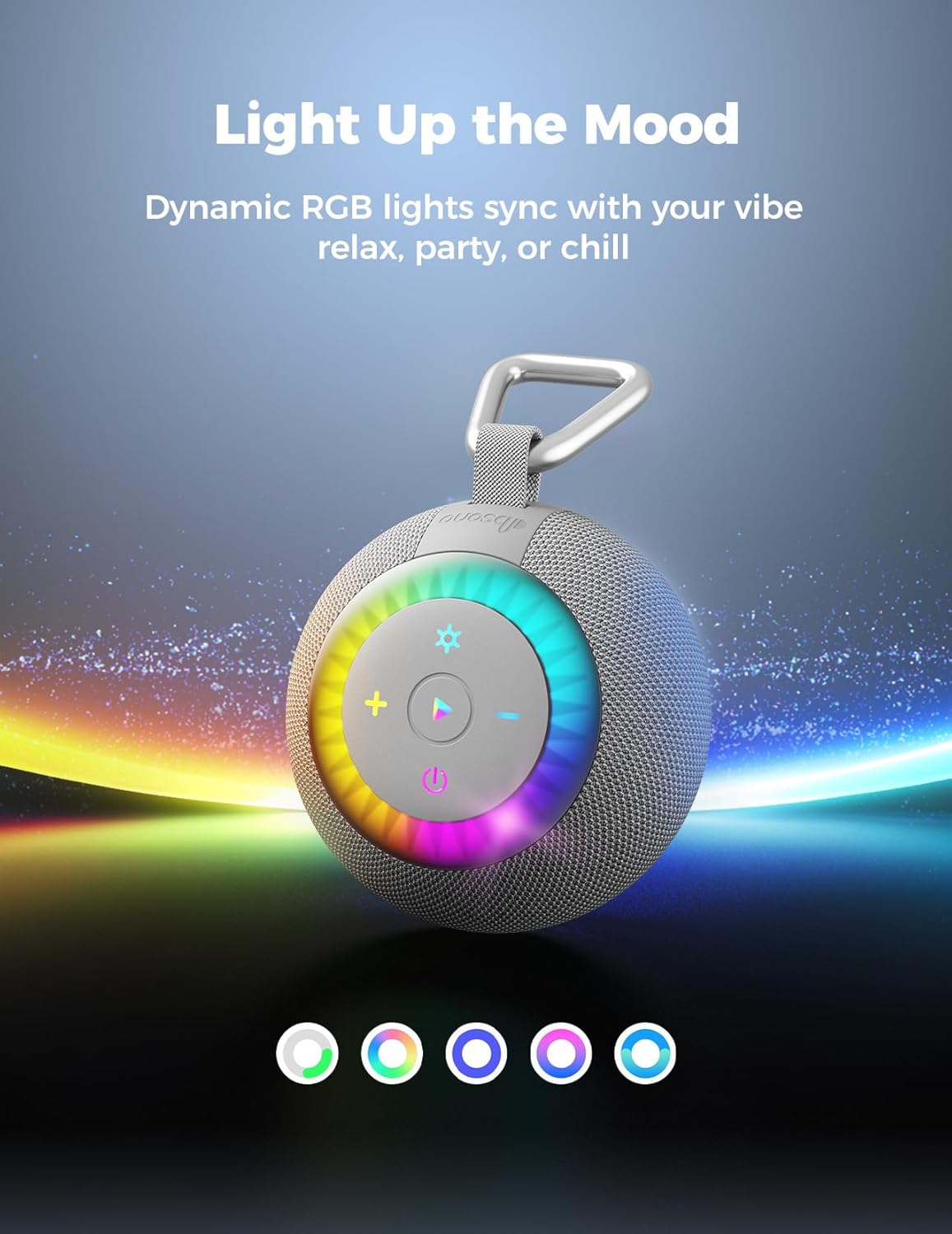
Image: Front view of the dbsono F33 speaker, highlighting the control buttons and RGB light ring.
4. Setup
4.1 Charging the Speaker
- Locate the USB-C charging port, usually protected by a waterproof cover.
- Connect the provided USB-C cable to the speaker and a compatible USB power adapter (not included).
- The charging indicator light will illuminate. Once fully charged, the light may change color or turn off.
4.2 Powering On/Off
- To power on, press and hold the power button (⏻) for approximately 3 seconds until you hear an audible prompt and the indicator lights activate.
- To power off, press and hold the power button (⏻) again for approximately 3 seconds.
5. Operating Instructions
5.1 Bluetooth Pairing
- Ensure the speaker is powered on and in Bluetooth pairing mode (indicator light will flash).
- On your device (smartphone, tablet, etc.), enable Bluetooth and search for available devices.
- Select "dbsono F33" from the list. Once connected, the speaker will provide an audible confirmation, and the indicator light will become solid.
5.2 TWS (True Wireless Stereo) Pairing
To pair two dbsono F33 speakers for stereo sound:
- Ensure both speakers are powered on and not connected to any other Bluetooth device.
- On one speaker (this will be the primary speaker), double-press the power button (⏻). It will enter TWS pairing mode.
- The speakers will automatically search for and connect to each other. Once connected, you will hear a confirmation sound.
- Now, connect your device to the primary speaker via Bluetooth as described in section 5.1.
5.3 Music Playback and Volume Control
- Press the Play/Pause button (▶) to play or pause music.
- Press the Volume Up button (+) to increase volume.
- Press the Volume Down button (-) to decrease volume.
- Long press the Volume Up button (+) for next track.
- Long press the Volume Down button (-) for previous track.
5.4 RGB Light Modes
The speaker features dynamic RGB lights. Press the light mode button (✱) to cycle through different light effects or to turn the lights off.
Image: The speaker's RGB lights cycling through different colors.
5.5 Call Functions
- To answer an incoming call, press the Play/Pause button (▶).
- To end a call, press the Play/Pause button (▶) again.
- To reject an incoming call, press and hold the Play/Pause button (▶).
6. Key Features
- 360° Surround Sound: The speaker utilizes an upward-firing driver unit structure, reflecting sound waves to create a uniformly diffused 360° surround sound field. This design enhances clarity and spatial audio, providing an immersive listening experience.
- IPX7 Waterproof Performance: Engineered with a high-density waterproof seal and multi-layer composite technology, this speaker can withstand immersion in 1 meter of water for up to 30 minutes. It is resistant to heavy rain, splashes, and humid environments, making it suitable for showers, pools, beaches, and other wet conditions.
- Removable Nano Silicone Suction Cup: The speaker features an upgraded nano silicone suction cup with a vacuum exhaust knob, providing strong adhesion to smooth surfaces. The suction cup is washable and reusable, maintaining its effectiveness after drying.
- 2-in-1 Design: The speaker can be used with the suction cup attached for mounting on smooth surfaces or removed for portability, allowing it to be hung on a bag or kayak using its integrated loop.
- Advanced Bluetooth 5.4 & TWS Pairing: Equipped with Bluetooth 5.4 technology for stable and quick wireless connections. Supports True Wireless Stereo (TWS) pairing to connect two speakers for enhanced surround sound.
- Vibrant RGB Lighting Effects: Features dynamic RGB lights that can sync with music, adding a visual element to your listening experience.

Image: Diagram showing the upward-firing driver and 360° sound dispersion.

Image: The dbsono F33 speaker in a shower environment, highlighting its waterproof capability.

Image: The speaker's suction cup demonstrating its strong hold, capable of supporting up to 11 lbs.
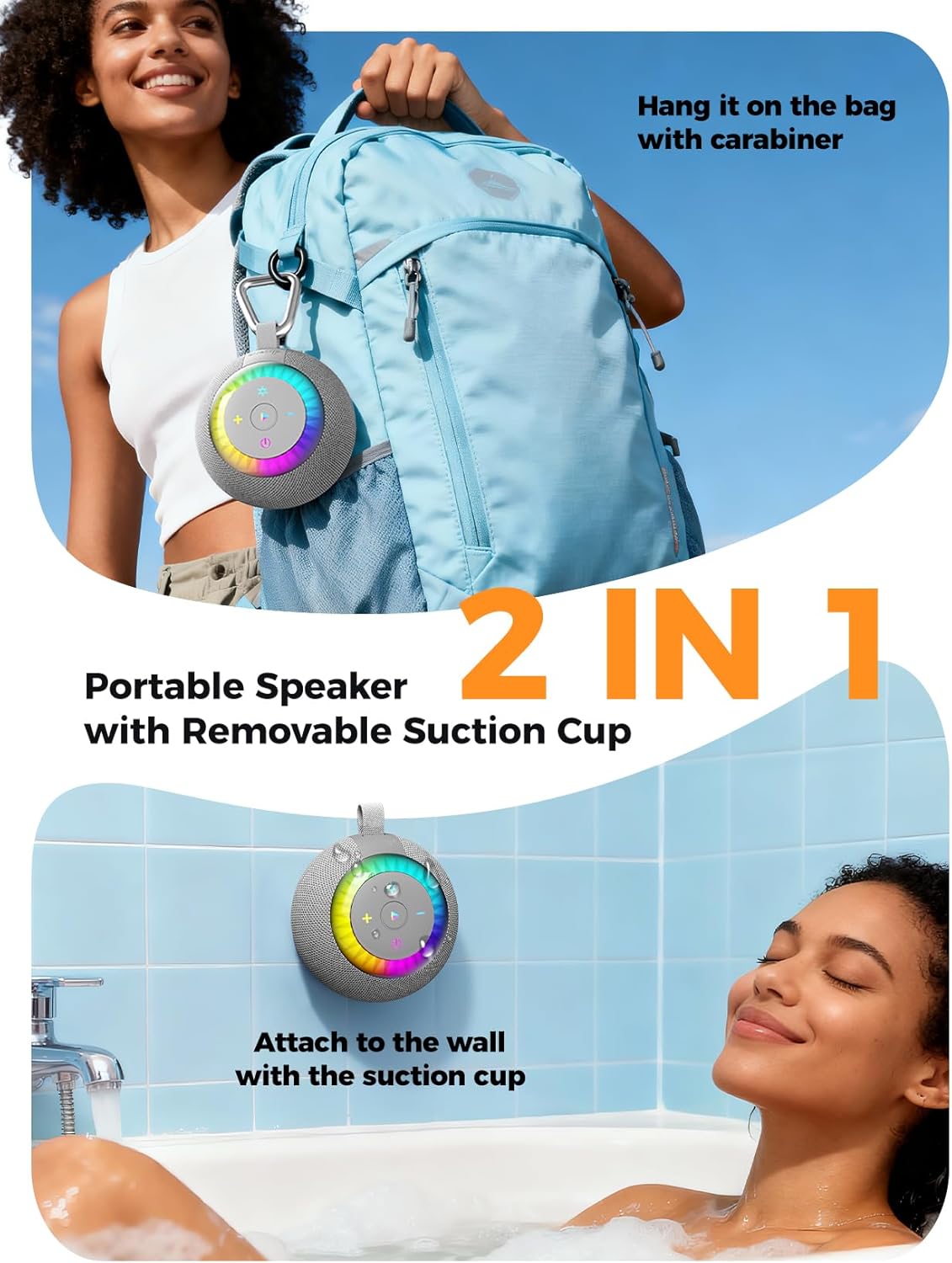
Image: The speaker's versatile 2-in-1 design, showing use with the suction cup and as a portable device.
7. Installation (Suction Cup)
To ensure optimal adhesion of the suction cup:
- Clean the desired smooth surface thoroughly. Ensure it is free of dust, soap scum, and moisture.
- Press the suction cup firmly against the clean surface.
- Turn the vacuum exhaust knob clockwise until it is tight and the suction cup is securely attached.
- Wait at least 2 hours before attaching the speaker to allow the suction to fully set.
- To remove, turn the vacuum exhaust knob counter-clockwise to release the suction.
8. Maintenance
- Cleaning: Wipe the speaker with a soft, damp cloth. Do not use harsh chemicals or abrasive cleaners.
- Suction Cup Care: If the suction cup loses adhesion, wash it with water and let it air dry naturally before re-applying.
- Storage: Store the speaker in a cool, dry place when not in use. Avoid extreme temperatures.
9. Troubleshooting
| Problem | Possible Cause | Solution |
|---|---|---|
| Speaker does not power on. | Low battery. | Charge the speaker using the provided USB-C cable. |
| Cannot pair via Bluetooth. | Speaker not in pairing mode; device Bluetooth off; too far from device. | Ensure speaker is in pairing mode (flashing light). Turn device Bluetooth off/on. Move speaker closer to device. |
| No sound or low volume. | Volume too low on speaker or device; speaker not connected. | Increase volume on both speaker and connected device. Re-establish Bluetooth connection. |
| Suction cup falls off. | Surface not clean or smooth; knob not tightened; suction cup dirty. | Clean surface and suction cup. Ensure knob is fully tightened. Allow 2 hours for suction to set. |
10. Specifications
- Model Name: DB F33
- Brand: dbsono
- Connectivity Technology: Bluetooth 5.4
- Speaker Maximum Output Power: 10 Watts
- Frequency Response: 14000 Hz
- Audio Output Mode: Surround
- Item Weight: 12 ounces (0.34 Kilograms)
- Product Dimensions: 3.7 x 3.7 x 2.99 inches
- Waterproof Rating: IPX7
11. Warranty and Support
For warranty information and customer support, please refer to the documentation included with your purchase or contact the manufacturer directly. Return policies typically allow for refund or replacement within 30 days of purchase, but specific warranty terms may vary.
Manufacturer: dbsono
