
1. Safety Information
Before using the YESOUL YS-C1A Exercise Bike, please read and understand all safety instructions. Retain this manual for future reference.
- Consult a physician before starting any new exercise program.
- Ensure the bike is placed on a flat, stable surface. Use a mat to protect flooring.
- Keep children and pets away from the bike during operation.
- Inspect the bike for loose parts or damage before each use. Do not use if damaged.
- Wear appropriate athletic footwear and clothing.
- Do not exceed the maximum user weight of 300 lbs (136 kg).
- Adjust the seat and handlebars to a comfortable and safe position before riding.
- The resistance knob also functions as an emergency brake. Press it down firmly to stop the flywheel immediately.
2. Product Overview
The YESOUL YS-C1A is an indoor cycling bike designed for home use, featuring a stable triangular steel frame, silent magnetic resistance, and smart app connectivity.
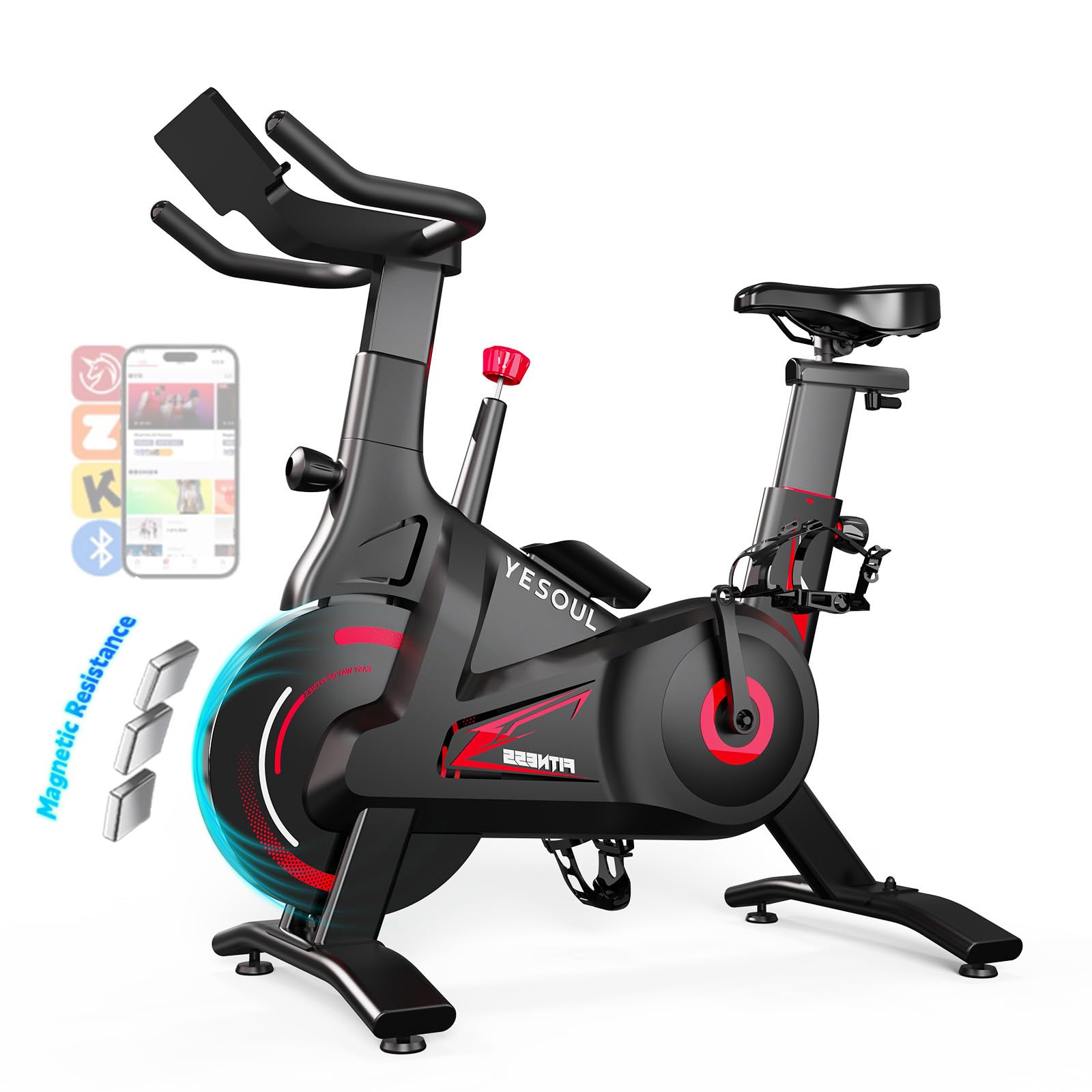
Image: The YESOUL YS-C1A Exercise Bike, showcasing its design and integrated tablet holder.
2.1 Key Features
- Stable Triangle Frame: Supports up to 300 lbs for secure workouts.
- 100-Level Silent Magnetic Resistance: Provides smooth, quiet, and adjustable workout intensity.
- Dual-Stage Drive & Alloy Flywheel: Delivers a realistic cycling experience.
- Smart APP Connectivity: Access scenic routes, structured programs, and live classes.
- Compact & Portable: Lightweight design with transport wheels for easy movement and storage.
2.2 Product Video Overview
Video: An overview of the YESOUL Self-Powered Exercise Bike, highlighting its features and benefits.
3. Assembly Instructions
The YESOUL YS-C1A Exercise Bike is designed for straightforward assembly. It is recommended to have two people for certain steps, though one person can complete it.
3.1 Package Contents
Verify that all parts are present before beginning assembly. Refer to the included parts list in your packaging for detailed identification.
- Main Frame
- Front Stabilizer
- Rear Stabilizer
- Seat Post and Seat
- Handlebar Post and Handlebars
- Pedals (Left and Right)
- Tablet Holder
- Hardware Kit (bolts, washers, nuts, tools)
3.2 Step-by-Step Assembly
Follow the steps below or refer to the official installation video for visual guidance.

Image: A person assembling the YESOUL exercise bike, illustrating the ease of installation.
- Attach Stabilizers: Secure the front and rear stabilizers to the main frame using the provided bolts and tools. Ensure they are tightened firmly for stability.
- Install Seat Post: Insert the seat post into the main frame. Adjust the height and secure it with the adjustment knob. Attach the seat to the seat post.
- Install Handlebar Post: Insert the handlebar post into the main frame. Attach the handlebars to the post and secure them.
- Attach Pedals: Identify the left (L) and right (R) pedals. The left pedal tightens counter-clockwise, and the right pedal tightens clockwise. Ensure they are securely fastened to the crank arms.
- Install Tablet Holder: Attach the tablet holder to the handlebar post.
- Final Checks: Double-check all bolts and connections to ensure they are tight and secure. Ensure the resistance knob is fully inserted and tightened clockwise to prevent wobbling.
3.3 Installation Video
Video: A detailed installation guide for the YESOUL A6 (similar model) Exercise Bike, demonstrating each assembly step.
4. Operating Instructions
4.1 Adjusting Seat and Handlebars
Proper adjustment ensures comfort and effective workout posture.

Image: Illustrates the 2-way handlebar adjustment, 4-way seat adjustment, and water bottle holder for user comfort.
- Seat Adjustment: The seat can be adjusted 4 ways (up/down, forward/backward). Loosen the adjustment knob, move the seat to the desired position, and tighten the knob securely.
- Handlebar Adjustment: The handlebars can be adjusted 2 ways (up/down). Loosen the adjustment knob, raise or lower the handlebars, and tighten the knob firmly.
4.2 Adjusting Resistance
The bike features 100 levels of silent magnetic resistance.

Image: Diagram showing the quiet magnetic resistance mechanism, highlighting its smooth operation compared to friction resistance.
- Increase Resistance: Turn the red knob clockwise.
- Decrease Resistance: Turn the red knob counter-clockwise.
- Emergency Stop: Press the red knob down firmly to engage the emergency brake and stop the flywheel.
4.3 Using the YESOUL Fitness App
Enhance your workout experience by connecting your bike to the YESOUL Fitness App.

Image: The YESOUL Smart Fitness Center app interface, showing various workout modes, classes, and data tracking.
- Download App: Download the YESOUL Fitness App from your device's app store (available on iOS and Android).
- Pair Device: Enable Bluetooth on your smartphone or tablet. Open the YESOUL app and follow the on-screen instructions to pair with your YS-C1A bike.
- Explore Content: The app offers:
- Scenic Virtual Routes: Ride through various landscapes worldwide.
- Structured Training Programs: Follow guided workouts tailored to different fitness goals.
- Live Studio Classes: Participate in real-time classes led by professional instructors.
- Challenge Modes: Engage in competitive and motivational challenges.
- Track Progress: The app tracks real-time performance metrics such as distance, speed, cadence, calories burned, and heart rate (if connected to a compatible heart rate monitor).

Image: A user experiencing the outdoor scene mode within the YESOUL app, displaying real-time metrics over a virtual landscape.
5. Maintenance
Regular maintenance ensures the longevity and optimal performance of your YESOUL YS-C1A Exercise Bike.
- Cleaning: Wipe down the bike with a damp cloth after each use to remove sweat and dust. Avoid abrasive cleaners.
- Check Connections: Periodically check all bolts, nuts, and moving parts for tightness. Tighten any loose components to prevent wobbling or noise.
- Lubrication: The magnetic resistance system is generally maintenance-free. No lubrication is required for the flywheel or resistance mechanism.
- Storage: When not in use, store the bike in a dry, cool place away from direct sunlight and extreme temperatures. Use the built-in transport wheels to move it easily.
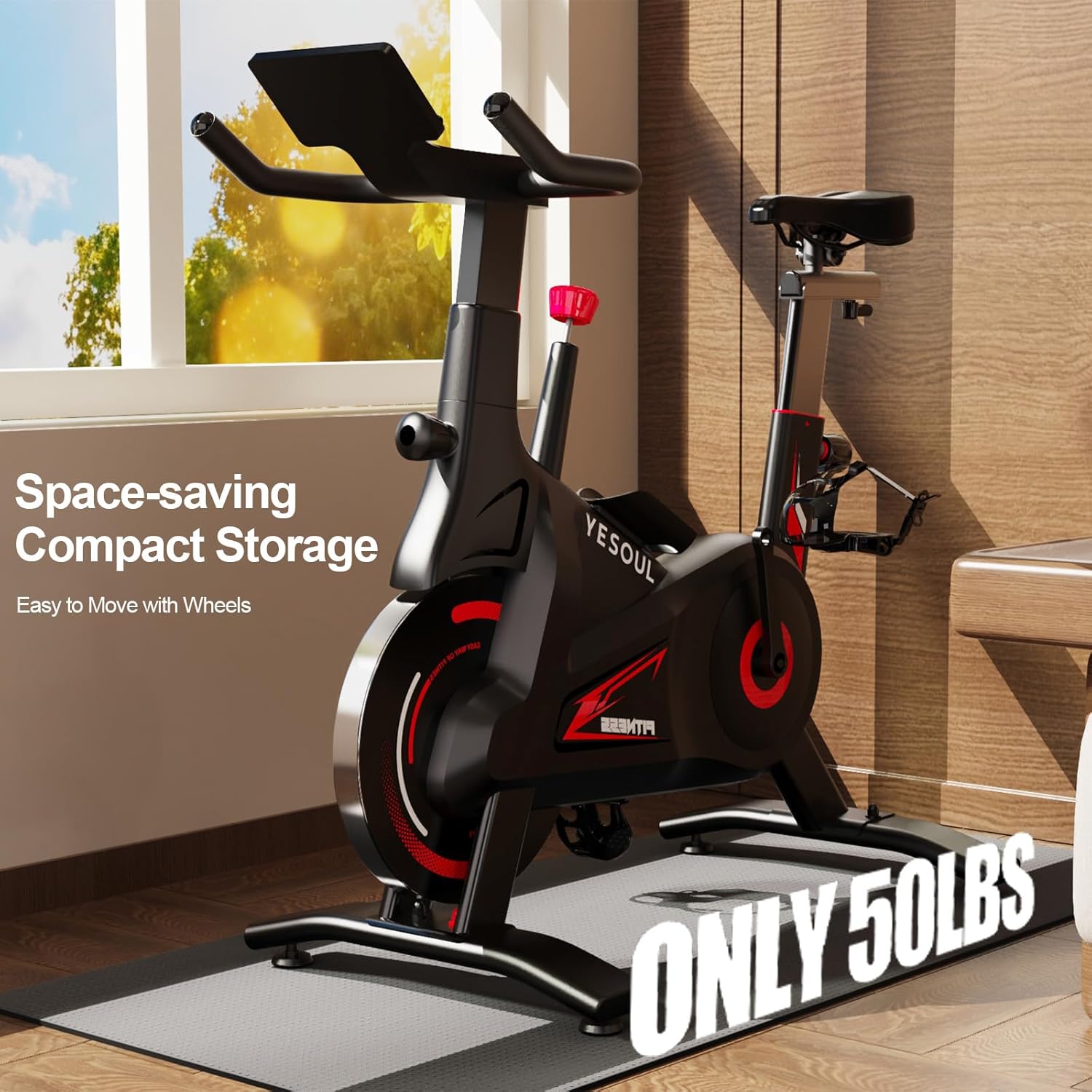
Image: The YESOUL exercise bike positioned for compact storage, highlighting its space-saving design and transport wheels.
6. Troubleshooting
This section addresses common issues you might encounter with your exercise bike.
| Problem | Possible Cause | Solution |
|---|---|---|
| Bike is wobbly during use. | Loose assembly bolts; uneven floor; resistance knob not fully inserted. | Ensure all assembly bolts are tightened. Place the bike on a level surface or adjust the leveling feet. Ensure the resistance knob is fully inserted and tightened clockwise. |
| Unusual noise (squeaking, grinding). | Loose components; foreign object; worn parts. | Check all connections and tighten any loose bolts. Inspect for any foreign objects. If noise persists, contact customer support. |
| App not connecting to the bike. | Bluetooth off; app outdated; bike not powered on. | Ensure Bluetooth is enabled on your device. Update the YESOUL Fitness App to the latest version. Confirm the bike is powered on (if applicable, check batteries). Restart both the app and the bike. |
| Seat is uncomfortable. | Incorrect adjustment; personal preference. | Adjust the seat height and fore/aft position to find a comfortable riding posture. Consider using a gel seat cover or replacing the seat if discomfort persists. |
7. Specifications
| Feature | Detail |
|---|---|
| Brand | YESOUL |
| Model Name | YS-C1A |
| Color | Classiccal-Black |
| Power Source | Battery Powered |
| Item Weight | 22 Kilograms (approx. 48.5 lbs) |
| Material | Alloy Steel |
| Resistance Mechanism | Magnetic |
| Number of Resistance Levels | 100 |
| Drive System | Belt |
| Product Dimensions (D x W x H) | 37"D x 7.5"W x 24"H (approx. 94cm x 19cm x 61cm) |
| Maximum Weight Recommendation | 300 Pounds (approx. 136 kg) |
| Maximum Height Recommendation | 6 Feet (approx. 183 cm) |
| Special Features | Adjustable Pedal, Adjustable Resistance Level, Adjustable Seat, App Connectivity, Water Bottle Holder |
8. Warranty and Support
For warranty information, technical support, or replacement parts, please contact the manufacturer or your retailer directly. Refer to your purchase documentation for specific warranty terms and contact details.
Manufacturer: FUJLAN YESOUL HEALTH TECHNOLOGY CO.,LTD


