
1. Introduction
Thank you for choosing the E-YEEGER GT830 Dual Channel Dash Camera. This device is designed to record your driving journey in high definition, providing security and peace of mind. It features 4K Ultra HD front recording, 1080P rear recording, night vision, G-sensor for collision detection, 24-hour parking monitoring, loop recording, and Wi-Fi connectivity for easy access via a mobile application. Please read this manual thoroughly before use to ensure proper installation and operation.
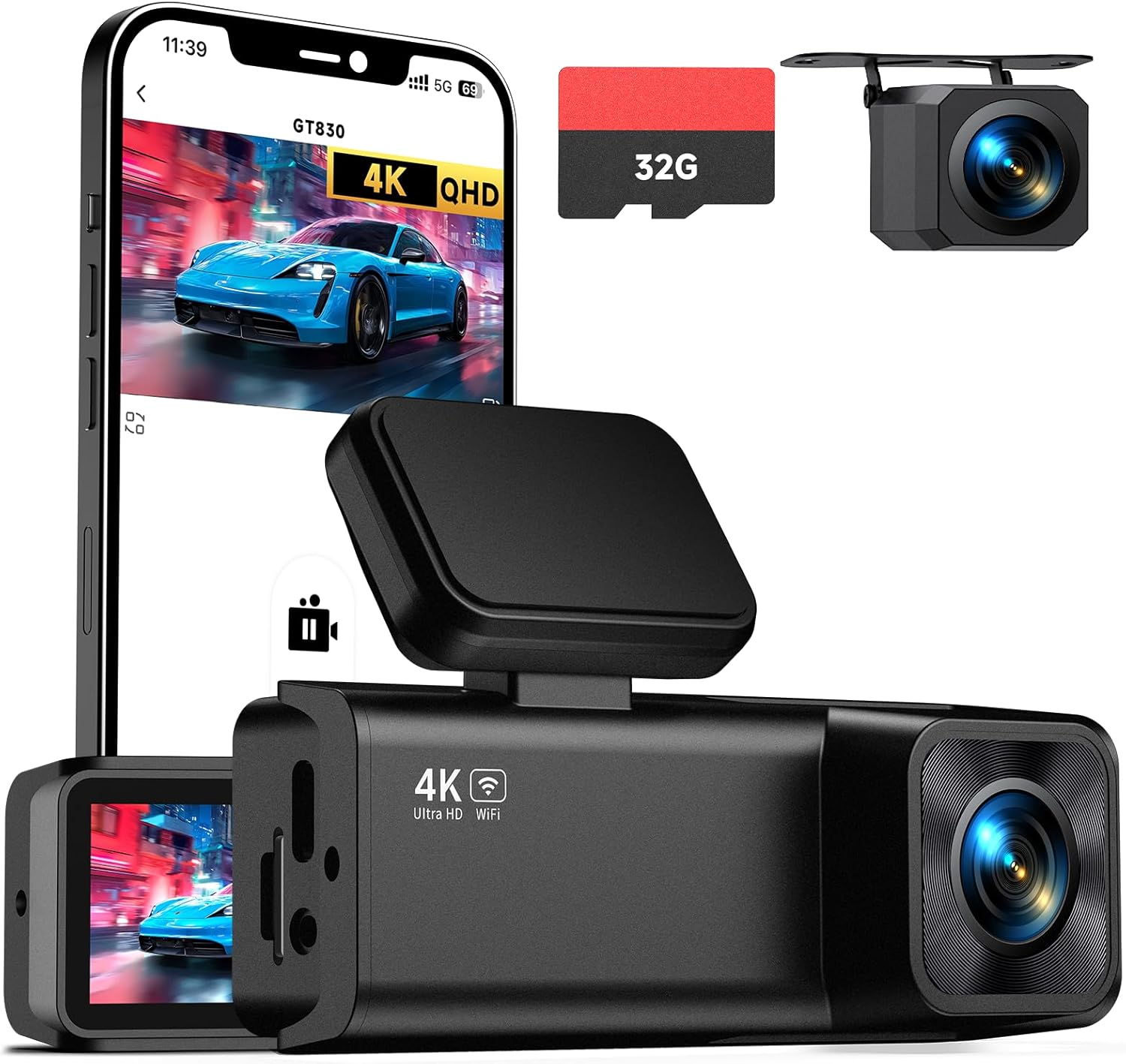
Image 1.1: E-YEEGER GT830 Dash Camera and accessories.
2. Package Contents
Please verify that all items are present in your package:
- E-YEEGER GT830 Dash Camera (Main Unit)
- Rear Camera
- Car Charger (11.5ft cable)
- 32GB Micro SD Card (pre-installed)
- User Manual
- Quick Guide
- Spare 3M Adhesive Pad
- Electrostatic Sticker x2
- Easy Pry Tool

Image 2.1: Contents of the E-YEEGER GT830 package.
3. Setup and Installation
3.1 Mounting the Front Dash Camera
- Clean the windshield area where the dash cam will be mounted. Ensure it is free of dust and grease.
- Apply an electrostatic sticker to the chosen area on the windshield. This helps protect the windshield and makes removal easier.
- Peel off the protective film from the 3M adhesive pad on the dash cam mount.
- Firmly press the dash cam onto the electrostatic sticker for at least 30 seconds. Position it behind the rearview mirror to avoid obstructing your view.
3.2 Connecting the Rear Camera
- Connect the rear camera cable to the main dash cam unit.
- Route the rear camera cable along the vehicle's headliner and trim to the rear of the vehicle. Use the included pry tool to tuck the cable neatly.
- Mount the rear camera on the rear windshield, ensuring a clear view. Clean the area before applying the adhesive.
3.3 Powering the Device
- Insert the car charger into your vehicle's cigarette lighter socket.
- Connect the USB-C end of the car charger cable to the main dash cam unit.
- The dash cam will automatically power on and begin recording when your vehicle starts.

Image 3.1: Wiring diagram for the E-YEEGER GT830 Dash Camera.
4. Operating Instructions
4.1 Basic Recording
Once powered on, the dash cam will automatically start recording. The front camera records in 4K UHD (3840*1080P) and the rear camera in 1080P. Recording is continuous, with older files being overwritten by new ones when the memory card is full (Loop Recording).

Image 4.1: High-resolution dual-channel recording capability.
4.2 Loop Recording
The GT830 dash cam features intelligent loop recording. When the 32GB Micro SD card (included) is full, the camera will automatically overwrite the oldest unlocked video files to continue recording. The device supports Micro SD cards up to 256GB for extended recording time.

Image 4.2: Loop Recording function.
4.3 G-Sensor (Emergency Recording)
The built-in G-sensor detects sudden impacts or collisions. In such an event, it automatically locks and saves the current video segment, preventing it from being overwritten by loop recording. This ensures critical footage is preserved as evidence.
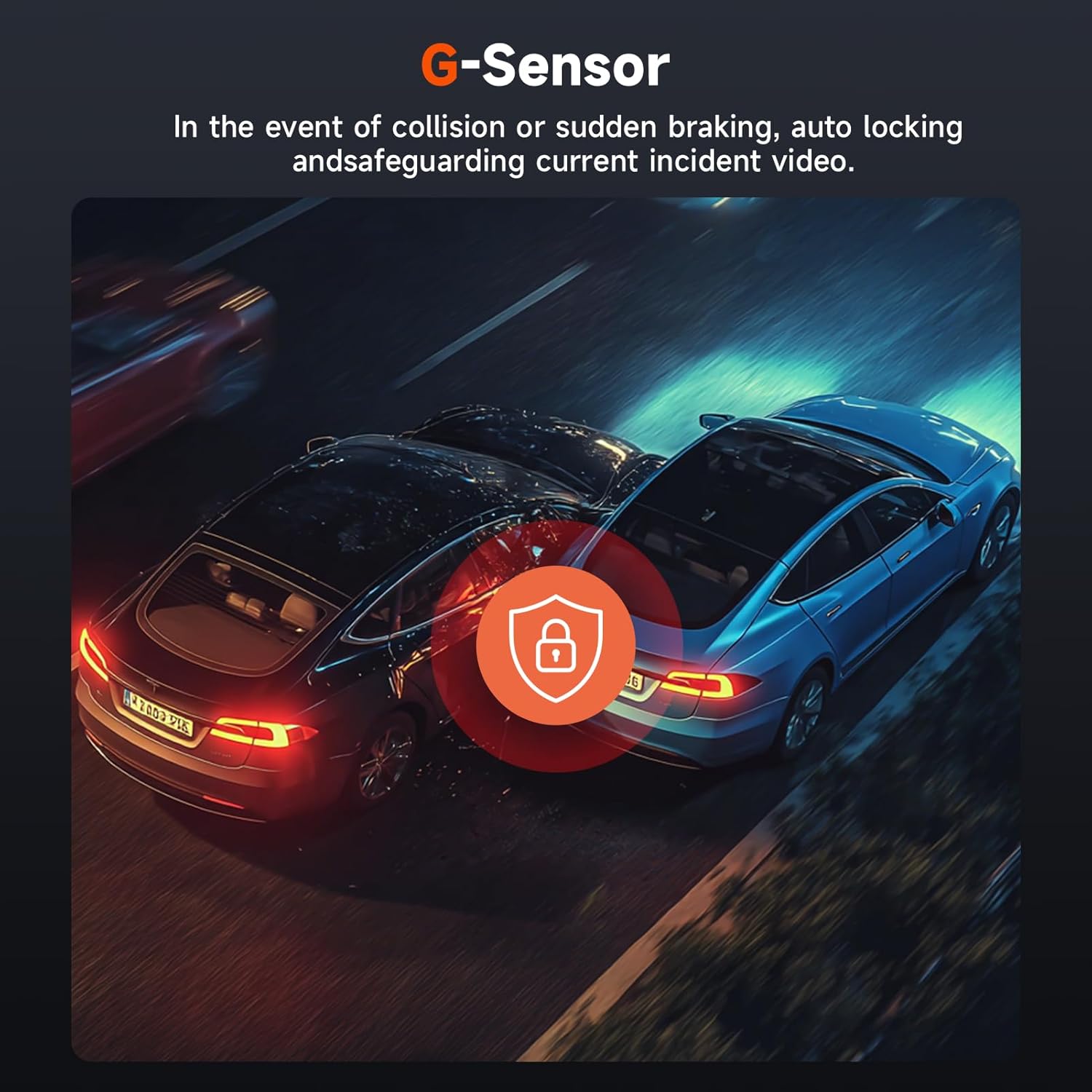
Image 4.3: G-Sensor collision detection.
4.4 24-Hour Parking Surveillance
To enable 24-hour parking monitoring, a Type-C hardwire kit (not included, ASIN: B0D93LHW94) is required. When properly installed, the dash cam will automatically record when motion or impact is detected while your vehicle is parked, protecting against scratches, theft, or vandalism.
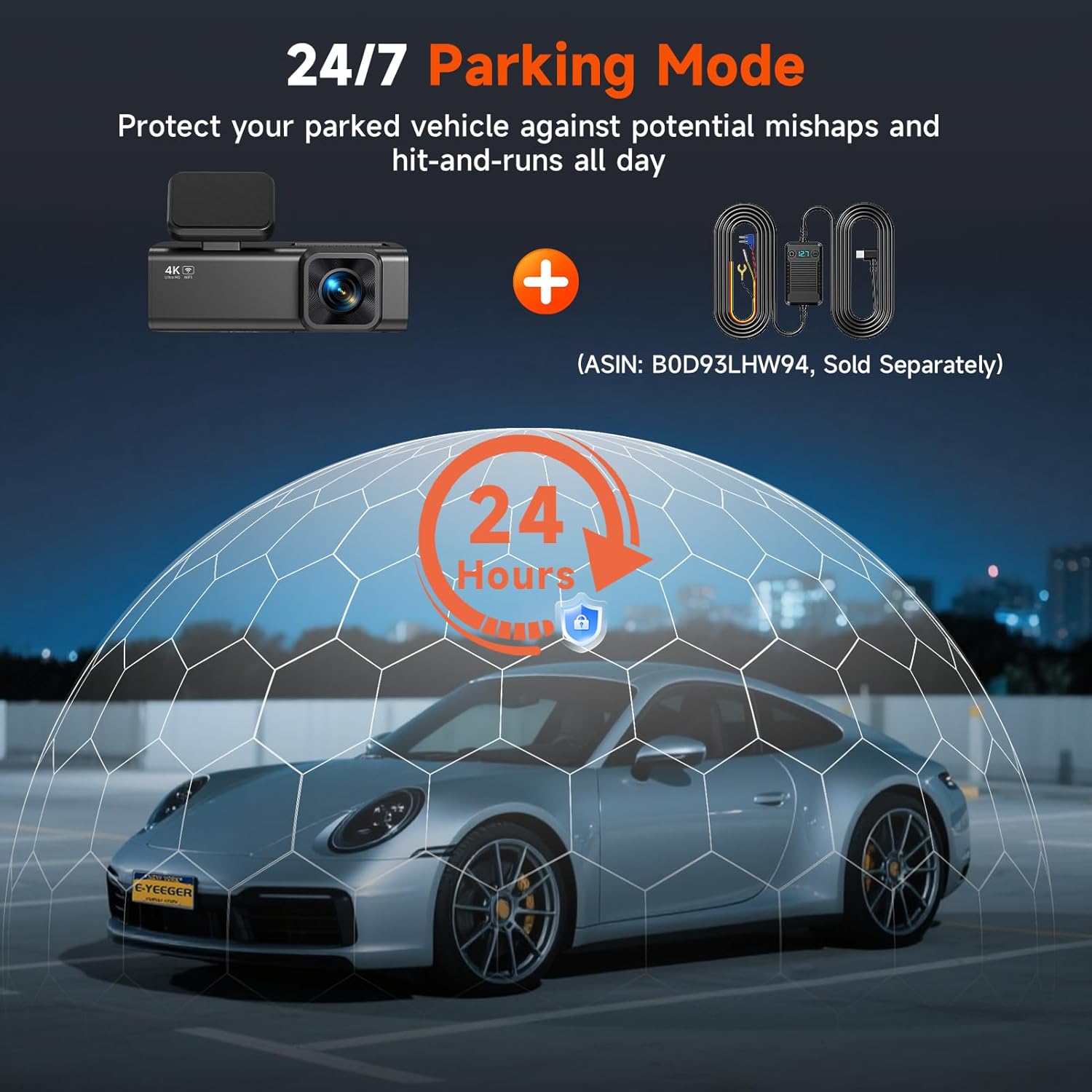
Image 4.4: 24/7 Parking Mode with optional hardwire kit.
4.5 Wi-Fi Connectivity & App Control
The GT830 features built-in 2.4G Wi-Fi for seamless connection to the VeeCar App (available for Android & iOS). This allows you to:
- View real-time footage directly on your smartphone.
- Download recorded videos to your device.
- Adjust camera settings.
- Share clips easily to social media platforms.

Image 4.5: Wi-Fi connectivity and App control interface.
Video 4.1: Demonstration of the E-YEEGER GT830 dash cam's features, including 4K recording, night vision, loop recording, and app control.
5. Advanced Features
5.1 Super Night Vision
Equipped with an F1.6 large aperture and a 6-Glass lens, the GT830 enhances recording quality in low-light environments, providing clearer and brighter images during nighttime driving.

Image 5.1: Super Night Vision capability.
5.2 Wide Viewing Angle
The front camera features an ultra-wide 170° lens, and the rear camera a 160° lens, ensuring comprehensive coverage of the road ahead and behind, minimizing blind spots.
5.3 Micro SD Card Support
The dash cam comes with a 32GB Micro SD card pre-installed. It supports expansion up to 256GB, providing ample storage for your recordings. Regularly format the SD card to maintain optimal performance.

Image 5.2: Micro SD card capacity and support.
5.4 Extreme Durability
The E-YEEGER GT830 is designed to operate reliably in a wide range of temperatures, from extreme heat (up to 160°F) to freezing cold (down to -4°F), ensuring consistent performance in various climates.

Image 5.3: Operating temperature range.
5.5 Waterproof Rear Camera
The rear camera is designed to be waterproof, allowing for reliable operation even in adverse weather conditions.

Image 5.4: Waterproof rear camera.
6. Maintenance
6.1 Micro SD Card Care
- Regular Formatting: It is recommended to format the Micro SD card every 2-4 weeks to prevent data corruption and ensure optimal recording performance. This can usually be done through the dash cam's settings menu or via the mobile app.
- Card Replacement: Micro SD cards have a limited lifespan. If you experience frequent recording errors or corrupted files, consider replacing the card with a new, high-quality Class 10 (or higher) Micro SD card.
6.2 Cleaning the Dash Camera
- Use a soft, dry cloth to clean the camera lenses and the display screen.
- Avoid using abrasive cleaners or solvents, as these can damage the lens coatings or plastic components.
7. Troubleshooting
| Problem | Possible Cause | Solution |
|---|---|---|
| Dash cam does not power on. | No power supply; faulty car charger; loose connection. | Check car charger connection and vehicle's cigarette lighter socket. Try a different power source. |
| Recording stops or freezes. | SD card error; full SD card; low-quality SD card. | Format the SD card. Replace with a new Class 10 (or higher) Micro SD card if issues persist. |
| Video footage is blurry or unclear. | Protective film on lens; dirty lens; incorrect focus. | Remove any protective film. Clean the lenses with a soft cloth. Ensure proper mounting. |
| Wi-Fi connection issues. | Incorrect Wi-Fi password; distance from camera; app not updated. | Ensure correct password. Move closer to the dash cam. Update the VeeCar App. |
| Parking monitor not working. | Hardwire kit not installed; incorrect settings. | Install a Type-C hardwire kit (sold separately). Check parking monitor settings in the app or on the device. |
8. Specifications
| Feature | Detail |
|---|---|
| Model Name | GT830 |
| Front Camera Resolution | 4K UHD (2160p) |
| Rear Camera Resolution | 1080P |
| Display Screen | 1.97" IPS Screen |
| Connectivity | Wi-Fi (2.4G) |
| Special Features | App Control, Built-In WiFi, G-Sensor, Loop Recording, Parking Monitor, Night Vision |
| Storage | Supports Micro SD card up to 256GB (32GB included) |
| Mounting Type | Adhesive Mount |
| Product Dimensions | 1.25"D x 3.6"W x 1.9"H |
| Item Weight | 15.2 ounces |
9. Warranty and Support
E-YEEGER provides a 24-month warranty for the GT830 Dash Camera, ensuring your peace of mind. We also offer lifetime technical support and 24/7 customer service to assist you with any setup guidance, troubleshooting, or other inquiries you may have. Please refer to the contact information provided in your Quick Guide or on the official E-YEEGER website for support.