1. Introduction
The TRANSAI GO1 AI Translator Earbuds are designed to facilitate real-time communication across language barriers. These earbuds integrate voice translation, phone call management, and music playback functionalities. This manual provides instructions for setup, operation, maintenance, and troubleshooting to ensure optimal use of your device.

Image: The TRANSAI GO1 AI Translator Earbuds and their charging case, which features an integrated display screen.
2. Product Overview
2.1 Key Features
- 3-in-1 Functionality: Combines real-time voice translation, phone call capabilities, and music playback.
- Extensive Language Support: Supports over 150 languages and accents for precise translation.
- Real-time Call Translation: Enables instant translation during phone calls and video calls.
- Integrated Display Screen: The charging case features an LCD screen that displays real-time translation subtitles.
- Ergonomic Open-Ear Design: Features adjustable ear hooks for a comfortable and secure fit during extended use.
- Advanced AI Translation: Powered by TransAI's Multi-Language Translation Model 4.0 (MLTM 4.0) for accurate, context-aware communication.
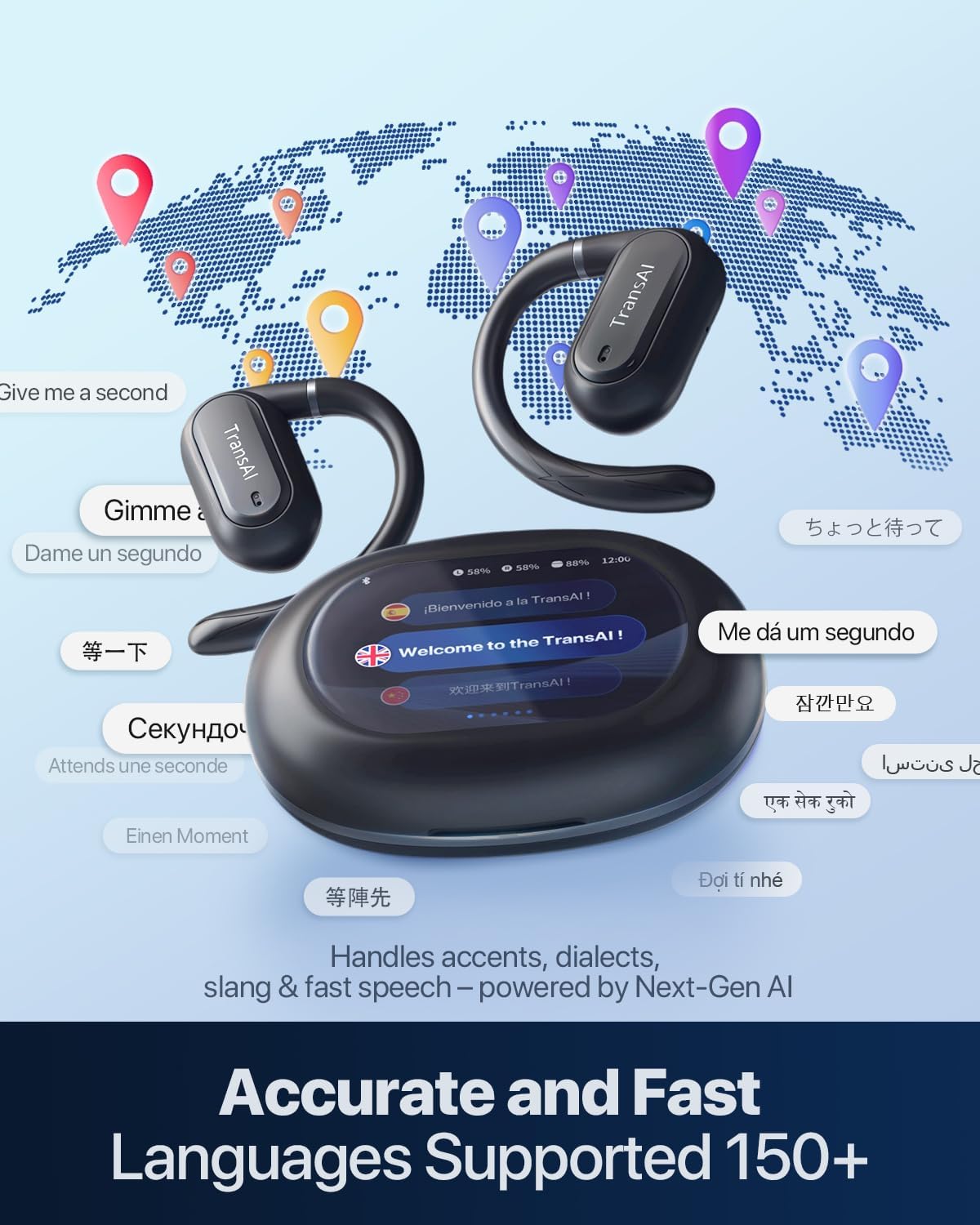
Image: The TRANSAI GO1 earbuds and charging case surrounded by speech bubbles in various languages, illustrating support for over 150 languages and accents.

Image: A man wearing a TRANSAI GO1 earbud, highlighting the adjustable ear hook design for comfort and secure fit.
3. Setup Guide
3.1 Charging
The GO1 earbuds and charging case come with an included Lithium Ion battery. Before first use, ensure both the earbuds and the charging case are fully charged using the provided charging cable.
3.2 Power On
To power on the device, press and hold the button on the charging case for approximately 6 seconds until the LED indicator flashes.
3.3 Bluetooth Pairing
- Keep the charging case lid open during the pairing process.
- Remove both earbuds from the charging case. They will automatically enter pairing mode.
- On your smartphone, navigate to Settings > Bluetooth.
- Select "GENIE-GO1" from the list of available devices to connect.
3.4 App Installation
For full functionality, download the TransAI Companion App on your smartphone. Scan the QR code below or visit the provided link to download the application.
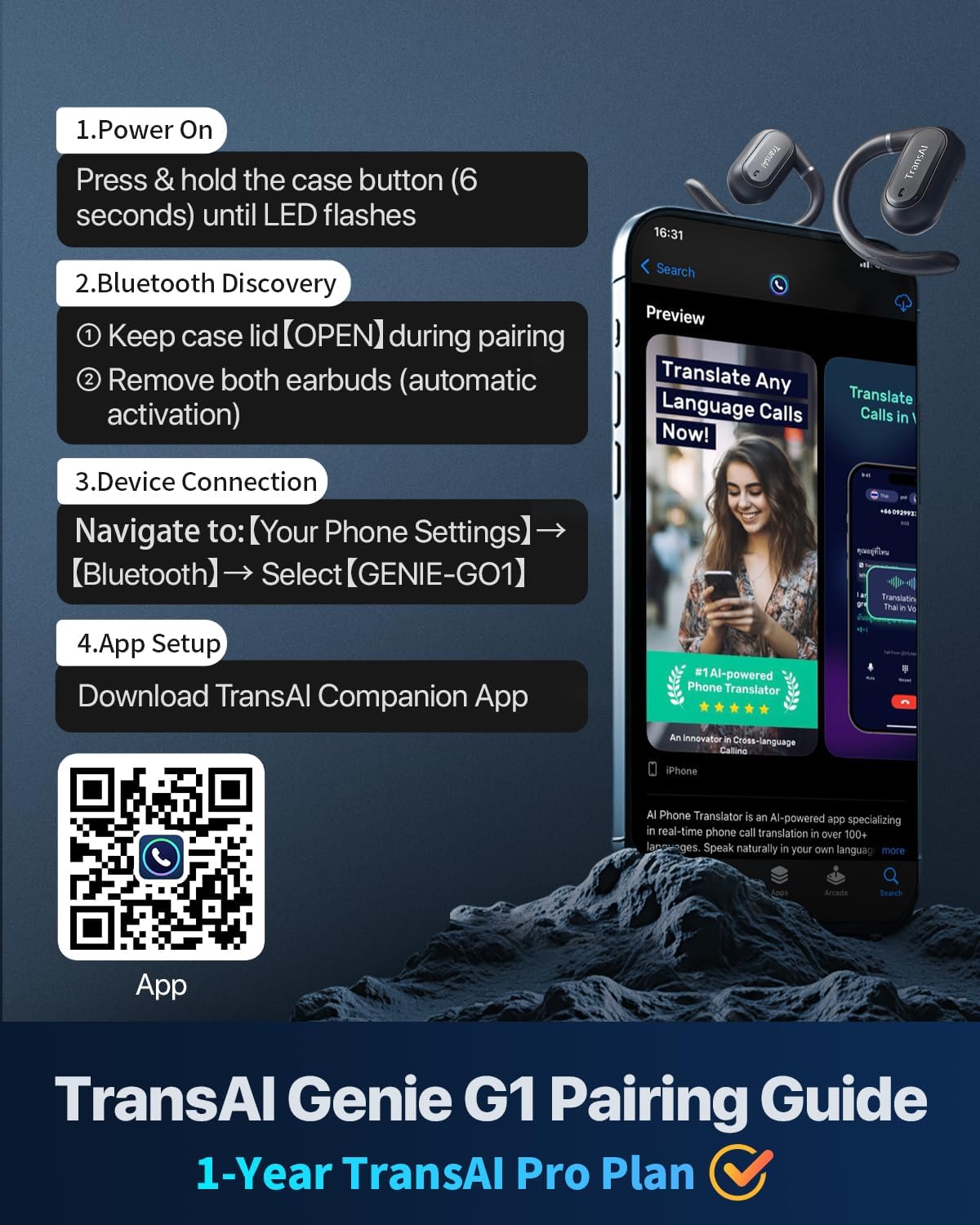
Image: A visual guide detailing the pairing steps for the TRANSAI GO1 earbuds, including a QR code for downloading the companion app.
App Download Link: https://app.adjust.com/1ogb1l8d
4. Operating Instructions
4.1 Translation Modes
The GO1 earbuds offer several translation modes accessible via the companion app and the charging case screen:
- Listening Mode: Translates spoken language in real-time for the wearer.
- Speaker Mode: Translates your speech and plays it through your phone's speaker for others to hear.
- Free Talk Mode: Facilitates natural, continuous conversation between two or more people with real-time translation.
- Touch Mode: Activates translation by touching the earbud, ideal for controlled, turn-based conversations.
4.2 Phone Call Translation
The earbuds provide real-time translation during phone calls. Speak in your native language, and the recipient will hear it translated into their chosen language. Similarly, their speech will be translated for you.
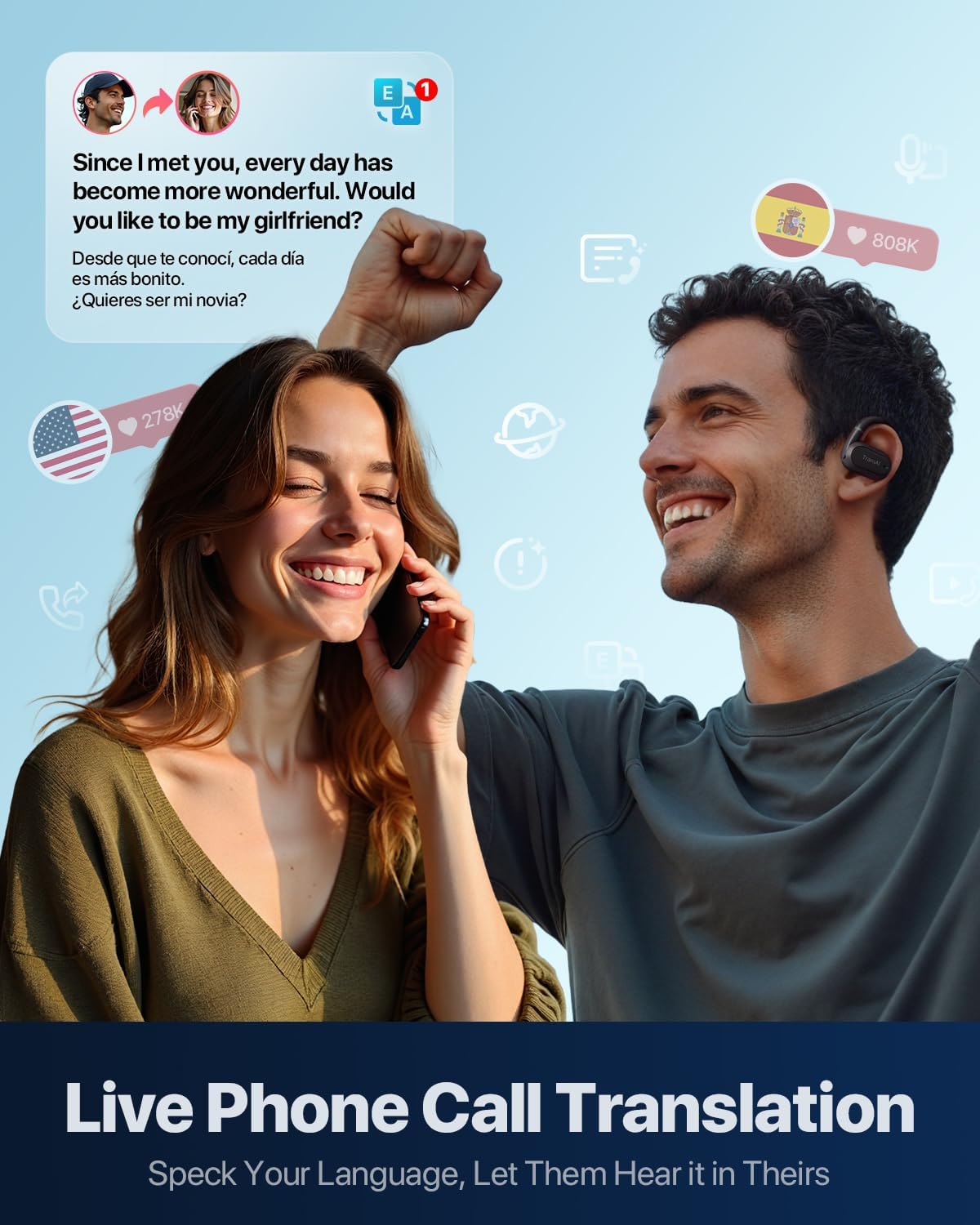
Image: A woman using the TRANSAI GO1 earbuds to conduct a phone call with live translation, showing translated text on a phone screen.
4.3 Video Call Translation
The GO1 earbuds support real-time translation during video calls across various messaging applications. This allows for seamless communication with individuals speaking different languages during video conferences.

Image: A man participating in a video call with real-time translation provided by the TRANSAI GO1 earbuds, displaying translated text overlays on the video.
4.4 Face-to-Face Translation
The earbuds facilitate instant two-way translation for in-person conversations, making them suitable for various daily life scenarios such as doctor visits, interacting with neighbors, or business meetings.

Image: A collage depicting different individuals using the TRANSAI GO1 earbuds for face-to-face translation in diverse settings, including learning, immigration, family, and business.
4.5 LCD Touch Screen Functions
The charging case's LCD touch screen allows for direct control over various settings and features, including:
- Music Player controls.
- Language settings.
- Lock screen wallpaper customization.
- Screen timeout adjustment.
- Earbud location (Find Earbuds function).
- Screen brightness adjustment.
- Volume adjustment.
- Equalizer settings.
- Option to restore all settings to default.

Image: A detailed view of the TRANSAI GO1 charging case's multi-function LCD touch screen, displaying various menu options and settings.
5. Maintenance
5.1 Cleaning
- Gently wipe the earbuds and charging case with a soft, dry, lint-free cloth.
- Avoid using abrasive materials, solvents, or spray cleaners.
- Do not expose the device to excessive moisture.
5.2 Storage
When not in use, store the earbuds in their charging case to protect them and ensure they remain charged. Store the device in a cool, dry place away from direct sunlight and extreme temperatures.
5.3 Battery Care
To prolong battery life, avoid fully discharging the device frequently. Charge the earbuds and case regularly, even if not in constant use.
6. Troubleshooting
6.1 Pairing Issues
- Earbuds not connecting: Ensure the charging case lid is open and both earbuds are removed. Check that Bluetooth is enabled on your device.
- "GENIE-GO1" not appearing: Turn off and on your phone's Bluetooth. If the issue persists, reset the earbuds by placing them in the case, closing the lid for 10 seconds, then reopening.
6.2 Translation Inaccuracy
- Poor translation quality: Ensure a stable internet connection. Speak clearly and at a moderate pace. Verify that the correct source and target languages are selected in the app.
- Delayed translation: Check your network connection. Real-time translation performance is dependent on network speed.
6.3 Audio Problems
- No sound from earbuds: Check the volume settings on both your phone and the charging case screen. Ensure earbuds are properly seated in your ears.
- Intermittent audio: Move closer to your connected device to avoid Bluetooth interference. Ensure earbuds are charged.
7. Specifications
- Model: GO1
- Manufacturer: TRANSAI
- ASIN: B0FJDHVG34
- Package Dimensions: 7.72 x 6.1 x 2.4 inches
- Item Weight: 9.9 ounces
- Batteries: 1 Lithium Ion battery required (included)
- Connectivity: Bluetooth V5.4
- Communication Range: Up to 10 meters
8. Warranty and Support
For warranty information, technical support, or service inquiries, please refer to the official TRANSAI website or contact their customer service directly. Details regarding specific warranty periods and support procedures are typically provided with your product packaging or on the manufacturer's official channels.