
1. Safety Information
Please read and understand all instructions before assembly and use. Keep this manual for future reference.
- Ensure all components are present and undamaged before assembly.
- Do not overtighten screws during assembly to avoid damaging the material.
- Place the nightstand on a flat, stable surface to prevent tipping.
- Do not exceed the weight capacity of the shelves or drawers.
- Keep liquids away from the charging station to prevent electrical hazards.
- Unplug the power cord from the wall outlet before cleaning or moving the unit.
2. Package Contents
Verify that all parts listed below are included in your package:
- Engineered Wood Tabletop (with integrated charging station)
- Engineered Wood Middle Shelf
- Steel Frame Components
- Fabric Drawers (x2)
- Accessory Kit (screws, adjustable feet, tools)
- Instruction Manual
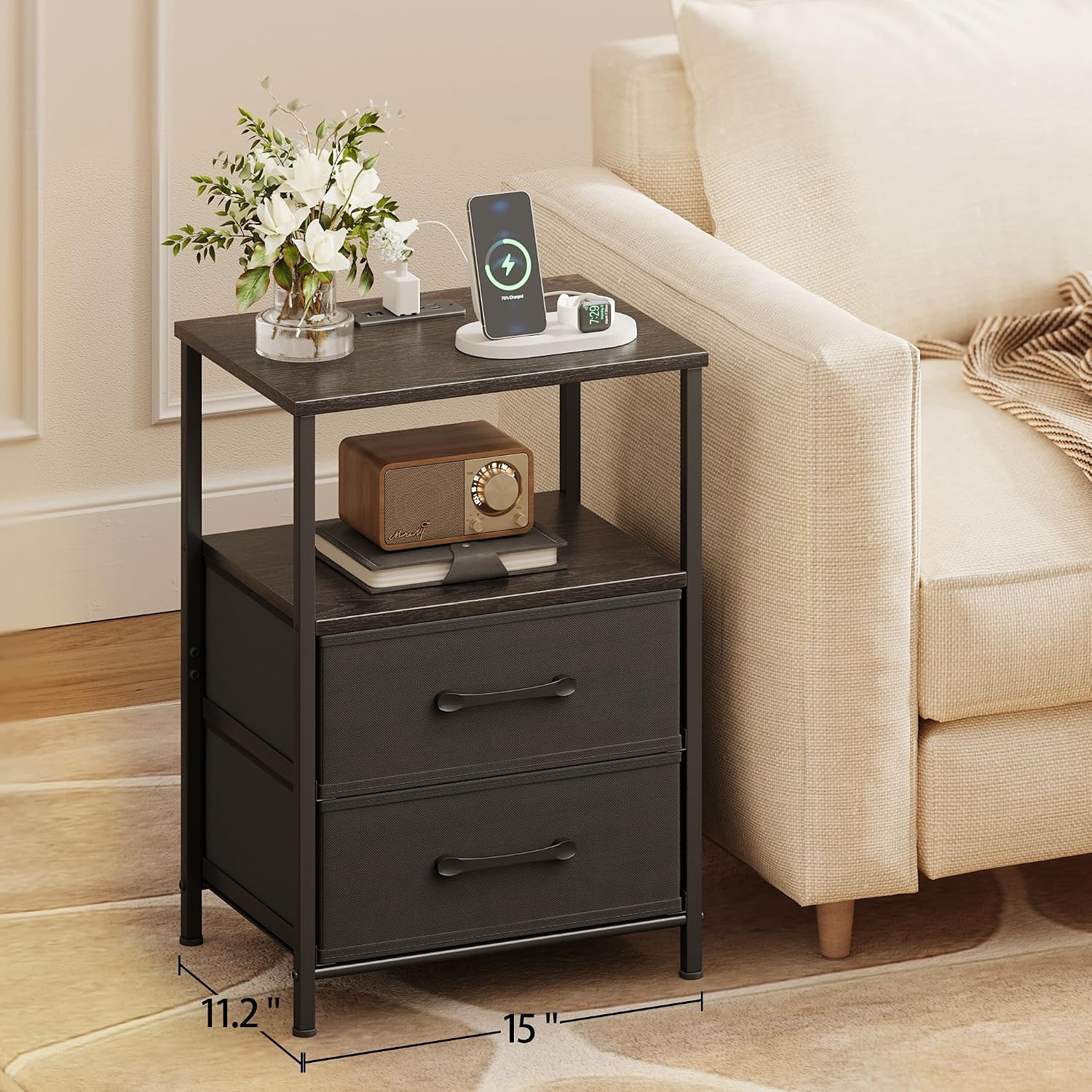
Image: All components of the TRIFEBLE nightstand laid out for assembly, including wooden panels, metal frame parts, fabric drawers, and hardware.
3. Assembly Instructions
Follow these steps to assemble your TRIFEBLE Nightstand. A screwdriver is recommended for assembly, though basic tools are included.
- Unpack Components: Carefully remove all parts from the packaging and lay them out on a clean, soft surface to prevent scratches. Refer to the package contents list to ensure all pieces are present.
- Assemble the Steel Frame: Connect the steel frame components using the provided screws. Ensure all connections are secure but do not fully tighten until the entire frame is assembled.
- Attach Wooden Panels: Secure the engineered wood tabletop and middle shelf to the steel frame. The tabletop includes a pre-installed charging station. Route the power cord as instructed in the detailed manual.
- Insert Fabric Drawers: Fold and assemble the two fabric drawers. Slide them into the designated slots within the frame.
- Adjust Feet: Attach the four adjustable feet to the bottom of the nightstand. Adjust them as needed to ensure stability on uneven floors.
- Final Tightening: Once the nightstand is fully assembled and stable, go back and securely tighten all screws.

Image: A detailed diagram illustrating the dimensions of the nightstand (11.2"D x 15"W x 24.4"H) and its fabric drawer (13.5"L x 11"W x 6.3"H).

Image: Two assembled TRIFEBLE nightstands with charging stations, featuring open shelves and fabric drawers, positioned on either side of a sofa in a modern living room.
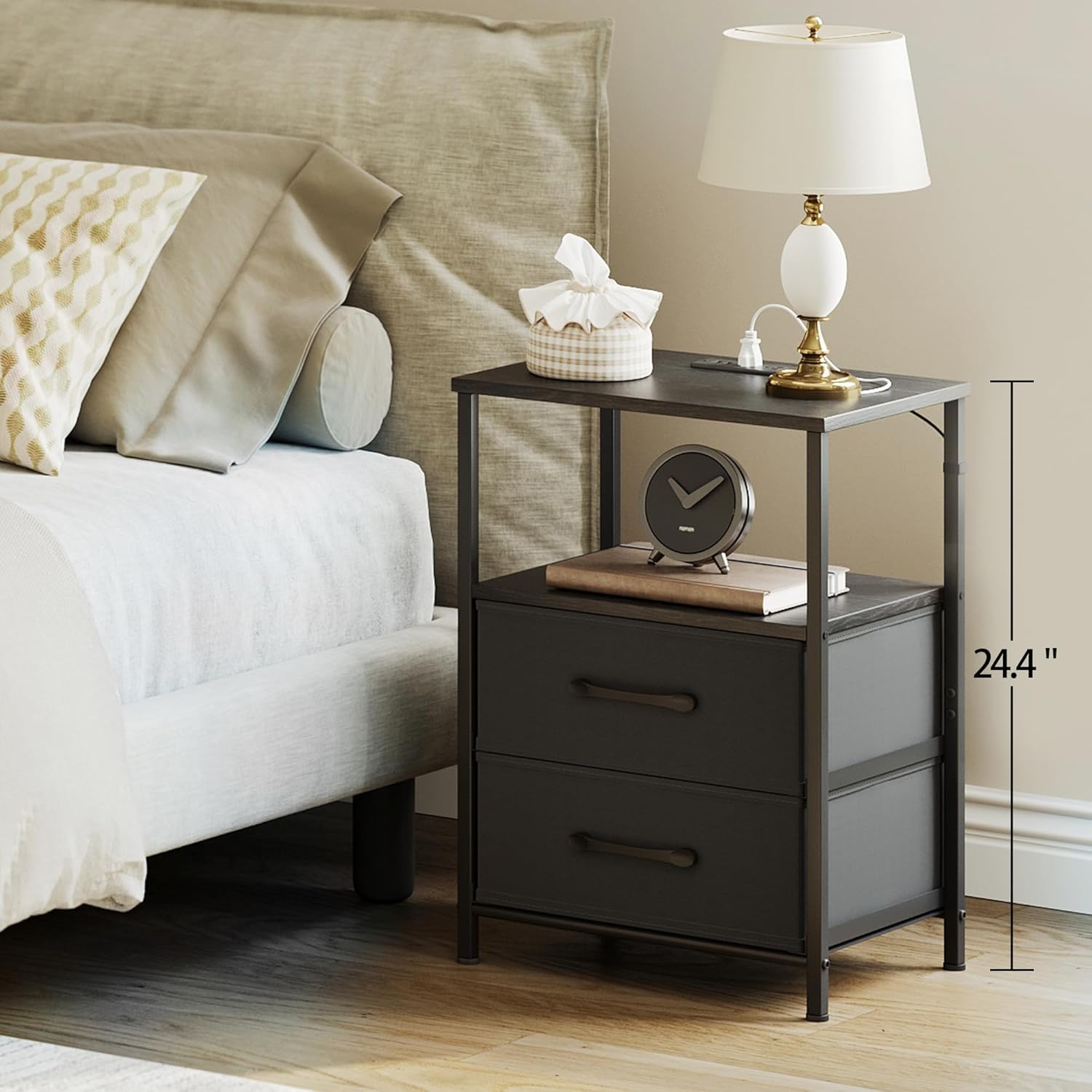
Image: An assembled TRIFEBLE nightstand with charging station, featuring two fabric drawers and an open shelf, positioned beside a bed, illustrating its practical height for bedside use.
4. Operating Instructions
4.1. Charging Station Usage
The integrated charging station provides convenient power access for your devices.
- Plug the nightstand's 4.9 ft extension cord into a wall outlet.
- Use the two AC outlets (125V/12A) for standard electronics.
- Use the two USB ports (5V/2A) to charge smartphones, tablets, and other USB-powered devices.

Image: A close-up view of the nightstand's tabletop, highlighting the integrated charging station with two AC outlets and two USB ports, actively charging a smartphone and tablet.
4.2. LED Light Operation (for models with LED)
If your model includes LED lighting, follow these steps:
- Ensure the nightstand is plugged into a power source.
- Locate the LED light strip and its control button, typically on the side or underside of the top shelf.
- Press the button to cycle through different light settings or colors. Some models may include a remote control for more advanced customization.
Video: A short demonstration of the LED light strip feature on the TRIFEBLE nightstand, showing how to change colors and settings. This video is provided by the seller.
5. Maintenance
Proper care will extend the life of your nightstand.
- Cleaning: Wipe surfaces with a soft, damp cloth. Avoid harsh chemicals or abrasive cleaners. For the fabric drawers, spot clean with a mild detergent and allow to air dry.
- Dusting: Regularly dust all surfaces with a dry, soft cloth.
- Inspection: Periodically check all screws and connections to ensure they remain tight. Retighten if necessary.
- Spills: Immediately wipe up any spills to prevent damage to the wood finish.
6. Troubleshooting
If you encounter any issues, refer to the following common problems and solutions:
- Issue: Nightstand is wobbly.
Solution: Check that all screws are tightened. Adjust the leveling feet on the bottom of the nightstand to stabilize it on uneven surfaces. - Issue: Charging station is not working.
Solution: Ensure the nightstand's power cord is securely plugged into a functional wall outlet. Check if the wall outlet itself is receiving power. - Issue: Fabric drawers do not slide smoothly.
Solution: Ensure the drawers are correctly assembled and inserted into the frame. Check for any obstructions in the drawer slots. - Issue: LED lights are not turning on (for models with LED).
Solution: Verify the nightstand is plugged in. Check the connection of the LED strip to its power source. If applicable, ensure the remote control battery is functional.
7. Specifications
| Brand | TRIFEBLE |
| Model Number | B0FJDG545S |
| Product Dimensions | 11.2"D x 15"W x 24.4"H |
| Item Weight | 17.6 Pounds |
| Frame Material | Metal |
| Top Material Type | Engineered Wood |
| Drawer Material | Fabric |
| Color | Black |
| Charging Station | 2 AC Outlets (125V/12A), 2 USB Ports (5V/2A) |
| Power Cord Length | 4.9 ft |
| Required Assembly | Yes |
| Included Components | Accessory Kit, Instructions |
8. Warranty and Support
For warranty information or technical support, please refer to the contact details provided with your purchase documentation or visit the official TRIFEBLE website. Keep your purchase receipt as proof of purchase.
If you have any questions or require assistance with assembly or operation, please contact our customer service team.