
Introduction
This manual provides detailed instructions for the installation, operation, and maintenance of your Blütezeit MWK-20 Wired Gate Opener Keypad. This keypad is designed for secure access control, supporting up to 2000 users with PIN code and RFID card access. Its robust, IP67 waterproof metal construction ensures reliable performance in various outdoor environments. Please read this manual thoroughly before installation and use to ensure proper function and safety.
Setup and Installation
The Blütezeit MWK-20 keypad is compatible with most sliding and swing gate openers that accept dry contact input and operate on 12V DC power. Ensure your gate opener system meets these requirements before proceeding with installation.
Package Contents:
- 1 × Wired Keypad for Gate Openers
- 2 × RFID Access Cards (125kHz)
- 1 × 16.4ft Cable
- Mounting Screws
- Quick Setup Guide
Physical Installation:
Mount the keypad in a suitable outdoor location, such as a gate column, fence, or wall. The IP67 rating ensures protection against dust and water. Use the provided mounting screws to secure the keypad firmly.
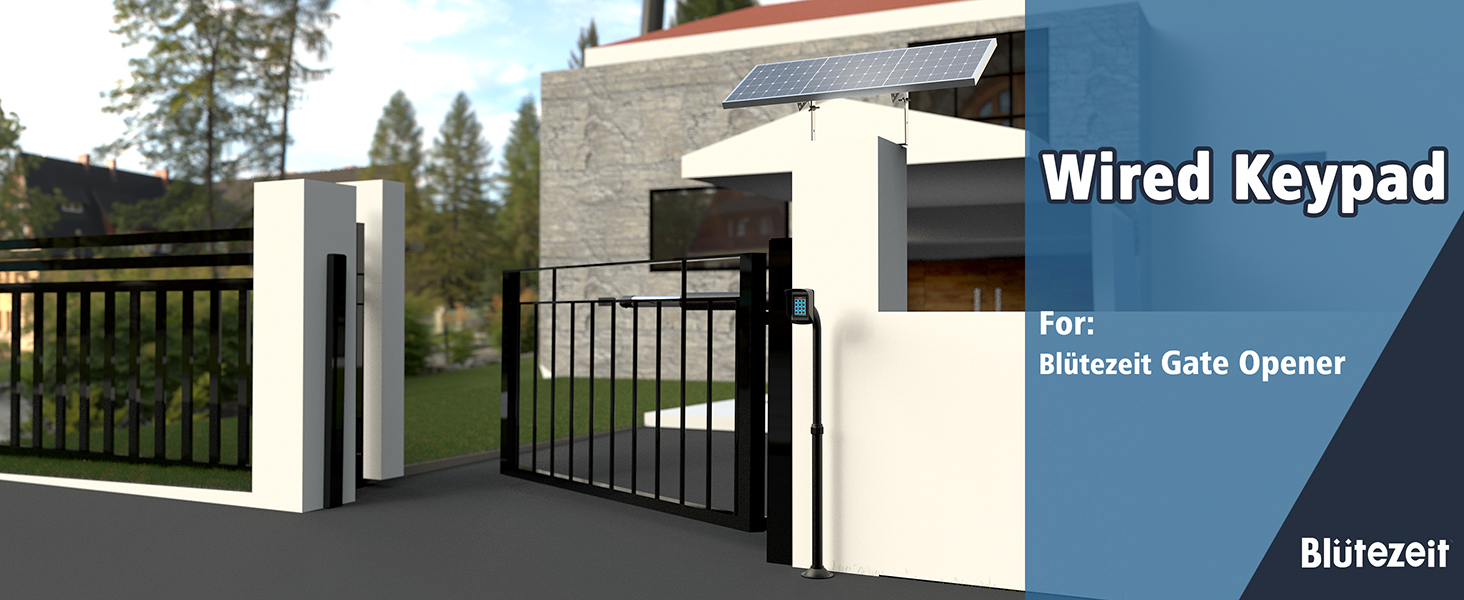
Image: The Blütezeit MWK-20 keypad showing its wired connection for stable signal transmission.
Wiring Connection:
Connect the 16.4ft cable to your gate opener's control board according to the wiring diagram provided in the quick setup guide. Ensure all connections are secure and properly insulated. The wired connection provides a stable signal without interference or latency.

Image: The included 16.5ft 5-core pure copper extension cable for reliable power and signal connections.
Initial Power-Up and Programming:
After installation and wiring, apply 12V DC power to the keypad. Refer to the quick setup guide for initial programming steps, including setting the master code and adding the first user PINs or RFID cards. The system supports up to 2000 users.
Video: An official Blütezeit video demonstrating how to set up your MWK20 Wired Keypad, including user programming.
Operating Instructions
Access Modes:
The keypad supports three access methods:
- PIN Code: Enter your unique PIN code followed by '#' to open the gate.
- RFID Card: Present your registered RFID card to the keypad sensor to open the gate.
- PIN Code + RFID Card: For enhanced security, require both a PIN code entry and an RFID card swipe.

Image: A user demonstrating RFID card access on the Blütezeit MWK-20 keypad.
Adding and Deleting Users:
Detailed instructions for adding or deleting user PINs and RFID cards are provided in the quick setup guide. This process typically involves entering a master programming code, selecting the user management option, and then inputting the new user's PIN or scanning their RFID card. The system can manage up to 2000 users.

Image: Blütezeit RFID access cards, which can be programmed for gate entry.
Backlight and Sound Adjustment:
The keypad features an LED backlight for visibility in low-light conditions. The keypad tone can be adjusted across 21 levels or silenced completely for discreet operation. Refer to the quick setup guide for instructions on modifying these settings.

Image: The Blütezeit MWK-20 keypad with its LED backlight active, enhancing visibility at night.
Maintenance
The Blütezeit MWK-20 keypad is designed for durability and minimal maintenance due to its IP67 waterproof rating and rugged zinc alloy housing.
- Cleaning: Periodically wipe the keypad surface with a soft, damp cloth to remove dirt and grime. Avoid using abrasive cleaners or solvents, which can damage the finish.
- Inspection: Regularly check the wiring connections for any signs of wear or damage. Ensure the keypad is securely mounted.
- Environmental Protection: The IP67 rating protects against dust and water immersion up to 1 meter for 30 minutes. No special weatherproofing is required under normal conditions.

Image: An illustration highlighting the fully potted, IP67 waterproof design of the keypad, ensuring durability in harsh environments.
Troubleshooting
If you encounter issues with your Blütezeit MWK-20 keypad, refer to the following common troubleshooting steps:
- Keypad Unresponsive: Check the 12V DC power supply connection. Ensure the wiring is intact and correctly connected to the gate opener control board.
- Access Denied (PIN/Card): Verify that the PIN code is entered correctly. For RFID cards, ensure the card is registered to the system. Try re-registering the card if necessary.
- Gate Not Opening: Confirm that the keypad is properly connected to the gate opener's dry contact input. Check the gate opener's own status and power supply.
- Tamper Alarm Triggered: The keypad has a built-in tamper alarm. If triggered, it indicates unauthorized access attempts. Review the physical installation for any vulnerabilities. The alarm can typically be reset by entering a valid master code.
- Backlight/Sound Issues: Check the keypad settings for backlight intensity and sound volume. Adjust as needed through the programming menu.
For persistent issues, consult the detailed troubleshooting section in your quick setup guide or contact customer support.
Specifications
| Feature | Detail |
|---|---|
| Brand | Blütezeit |
| Model Number | MWK-20 |
| Color | Silver |
| Dimensions (L x W x H) | 3 x 0.6 x 4.8 inches |
| Power Supply | 12V DC |
| Waterproof Rating | IP67 |
| Material | Zinc Alloy Housing |
| User Capacity | Up to 2000 users |
| Access Modes | PIN Code, RFID Card, PIN + Card |
| RFID Card Type | 125kHz |
| RFID Read Range | ~0.8–2 inches |
| Cable Length | 16.4ft (included) |
| Features | Backlit Keypad, Adjustable Keypad Tone, Anti-Tamper Design |
Warranty Information
Blütezeit products are manufactured with a commitment to quality and durability. This product is covered by a standard manufacturer's warranty against defects in materials and workmanship. For specific warranty terms and conditions, please refer to the documentation included with your product or visit the official Blütezeit website. Keep your proof of purchase for warranty claims.
Customer Support
For technical assistance, troubleshooting, or any questions regarding your Blütezeit MWK-20 Wired Gate Opener Keypad, please contact Blütezeit customer support. Our team is dedicated to providing reliable assistance and ensuring a seamless experience with our products.
Contact information can typically be found on the Blütezeit official website or in the product packaging.