
VERMESS L-Shaped Desk 74-inch with 5 Drawers (B0FJC59DG7)
VERMESS L-Shaped Desk 74-inch with 5 Drawers and Power Outlet
Instruction Manual
Model: L-Shaped Desk 74-inch with 5 Drawers (B0FJC59DG7)
Brand: VERMESS
1. Introduction
Thank you for choosing the VERMESS L-Shaped Desk. This manual provides detailed instructions for the assembly, operation, and maintenance of your new desk. Please read this manual thoroughly before assembly and use to ensure proper function and longevity of the product. Keep this manual for future reference.
2. Safety Instructions
- Ensure all parts are present and undamaged before beginning assembly. Do not use if any parts are missing or damaged.
- Assemble the desk on a soft, clean surface to prevent scratches.
- Do not overtighten screws during assembly, as this may damage the material.
- Keep small parts and packaging materials away from children and pets.
- Do not exceed the maximum weight capacity of the desk (Max Capacity: 100LBS).
- Ensure the power outlet is connected to a grounded electrical source. Do not overload the power strip.
- Regularly check all connections and fasteners to ensure they remain tight and secure.
3. Package Contents
Please verify that all components listed below are included in your package. If any parts are missing, please contact customer support.
- MDF Wooden Desktop Panels (various sizes)
- Metal Frame Components (legs, supports, X-frame)
- 5 Fabric Drawers (including 1 file drawer)
- Monitor Stand Shelf
- 2-Tier Desk Shelf
- Printer Support Shelf
- Built-in Power Strip (3 AC outlets, 1 USB, 1 Type-C)
- RGB LED Light Strip with Smart Controller
- Adjustable Feet
- Assembly Hardware (screws, bolts, Allen wrench)
- Instruction Manual
4. Setup and Assembly
Follow these steps carefully to assemble your VERMESS L-Shaped Desk. It is recommended to have two people for assembly.

Image: An overhead view of the fully assembled VERMESS L-shaped desk, showcasing its spacious design, monitor stand, integrated power outlet, and drawer units. Various office items are arranged on the desk.
4.1 General Assembly Steps
- Unpack all components and lay them out on a protected surface.
- Identify all parts using the provided parts list and diagrams.
- Attach the metal frame components according to the diagrams, ensuring all screws are finger-tight initially.
- Secure the desktop panels to the assembled frame.
- Install the monitor stand, 2-tier shelf, and printer support shelf as indicated.
- Insert the fabric drawers into their designated compartments.
- Install the built-in power strip and connect its power cable.
- Attach the RGB LED light strip to the underside of the monitor stand or desired location, then connect it to the smart controller.
- Once all components are in place, fully tighten all screws.
- Adjust the leveling feet at the bottom of the desk to ensure stability on uneven floors.
4.2 Reversible Design
The VERMESS L-Shaped Desk features a reversible design, allowing you to configure it as a left-corner or right-corner desk to best suit your space. This flexibility is achieved during the initial assembly of the main desk sections. Refer to the assembly diagrams for specific instructions on how to orient the desk sections (the longer and shorter L-sections) to achieve your desired left or right configuration.
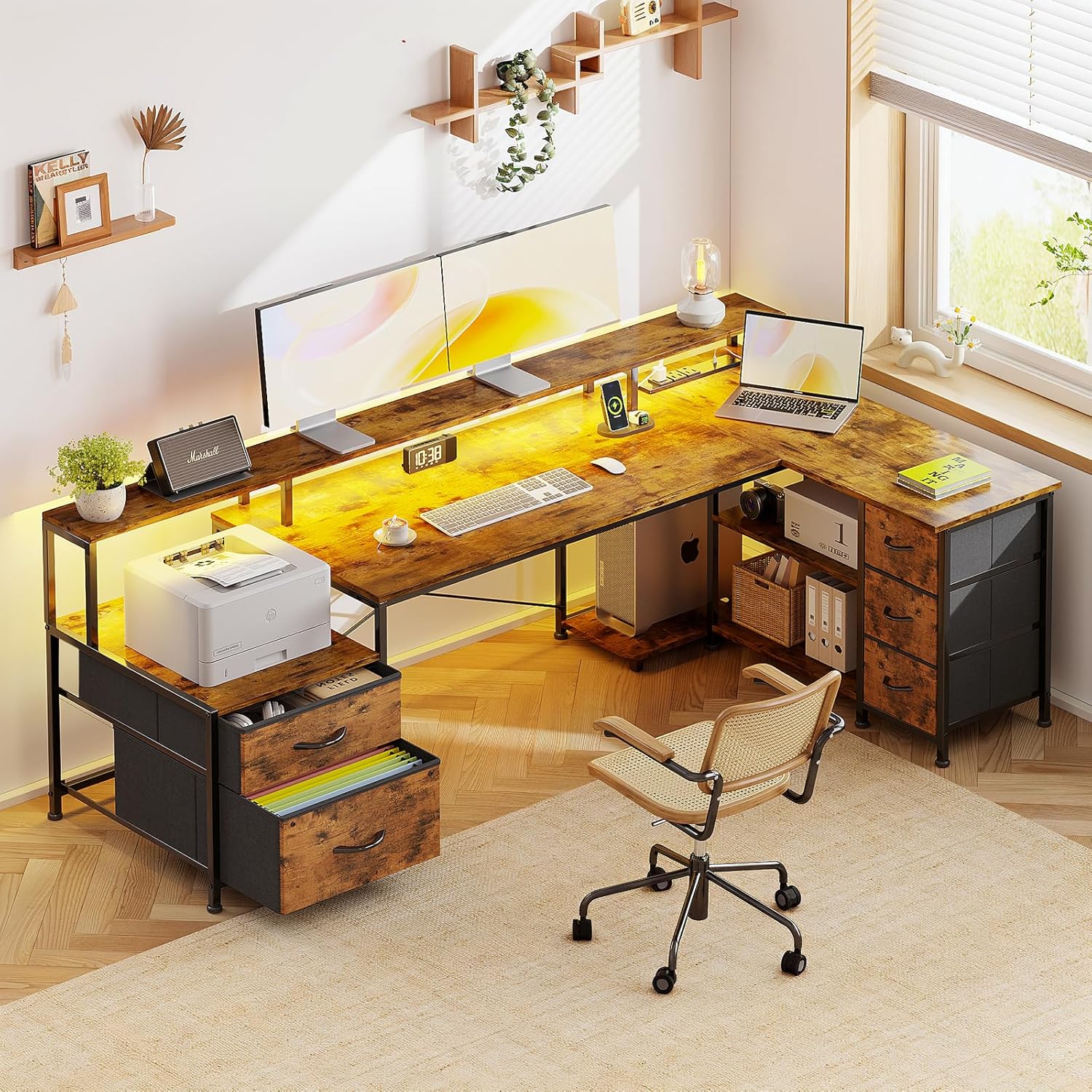
Image: The VERMESS L-shaped desk demonstrating its reversible design, allowing for left or right corner configurations. This image shows the two possible orientations of the desk.
4.3 Product Dimensions
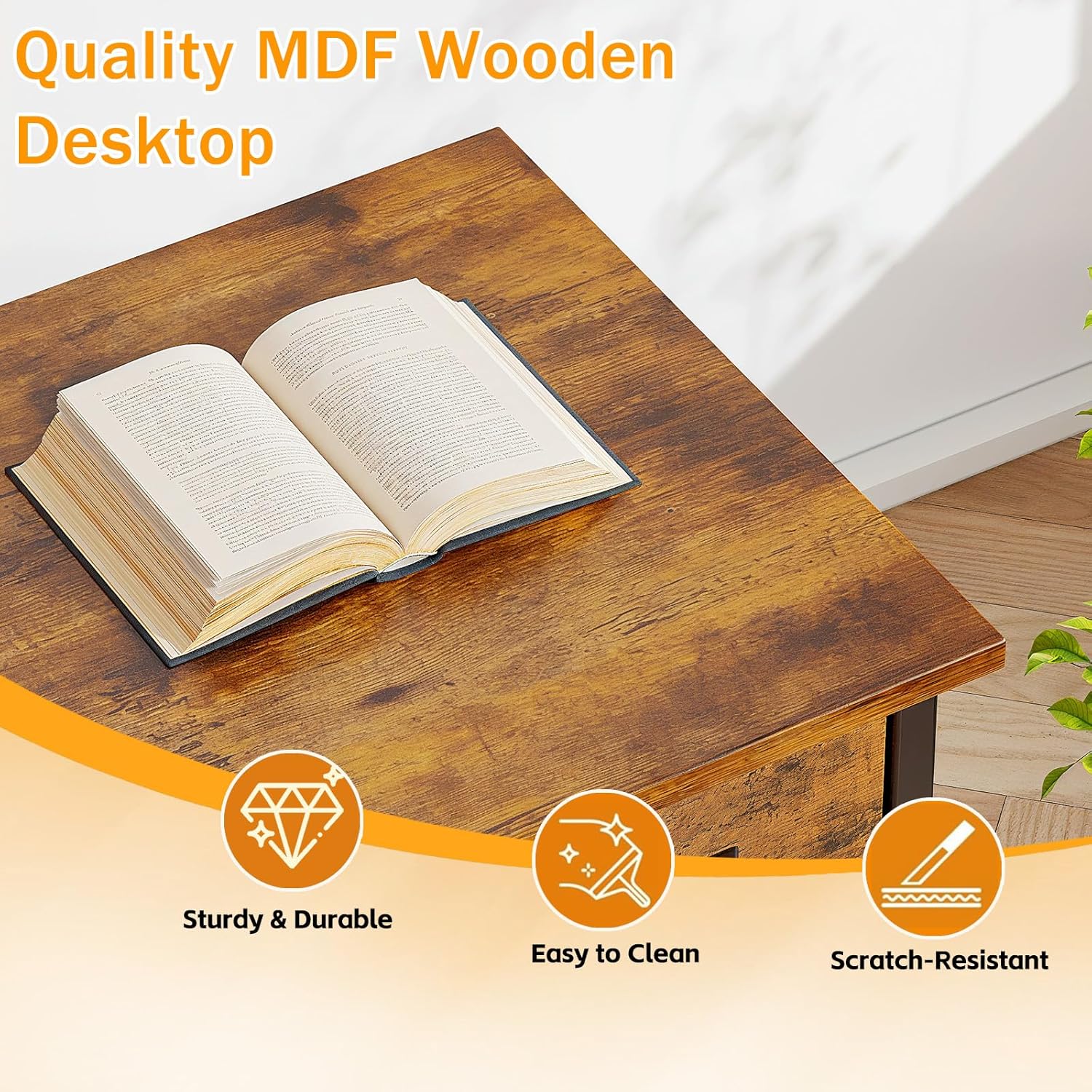
Image: A diagram illustrating the detailed dimensions of the VERMESS L-shaped desk, including overall length (74.5 inches), depth (46 inches), height (30 inches), and specific measurements for the monitor stand and drawer sections. Max capacity is 100LBS.
5. Operating Instructions
5.1 Built-in Charging Station
The desk includes an integrated power strip for convenient device charging and power access.
- AC Outlets: Plug in up to three standard electronic devices (e.g., monitors, lamps, laptops).
- USB Port (5V/2A): Connect USB-powered devices for charging.
- Type-C Port (5V/2A): Connect Type-C compatible devices for charging.
Ensure the desk's main power cable is securely plugged into a wall outlet. Avoid overloading the power strip by connecting too many high-power devices simultaneously.
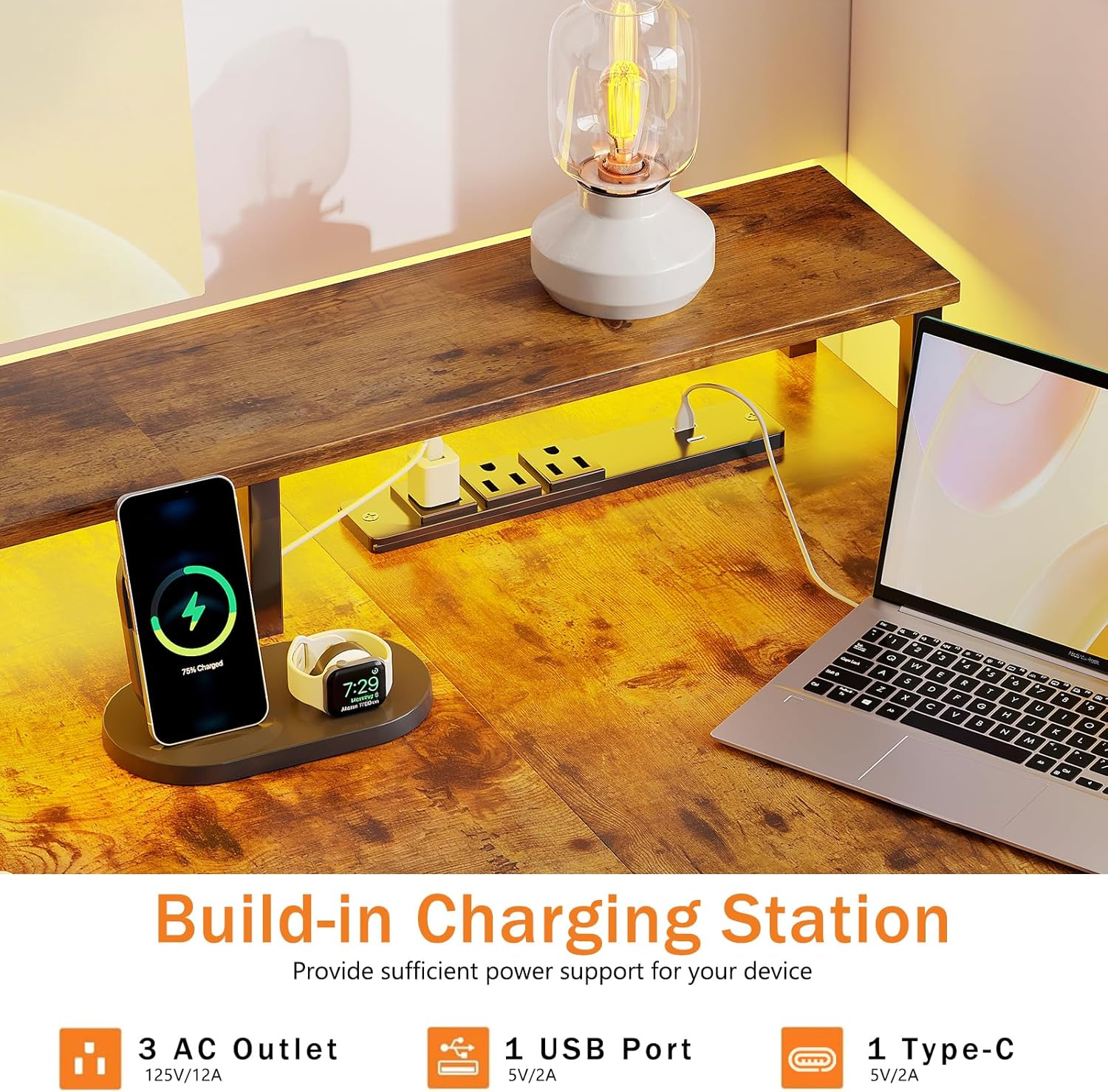
Image: A detailed view of the integrated power strip on the VERMESS desk, featuring 3 AC outlets, 1 USB port, and 1 Type-C port, with devices like a smartphone and laptop connected for charging.
5.2 RGB LED Lights
Enhance your workspace ambiance with the integrated RGB LED light strip.
- Power On/Off: Use the smart controller to turn the LED lights on or off.
- Color Selection: Cycle through multiple static colors.
- Dynamic Modes: Choose from various dynamic lighting effects.
- Brightness Adjustment: Adjust the light intensity with 5 brightness levels.
Refer to the smart controller's specific instructions for detailed operation of modes and settings.
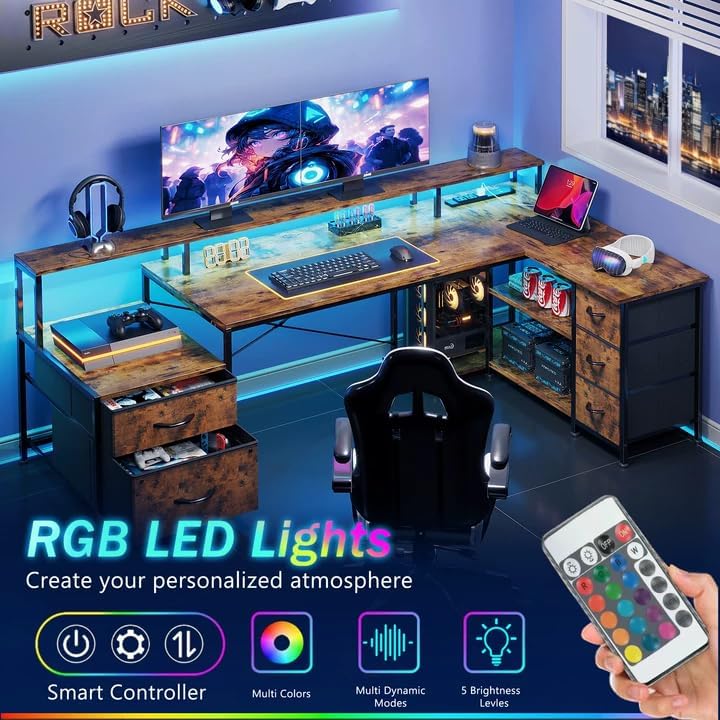
Image: The VERMESS desk with its RGB LED lights active, showcasing various color options and dynamic modes. A remote control for the LED lights is also visible, indicating control features like smart control, multi-colors, multi-dynamic modes, and 5 brightness levels.
5.3 File Drawers
The desk includes five fabric drawers, one of which is designed for file hanging.
- Standard Drawers: Use for general storage of office supplies, documents, or personal items.
- File Hanging Drawer: Utilize the integrated rail to organize hanging file folders, allowing for quick access to important documents.

Image: A close-up view of one of the VERMESS desk's fabric drawers, specifically highlighting the file hanging rail with colorful hanging folders inside, demonstrating its functionality for organizing documents.
5.4 Monitor Stand
The full-size monitor stand (74" x 6.1") is designed to elevate your screens for improved ergonomics.
- Place up to two monitors on the stand.
- The elevated position helps improve posture and reduce neck and shoulder fatigue.
- Utilize the space underneath the monitor stand for keyboard, mouse, or other accessories when not in use.
6. Maintenance
- Cleaning: Wipe the desk surfaces with a soft, damp cloth. Avoid harsh chemicals or abrasive cleaners that may damage the finish.
- Spills: Clean up spills immediately to prevent staining or damage to the MDF wood.
- Hardware: Periodically check all screws and bolts to ensure they are tight. Retighten if necessary.
- LED Lights: If the LED strip becomes dusty, gently wipe it with a dry, soft cloth.
- Drawers: The fabric drawers can be spot cleaned with a mild detergent and damp cloth. Allow to air dry completely.
7. Troubleshooting
- Desk is wobbly:
- Ensure all assembly screws are fully tightened.
- Adjust the leveling feet at the bottom of the desk to compensate for uneven floor surfaces.
- Power outlets/USB/Type-C not working:
- Check if the desk's main power cable is securely plugged into a functional wall outlet.
- Verify that the power strip itself is properly connected within the desk structure.
- Ensure the device you are trying to charge is working correctly and its cable is not damaged.
- Avoid overloading the power strip. Unplug some devices and test again.
- LED lights not turning on or functioning incorrectly:
- Check if the LED strip is properly connected to its power source and the smart controller.
- Ensure the smart controller has power (if battery-operated, check batteries).
- Try resetting the LED lights by unplugging and replugging the power source.
- Drawers are difficult to open/close:
- Ensure the fabric drawers are correctly inserted into their compartments.
- Check for any obstructions inside or around the drawer compartments.
8. Specifications
| Brand | VERMESS |
| Model | L-Shaped Desk 74-inch with 5 Drawers (B0FJC59DG7) |
| Material | Thick MDF Wooden Panels, Robust Metal Frame |
| Color | Vintage |
| Overall Dimensions | 74.5" (W) x 46" (D) x 30" (H) (approx. 189cm x 117cm x 76cm) |
| Monitor Stand Dimensions | 74" (W) x 6.1" (D) |
| Weight Capacity | 100 LBS (approx. 45 kg) |
| Drawers | 5 Fabric Drawers (including 1 file hanging drawer) |
| Power Outlet | 3 AC Outlets, 1 USB Port (5V/2A), 1 Type-C Port (5V/2A) |
| Lighting | RGB LED Strip with Smart Controller (Multi-colors, Dynamic Modes, 5 Brightness Levels) |
| Features | Reversible Design, Adjustable Feet, X-shaped Metal Frame |
9. Warranty and Support
VERMESS products are manufactured with quality and customer satisfaction in mind. For information regarding warranty coverage, replacement parts, or technical support, please refer to the contact information provided with your purchase or visit the official VERMESS website.
When contacting support, please have your model number (B0FJC59DG7) and purchase date available.
Ask a question about this manual
Ask about setup, troubleshooting, compatibility, parts, safety, or missing instructions. Manuals+ will review the question and use this page’s manual context to help answer it.