
Introduction
This manual provides essential information for the safe and efficient operation, installation, and maintenance of your Garvee 12000 BTU Mini Split Air Conditioner Heat Pump System. Please read this manual thoroughly before installation and use, and retain it for future reference.
Important Safety Notice: Professional HVAC installation is required for optimal performance and safety of this unit. Improper installation can lead to electric shock, fire, serious injury, or property damage.
Setup and Installation
The Garvee mini split system consists of an indoor unit and an outdoor unit. The installation process involves mounting both units, connecting refrigerant lines, electrical wiring, and drainage. Due to the complexity and safety requirements, professional HVAC installation is strongly recommended.
Package Contents
Before beginning installation, verify that all components are present:
- 1× Indoor Unit
- 1× Outdoor Unit
- 1× Remote Controller
- 1× User Manual (this document)
- 1× Wall Mounting Bracket (for indoor unit)
- 2×2m Drain Hose
- 1× Sealing Putty
- 1× Insulation Tape
- 1× Wall Sleeve (for pipe penetration)
- 1× Aperture Sleeve
- 1× Copper Tube (φ9.0×3000mm)
- 1× Copper Tube (φ6.0×3000mm)
Note: Additional tools and materials not included in the package will be required for installation.

Outdoor Unit Mounting Example
The video above illustrates the process of mounting the outdoor unit. This typically involves:
- Mounting Brackets: Securely attach the mounting brackets to a sturdy wall or surface, ensuring they are level and can support the weight of the outdoor unit.
- Placing the Outdoor Unit: Carefully lift and place the outdoor unit onto the installed brackets.
- Securing the Unit: Use appropriate screws and fasteners to fix the feet of the outdoor unit to the brackets, preventing movement and vibration.
Always consult the full installation manual provided with your unit for detailed, step-by-step instructions and safety precautions. Electrical connections and refrigerant line connections must be performed by a qualified technician.
Operation
Your Garvee mini split system offers versatile climate control with multiple operating modes and features, all accessible via the remote controller.
Operating Modes
The system features 6 primary operating modes to suit various comfort needs:
- Cool: Provides cooling to lower the room temperature.
- Heat: Provides heating to raise the room temperature.
- Dry: Dehumidifies the air, reducing moisture levels.
- Fan: Circulates air without heating or cooling.
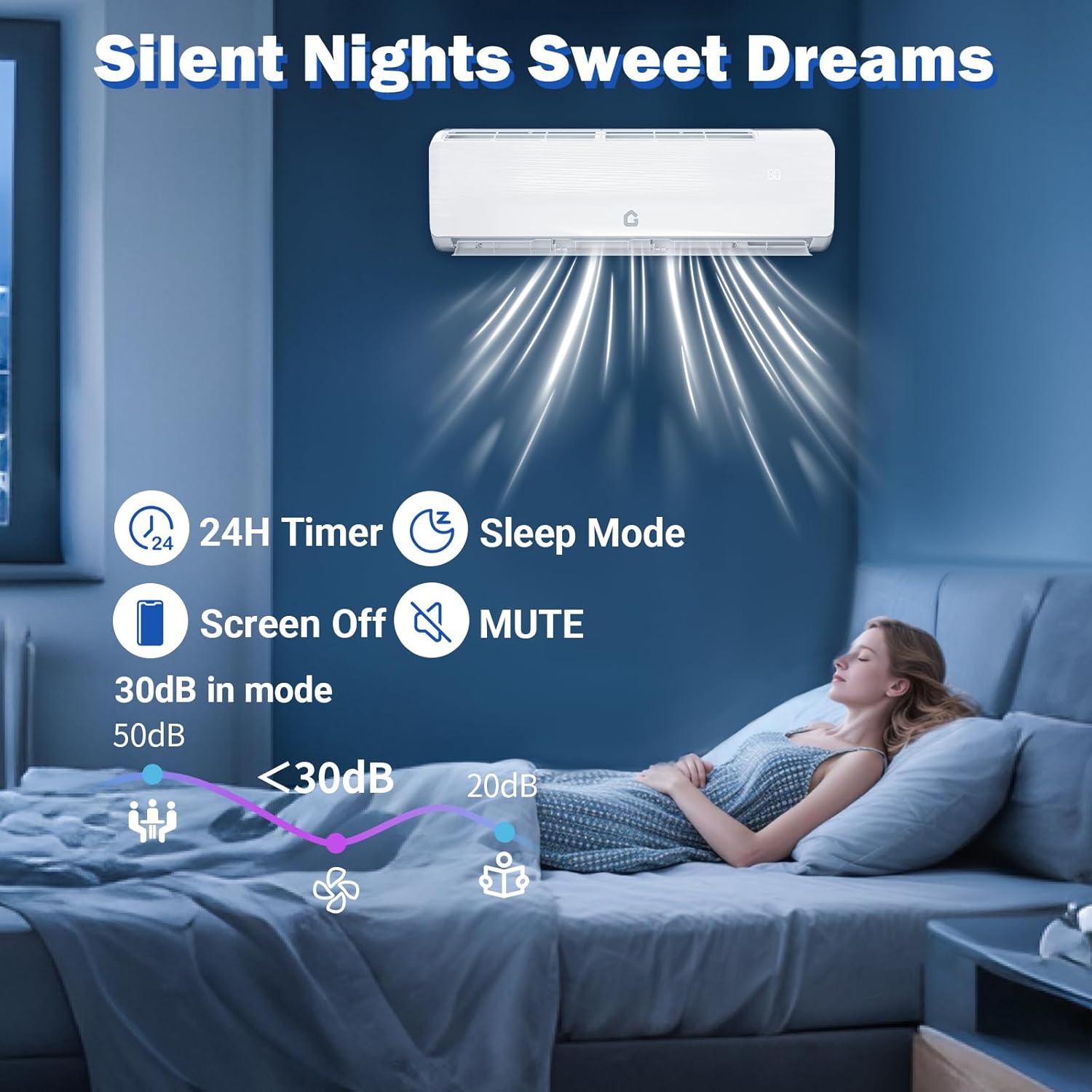
- Sleep: Adjusts temperature gradually for comfortable sleep and energy saving.
- ECO: Optimizes energy consumption for efficient operation.
Fan Speeds
Adjust the airflow intensity with 5 available fan speeds:
- Turbo: Maximum airflow for rapid cooling or heating.
- High: Strong airflow.
- Med (Medium): Moderate airflow.
- Low: Gentle airflow.
- Mute: Ultra-quiet operation for minimal noise.
Additional Features
- IFEEL Mode: Senses the temperature at the remote controller's location for precise, localized comfort.
- 24-Hour Timer: Program the unit to turn on or off automatically within a 24-hour period.
- Silent Mode: Mutes remote control beeps for undisturbed environments.
- Auto Swing: Automatically adjusts the louver direction for even air distribution.

Maintenance
Regular maintenance ensures the longevity and efficiency of your Garvee mini split system. Always disconnect power to the unit before performing any maintenance.
Air Filter Cleaning
The indoor unit is equipped with a washable filter. Clean the air filter regularly (e.g., every two weeks or as needed) to maintain optimal airflow and air quality.
- Open the front panel of the indoor unit.
- Remove the air filters.
- Clean the filters with a vacuum cleaner or wash them with lukewarm water.
- Allow filters to dry completely before reinstalling.
- Close the front panel.
Self-Cleaning Evaporator
The unit features a self-cleaning evaporator function (57 °C high-temp clean) to prevent mold and bacteria buildup, ensuring fresh air quality. Refer to your remote control instructions for activating this feature.
Auto-Defrost Function
The outdoor unit is equipped with an auto-defrost function to ensure steady performance in heating mode during cold weather, minimizing maintenance.

Troubleshooting
If you encounter issues with your Garvee mini split system, refer to the following common troubleshooting steps. For more complex problems, contact qualified service personnel.
Common Issues and Solutions
- Unit does not turn on:
- Check if the power supply is connected and the circuit breaker is not tripped.
- Ensure the remote control batteries are not depleted.
- Insufficient cooling/heating:
- Verify that the air filters are clean and not obstructed.
- Check if the set temperature is appropriate for the desired comfort level.
- Ensure no windows or doors are open, allowing conditioned air to escape.
- Confirm that the outdoor unit is not blocked by debris.
- Unusual noises:
- Minor sounds like refrigerant flow or expansion/contraction of plastic parts are normal.
- If loud or persistent noises occur, contact a technician.
- Water leakage from indoor unit:
- Check if the drain hose is clogged or improperly installed.
- Ensure the indoor unit is level.
Do not attempt to repair electrical components or refrigerant lines yourself. Always consult a qualified HVAC technician for repairs.
Specifications
Key technical specifications for the Garvee 12000 BTU Mini Split Air Conditioner Heat Pump System:
| Feature | Value |
|---|---|
| Brand | Garvee |
| Model Number | WY-2vobmC-sJ3J2vRJju_RVQALdW |
| Cooling Capacity | 12,000 BTU/h |
| Heating Capacity | 12,300 BTU/h |
| Coverage Area | Up to 750 sq. ft. |
| Seasonal Energy Efficiency Ratio (SEER2) | 19.0 |
| Heating Seasonal Performance Factor (HSPF2) | 9.1 |
| Voltage | 230 Volts |
| Rated Input Consumption | 1100 Watts |
| Max Fuse Size | 20 A |
| Noise Level | 30 Decibels (min) |
| Refrigerant Type | R-32 |
| Filter Type | Mesh Filter |
| Compressor Type | Rotary Scroll (Inverter) |
| Product Dimensions (Outdoor Unit) | 13.39"D x 23.82"W x 33.07"H |
| Product Dimensions (Indoor Unit) | 11.93"H x 31.89"W x 8.27"D |
| Item Weight (Indoor Unit) | 23 Pounds |
| Max. Line Length | 10 ft (3 m) |

Warranty and Support
Your Garvee Mini Split Air Conditioner Heat Pump System comes with a manufacturer's warranty.
- Warranty Period: 5 Years manufacturer warranty.
- This warranty covers defects in materials and workmanship under normal use. Specific terms and conditions apply; please refer to the warranty card included with your product or contact Garvee customer service for full details.
Customer Support
For technical assistance, warranty claims, or any questions regarding your Garvee product, please contact Garvee customer support. You can often find contact information on the manufacturer's website or through the retailer where you purchased the product.
Visit the official Garvee store for more information: Garvee Store on Amazon