
Introduction
Thank you for choosing the DUDAO U19 Bluetooth In-Ear Headphones. These headphones feature advanced Bluetooth 5.3 technology, high-fidelity audio, and an innovative touch screen charging case for intuitive control. This manual provides detailed instructions to help you get the most out of your device.

Image: DUDAO U19 headphones in their charging case, showcasing the touch screen interface with various control options.
Setup
1. Unboxing and Initial Charge
Carefully remove all components from the packaging. The box should contain:
- DUDAO U19 In-Ear Headphones (Left and Right)
- Charging Case with Touch Screen
- USB-C Charging Cable
- User Manual
Before first use, fully charge the charging case and earbuds. Connect the USB-C cable to the charging port on the case and to a compatible USB power source. The charging case takes approximately 6 hours for a full charge. The touch screen will display the charging status.

Image: The retail packaging for the DUDAO U19 headphones, displaying the product and key features.
2. Bluetooth Pairing
- Ensure the earbuds are placed inside the charging case and the case has sufficient battery.
- Open the charging case lid. The earbuds will automatically enter pairing mode.
- On your device (smartphone, tablet, laptop), navigate to the Bluetooth settings.
- Search for available devices and select "DUDAO U19" from the list.
- Once connected, the earbuds will automatically pair with your device in the future when removed from the case.

Image: A visual representation highlighting the Bluetooth 5.3 technology integrated into the DUDAO U19 headphones.
Operating Instructions
1. Wearing the Earbuds
The DUDAO U19 earbuds are designed for an ergonomic and comfortable fit. Gently insert each earbud into your ear canal and rotate slightly until it feels secure. The soft silicone tips ensure a stable fit even during extended use.
2. Touch Screen Controls on Charging Case
The integrated color touch screen on the charging case provides comprehensive control without needing to access your phone:
- Music Playback: Play, pause, skip tracks.
- Volume Control: Adjust audio volume.
- Call Management: Answer, reject, or end calls.
- Battery Monitoring: View real-time battery levels for each earbud and the charging case.
- Noise Control: Switch between noise cancellation, transparency, or off (if applicable).
- Language Switch: Change the display language of the case.
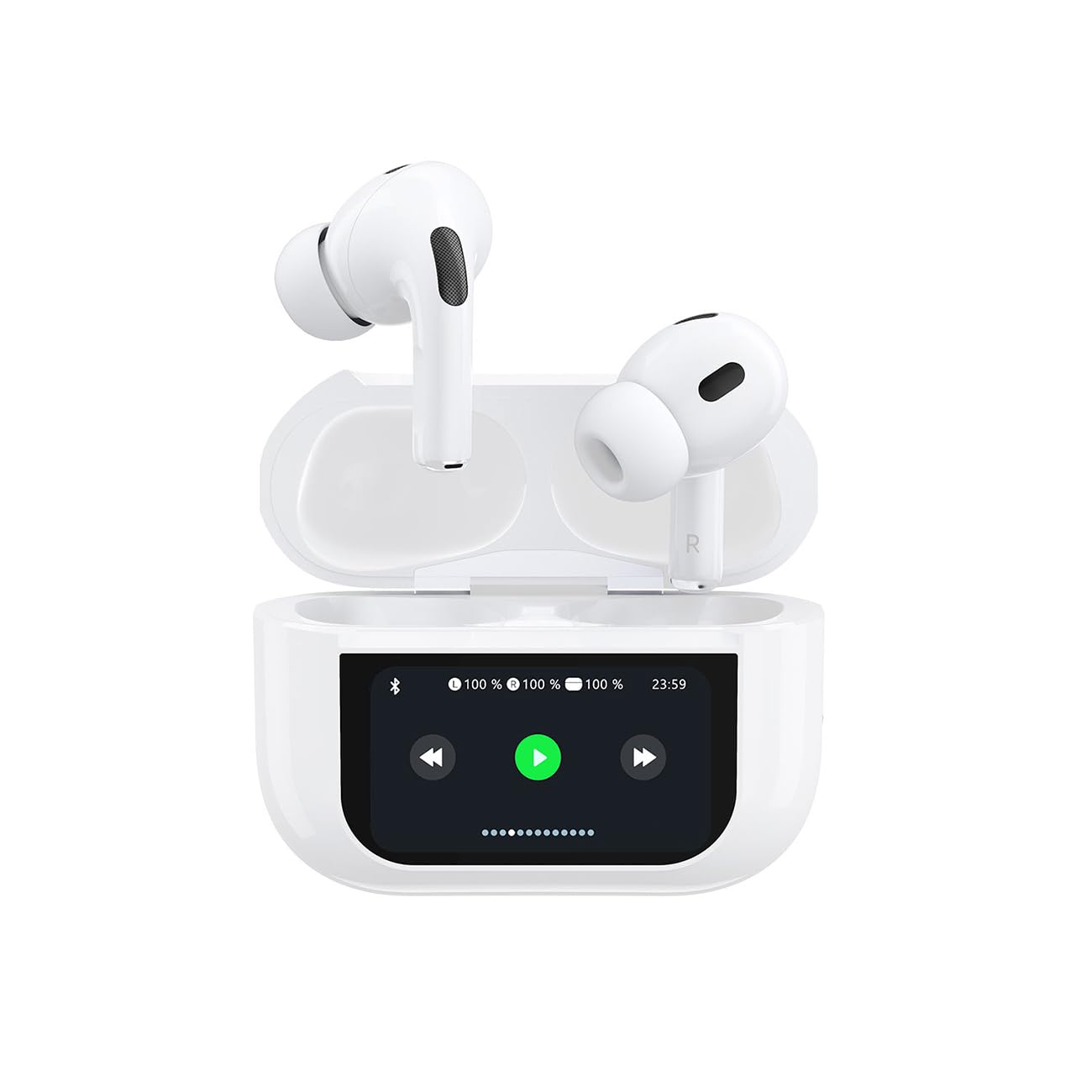
Image: The touch screen of the DUDAO U19 charging case displaying options for noise control (off, noise reduction, transparency).

Image: The DUDAO U19 headphones and charging case, surrounded by sound wave graphics, illustrating the high-definition audio experience.

Image: A close-up view of a single DUDAO U19 earbud, accompanied by a graphic indicating volume adjustment capabilities, likely via touch control on the earbud itself.
3. Earbud Touch Controls
Each earbud is equipped with touch-sensitive areas for basic controls:
- Single Tap: Play/Pause music, Answer/End call.
- Double Tap (Left/Right): Previous/Next track.
- Long Press: Activate voice assistant, Reject call.
4. Call Functionality
Each earbud includes high-quality microphones with ambient noise reduction technology, ensuring clear communication even in noisy environments. Ideal for work calls, video calls, or voice chats.
Maintenance
1. Cleaning
Regularly clean your earbuds and charging case to maintain optimal performance and hygiene. Use a soft, dry, lint-free cloth to wipe the surfaces. For the ear tips, you may gently remove them and clean with a damp cloth, ensuring they are completely dry before reattaching.
Do not use abrasive materials, alcohol, or chemical cleaners, as these can damage the product.
2. Storage
When not in use, store the earbuds in their charging case to protect them from dust and damage. Store the case in a cool, dry place, away from direct sunlight and extreme temperatures.
3. Water Resistance (IPX4)
The DUDAO U19 headphones are IPX4 rated, meaning they are resistant to splashes of water and sweat. They are suitable for workouts and outdoor use in light rain. However, they are not waterproof and should not be submerged in water or exposed to heavy rain.
Troubleshooting
- No Sound:
Ensure the earbuds are properly paired and connected to your device. Check the volume level on both your device and the charging case. Make sure the earbuds are charged. - Pairing Issues:
If the earbuds fail to pair, place them back in the charging case, close the lid for a few seconds, then open it again to re-enter pairing mode. On your device, forget the "DUDAO U19" from your Bluetooth settings and attempt to pair again. Ensure no other Bluetooth devices are interfering. - Charging Problems:
Verify that the USB-C cable is securely connected to both the charging case and the power source. Try a different USB-C cable or power adapter. Ensure the charging contacts on the earbuds and inside the case are clean and free of debris. - "Find My Headphones" Feature:
The charging case touch screen may include a "Find My Headphones" feature. If available, navigate to this option on the screen to help locate misplaced earbuds by emitting a sound.
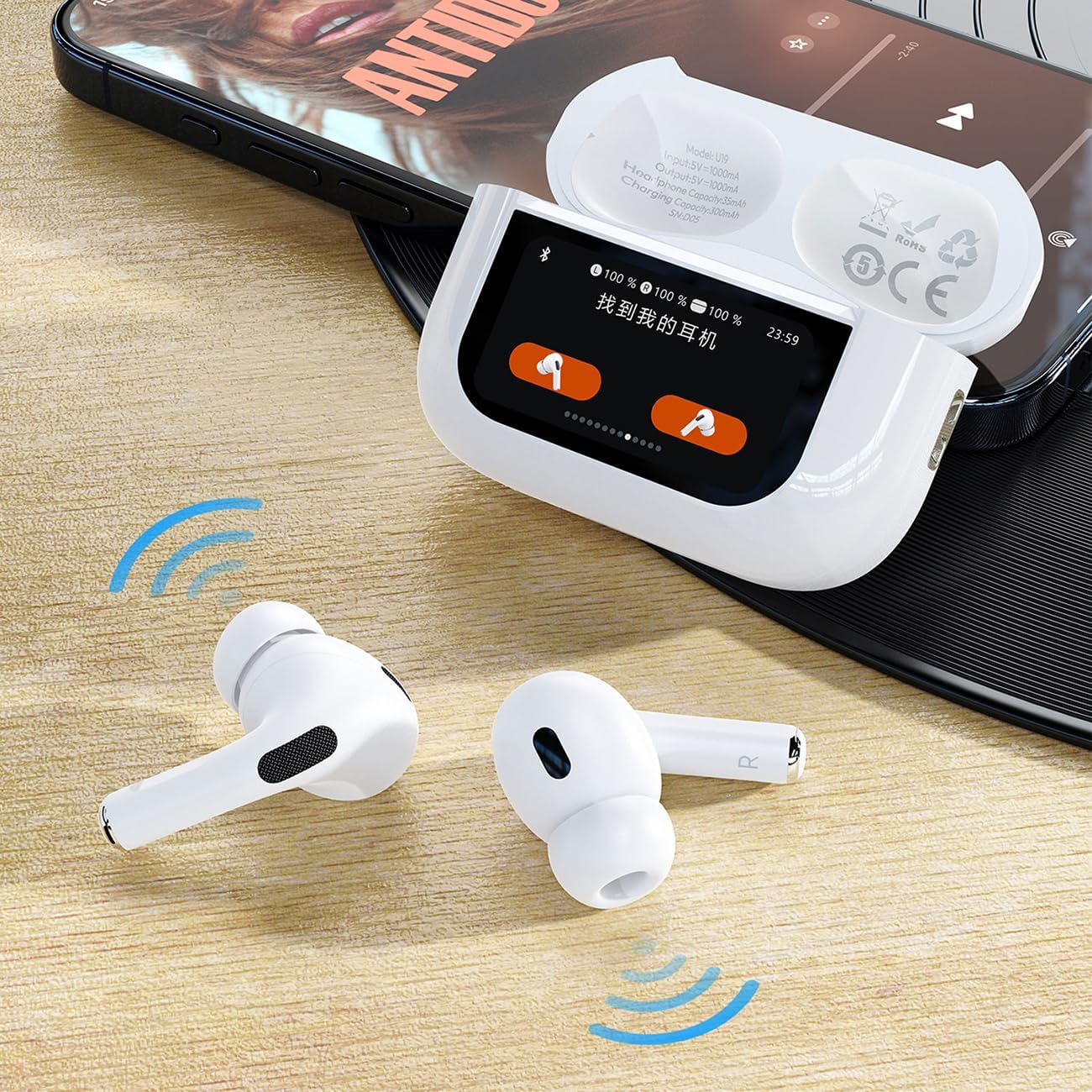
Image: The DUDAO U19 charging case's touch screen displaying the 'Find My Headphones' function, which can help locate misplaced earbuds.
Specifications
| Model Name | U19 |
| Brand | DUDAO |
| Connectivity Technology | Wireless (Bluetooth 5.3) |
| Ear Placement | In-Ear |
| Form Factor | In-Ear |
| Impedance | 32 Ohms |
| Noise Control | Acoustic Isolation |
| Water Resistance Level | IPX4 (Splash Resistant) |
| Control Type | Touch Control |
| Earbud Battery Life | 5-6 hours (single charge) |
| Total Battery Life (with case) | Up to 30 hours |
| Charging Port | USB-C (Fast Charge Supported) |
| Charging Time (Case) | Approx. 6 hours |
| Compatible Devices | Gaming Console, Laptop, Tablet, Mobile Phone, iPhone |
| Components Included | Cable, Wireless Charging Case |
Warranty and Support
For warranty information and customer support, please refer to the documentation provided at the time of purchase or contact your retailer. Information regarding spare parts availability and software updates is currently unavailable.
