1. Introduction
This user manual provides essential information for the safe and efficient operation of your Candy ProWash 300 front-load washing machine. Please read these instructions carefully before installation and use, and keep them for future reference.
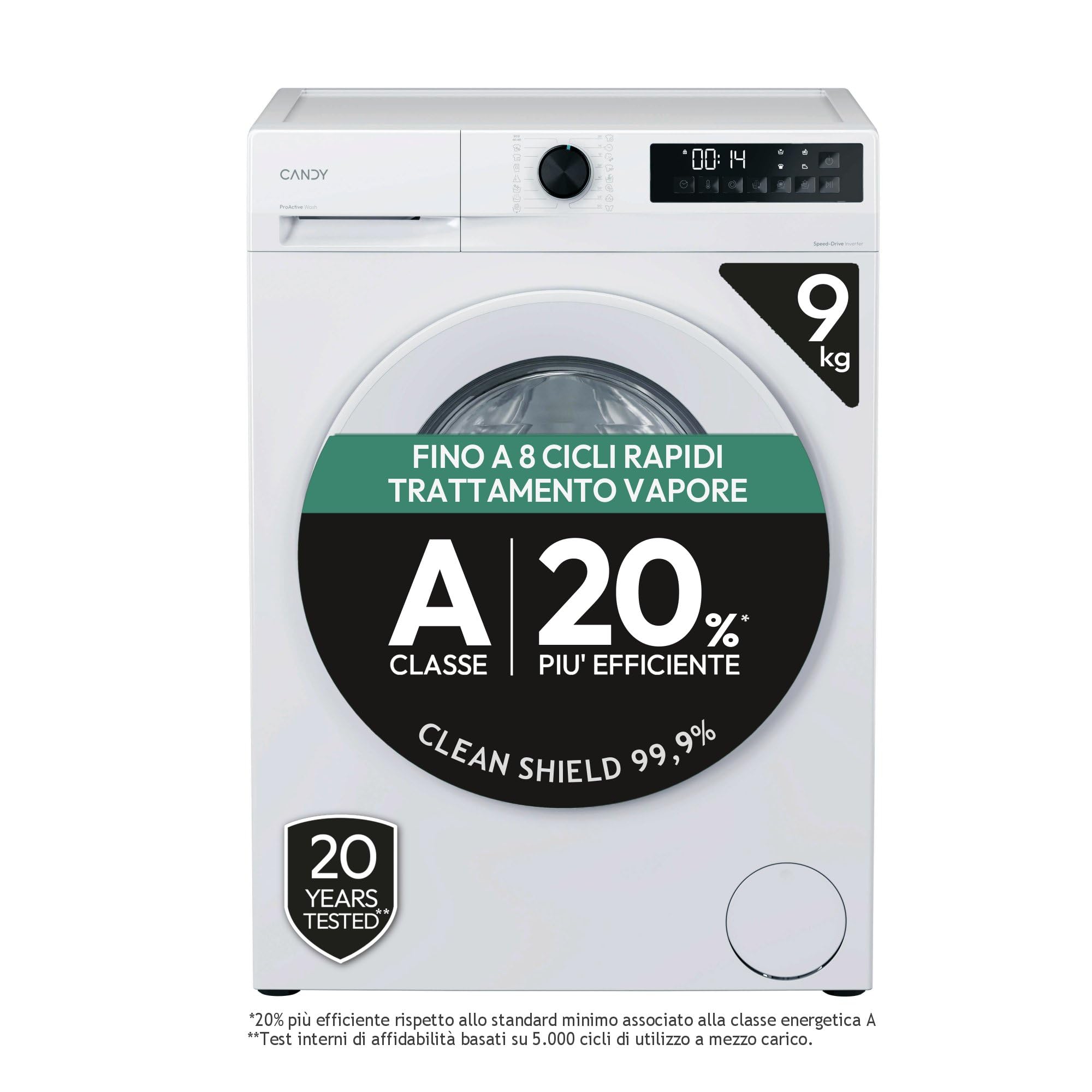
Front view of the Candy ProWash 300 washing machine with the door open.
Key Features:
- Silent Inverter Motor: Offers enhanced efficiency, durability, and quiet operation.
- Fresh Vapor Treatment: A 39-minute steam cycle designed to reduce wrinkles, simplify ironing, and eliminate odors.
- Proactive Wash Technology: Ensures impeccable cleaning results even at low temperatures, removing over 99% of stains.
- 8 Rapid Cycles: Provides a selection of quick wash programs for various needs.
- Energy Efficiency Class A: Designed for optimal energy consumption.
- Dimensions (H x W x D): 85 x 60 x 60 cm.
2. Setup and Installation
Proper installation is crucial for the performance and longevity of your washing machine. Ensure the appliance is placed on a stable, level surface and connected correctly to water and power supplies.
Unpacking and Positioning:
- Remove all packaging materials and transit bolts from the rear of the machine.
- Place the washing machine in a suitable location, ensuring adequate space for ventilation and door opening.
- Adjust the feet to ensure the machine is perfectly level to prevent vibrations during operation.

Side view with key dimensions (Height: 850mm, Width: 595mm, Depth: 548mm).
Water and Electrical Connections:
- Connect the water inlet hose to a cold water tap.
- Position the drain hose securely into a standpipe or sink.
- Plug the power cord into a grounded electrical outlet. Do not use extension cords.

Rear view illustrating water and electrical connection points.
3. Operating Instructions
Familiarize yourself with the control panel and available wash programs to achieve the best results for your laundry.
Control Panel Overview:
The control panel features a program selector knob, a digital display, and various function buttons for customizing your wash cycle.
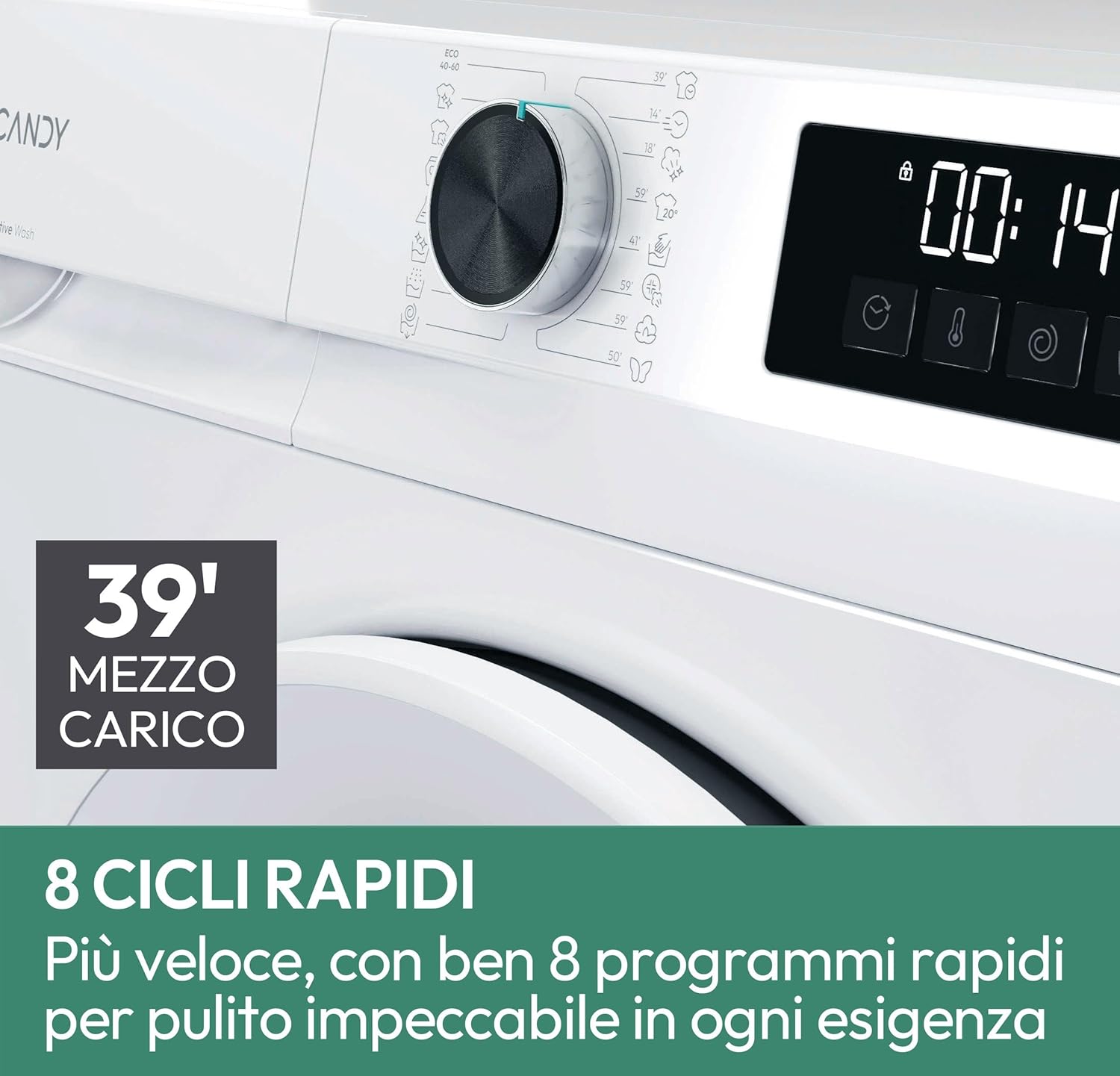
Detailed view of the washing machine's control panel.
Loading Laundry and Detergent:
- Open the door and load laundry, ensuring not to overload the drum.
- Add appropriate detergent and fabric softener to the dispenser drawers.
Program Selection:
Turn the program selector knob to choose your desired wash cycle. The digital display will show the estimated cycle time and other relevant information.
- Proactive Wash: This innovative program ensures deep cleaning even at lower temperatures.

Proactive Wash technology for effective stain removal.
- Fresh Vapor: Utilize this 39-minute steam treatment to refresh clothes, reduce wrinkles, and remove odors.
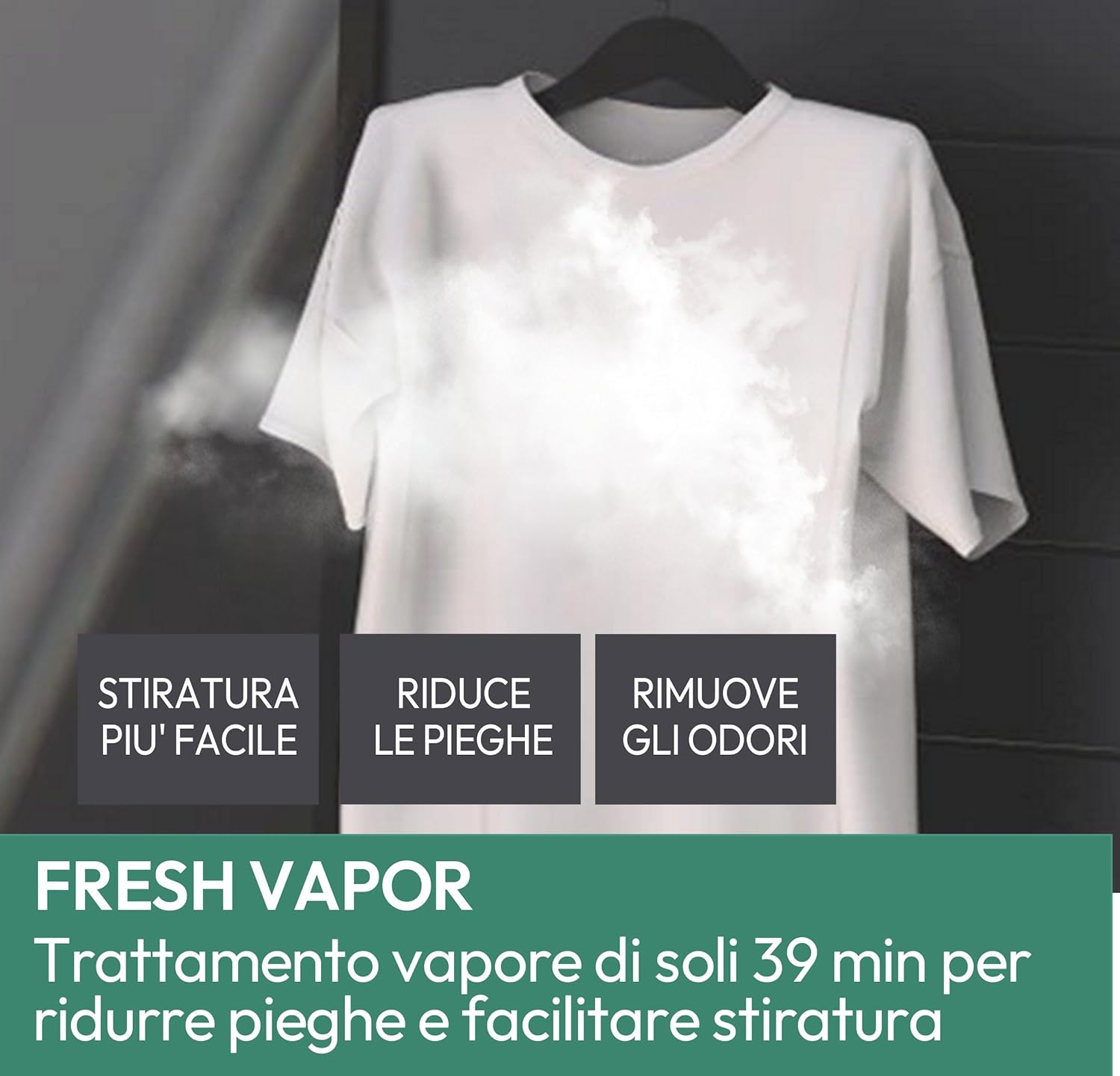
Fresh Vapor function for wrinkle and odor reduction.
- 8 Rapid Cycles: Choose from various quick wash options for lightly soiled items or when time is limited.

Overview of the 8 rapid wash cycles.
Starting a Wash Cycle:
- After selecting the program and any desired options, press the Start/Pause button to begin the cycle.
- The machine will automatically proceed through the wash, rinse, and spin phases.
4. Maintenance
Regular maintenance helps ensure the longevity and optimal performance of your washing machine.
Cleaning the Detergent Dispenser:
- Periodically remove and clean the detergent dispenser drawer to prevent residue buildup.
- Rinse with warm water and dry thoroughly before reinserting.
Cleaning the Drum and Door Seal:
- Run a maintenance wash cycle (e.g., a hot wash without laundry) regularly to clean the drum.
- Wipe the door seal with a damp cloth after each wash to remove any lint or residue.
Cleaning the Filter:
- Locate the drain pump filter, usually at the bottom front of the machine.
- Refer to the full instruction manual for specific steps on how to safely clean the filter to prevent blockages.
5. Troubleshooting
Before contacting customer service, please refer to the following common issues and their potential solutions.
| Problem | Possible Cause | Solution |
|---|---|---|
| Machine does not start | Power cord unplugged; door not closed properly; program not selected. | Check power connection; ensure door is securely latched; select a wash program. |
| No water intake | Water tap closed; inlet hose kinked or blocked. | Open water tap; straighten hose; check for blockages. |
| Water not draining | Drain hose kinked or blocked; pump filter clogged. | Straighten drain hose; clean pump filter. |
| Excessive vibration/noise | Machine not level; transit bolts not removed; uneven load. | Adjust leveling feet; ensure transit bolts are removed; redistribute laundry. |
| Poor washing results | Incorrect detergent dosage; overloaded machine; unsuitable program. | Use correct detergent amount; reduce load size; select appropriate program. |
For more detailed troubleshooting, please consult the comprehensive manual included with your appliance.
6. Technical Specifications
Below are the key technical specifications for the Candy ProWash 300 washing machine.
| Feature | Value |
|---|---|
| Brand | Candy |
| Item Model Number | 31020713 |
| Product Dimensions (D x W x H) | 60 x 60 x 85 cm |
| Weight | 66 kg |
| Capacity | 9 Kilograms |
| Special Features | Steam Treatment, ProActive Wash |
| Access Type | Front Load |
| Color | White |
| Operating Mode | Automatic |
| Included Components | Instruction Manual |
Energy Efficiency Information:
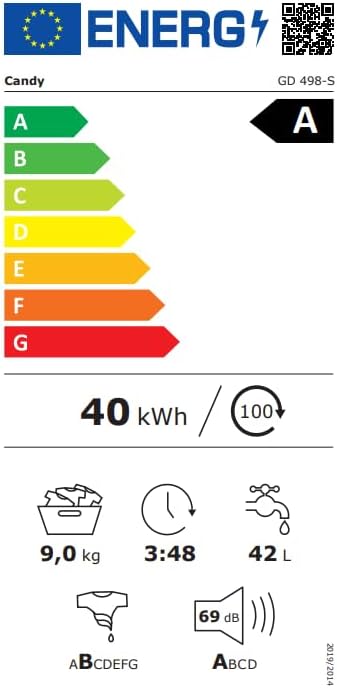
EU Energy Label for the Candy GD 498-S.

Product Information Sheet with detailed technical data.
7. Warranty and Support
Your Candy ProWash 300 washing machine comes with a manufacturer's warranty. Please refer to the warranty card included with your appliance for specific terms and conditions, including coverage details and duration.
Customer Support:
For technical assistance, spare parts, or warranty claims, please contact Candy customer service. Contact details can typically be found in your warranty documentation or on the official Candy website.
- Online Support: Visit the official Candy website for FAQs, troubleshooting guides, and service request forms.
- Telephone Support: Refer to your product documentation for regional customer service phone numbers.


