
CINMOORE C2LU
CINMOORE 2.5K Security Camera Indoor
User Manual - Model C2LU
Introduction
Thank you for choosing the CINMOORE 2.5K Security Camera Indoor. This camera is designed to provide comprehensive indoor surveillance with advanced features such as 2.5K Ultra HD resolution, AI-powered person, pet, and cry detection without subscription fees, pan and tilt functionality for 360-degree coverage, IR night vision, and full duplex two-way audio. This manual will guide you through the setup, operation, and maintenance of your device to ensure optimal performance and security.
What's in the Box
Please check the package contents to ensure all items are present:
- CINMOORE Security Camera × 1
- Mounting Bracket Base × 1
- Power Adapter × 1
- Data Cable × 1
- Screw Anchors × 1
- User Manual × 1
Product Overview
The CINMOORE C2LU camera features a compact design with essential components for effective monitoring.
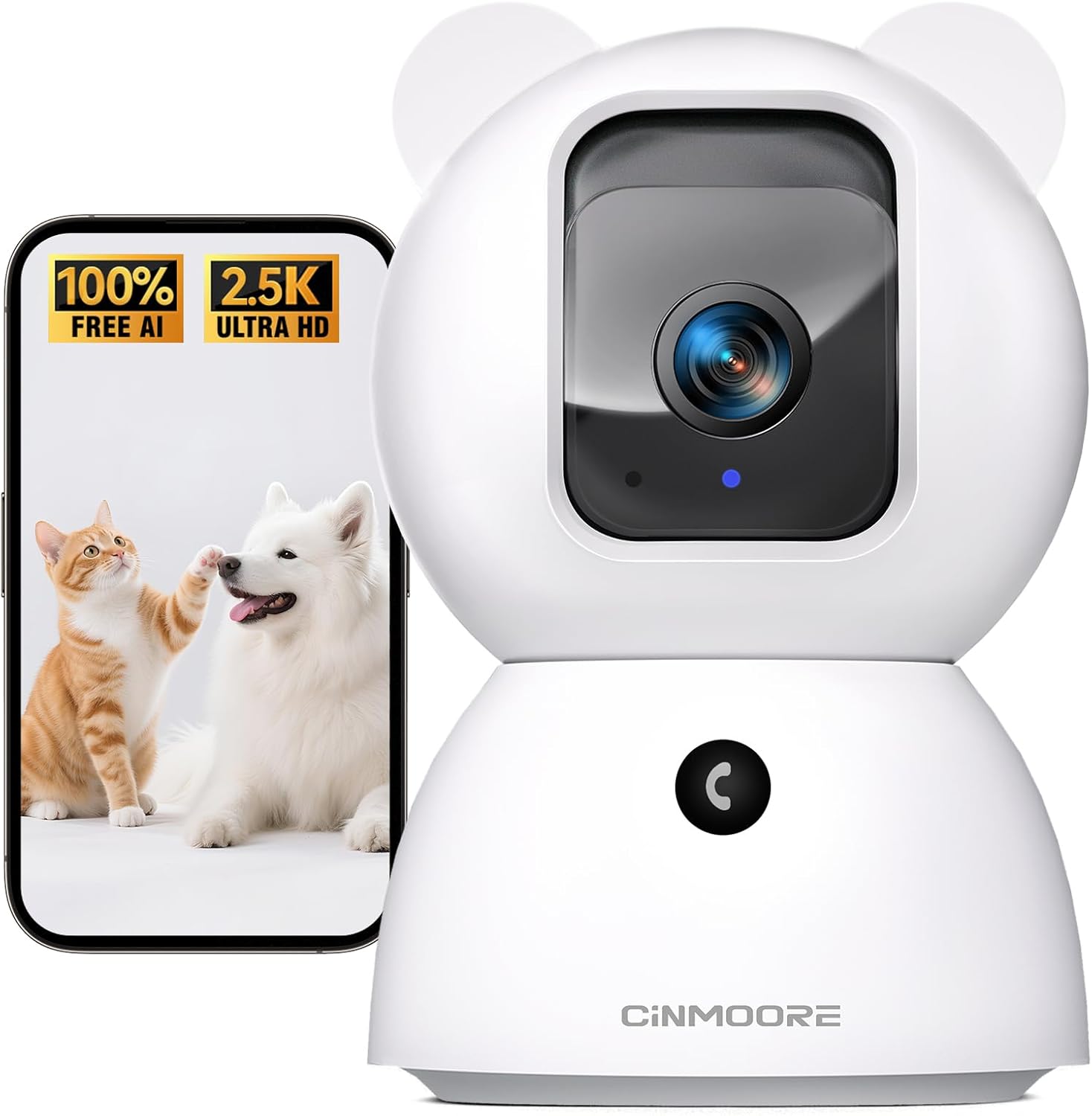
Figure 1: CINMOORE 2.5K Security Camera Indoor. This image shows the camera from the front, alongside a smartphone screen displaying a cat and a dog, highlighting its pet monitoring capabilities and 2.5K Ultra HD resolution.
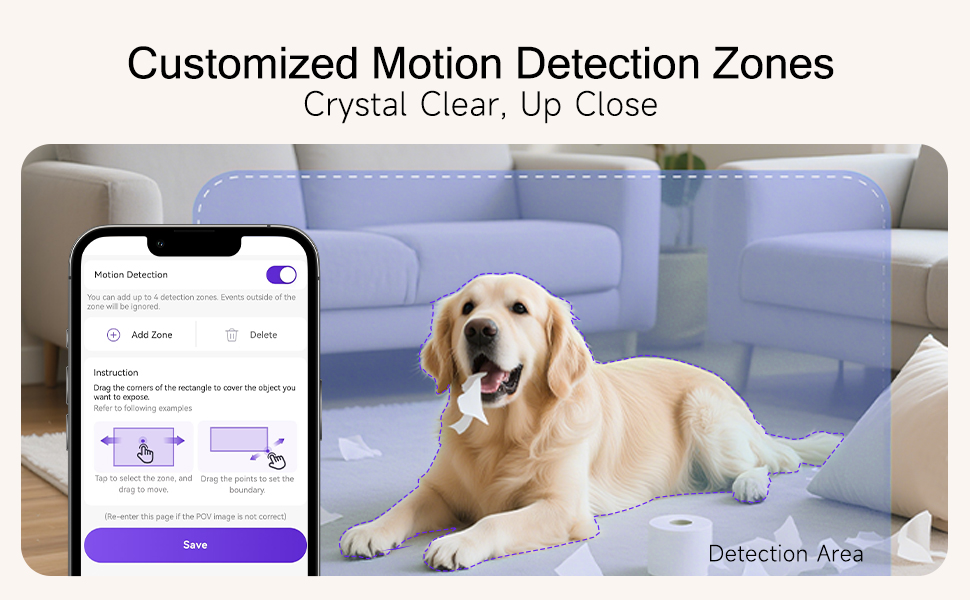
Figure 2: Encrypted & Secure Flexible Storage. This image illustrates the camera's side view, highlighting the SD card slot for local storage (up to 512GB, not included) and the reset button. It also mentions optional AWS cloud storage.
Key components include the camera lens, microphone, speaker for two-way audio, a reset button, and an SD card slot for local storage. The camera's pan and tilt mechanism allows for a wide viewing angle.
Setup
- Powering On: Connect the camera to a power source using the provided power adapter and data cable. The camera will power on automatically.
- App Installation: Download the dedicated CINMOORE app from your smartphone's app store (iOS or Android). Search for "CINMOORE" or refer to the QR code in the quick start guide.
- Pairing and Connection:
- Open the CINMOORE app and create an account or log in.
- Follow the in-app instructions to add a new device. The camera supports Bluetooth for a faster 2.4GHz Wi-Fi connection setup. (Note: 5GHz Wi-Fi is not supported).
- Ensure your smartphone is connected to a 2.4GHz Wi-Fi network during the setup process.
- Mounting Options: The camera can be placed on a tabletop, mounted on a wall, or installed on the ceiling using the included mounting bracket base and screw anchors. Ensure the camera is positioned to cover your desired monitoring area.
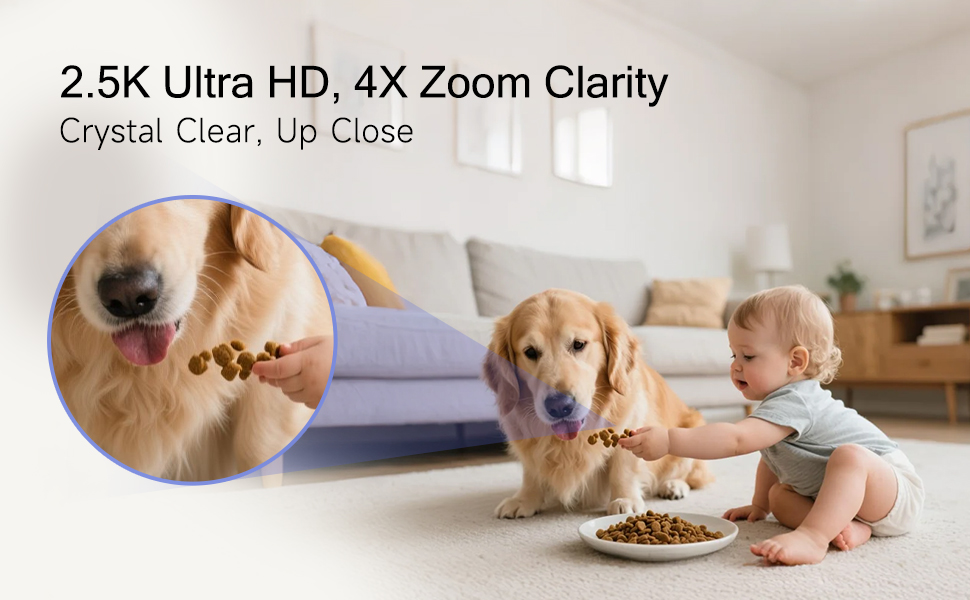
Figure 3: Effortless Setup Anywhere. This image displays various mounting options for the CINMOORE camera, including tabletop, ceiling mount, and wall mount, demonstrating its versatility for placement in different indoor environments.
Operating Your Camera
Live View and Pan & Tilt
Once connected, open the CINMOORE app to access the live video feed. Use the on-screen controls to pan (horizontal movement) and tilt (vertical movement) the camera lens to adjust your viewing angle. The camera offers 360-degree horizontal rotation and 109-degree vertical tilt.
Two-Way Audio
The camera supports full duplex two-way audio, allowing you to speak and listen simultaneously through the app. This is ideal for communicating with pets, comforting a baby, or deterring intruders.
AI Detection (Person, Pet, Cry)
The camera features built-in AI for detecting persons, pets, and baby crying without requiring a subscription. Enable these features in the app settings to receive intelligent alerts.

Figure 4: No-Monthly-Fee AI Alerts. This image highlights the camera's free AI detection capabilities for person, pet, motion, and crying, emphasizing 100% privacy and no subscription requirements.
IR Night Vision
The camera automatically switches to IR night vision in low-light conditions, providing clear 2.5K footage up to 33 feet in the dark.
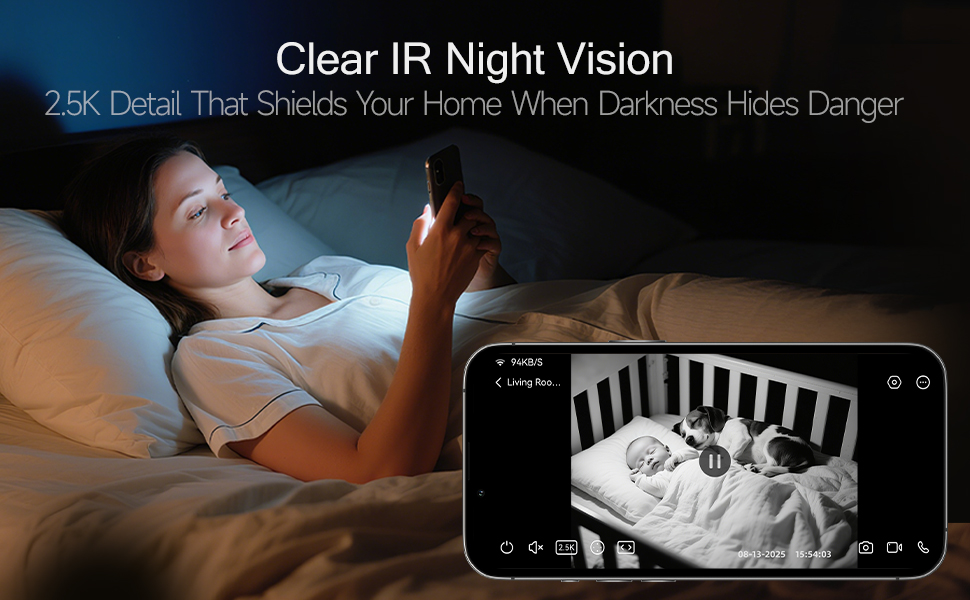
Figure 5: Clear IR Night Vision. This image shows a user viewing a black and white night vision feed of a baby and a dog in a crib on their smartphone, demonstrating the camera's 2.5K clarity even in darkness.
Recording and Storage
The camera supports 24/7 recording to a local SD card (up to 512GB, not included). An advanced SD Card Encryption mode ensures your local footage is only viewable by you. Optional AWS cloud storage with bank-level encryption is also available.
Customized Detection Zones
In the app, you can define specific areas within the camera's view for motion detection, reducing false alerts from irrelevant movements.
One-Touch Call
Utilize the one-click call button feature to trigger family alerts, similar to an Amber Alert, directly from the camera.
Maintenance
- Cleaning: Gently wipe the camera lens and body with a soft, dry cloth. Avoid using harsh chemicals or abrasive materials that could damage the device.
- Firmware Updates: Periodically check the CINMOORE app for available firmware updates. Keeping your camera's firmware up-to-date ensures optimal performance, security, and access to new features.
- Placement: Ensure the camera is placed in a stable location, away from direct sunlight, heat sources, and moisture.
Troubleshooting
| Issue | Possible Solution |
|---|---|
| Camera not connecting to Wi-Fi | Ensure your Wi-Fi is 2.4GHz. Check Wi-Fi password. Move camera closer to router. Reset the camera using the reset button and try pairing again. |
| Poor video quality | Check your internet connection speed. Ensure the camera lens is clean. Adjust video resolution settings in the app if available. |
| No detection alerts | Verify AI detection settings are enabled in the app. Check detection sensitivity. Ensure customized detection zones are correctly configured. |
| Two-way audio not working | Check microphone and speaker permissions for the app on your phone. Ensure camera's microphone and speaker are not obstructed. |
| Camera is offline | Check power connection. Verify Wi-Fi network is active. Restart the camera by unplugging and replugging the power cable. |
If you encounter persistent issues, please refer to the support section for contact information.
Specifications
| Feature | Detail |
|---|---|
| Model Name | Security Indoor Camera (C2LU) |
| Indoor/Outdoor Usage | Indoor |
| Video Capture Resolution | 2.5K (1920p) |
| Connectivity Protocol | Wi-Fi (2.4GHz only) |
| Wireless Communication Technology | Wi-Fi, Bluetooth |
| Power Source | Corded Electric |
| Night Vision Range | 33 Feet |
| Special Features | 2-Way Audio, Cry Detection, HD Resolution, PTZ Technology (Pan/Tilt/Zoom) |
| Mounting Type | Ceiling Mount / Tabletop Mount / Wall Mount |
| Storage Options | SD Card (up to 512GB, not included), Optional AWS Cloud Storage |
| Dimensions (L x W x H) | 3 x 3 x 4.7 inches |
| Item Weight | 12 ounces |
| Material | Acrylonitrile Butadiene Styrene (ABS) |
| Compatible Devices | Smartphone |
| Recommended Uses | Baby Monitoring, Pet Monitoring, Indoor Home Security, Office Surveillance |
Warranty Information
The CINMOORE 2.5K Security Camera Indoor comes with a Lifetime Warranty. Please retain your proof of purchase for any warranty claims.
Customer Support
For any questions, technical assistance, or support, our professional hotline and after-sales team are available to assist you. We aim to respond to all inquiries within 24 hours on weekdays.
Please refer to the contact information provided in the product packaging or on the official CINMOORE website for the most up-to-date support details.
Related documentsC2LU


Ask a question about this manual
Ask about setup, troubleshooting, compatibility, parts, safety, or missing instructions. Manuals+ will review the question and use this page’s manual context to help answer it.