
ZIPRO 14855506
ZIPRO Stride Adjustable Weight Bench User Manual
Model: 14855506
Introduction
This manual provides essential information for the safe and effective use of your ZIPRO Stride Adjustable Weight Bench. Please read all instructions carefully before assembly and use. Keep this manual for future reference.
Important Safety Information
- Consult a physician before starting any exercise program.
- Ensure all bolts and nuts are securely tightened before each use.
- Do not exceed the maximum weight capacity of 300 kg (user + weights).
- Place the bench on a flat, stable surface.
- Keep children and pets away from the equipment during use.
- Inspect the bench for wear or damage before each workout. Do not use if damaged.
- Use proper lifting techniques to avoid injury.
Setup and Assembly
The ZIPRO Stride bench requires minimal assembly. Follow these general steps:
- Unpack all components and verify against the parts list (not provided in this manual, refer to packaging).
- Attach the main support legs to the bench frame using the provided hardware.
- Secure the backrest and seat sections to the main frame.
- Install the leg rollers.
- Ensure all connections are tight and stable.
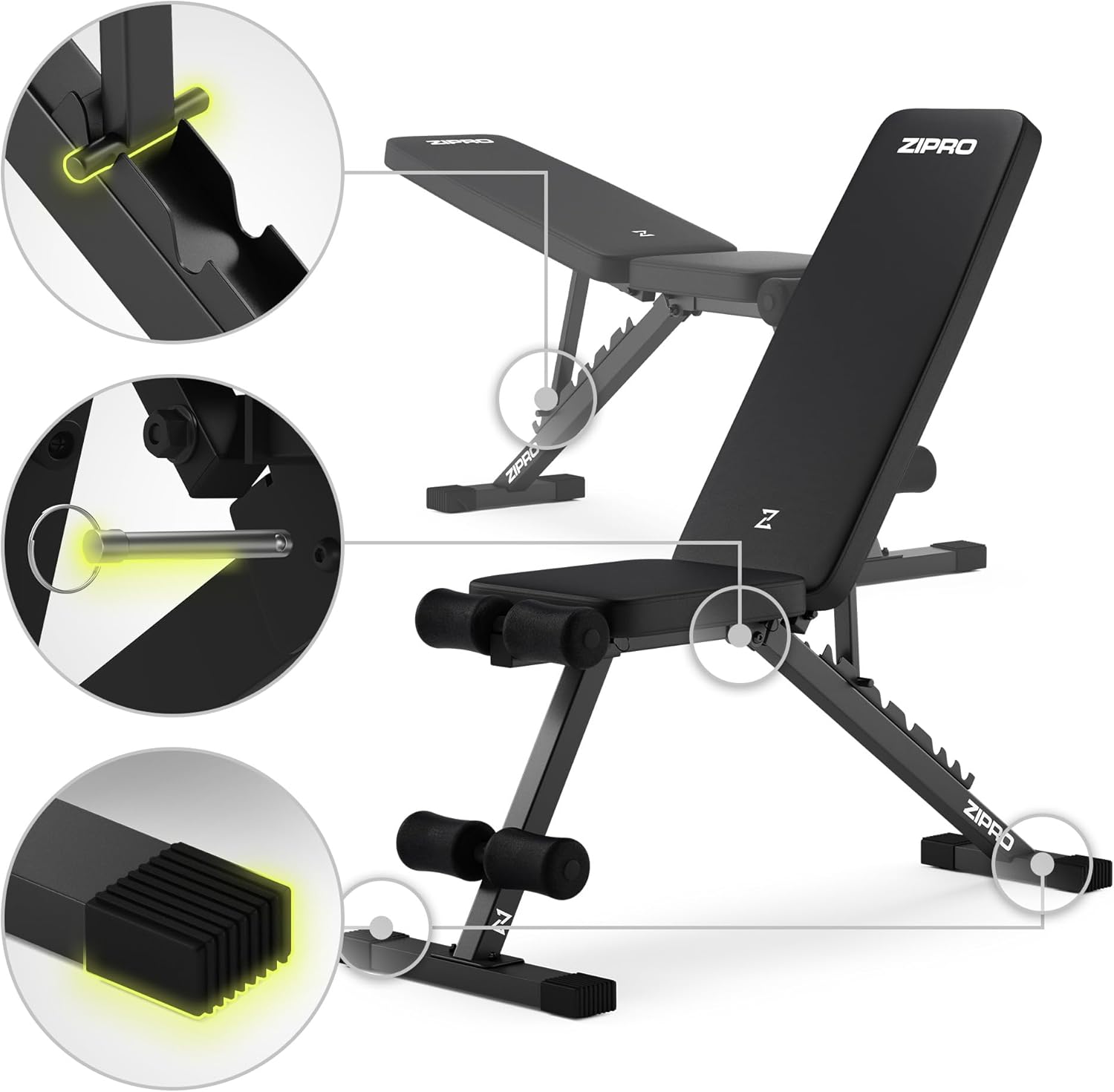
Image: Detail of the adjustment pin mechanism and non-slip feet, highlighting the secure construction of the bench.
Operating Instructions
Adjusting the Bench Position
The ZIPRO Stride bench offers multiple adjustment options for various exercises. The backrest has 7 positions, and the seat can also be adjusted.
- Backrest Adjustment: To change the backrest angle, pull the adjustment pin located at the base of the backrest support. Move the backrest to the desired position (flat, incline, or decline) and release the pin, ensuring it locks securely into one of the 7 available slots.
- Seat Adjustment: The seat can also be adjusted to complement the backrest angle, providing optimal support and comfort for different exercises. Locate the adjustment mechanism under the seat, adjust to the desired angle, and ensure it is securely locked.

Image: Visual representation of the bench's adjustable angles, including flat, incline (up to 118/180 degrees), and decline (down to -36 degrees) positions.

Image: Detailed illustration demonstrating the smooth and precise 7-position adjustment system for the backrest.
Performing Exercises
The ZIPRO Stride bench supports a wide range of exercises for various muscle groups:
- Chest: Incline, flat, and decline dumbbell presses.
- Shoulders: Seated dumbbell presses, lateral raises.
- Back: Dumbbell rows (using the bench for support).
- Abs: Crunches, leg raises (using leg rollers for stability).
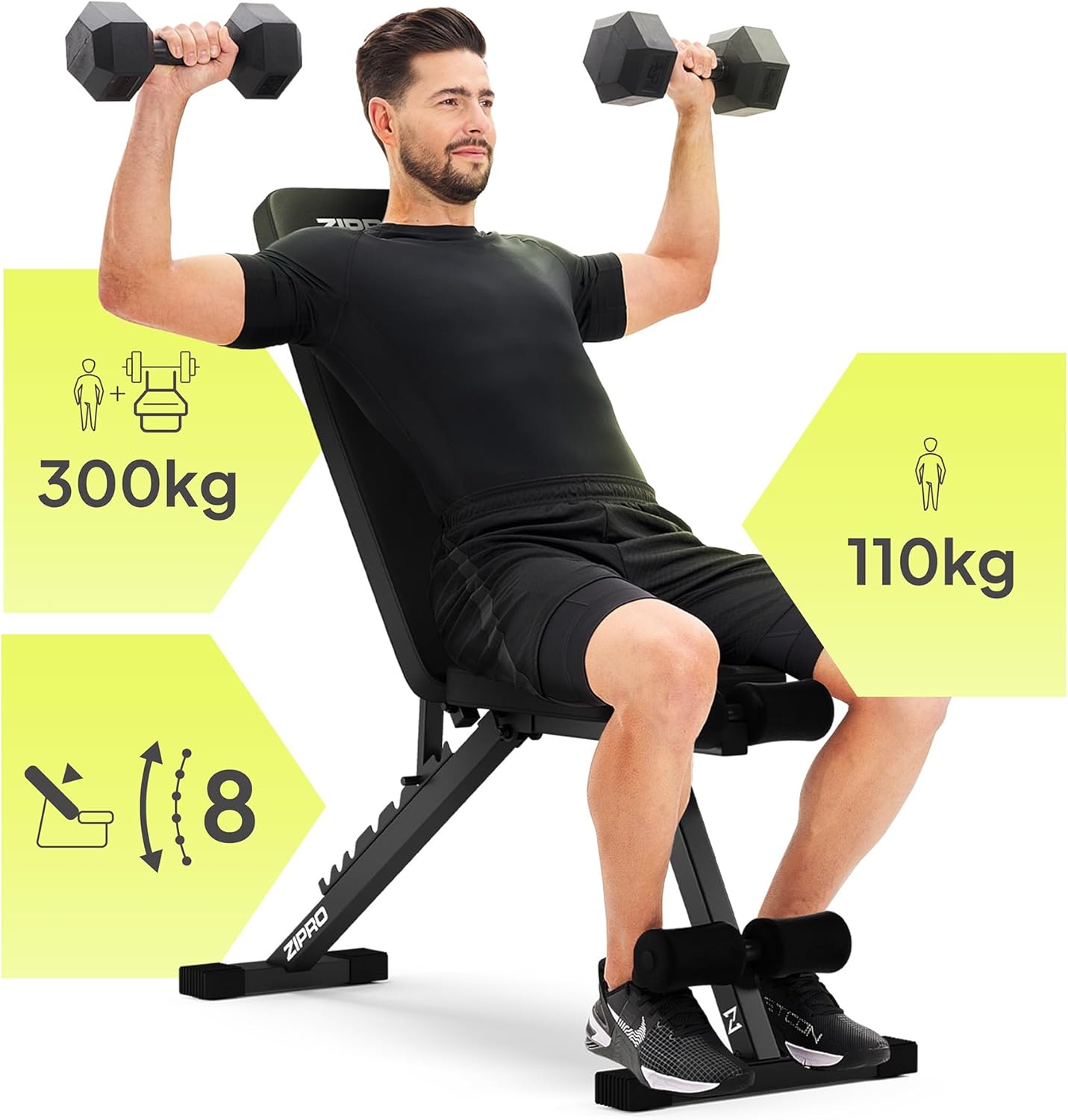
Image: A user demonstrating dumbbell presses on the bench, illustrating its use for upper body workouts. The image also shows the 300 kg total weight capacity and 110 kg user weight capacity.

Image: A user performing abdominal crunches on the bench, showcasing its versatility for core exercises.
Maintenance
Regular maintenance ensures the longevity and safety of your ZIPRO Stride bench.
- Cleaning: Wipe down the upholstery and frame with a damp cloth after each use to remove sweat and dirt. Use a mild soap solution for deeper cleaning, then wipe dry. The faux leather is sweat-resistant and easy to clean.
- Inspection: Periodically check all bolts, nuts, and adjustment pins for tightness. Tighten any loose fasteners. Inspect the frame for cracks or damage, and the upholstery for tears or excessive wear.
- Storage: Store the bench in a dry, cool place away from direct sunlight and extreme temperatures.

Image: Detailed view of the bench's thick, high-density foam padding and the durable, sweat-resistant faux leather upholstery, emphasizing comfort and ease of cleaning.
Troubleshooting
| Problem | Possible Cause | Solution |
|---|---|---|
| Bench feels unstable or wobbly. | Loose fasteners; uneven surface. | Tighten all bolts and nuts. Ensure the bench is on a flat, level surface. |
| Adjustment pin does not lock securely. | Pin not fully engaged; obstruction in adjustment holes. | Ensure the pin is fully inserted into the desired hole. Check for any debris in the holes. |
| Squeaking noises during use. | Loose connections; friction between metal parts. | Tighten all fasteners. Apply a small amount of silicone lubricant to pivot points if necessary. |
Specifications
- Model Number: 14855506
- Brand: ZIPRO
- Color: Black
- Frame Material: Stainless Steel
- Main Material: Steel, Foam
- Maximum Weight Capacity: 300 Kilograms (user + weights)
- Product Dimensions (L x W x H): 115.5 x 42.5 x 110 cm
- Item Weight: 8.4 Kilograms
- Backrest Positions: 7 adjustable positions

Image: Technical drawing illustrating the key dimensions of the ZIPRO Stride bench, including length, width, height, and seat/backrest measurements.

Image: A close-up view highlighting the durable square steel frame construction, ensuring stability and strength.
Warranty and Support
For warranty information or technical support, please refer to the documentation included with your purchase or visit the official ZIPRO website. Keep your proof of purchase for warranty claims.
Official Website: www.zipro.pl (Example link, actual link may vary)
Ask a question about this manual
Ask about setup, troubleshooting, compatibility, parts, safety, or missing instructions. Manuals+ will review the question and use this page’s manual context to help answer it.