
LIGE EF13-F
LIGE Military Smart Watch User Manual
Model: EF13-F | Brand: LIGE
Introduction
Thank you for choosing the LIGE Military Smart Watch EF13-F. This smartwatch is designed for durability and functionality, featuring a large HD display, long battery life, and comprehensive health and fitness tracking capabilities. This manual provides detailed instructions to help you set up, operate, and maintain your device.

Figure 1: LIGE Military Smart Watch EF13-F with its two interchangeable bands.
What's in the Box
Please verify that all items are present in your package:
- LIGE Military Smartwatch (EF13-F)
- Charger Cable
- Stainless Steel Watch Strap
- Silicone Watch Strap
- Watch Strap Adjustment Tools
- Smartwatch Manuals
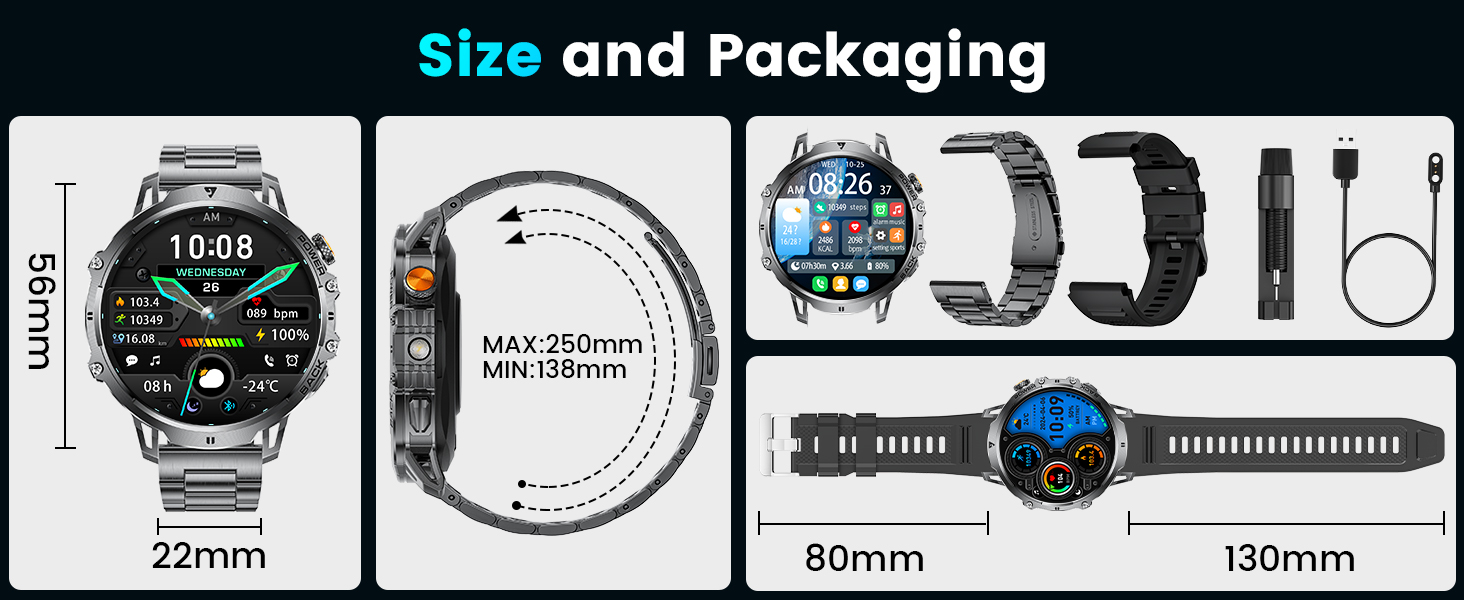
Figure 2: Package contents and dimensions of the LIGE Smart Watch.
Setup
1. Charging the Smartwatch
Before first use, fully charge your smartwatch. Connect the magnetic charging cable to the charging points on the back of the watch and plug the USB end into a compatible power adapter (not included) or a computer USB port. A full charge typically takes approximately 2-3 hours.
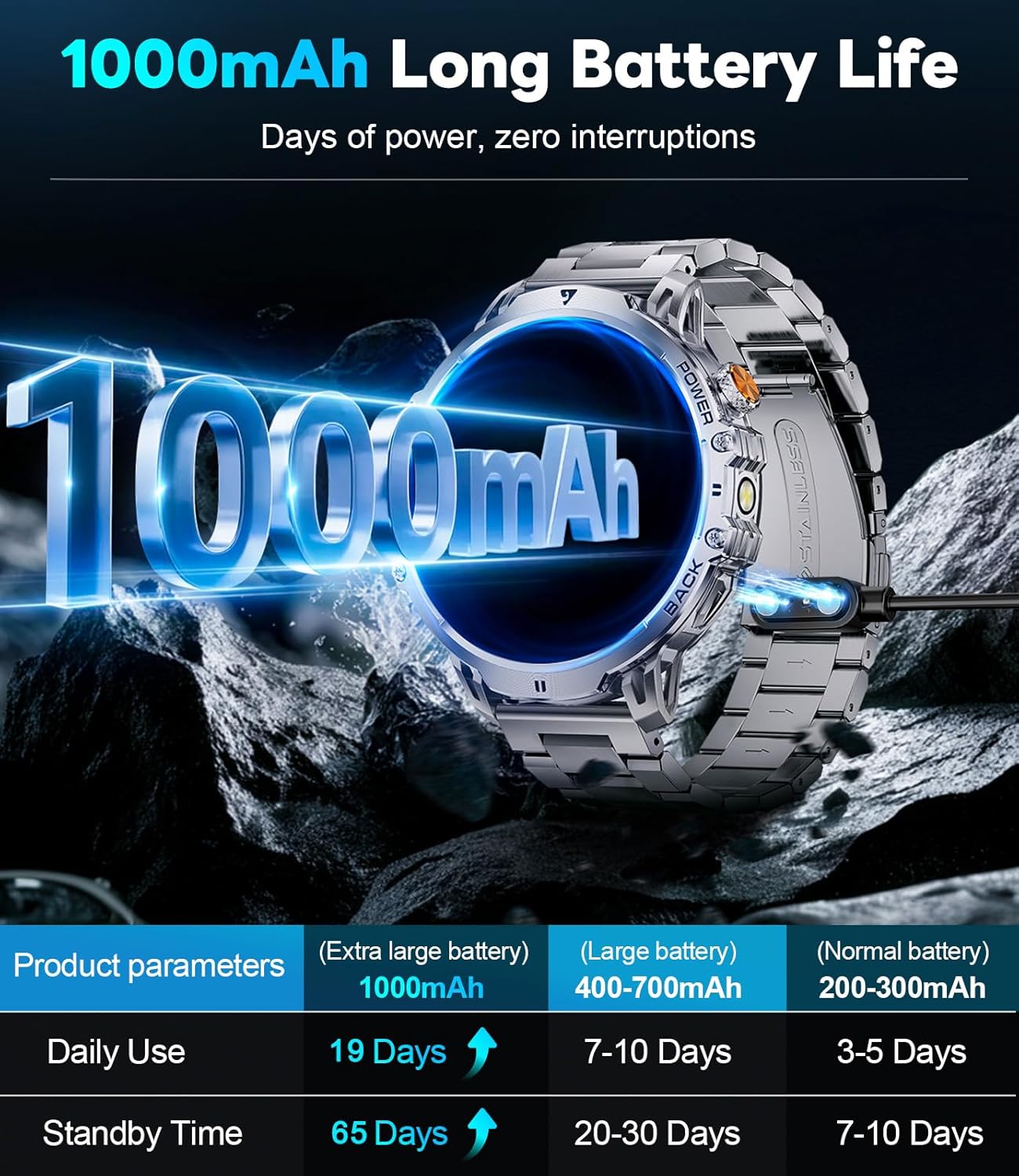
Figure 3: Illustration of the 1000mAh battery and its long standby time.
The LIGE Smart Watch features a 1000mAh battery, providing up to 19 days of normal use and 65 days of standby time.
2. App Installation and Pairing
To unlock the full functionality of your smartwatch, you need to install the companion app and pair it with your smartphone.
- Download the App: Search for "FitCloudPro" on the App Store (iOS) or Google Play Store (Android) and install it.
- Enable Bluetooth: On your smartphone, go to settings and ensure Bluetooth is turned on.
- Add Device: Open the FitCloudPro app, navigate to the "Device" section, and tap "Add New Device". The app will search for available devices.
- Pair: Select "EF13" or "EF13-F" from the list of found devices. Confirm the pairing request on both your phone and the smartwatch.
- Grant Permissions: Follow the on-screen prompts in the app to grant necessary permissions for notifications, location, etc., to ensure all features function correctly.

Figure 4: Visual guide for connecting the smartwatch to your phone.
3. Changing Watch Bands
Your LIGE Smart Watch comes with two interchangeable bands: a stainless steel band for formal occasions and a silicone band for sports and casual wear. Use the provided tools to carefully remove and attach the bands by manipulating the quick-release pins.
Operating Instructions
1. Display and Navigation
The smartwatch features a 1.85-inch HD TFT display with a resolution of 360x360 pixels, offering clear visuals and a full-touch interface.
- Swipe Up/Down: Access quick settings or notifications.
- Swipe Left/Right: Navigate through widgets like activity data, heart rate, weather, and music control.
- Press Side Buttons: The "POWER" button typically turns the screen on/off or returns to the home screen. The "BACK" button navigates back in menus.
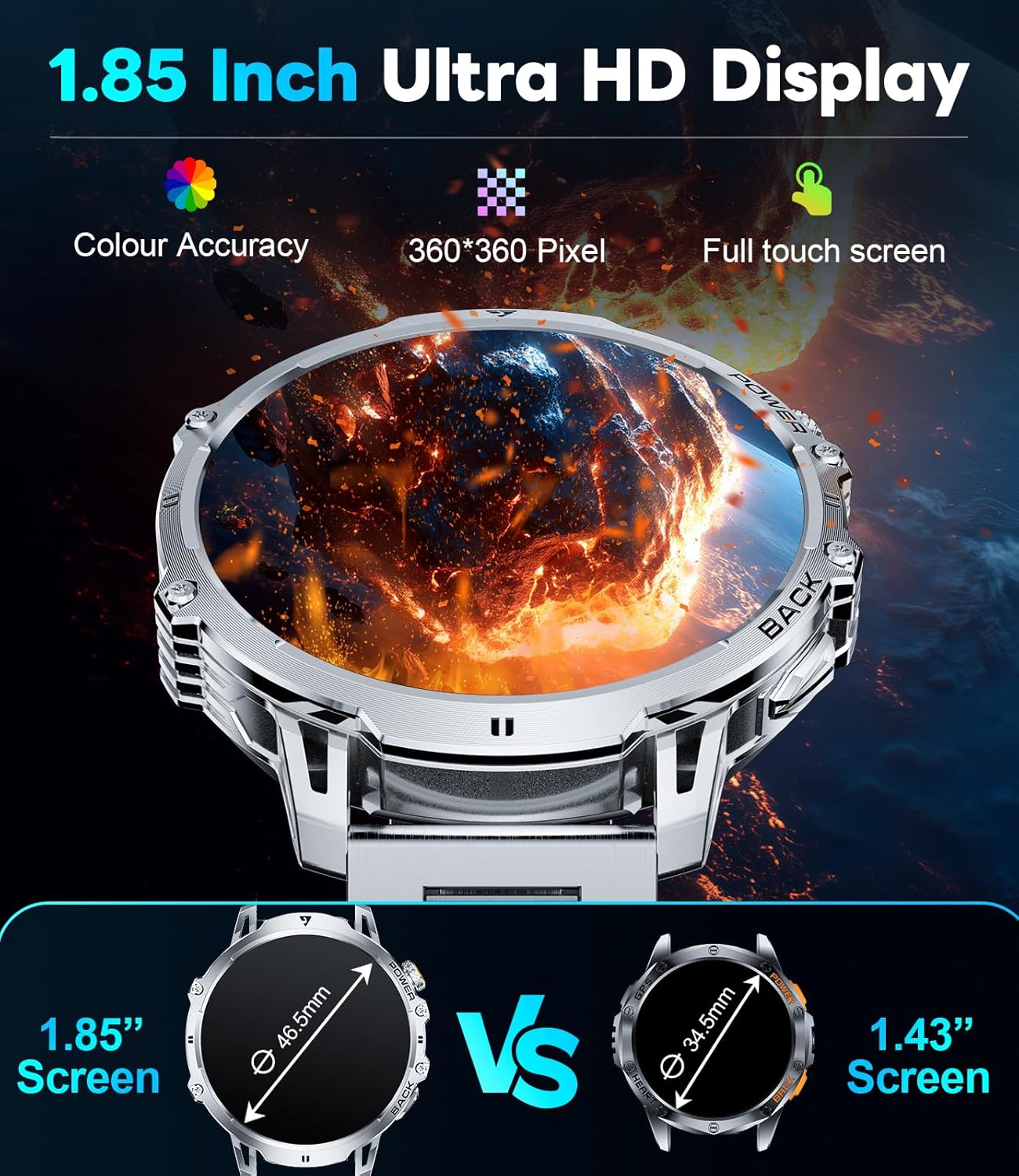
Figure 5: The 1.85-inch Ultra HD Display provides excellent clarity and touch responsiveness.
2. Bluetooth Calls and Notifications
Once paired with your phone, you can make and receive calls directly from your watch and get real-time notifications.
- Making Calls: Access the dial pad or contacts list on the watch to initiate calls.
- Receiving Calls: Answer or reject incoming calls directly from the watch screen.
- Notifications: SMS, WhatsApp, and other app notifications will appear on your watch. Ensure app permissions are granted in the FitCloudPro app.
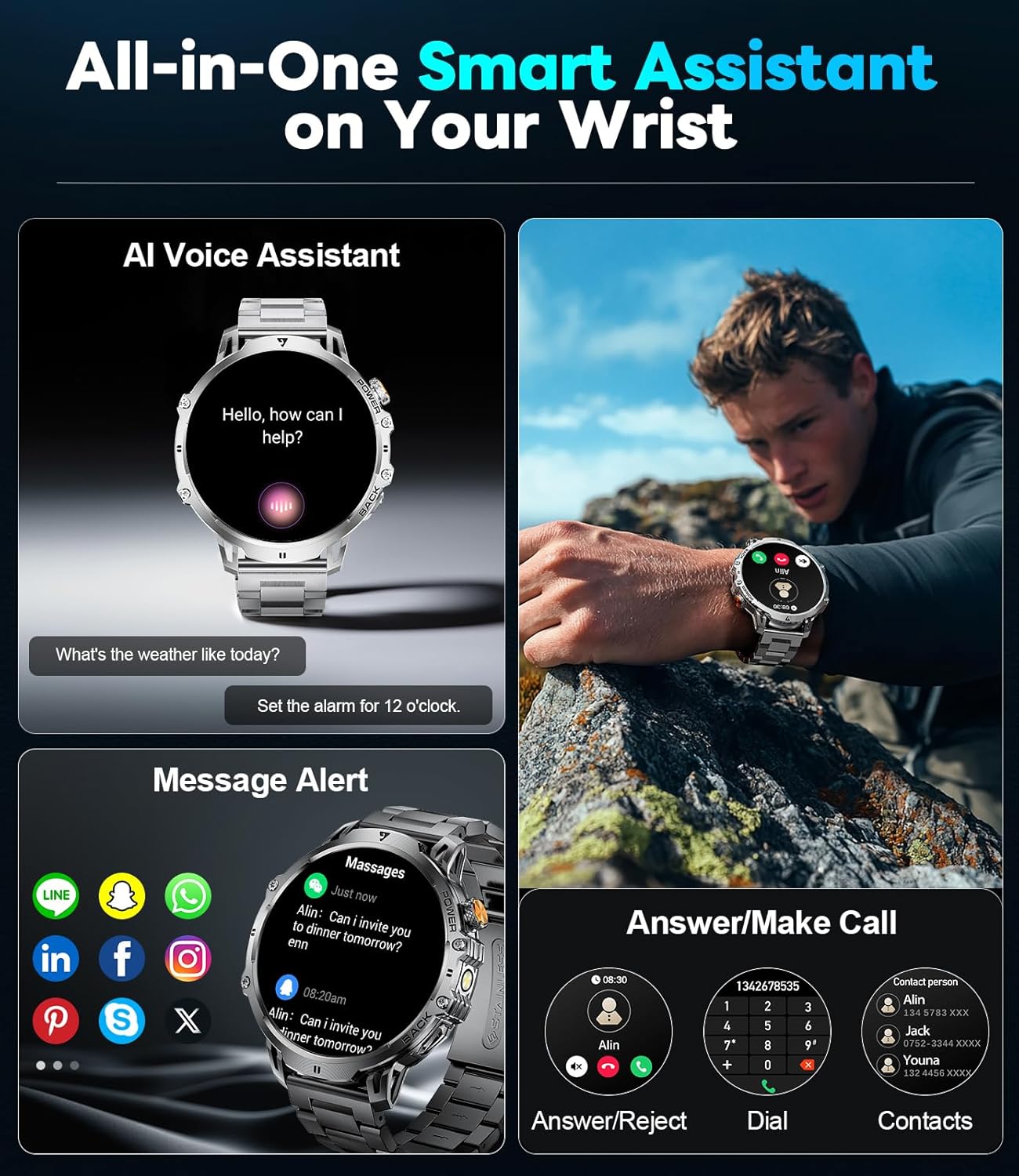
Figure 6: Smart Assistant features including AI voice, message alerts, and call management.
3. Health Monitoring
The EF13 smartwatch continuously monitors your health metrics.
- Heart Rate: Real-time heart rate tracking is available. View your current heart rate and historical data in the app.
- Blood Oxygen (SpO2): Monitor your blood oxygen levels.
- Sleep Quality: The watch tracks your sleep patterns, including deep sleep, light sleep, and awake time. Review detailed sleep analysis in the FitCloudPro app.
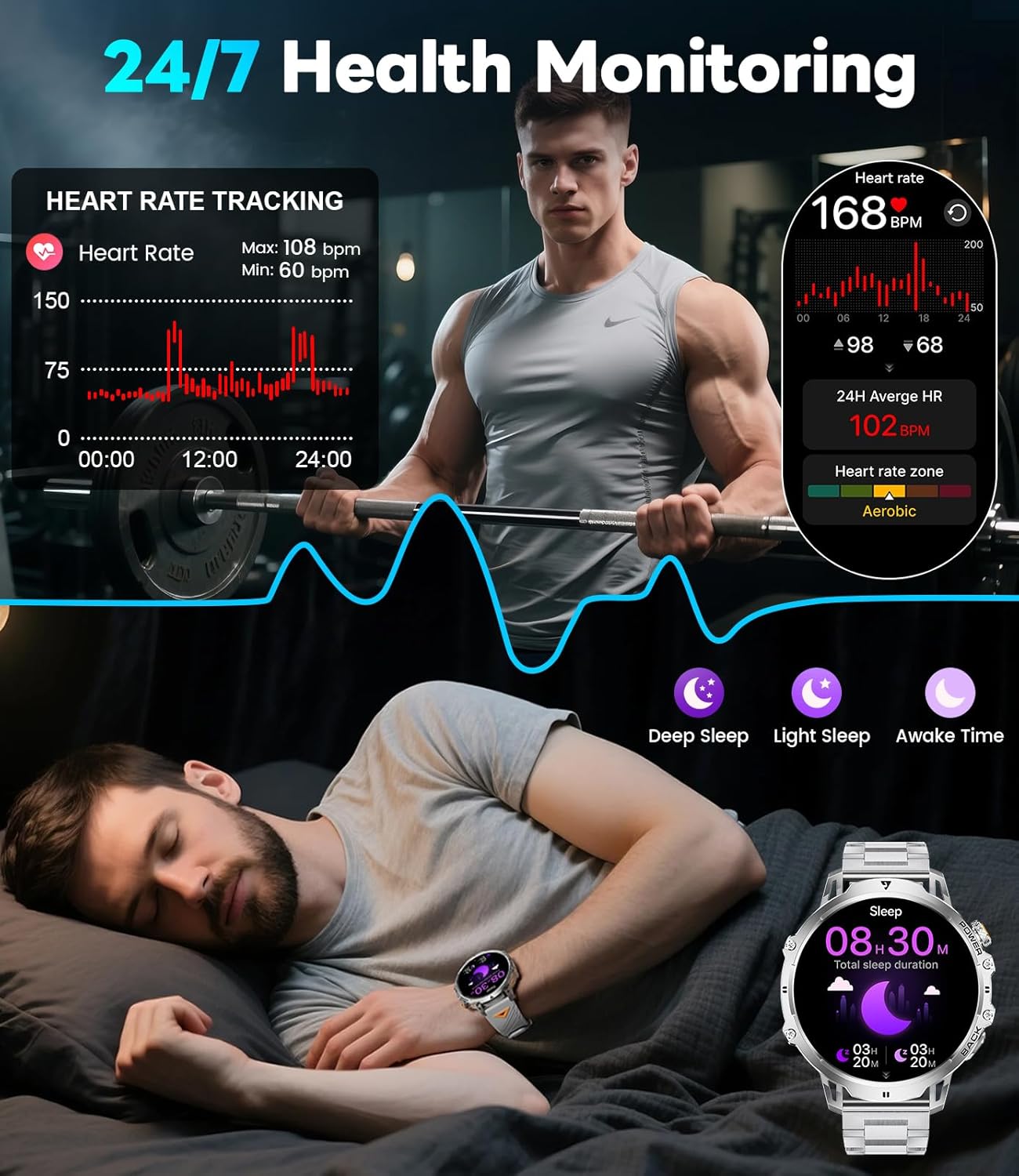
Figure 7: 24/7 Health Monitoring features, including heart rate and sleep tracking.
4. Sports Modes
With over 110 sports modes, the watch can track various activities, providing data on steps, distance, calories burned, and heart rate during exercise.
- Access the sports mode menu on the watch.
- Select your desired activity (e.g., Running, Cycling, Swimming).
- Start the activity, and the watch will begin tracking.
- End the activity to save your workout data.

Figure 8: The smartwatch supports over 100 sports modes for comprehensive fitness tracking.
5. Built-in LED Flashlight
The smartwatch includes a convenient built-in LED flashlight. To activate, typically swipe down from the main watch face to access quick settings and tap the flashlight icon, or refer to the watch's specific interface for activation.

Figure 9: The powerful LED flashlight integrated into the smartwatch.
6. Other Practical Features
Your LIGE Smart Watch offers a variety of additional features:
- Music Control: Control music playback on your connected smartphone.
- Stopwatch: A precise stopwatch for timing activities.
- Find Phone: Locate your misplaced smartphone by making it ring.
- Weather Forecast: Get real-time weather updates.
- Calculator: A basic calculator for quick computations.
- Alarm Clock: Set alarms directly from your wrist.
- Camera Control: Remotely trigger your phone's camera shutter.
- AI Voice Assistant: Interact with your phone's voice assistant through the watch.
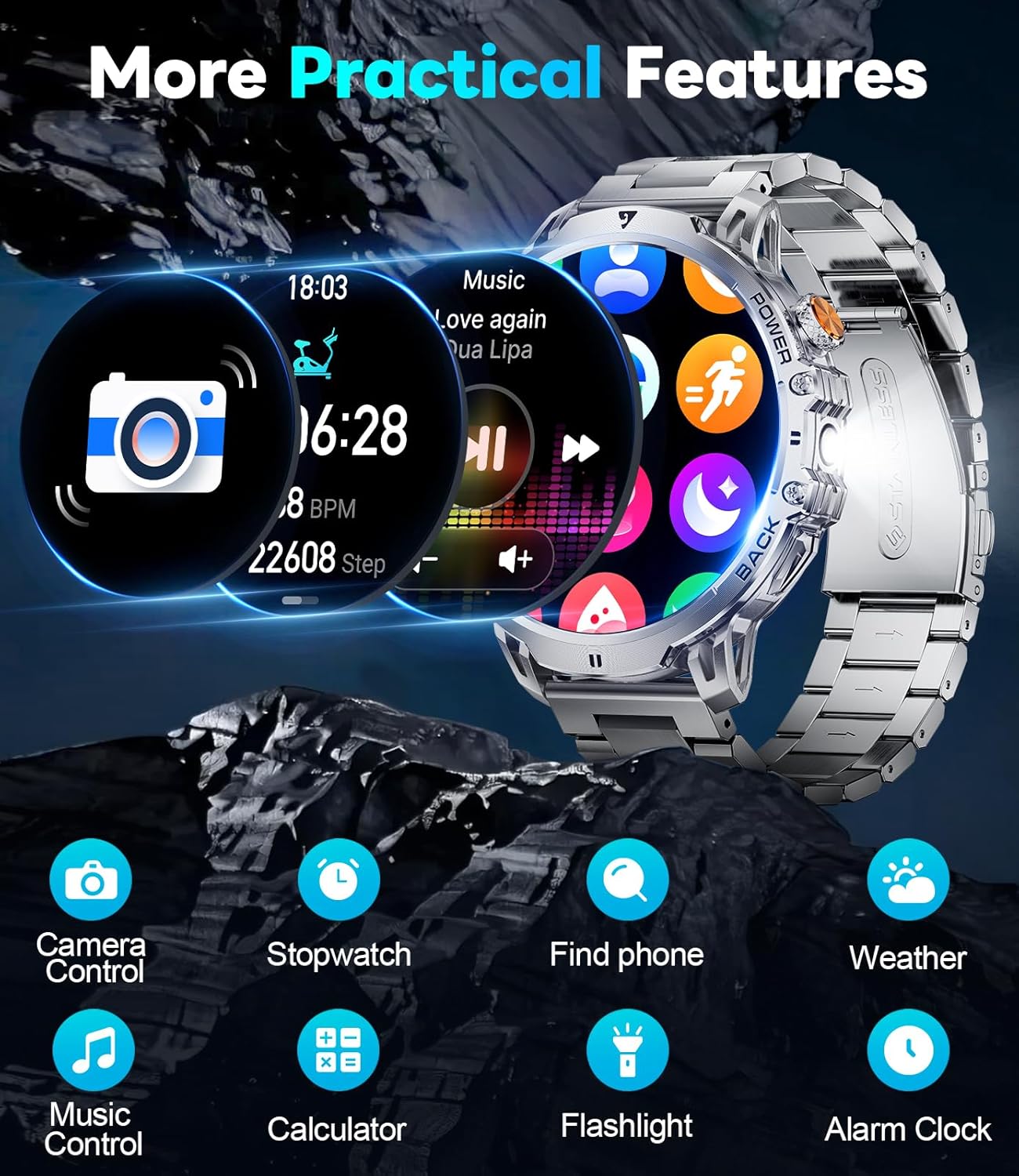
Figure 10: Overview of additional practical features available on the smartwatch.
7. Watch Faces
Customize your watch's appearance with a wide selection of watch faces available through the FitCloudPro app. You can also create custom watch faces using your own photos.
Maintenance
1. Waterproof Rating
The LIGE Smart Watch is IP68 waterproof, meaning it is resistant to dust and can withstand immersion in water up to 1.5 meters for 30 minutes. It is suitable for daily use, hand washing, and light rain. However, it is not recommended for hot showers, saunas, or diving, as steam and hot water can damage the seals.
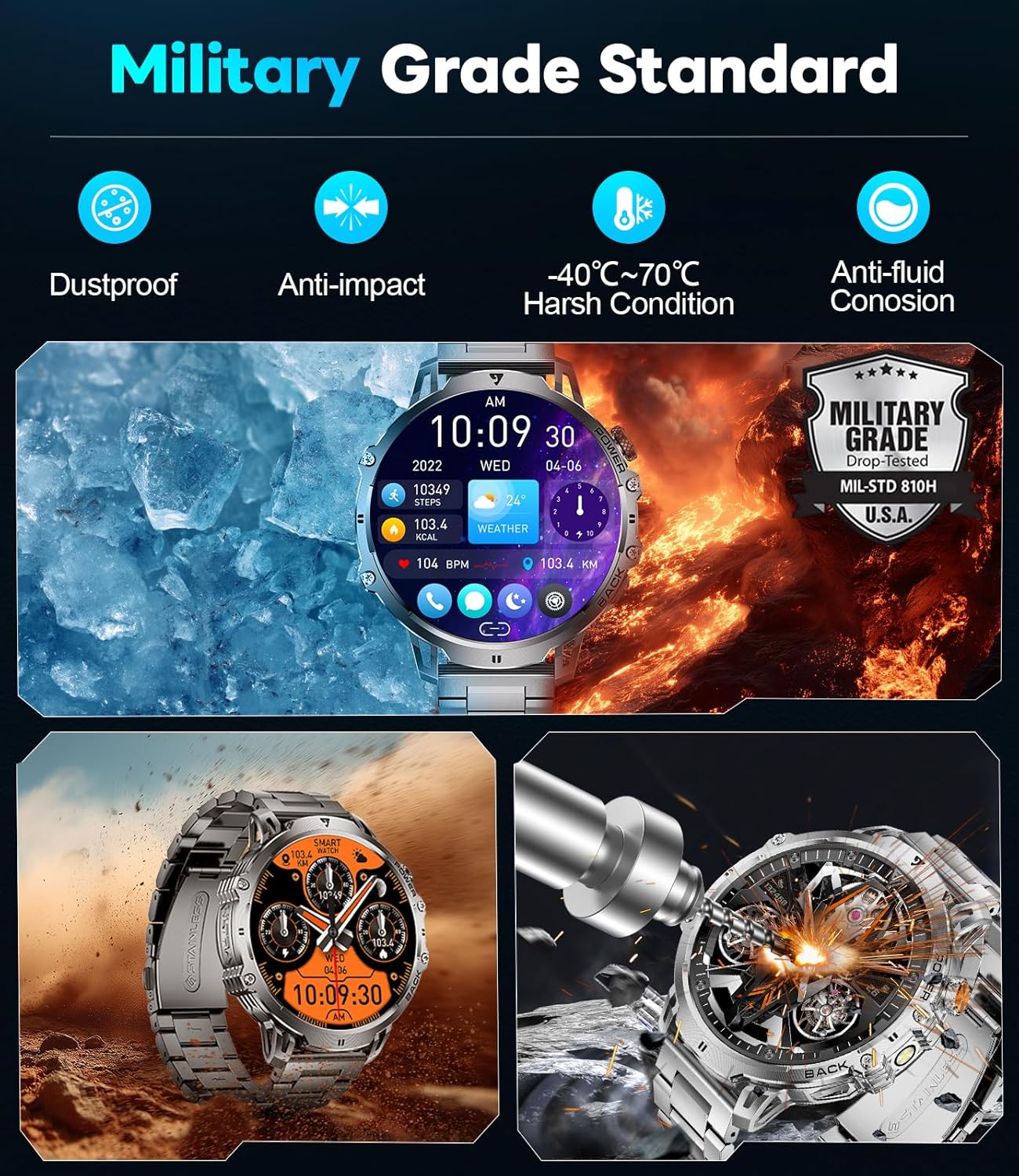
Figure 11: The smartwatch meets Military Grade Standard for durability.
2. Cleaning and Care
- Wipe the watch and bands regularly with a soft, damp cloth.
- Avoid using harsh chemicals or abrasive cleaners.
- Ensure the charging contacts are clean and dry before charging.
3. Battery Care
- Avoid completely draining the battery frequently.
- Store the watch in a cool, dry place if not used for extended periods.
- Use only the provided charging cable.
Troubleshooting
If you encounter issues with your LIGE Smart Watch, try the following steps:
- Watch not turning on: Ensure the watch is fully charged.
- Cannot pair with phone:
- Ensure Bluetooth is enabled on your phone.
- Make sure the watch is within Bluetooth range (approx. 10 meters).
- Restart both the watch and your phone.
- Check if the FitCloudPro app has all necessary permissions.
- Notifications not appearing:
- Verify notification permissions in the FitCloudPro app and your phone's settings.
- Ensure the app is running in the background.
- Inaccurate health data: Ensure the watch is worn snugly on your wrist, not too tight or too loose.
For further assistance, please refer to the "Reliable Service" section.
Specifications
| Feature | Detail |
|---|---|
| Model Number | EF13-F |
| Display Size | 1.85 Inches |
| Display Resolution | 360x360 pixels |
| Battery Capacity | 1000 mAh Lithium Polymer |
| Battery Life (Normal Use) | Up to 19 Days |
| Standby Time | Up to 65 Days |
| Waterproof Rating | IP68 |
| Connectivity | Bluetooth |
| Operating System Compatibility | Android 4.4+ and iOS 8.0+ |
| Memory Storage Capacity | 256 MB |
| Item Weight | 8 ounces |
Warranty and Support
LIGE is committed to ensuring your satisfaction. If you have any questions, require technical support, or encounter any issues with your LIGE Smart Watch, please do not hesitate to contact our customer service team. We are dedicated to providing reliable service and a pleasant experience.
For contact information, please refer to the packaging or the official LIGE website.
Related documentsEF13-F


Ask a question about this manual
Ask about setup, troubleshooting, compatibility, parts, safety, or missing instructions. Manuals+ will review the question and use this page’s manual context to help answer it.