
1. Introduction
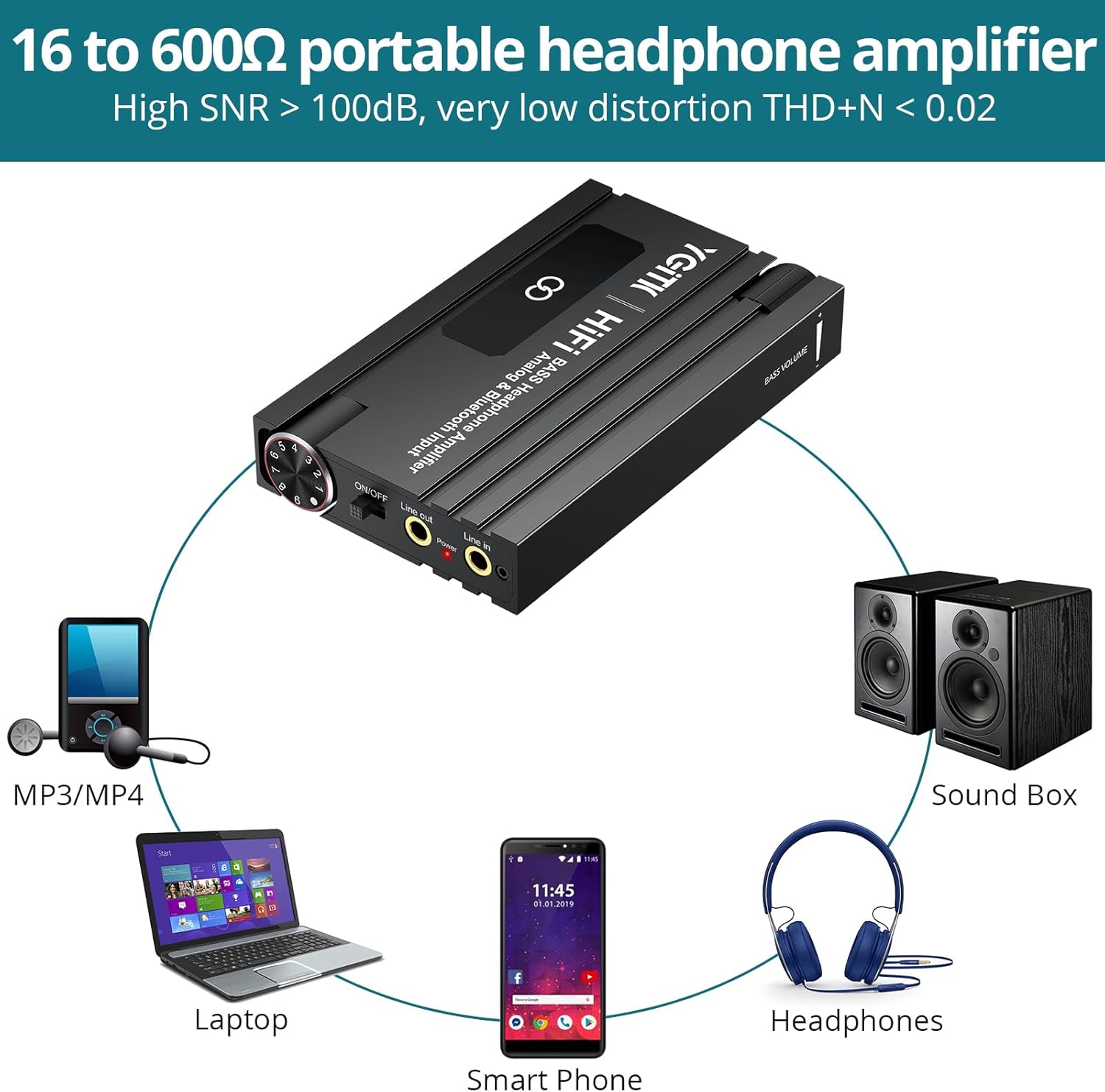
The YGiTK KTY044EU is a professional portable Bluetooth headphone amplifier designed to enhance your audio experience. It supports headphones with an impedance range of 16-600Ω, delivering clear, detailed, and powerful sound. Featuring both Bluetooth wireless and 3.5mm wired connectivity, a bass boost function, and a rechargeable battery, this amplifier offers versatility and high-fidelity audio on the go.
This manual provides detailed instructions for setting up, operating, and maintaining your YGiTK KTY044EU headphone amplifier.
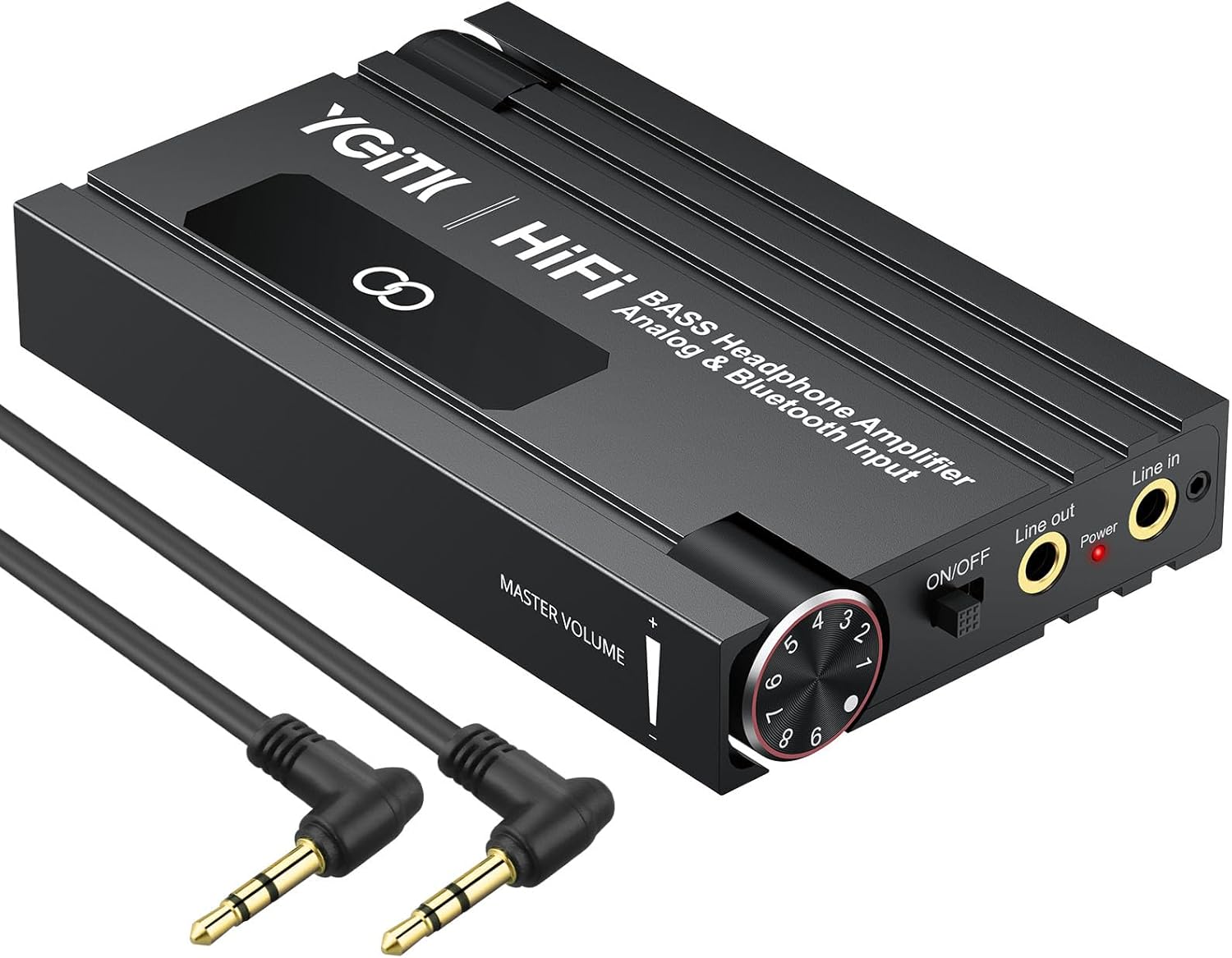
2. Package Contents
Please check the package for the following items:
- YGiTK KTY044EU Bluetooth Headphone Amplifier
- USB Type-C Charging Cable
- 3.5mm Audio Cable (coiled)
- User Manual

3. Product Overview
The YGiTK KTY044EU amplifier features a compact design for portability and ease of use. It includes various controls and ports for audio input, output, and power management.

3.1 Controls and Indicators
- Master Volume Knob: Adjusts the overall output volume.
- Bass Volume Knob: Adjusts the intensity of the bass frequencies.
- Power Switch (ON/OFF): Turns the amplifier on or off.
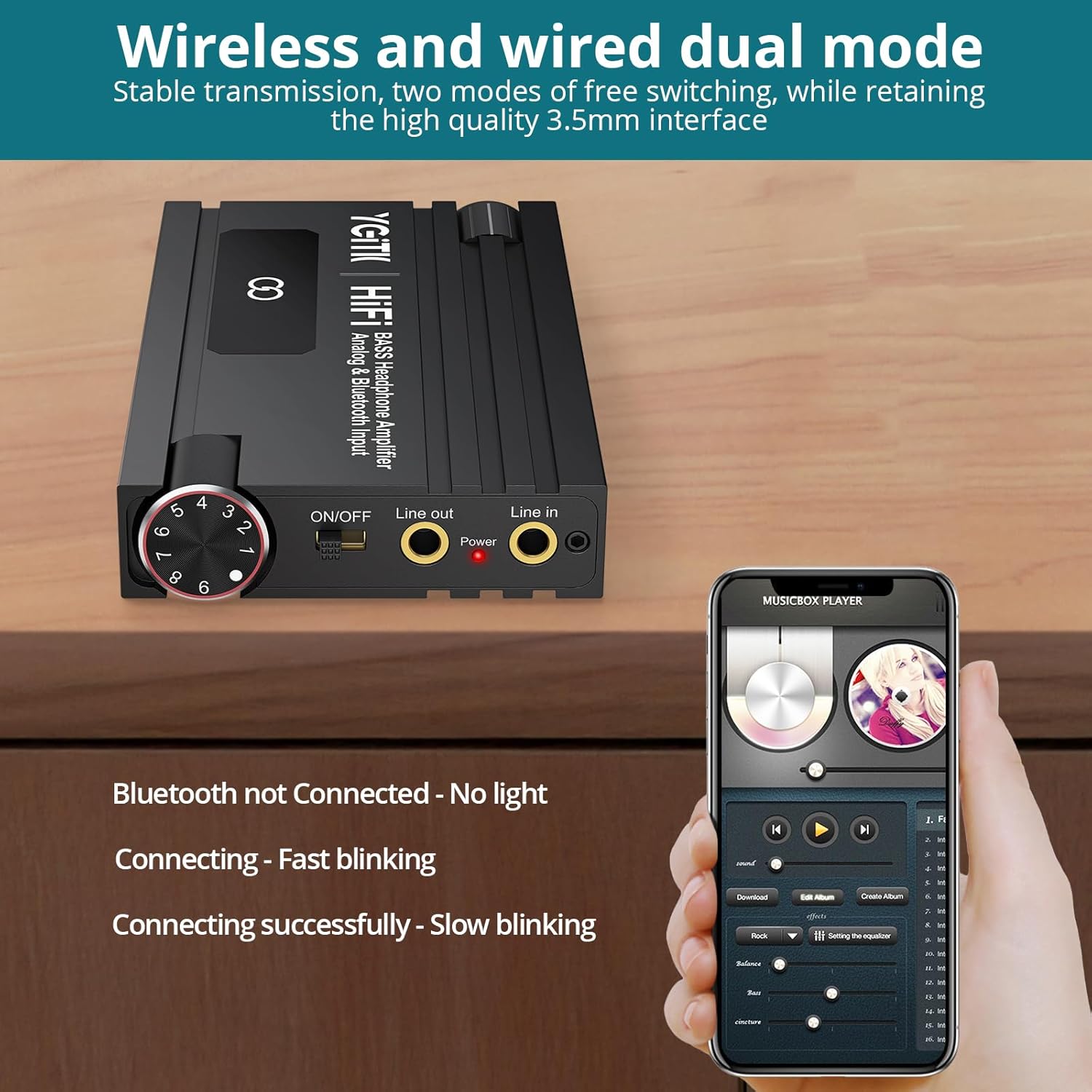
- Power Indicator: Illuminates when the device is powered on.
- Charge Indicator: Illuminates during charging.
- Gain Switch (L-GAIN-H): Selects between low and high gain settings for different headphone impedances or input signal strengths.
3.2 Ports
- Line In (3.5mm): Connects to audio sources (e.g., phone, MP3 player, computer).
- Line Out (3.5mm): Connects to headphones.
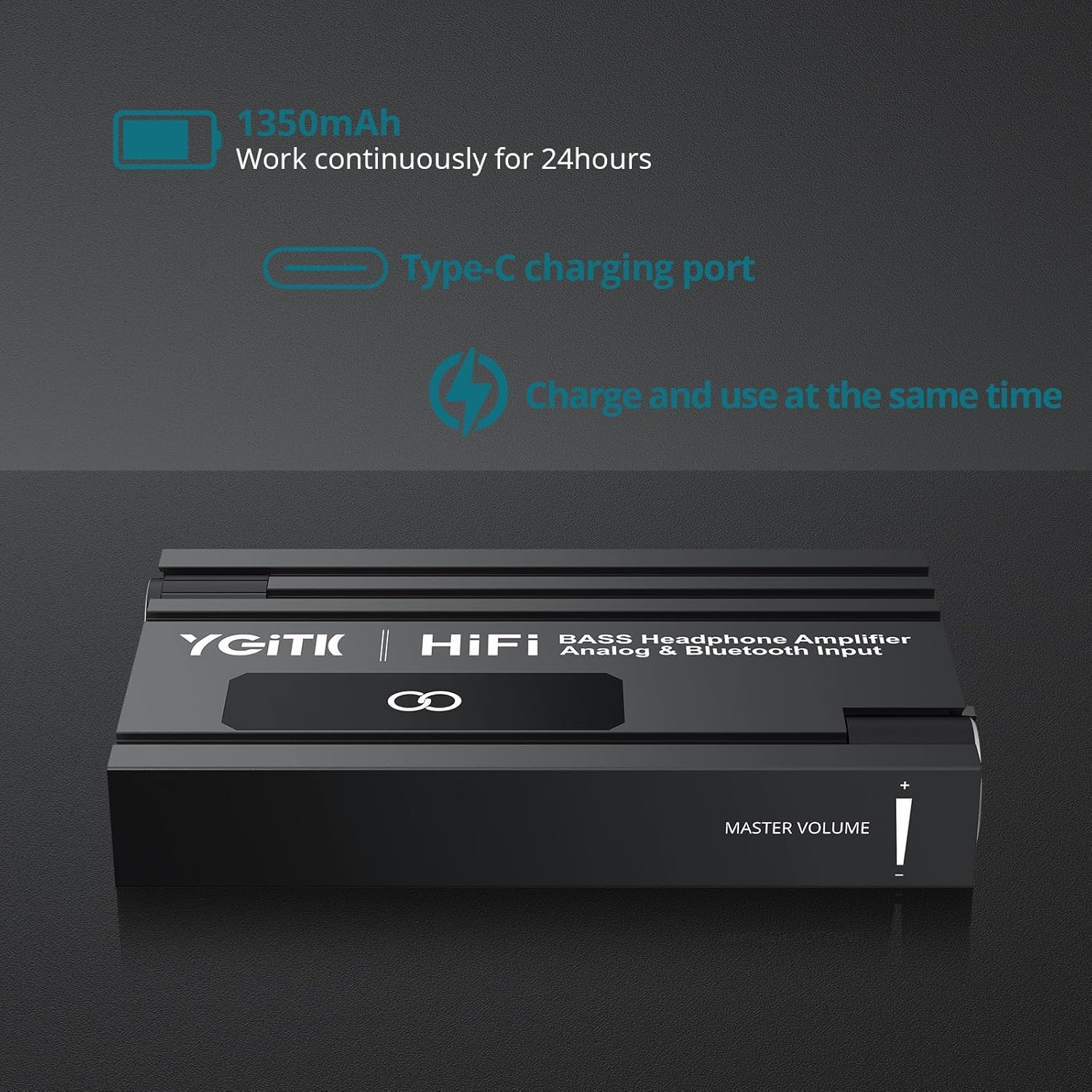
- Type-C Charging Port (DC 5V): For charging the internal battery.

4. Setup
4.1 Charging the Amplifier
The amplifier is powered by a built-in 1350mAh rechargeable lithium-ion battery, providing 8 to 10 hours of continuous use. Before first use, fully charge the device.
- Connect the supplied USB Type-C charging cable to the amplifier's Type-C charging port.
- Connect the other end of the USB cable to a 5V USB power adapter (not included) or a computer's USB port.
- The Charge Indicator light will illuminate during charging. It will turn off or change color (depending on the model) when fully charged.
Note: It is not recommended to use the amplifier while it is charging, as power interference may occur, potentially resulting in audible noise.
4.2 Initial Connection (Wired)
- Ensure the amplifier is turned off.
- Connect your audio source (e.g., smartphone, MP3 player, computer) to the amplifier's Line In (3.5mm) port using the provided 3.5mm audio cable.
- Connect your headphones to the amplifier's Line Out (3.5mm) port.
- Turn on the amplifier using the Power Switch. The Power Indicator will illuminate.
- Adjust the Master Volume Knob to a low setting before playing audio to prevent sudden loud sounds.
5. Operation
5.1 Wired Mode
After completing the initial wired connection as described in Section 4.2:
- Ensure the amplifier is powered on.
- Start playing audio from your connected source device.
- Slowly adjust the Master Volume Knob on the amplifier to your desired listening level.
- Use the Bass Volume Knob to adjust the bass intensity according to your preference.
- If your headphones require more power or the audio signal is weak, you can use the Gain Switch to toggle between low (L) and high (H) gain settings.
5.2 Bluetooth Wireless Mode
The amplifier features Bluetooth connectivity for wireless audio streaming.
- Ensure the amplifier is powered on.
- The amplifier will automatically enter Bluetooth pairing mode. The Bluetooth indicator light will blink rapidly.
- On your Bluetooth-enabled device (e.g., phone, tablet), search for available Bluetooth devices.
- Select "BT_AMP" from the list of devices to connect.
- Once connected, the Bluetooth indicator light will blink slowly.
- Play audio from your connected device. Adjust volume and bass using the amplifier's controls.
5.3 Adjusting Bass and Volume
The amplifier provides dedicated controls for both master volume and bass intensity.
- Master Volume Knob: Rotate clockwise to increase volume, counter-clockwise to decrease.
- Bass Volume Knob: Rotate clockwise to increase bass intensity, counter-clockwise to decrease. This allows for a richer and smoother bass performance.

6. Maintenance
6.1 Cleaning
To clean the amplifier, use a soft, dry cloth. Do not use liquid cleaners or solvents, as they may damage the finish or internal components.
6.2 Battery Care
- Avoid fully discharging the battery frequently.
- Store the device in a cool, dry place when not in use for extended periods.
- Charge the device at least once every three months to maintain battery health.
7. Troubleshooting
If you encounter issues with your YGiTK KTY044EU amplifier, please refer to the following common problems and solutions:
| Problem | Possible Cause | Solution |
|---|---|---|
| No sound output | Amplifier off; low volume; incorrect cable connection; discharged battery; incorrect gain setting. | Ensure amplifier is ON; increase Master Volume; check all cable connections; charge battery; adjust Gain Switch. |
| Distorted sound | Volume too high; poor cable connection; charging while in use; incompatible headphone impedance. | Reduce volume; check cable connections; avoid using while charging; ensure headphones are within 16-600Ω range. |
| Bluetooth connection fails | Amplifier not in pairing mode; device too far; interference; previously paired device. | Ensure amplifier is on and indicator is blinking rapidly; move device closer; restart amplifier and source device; clear previous Bluetooth connections on source device. |
| Battery not charging | Faulty cable; faulty power adapter; charging port issue. | Try a different USB Type-C cable; use a different 5V USB power adapter; contact support if issue persists. |
8. Specifications
| Feature | Detail |
|---|---|
| Model | KTY044EU |
| Brand | YGiTK |
| Headphone Impedance Range | 16-600Ω |
| Connectivity | Bluetooth Wireless, 3.5mm Aux In/Out |
| Signal-to-Noise Ratio (SNR) | >100dB |
| Total Harmonic Distortion + Noise (THD+N) | 0.0003% |
| Battery Capacity | 1350mAh Lithium-ion |
| Battery Life | 8-10 hours (approx.) |
| Charging Port | USB Type-C (DC 5V) |
| Product Dimensions | 10.3 x 6.3 x 1.7 cm (4.06 x 2.48 x 0.67 inches) |
| Item Weight | 209 g |
9. Warranty and Support
For warranty information or technical support, please refer to the contact details provided with your purchase documentation or visit the official YGiTK website. Keep your proof of purchase for any warranty claims.