
1. Introduction
Thank you for choosing the BXLIYER Android 14 Car Stereo. This manual provides detailed instructions for the installation, operation, and maintenance of your new multimedia system. Please read this manual thoroughly before use to ensure proper functionality and to maximize your user experience. This unit is designed for FIAT Doblo (2010-2015) and Opel Combo (2011-2018) vehicles.
2. Safety Information
Always prioritize safety. Do not operate the device in a way that distracts you from driving. Ensure all wiring is correctly connected to prevent short circuits or damage. Professional installation is recommended. Keep the unit away from water and extreme temperatures. Do not attempt to disassemble or repair the unit yourself.
3. Package Contents
Verify that all items are present in the package:
- BXLIYER Car Radio Unit
- Accessories (various cables and connectors)
- Frame Kit (for vehicle specific fit)
- User Manual (this document)
- Power Cable
- Rear View Camera
4. Product Overview
The BXLIYER Android 14 Car Stereo offers a premium in-car entertainment and navigation experience. Featuring a 9-inch touchscreen, it integrates seamlessly with your vehicle's dashboard. Key features include Android 14 operating system, a T3 Quad Core Cortex-A7 CPU, 2GB RAM, and 32GB ROM for smooth performance. It supports a wide range of functionalities such as CarPlay, Android Auto, Bluetooth 5.0, DAB+ radio, GPS navigation, Mirror Link, and more.
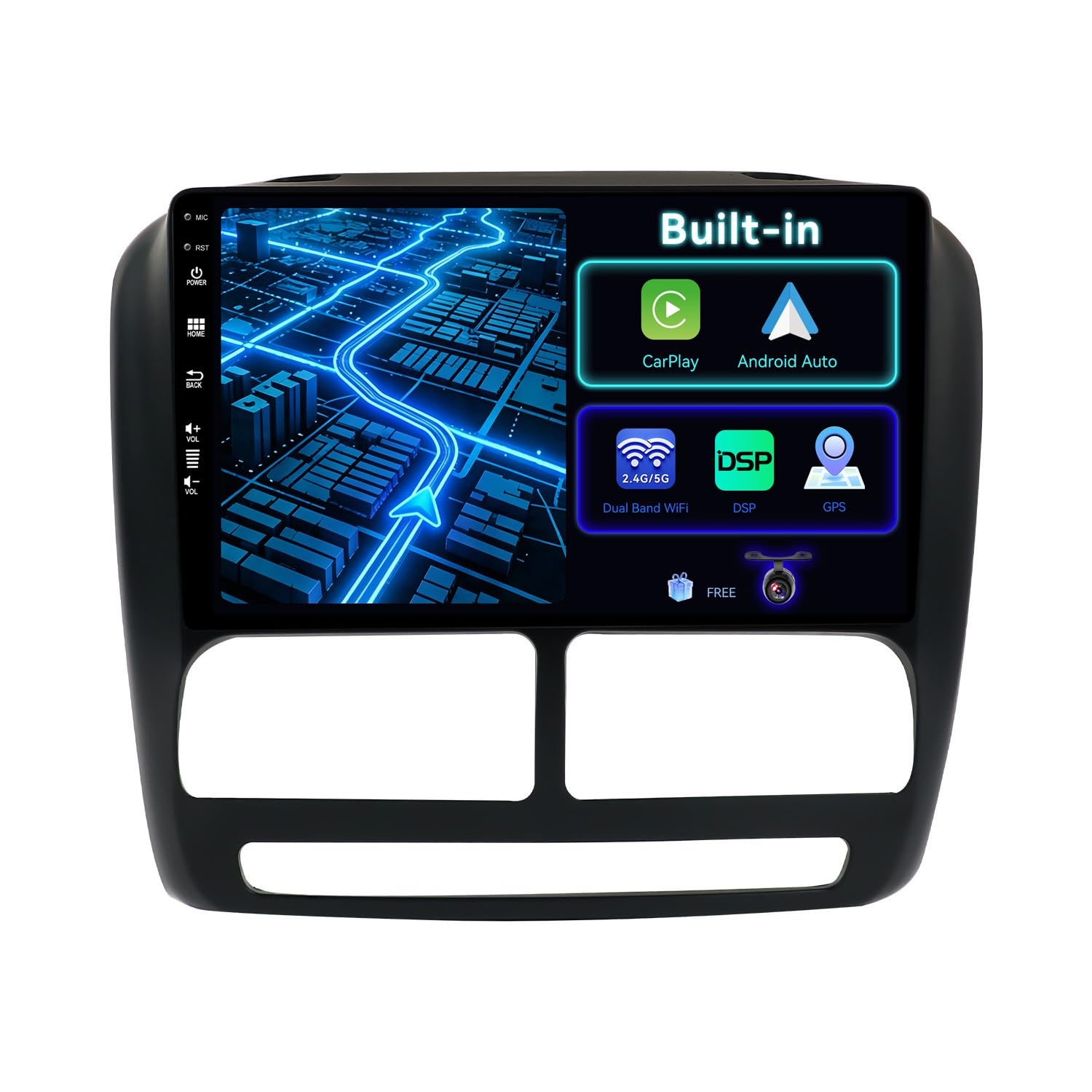
Image: BXLIYER Android 14 Car Stereo installed in a dashboard, highlighting its multi-function capabilities including CarPlay, Android Auto, Dual Band WiFi, GPS, DSP, and Steering Wheel Control.
5. Setup and Installation
This section provides general guidelines for installing your car stereo. Due to variations in vehicle models, professional installation is highly recommended. Ensure the vehicle's power is disconnected before beginning installation.
5.1 Pre-Installation Check
Before installation, confirm the unit fits your vehicle's dashboard. For FIAT Doblo (2010-2015) and Opel Combo (2011-2018), the provided frame kit should ensure a proper fit.
5.2 Wiring Connections
Connect the power cable, speaker wires, and other accessory cables (e.g., GPS antenna, USB, rear camera input) according to the included wiring diagram. Ensure all connections are secure to prevent intermittent issues.
5.3 Mounting the Unit
Carefully insert the car stereo into the dashboard opening, securing it with the provided mounting brackets and screws. Reassemble the dashboard trim.

Image: Visual comparison of a car dashboard before and after the installation of the BXLIYER Android Car Stereo, illustrating the integrated look and enhanced functionality.
5.4 Initial Power On
After installation, reconnect the vehicle's power. The system features a fast boot time, typically starting in less than 2 seconds. Follow any on-screen prompts for initial setup.
6. Operating Instructions
This section details how to use the various functions of your BXLIYER car stereo.
6.1 Basic Controls and Android System Navigation
The unit operates on Android 14, providing a familiar smartphone-like interface. Navigate using the touchscreen. Swipe, tap, and pinch to control apps and settings. You can customize the user interface with various themes.
6.2 CarPlay and Android Auto
Integrated Apple CarPlay and Android Auto allow seamless smartphone integration. Connect your compatible smartphone via USB or wirelessly (if supported by your phone) to access navigation, music, calls, and messages directly from the car stereo's screen. Use voice control for hands-free operation.

Image: The car stereo screen showing the integrated CarPlay or Android Auto interface, with a smartphone connected, enabling access to phone functions.
6.3 Bluetooth 5.0 Connectivity
Pair your smartphone via Bluetooth 5.0 for hands-free calling, audio streaming, and phonebook access. The advanced Bluetooth technology ensures stable and fast data transmission.
6.4 Radio (AM/FM/DAB+)
The unit supports AM/FM radio with RDS. For digital radio, it supports DAB+ (Digital Audio Broadcasting Plus). A separate DAB+ adapter (e.g., B083Q7YG4F) is required for DAB+ functionality, offering CD-quality sound and silent transmission.

Image: The car stereo's display showing the DAB+ radio interface, indicating support for digital audio broadcasting with clear station details.
6.5 GPS Navigation
Utilize online or offline GPS navigation applications. The system supports 3D maps and voice guidance to help you reach your destination efficiently.
6.6 Mirror Link
Mirror your smartphone's screen to the car stereo display via USB cable or Wi-Fi connection. This allows you to view and control your phone's content directly on the larger car screen.
6.7 Split Screen Mode
Run two applications simultaneously side-by-side on the screen. For example, you can have navigation open on one side and a music player like Spotify on the other, enhancing multitasking capabilities.

Image: The car stereo operating in split-screen mode, displaying a navigation application concurrently with a music playback interface.
6.8 Rear Camera Function
The included rear view camera automatically displays the rear view on the screen when the vehicle is put into reverse gear, assisting with safe parking and maneuvering.
6.9 OBD2 Connectivity
The unit supports OBD2 (On-Board Diagnostics II) functionality. Connect a compatible OBD2 scanner (most Bluetooth and Wi-Fi OBD2 scanners are supported) to view real-time vehicle data and trouble codes using applications like Torque.
6.10 Wi-Fi / 4G Connectivity
With a built-in Wi-Fi modem and support for 4G connectivity (requires a compatible SIM card and modem, not included), you can access the internet, download apps, and stream content directly on the unit.
6.11 Steering Wheel Control
Connect the unit to your vehicle's steering wheel controls to conveniently manage functions like track changes, volume adjustments, and call handling without taking your hands off the wheel, enhancing driving safety.
6.12 Language & Multicolor Illumination
Customize the system language (supports up to 196 languages) and adjust the button illumination colors to match your vehicle's interior or personal preference.
7. Maintenance
7.1 Cleaning
Use a soft, dry cloth to clean the screen and unit. Avoid abrasive cleaners or solvents that could damage the surface.
7.2 Software Updates
Periodically check for software updates to ensure optimal performance and access to new features. Updates can typically be downloaded via Wi-Fi or USB.
8. Troubleshooting
If you encounter issues, refer to the following common problems and solutions:
- No Power: Check all power connections and the vehicle's fuse box.
- No Sound: Verify speaker connections and volume settings. Ensure the mute function is not active.
- Poor Radio Reception: Check the antenna connection. For DAB+, ensure the adapter is correctly installed and an external antenna is used.
- GPS Not Working: Ensure the GPS antenna is properly connected and has a clear view of the sky. Check GPS settings in the system.
- Bluetooth Pairing Issues: Ensure Bluetooth is enabled on both the car stereo and your smartphone. Delete previous pairings and try again.
- Touchscreen Unresponsive: Try restarting the unit. If the issue persists, a factory reset might be necessary (note: this will erase all user data).
For persistent issues, contact customer support.
9. Specifications
| Feature | Specification |
|---|---|
| Operating System | Android 14 |
| CPU | T3 Quad Core Cortex-A7 |
| RAM | 2GB DDR3 |
| ROM | 32GB |
| Audio Output | 4*50W Max |
| Bluetooth Version | 5.0 |
| Connectivity | Bluetooth, Wi-Fi, 4G (external modem required) |
| Special Functions | Touch Screen, CarPlay, Android Auto, DAB+ (adapter required), Mirror Link, Split Screen, GPS, Rear Camera Input, OBD2 Support, Steering Wheel Control |
| Compatible Devices | Speakers, Smartphones (iOS/Android), OBD2 Scanners |
| Product Weight | 2.3 kg |
| Package Dimensions | 26 x 20 x 17 cm |
| Model Number | BXLIYER-5449-H04-BXF |
| Country of Origin | China |
10. Warranty and Support
10.1 Product Warranty
This BXLIYER car stereo comes with a 2-year warranty from the date of purchase. This warranty covers manufacturing defects and malfunctions under normal use. It does not cover damage caused by improper installation, misuse, accidents, or unauthorized modifications.
10.2 Customer Support
If you have any questions, require technical assistance, or need to claim warranty service, please contact your retailer or the BXLIYER customer support team. Refer to your purchase documentation for specific contact details.