Product Overview
The SIXTHGU S03 5000mAh Mini Portable Charger is a compact and lightweight power bank designed for convenient on-the-go charging. It features fast charging capabilities and a built-in LED flashlight, making it a versatile accessory for various devices.
- Ultra-Compact Design: Small and lightweight, easily fits into pockets, purses, or bags for short travels.
- Fast Charging: Delivers up to 5V/3A for quick charging of compatible devices.
- Wide Compatibility: Compatible with iPhone Series, Samsung Series, Android phones, earphones, and other small USB devices.
- Built-in Flashlight: Features an LED flashlight for emergency use. Long press the power button for 3 seconds to activate.
- Dual-Port Charging: Supports both USB-A and USB-C ports for charging flexibility.

Figure 1: The SIXTHGU S03 portable charger demonstrating its compact size compared to a smartphone and lipstick.

Figure 2: Charging capacity examples for various devices with the SIXTHGU S03 portable charger.
Setup
1. Charging the Power Bank
Before initial use, fully charge your SIXTHGU S03 portable charger. Use a compatible USB-C cable (included) and connect it to a power adapter (not included) or a computer's USB port.
- Connect the USB-C end of the cable to the Input/Output USB-C port on the power bank.
- Connect the other end of the cable to a power source.
- The LED indicator lights on the power bank will illuminate to show the charging status. Four solid lights indicate a full charge.
2. Checking Battery Level
To check the remaining battery level of the power bank, briefly press the power button located on the side. The LED indicator lights will show the current charge level:
- One light: 0-25% charge
- Two lights: 25-50% charge
- Three lights: 50-75% charge
- Four lights: 75-100% charge
Operating Instructions
1. Charging Your Devices
The SIXTHGU S03 portable charger can charge devices via its USB-A or USB-C port.
- Connect your device's charging cable to the appropriate port (USB-A or USB-C) on the power bank.
- Connect the other end of the cable to your device.
- The power bank will automatically begin charging your device. If it does not, briefly press the power button.
- The LED indicator lights will show the power bank's remaining charge during the charging process.

Figure 3: Fast charging a smartphone using the SIXTHGU S03 portable charger's USB-C port.
2. Using the Flashlight
The power bank includes a built-in LED flashlight for convenience.
- To turn on the flashlight, press and hold the power button for 3 seconds.
- To turn off the flashlight, press and hold the power button for 3 seconds again.

Figure 4: The multifunctionality of the SIXTHGU S03, including its use as a flashlight.
Maintenance
To ensure the longevity and optimal performance of your portable charger, follow these maintenance guidelines:
- Storage: Store the power bank in a cool, dry place away from direct sunlight and extreme temperatures.
- Cleaning: Use a soft, dry cloth to clean the exterior of the power bank. Do not use harsh chemicals or abrasive materials.
- Avoid Drops: Protect the device from drops and impacts, which can damage internal components.
- Regular Charging: If not used for extended periods, charge the power bank at least once every three months to maintain battery health.
Troubleshooting
If you encounter issues with your SIXTHGU S03 portable charger, refer to the following common problems and solutions:
| Problem | Possible Cause | Solution |
|---|---|---|
| Power bank not charging | Low battery, faulty cable, or power source issue. | Ensure the power bank is connected to a working power source with a functional USB-C cable. Check the power source with another device. |
| Device not charging from power bank | Power bank is depleted, cable issue, or device compatibility. | Check the power bank's battery level. Ensure your device's charging cable is securely connected and functional. Try a different cable or port. |
| Flashlight not turning on | Incorrect button press, or power bank is depleted. | Press and hold the power button for 3 seconds. Ensure the power bank has sufficient charge. |
Specifications
| Feature | Detail |
|---|---|
| Model Number | S03 |
| Battery Capacity | 5000 Milliamp Hours |
| Product Dimensions | 4.2 x 1 x 1 inches |
| Item Weight | 4.3 ounces |
| Connector Type | USB Type C (Input/Output), USB Type A (Output) |
| Special Features | Fast Charging, Flashlight, LED Indicator Lights, Lightweight, Pocket Size |
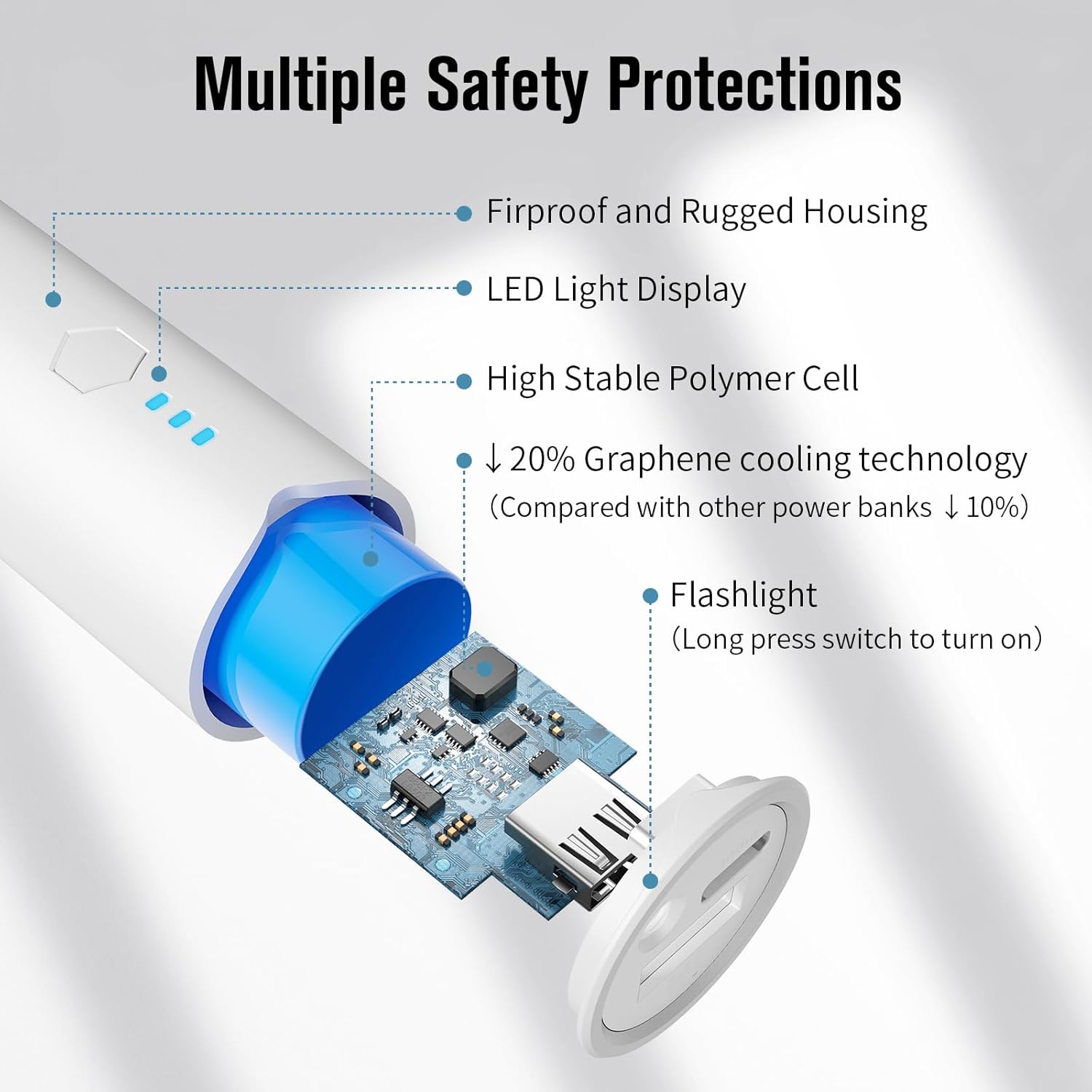
Figure 5: Internal components and safety features of the SIXTHGU S03 portable charger.
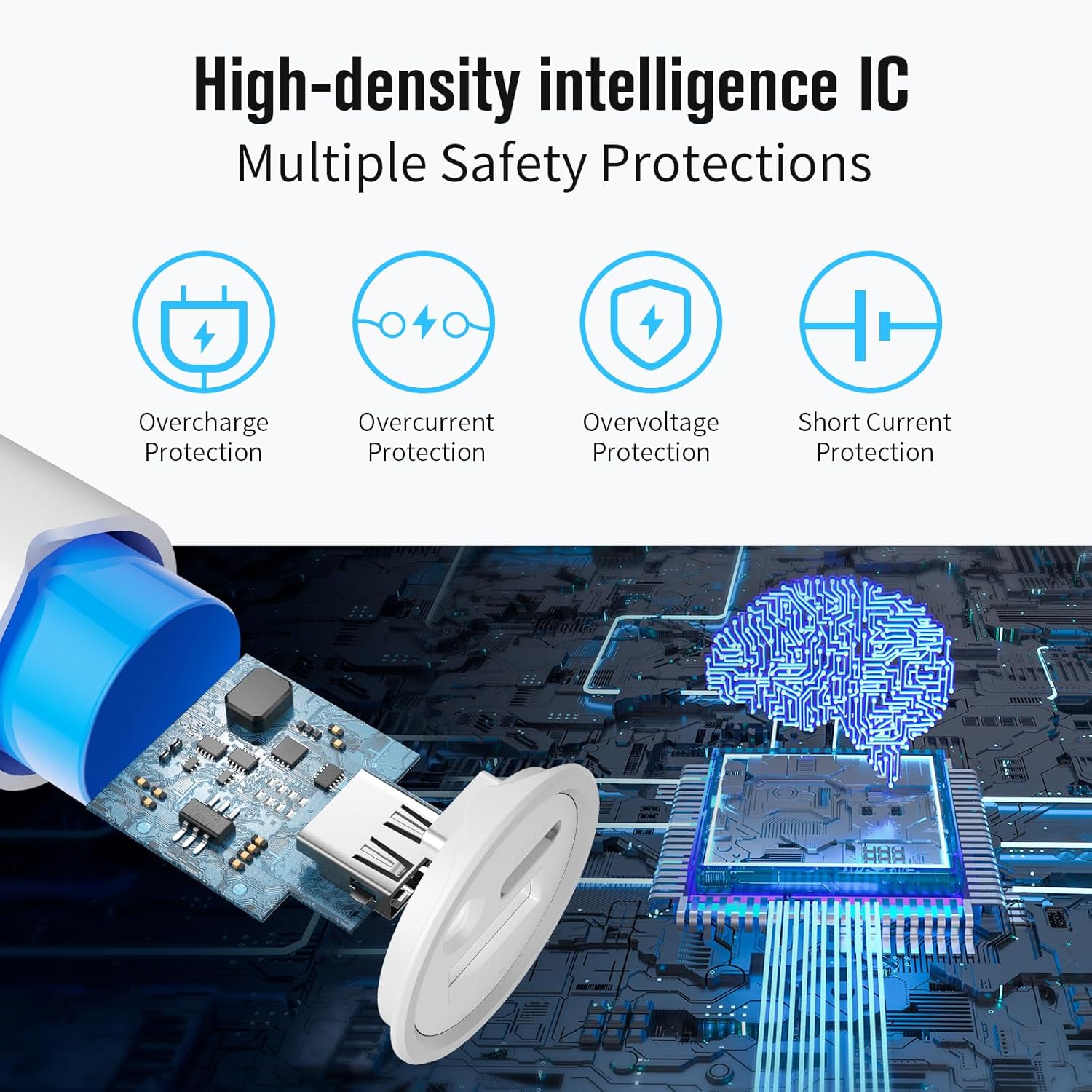
Figure 6: High-density intelligence IC providing multiple safety protections.
Warranty and Support
SIXTHGU products are designed for reliability and performance. For warranty information and customer support, please refer to the warranty card included with your product or visit the official SIXTHGU store online.
To activate your warranty or for further assistance, please visit: SIXTHGU Store


