1. Introduction
Welcome to the user manual for your hellibito Smart Watch Model B0FJ4NN67F. This device is designed to enhance your daily life with features including communication, comprehensive health monitoring, and fitness tracking. Please read this manual thoroughly to ensure proper use and optimal performance of your smart watch.

Image: hellibito Smart Watch, your daily health guard.
2. What's in the Box
Upon unpacking your hellibito Smart Watch, please verify that all the following items are included:
- Smart Watch
- Watch Band
- Charging Cable
- User Manual (this document)

Image: Product Size and Packaging, showing included accessories.
3. Setup
3.1 Charging the Device
Before initial use, fully charge your smart watch. Connect the provided charging cable to the watch's charging port and a USB power source. A full charge typically takes 2-3 hours. The watch has a 340mAh battery capacity, providing 5-8 days of use or over 20 days of standby time on a single charge.

Image: 340mAh Long Battery Life details.
3.2 App Installation and Pairing
To unlock the full functionality of your smart watch, you need to install the accompanying application on your smartphone. The watch is compatible with Android 5.0 and above, and iOS 10.0 and above.
- Download the App: Scan the QR code in the quick start guide or search for the designated app (e.g., "HBand" as mentioned in a review, or check the manual for the exact app name) in your phone's app store (Google Play Store for Android, Apple App Store for iOS).
- Create Account: Follow the on-screen instructions to create an account and set up your profile.
- Pair the Watch:
- Ensure Bluetooth is enabled on your smartphone.
- Open the app and navigate to the device pairing section.
- Select your hellibito Smart Watch from the list of available devices.
- Confirm the pairing request on both your phone and the watch.

Image: Wide Compatibility for iOS 10.0+ and Android 5.0+.
4. Operating Instructions
4.1 Basic Navigation
The hellibito Smart Watch features a 1.96" HD touchscreen for intuitive control. Swipe across the screen to navigate through menus and functions. Use the physical button(s) on the side for power on/off, returning to the home screen, or accessing specific features as configured.

Image: Main product view of the hellibito Smart Watch.

Image: 1.96" IPS Display for clear visuals.
4.2 Communication Features
The smart watch allows for Bluetooth calls and smart notifications when connected to your smartphone.
- Bluetooth Calls: Utilize the built-in microphone and speaker to answer or make calls directly from your wrist. You can store contacts via the app for quick dialing.
- Smart Reminders: Receive real-time notifications for messages and social media alerts (e.g., Facebook, Twitter, WhatsApp) directly on your watch.
- AI Voice Assistant: Access your phone's AI voice assistant through the watch for hands-free control.
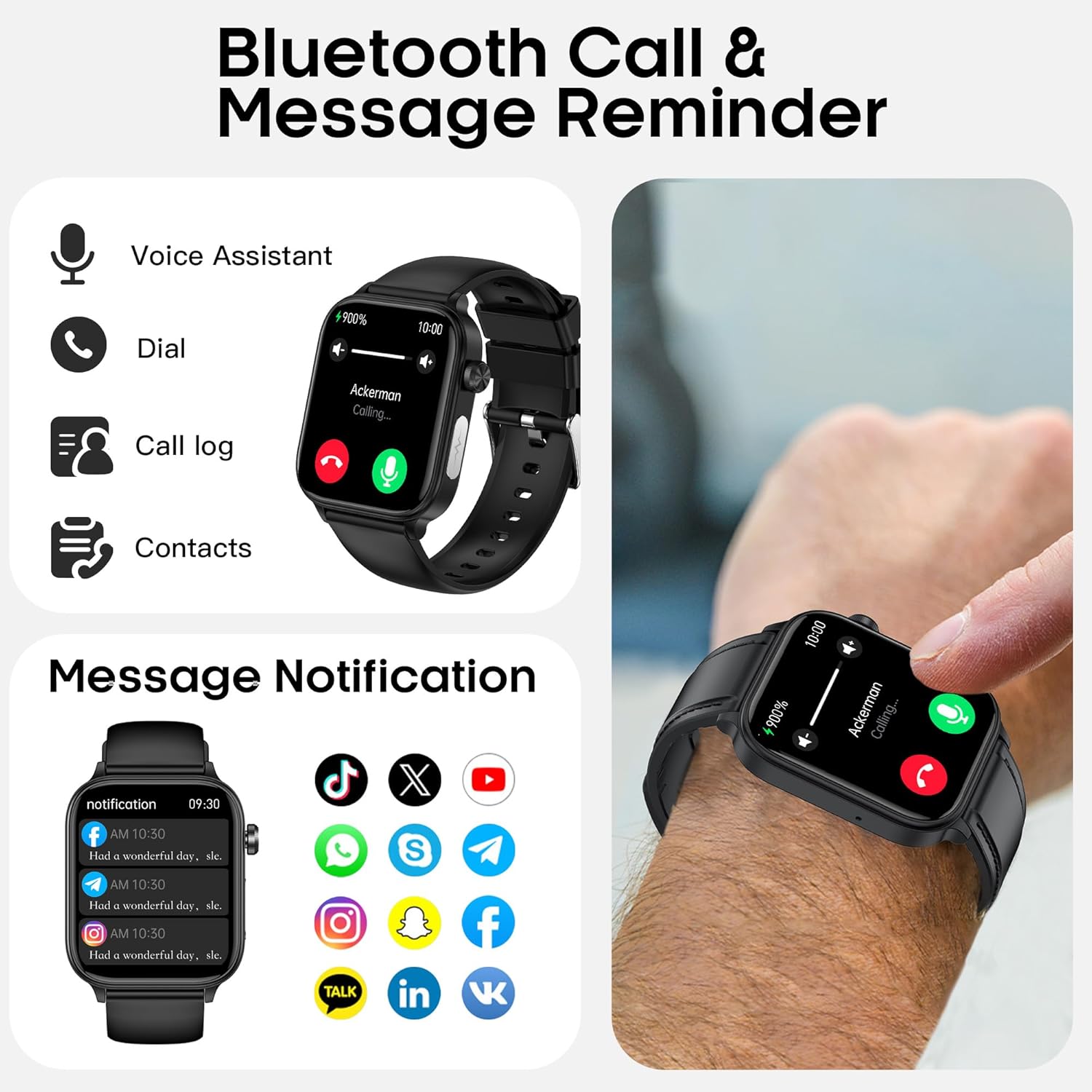
Image: Bluetooth Call & Message Reminder features.

Image: AI Voice Assistant and Bluetooth 5.0 Calling functionality.

Image: Information Notification display on the smart watch.
4.3 Health Tracking
The hellibito Smart Watch is equipped with advanced sensors for comprehensive health monitoring.
- Heart Rate Monitoring: Tracks your heart rate 24/7, providing dynamic data and alerts for high rates.
- Blood Pressure Monitoring: Measures and tracks your blood pressure changes in real-time.
- Blood Oxygen (SpO2) Monitoring: Provides real-time blood oxygen tracking to care for respiratory health.
- Sleep Monitoring: Analyzes sleep patterns, including light sleep, deep sleep, and awake times, with 24-hour dynamic heart rate monitoring during sleep.
- Body Temperature Monitoring: Detects skin temperature in real-time and alerts for high/low temperatures.
- Stress Monitoring: Assesses your body's response to stress to help understand your current stress state.
- Emotion and Fatigue Detection: Provides quick insights into your mood and fatigue levels.
- Body Composition Analysis: Offers data such as body fat percentage, muscle mass, and water content via the app.
- One-click Micro Physical Examination: A 30-second check providing an overview of heart rate, blood pressure, blood oxygen, stress, and body temperature.
- Female Cycle Tracking: Provides personalized health reminders for women.
- HRV Monitoring: Tracks and records heart rate variability to analyze heart health status.
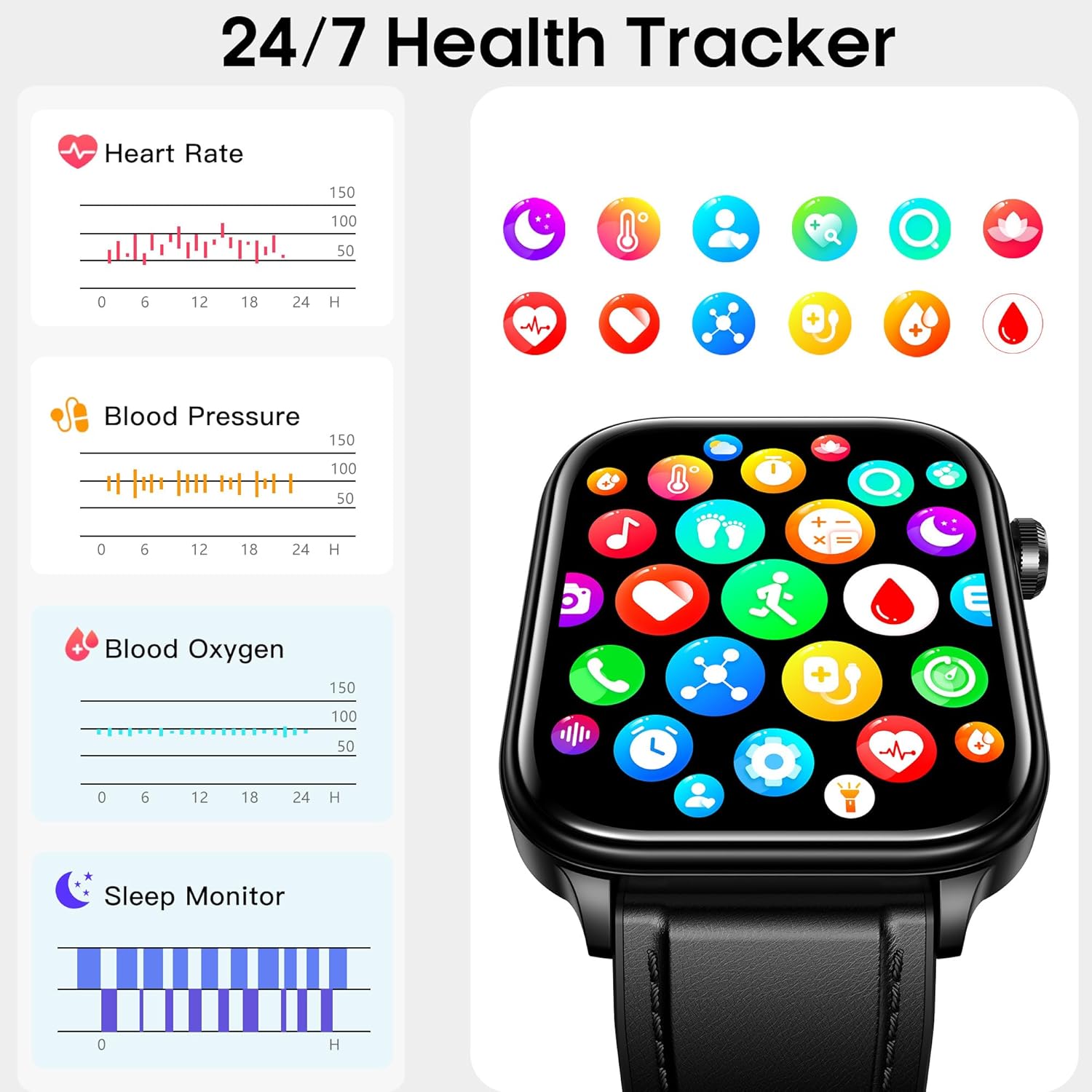
Image: 24/7 Health Tracker overview.

Image: Blood Pressure Monitoring interface.

Image: Heart Rate Monitoring interface.

Image: Blood Oxygen Monitoring interface.

Image: Sleep Monitoring interface.

Image: Body Temperature Monitoring interface.
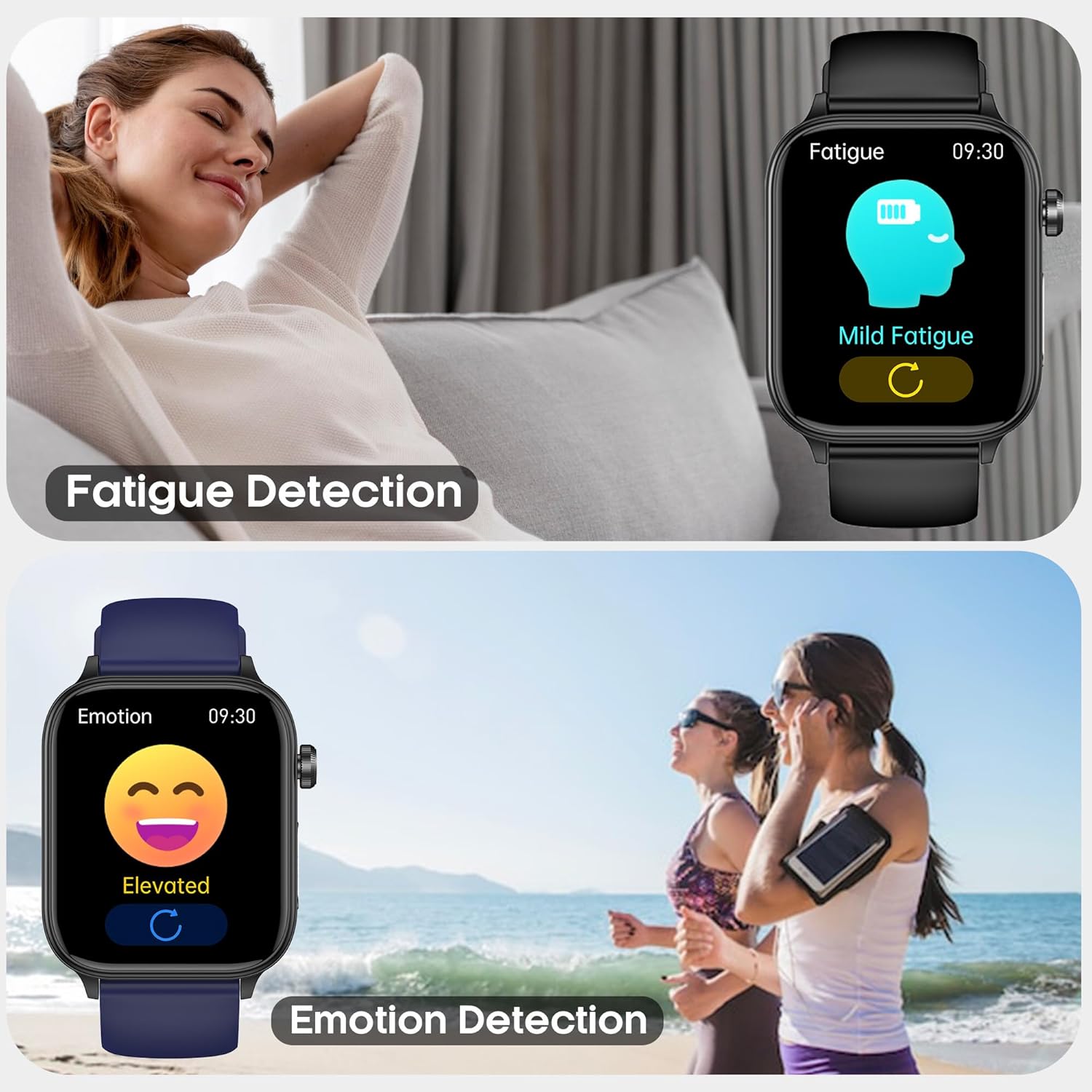
Image: Fatigue Detection and Emotion Detection features.

Image: Pressure Monitoring interface.

Image: Body Composition Analysis interface.

Image: One-click Micro Physical Examination results.

Image: Female Cycle Tracking interface.

Image: HRV Monitoring interface.
4.4 Activity Tracking
The smart watch functions as an activity tracker, supporting various workout modes and is designed for durability.
- Multi-sport Modes: Supports over 20 indoor and outdoor workout modes, including running, fitness, yoga, and mountaineering. It tracks steps, distance, and calories burned in real-time.
- IP68 Waterproof: The watch is IP68 rated, making it suitable for daily use such as hand washing, face cleansing, and sweating during exercise. It is not recommended for swimming or diving.

Image: All-day Activity Tracker showing hiking data.

Image: Multi-sport Fitness Tracker modes.

Image: IP68 Waterproof and Dustproof feature.
4.5 Smart Assistant Features
The hellibito Smart Watch includes several practical functions to assist in your daily life:
- Alarm Clock: Set alarms directly from your watch.
- Flashlight: Use the watch screen as a temporary light source.
- Sedentary Reminder: Receive alerts to encourage movement after periods of inactivity.
- Music Player Control: Control music playback on your smartphone from your watch.
- Camera Control: Remotely trigger your smartphone's camera shutter.
- Weather Forecast: Check current weather conditions and forecasts.
- Games: Access simple games on the watch.
- Calculator: Perform basic calculations.
- Turn Wrist to Wake: Automatically activate the screen by raising your wrist.

Image: Smart Life Assistant features.

Image: Weather forecast display.
4.6 Display and Customization
The 1.96" HD display offers clear visuals and customization options.
- Watch Faces: Choose from over 170 stylish watch faces available in the app.
- Custom Watch Faces: Personalize your watch by uploading photos from your album to create custom watch faces.
- Adjustable Brightness: The screen brightness can be adjusted for optimal visibility in various lighting conditions.

Image: 1.96" HD Screen with 170+ Custom Faces.

Image: 170+ Watch Faces customization options.
4.7 SOS Emergency Call Function
In case of an emergency, the watch features an SOS function. When connected to the app via Bluetooth, you can notify pre-set family contacts and send out a distress signal.

Image: SOS Emergency Call Function interface.
5. Maintenance
Proper maintenance ensures the longevity and optimal performance of your hellibito Smart Watch.
- Cleaning: Regularly wipe the watch screen and strap with a soft, dry cloth. For stubborn dirt, a slightly damp cloth can be used, followed by drying. Avoid harsh chemicals or abrasive materials.
- Charging: Use only the provided charging cable. Avoid exposing the charging contacts to water or corrosive liquids.
- Storage: When not in use for extended periods, store the watch in a cool, dry place. Ensure it has some charge to prevent deep discharge.
- Water Resistance: While IP68 waterproof, avoid prolonged submersion, hot water, or steam, as these can compromise the seals.
6. Troubleshooting
If you encounter issues with your hellibito Smart Watch, refer to the following common solutions:
| Problem | Possible Solution |
|---|---|
| Watch does not power on. | Ensure the watch is fully charged. Connect it to the charger for at least 30 minutes. |
| Cannot pair with smartphone. |
|
| Notifications are not received. |
|
| Health data seems inaccurate. |
|
| Battery drains quickly. |
|
7. Specifications
| Feature | Detail |
|---|---|
| Brand | hellibito |
| Model | B0FJ4NN67F |
| Screen Size | 1.96 Inches |
| Operating System | Android & iOS (Compatible with Android 5.0+ and iOS 10.0+) |
| Connectivity Technology | Bluetooth |
| Wireless Communication Standard | Bluetooth |
| Battery Capacity | 340 Milliamp Hours (mAh) |
| Battery Life (Typical Use) | 5-8 Days |
| Standby Time | Over 20 Days |
| Charging Time | 2-3 Hours |
| Water Resistance | IP68 Waterproof |
| Item Weight | 6.4 ounces |
| Package Dimensions | 6.73 x 3.78 x 1.29 inches |
| Manufacturer | kelaer |
8. Warranty and Support
For warranty information, please refer to the documentation included with your purchase or contact the seller directly. If you require technical support or have questions not covered in this manual, please reach out to hellibito customer service through the contact information provided on the product packaging or the official hellibito website.
You may also find additional support and FAQs on the product's Amazon listing page or by contacting the seller "Hellibito" directly via Amazon's messaging system.