
Introduction
The Candy ProWash 500 washing machine, with a 9 kg capacity, is designed for efficient and precise laundry care. It integrates advanced technology to ensure optimal cleaning performance and energy savings. This manual provides essential information for the safe and effective use of your appliance.
Key features include:
- High Energy Efficiency: 20% more efficient than standard Class A models, featuring an Inverter Speed Drive motor for consistent performance, quiet operation, and reduced energy consumption.
- ProActive Wash Technology: An exclusive water and detergent injection system ensures uniform cleaning across all fabric types. An intensive wash option handles stubborn stains effectively.
- Hygiene and Fabric Care: Clean Shield and Smart Spray systems keep the gasket and porthole clean from bacteria and residues. The Soft Drum with a cushioned surface minimizes friction and creasing, protecting delicate garments.
- Quiet Motor and Rapid Cycles: The AI Silent Motion motor reduces vibrations and noise to 72 dB for discreet washing. Choose from 8 rapid cycles, including a 14-minute program, for quick and effective cleaning.
- Smart Connectivity with hOn App: Manage your Candy washing machine remotely via smartphone. Access over 60 dedicated cycles, receive personalized advice, monitor wash status, and get maintenance tips and ideal detergent dosage suggestions.
1. Setup and Installation
Before using your washing machine, ensure proper installation to guarantee optimal performance and safety.
1.1 Unpacking
Carefully remove all packaging materials. Inspect the appliance for any damage during transit. Keep packaging materials out of reach of children.
1.2 Removing Transit Bolts
The washing machine is secured with transit bolts to prevent damage during transport. These must be removed before use. Refer to the diagram below for bolt locations.

Image: Side view of the washing machine. Transit bolts are usually located at the back.
- Locate the transit bolts on the rear of the machine.
- Using an appropriate wrench, loosen and remove all bolts.
- Insert the plastic caps provided into the holes.
- Store the transit bolts for future transport of the appliance.
1.3 Leveling the Appliance
Ensure the washing machine is perfectly level to prevent vibrations and excessive noise during operation.

Image: Washing machine in a room, demonstrating a level installation.
- Place the machine on a flat, stable floor.
- Adjust the adjustable feet at the bottom of the machine until it is level. Use a spirit level to verify.
- Tighten the lock nuts on the feet to secure them in position.
1.4 Water Connection
Connect the water inlet hose to a cold water tap with a 3/4" thread. Ensure all connections are tight to prevent leaks.
- Use the new hoses supplied with the appliance; do not reuse old hoses.
- Connect the curved end of the drain hose to a standpipe or secure it over a sink, ensuring it is not kinked.
1.5 Electrical Connection
Plug the power cord into a grounded electrical outlet. Ensure the voltage and frequency match the specifications on the appliance rating plate.
- Do not use extension cords or multiple adapters.
- The appliance must be easily accessible after installation for disconnection.
Included Components:
- Power cord
- Filling hose
- Drain hose
2. Operating Instructions
This section guides you through the daily operation of your Candy ProWash 500 washing machine.
2.1 Loading Laundry
Open the porthole and load your laundry into the drum. Do not overload the machine. Close the porthole firmly.
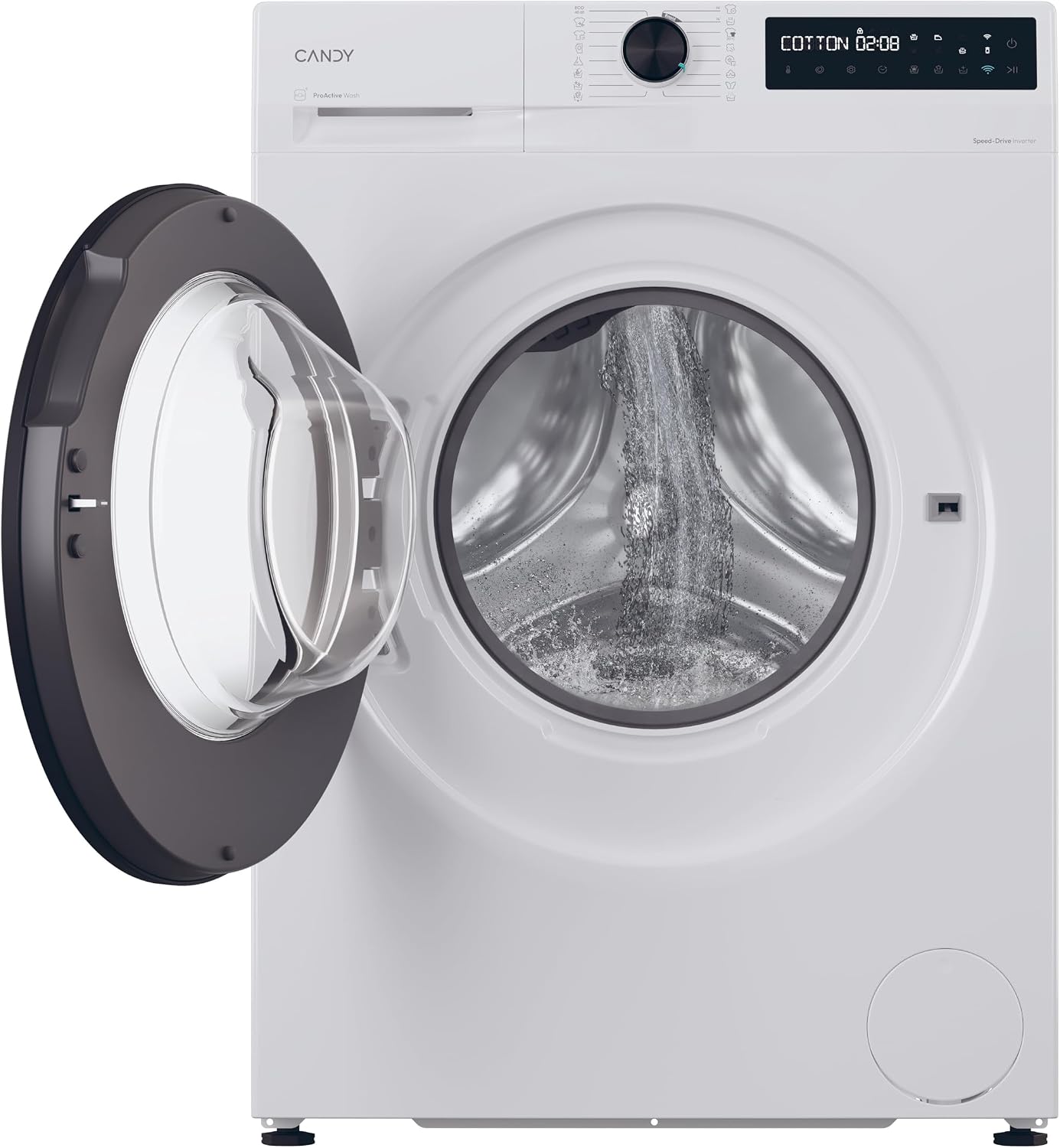
Image: The washing machine door is open, revealing the stainless steel drum.
2.2 Adding Detergent and Additives
Pull out the detergent drawer and add the appropriate amount of detergent and any fabric softeners or additives to the designated compartments.

Image: The detergent dispenser drawer is open, showing the compartments for detergent and other washing agents.
2.3 Selecting a Wash Program
Turn the program selector knob or use the touch controls to choose the desired wash program. The display will show the program duration and other settings.
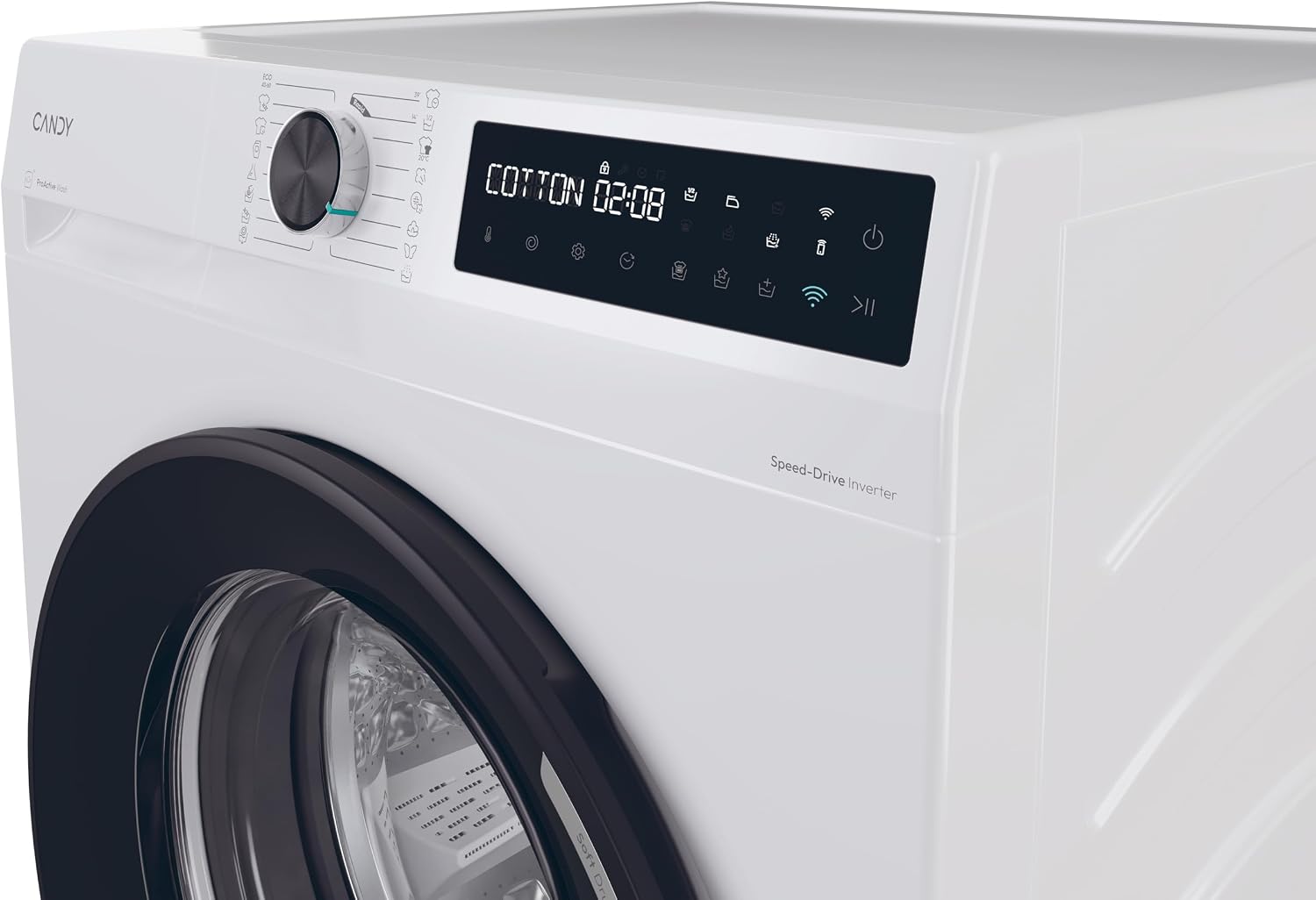
Image: Detailed view of the control panel with the program selector and digital display showing "COTTON 02:08".
Available cycle options include: Cotton, Delicates, Eco, Wool, Rapid Wash, and more. The machine offers 16 standard cycles.
2.4 Starting the Wash Cycle
Press the Start/Pause button to begin the selected wash cycle. You can also use the delayed start function if needed.
2.5 Smart Connectivity with hOn App
Your Candy ProWash 500 can be controlled remotely via the hOn app. Download the app on your smartphone and follow the in-app instructions for pairing.

Image: Users interacting with the hOn app on a smartphone, with the washing machine in the background.
- Access over 60 additional wash cycles.
- Receive personalized washing tips and maintenance alerts.
- Monitor the wash cycle status from anywhere.
3. Maintenance and Care
Regular maintenance ensures the longevity and optimal performance of your washing machine.
3.1 Cleaning the Detergent Drawer
Periodically remove and clean the detergent drawer to prevent residue buildup. Rinse it under running water and ensure all compartments are clear.
3.2 Cleaning the Porthole and Gasket
The Smart Spray technology helps clean the porthole glass after each wash. Additionally, the Clean Shield system protects sensitive areas from mold and bacteria. Wipe the porthole glass and rubber gasket with a damp cloth after each wash to remove any remaining lint or residue.
3.3 Cleaning the Filter
The pump filter should be cleaned regularly to prevent blockages. Refer to the full instruction manual for detailed steps on accessing and cleaning the filter.
3.4 Descaling
Depending on water hardness in your area, periodic descaling may be necessary. Use a suitable descaling product designed for washing machines and follow the manufacturer's instructions.
4. Troubleshooting
This section addresses common issues you might encounter with your washing machine. For more complex problems, contact customer support.
| Problem | Possible Cause | Solution |
|---|---|---|
| Machine does not start |
|
|
| Excessive vibration/noise |
|
|
| Water leakage |
|
|
| Poor washing results |
|
|
5. Technical Specifications
| Feature | Specification |
|---|---|
| Brand | CANDY |
| Model Name | Candy ProWash 500 Washing Machine 9 kg |
| Model Number | BR 49B8-S |
| Product Dimensions (DxWxH) | 60P x 59l x 85H cm (Depth x Width x Height) |
| Item Weight | 65 Kilograms |
| Color | White |
| Material | Metal (Stainless Steel drum) |
| Access Location | Front Load |
| Control Type | Touch, Buttons, Touchscreen |
| Maximum Spin Speed | 1400 Revolutions per minute |
| Voltage | 230 Volts |
| Number of Standard Cycles | 16 |
| Noise Level | 74 Decibels (up to 72 dB with AI Silent Motion) |
| Installation Type | Freestanding |
| Special Features | High efficiency, Delayed start, Smart connectivity, Inverter motor, Hygienic steam |
| Energy Efficiency Class | A-20% (20% more efficient than standard Class A) |
6. Warranty Information
This Candy ProWash 500 washing machine comes with a 2-year product warranty from the date of purchase. This warranty covers manufacturing defects and material faults under normal domestic use.
Please retain your proof of purchase for any warranty claims. The warranty does not cover damage caused by improper installation, misuse, neglect, unauthorized repairs, or normal wear and tear.
For full terms and conditions, please refer to the warranty card included with your appliance or visit the official Candy website.
7. Customer Support
Should you require assistance, have questions, or need to report a fault, please contact Candy customer support.
- Online Support: Visit the official Candy website for FAQs, troubleshooting guides, and to register your product. www.candy-home.com
- hOn App: The hOn app provides personalized support, maintenance tips, and direct access to service requests.
- Telephone Support: Refer to the contact information provided in your local documentation or on the Candy website for regional service numbers.
- Service Requests: For technical assistance or repairs under warranty, please contact authorized Candy service centers.


