1. Introduction
The BAOFENG UV-5R Mini is a compact and versatile dual-band handheld ham radio designed for reliable communication. It supports a wide range of features including wireless app programming, USB-C charging, and multi-band reception for FM, AM (Aviation), and NOAA weather alerts. This manual provides essential information for setting up, operating, and maintaining your UV-5R Mini radio.
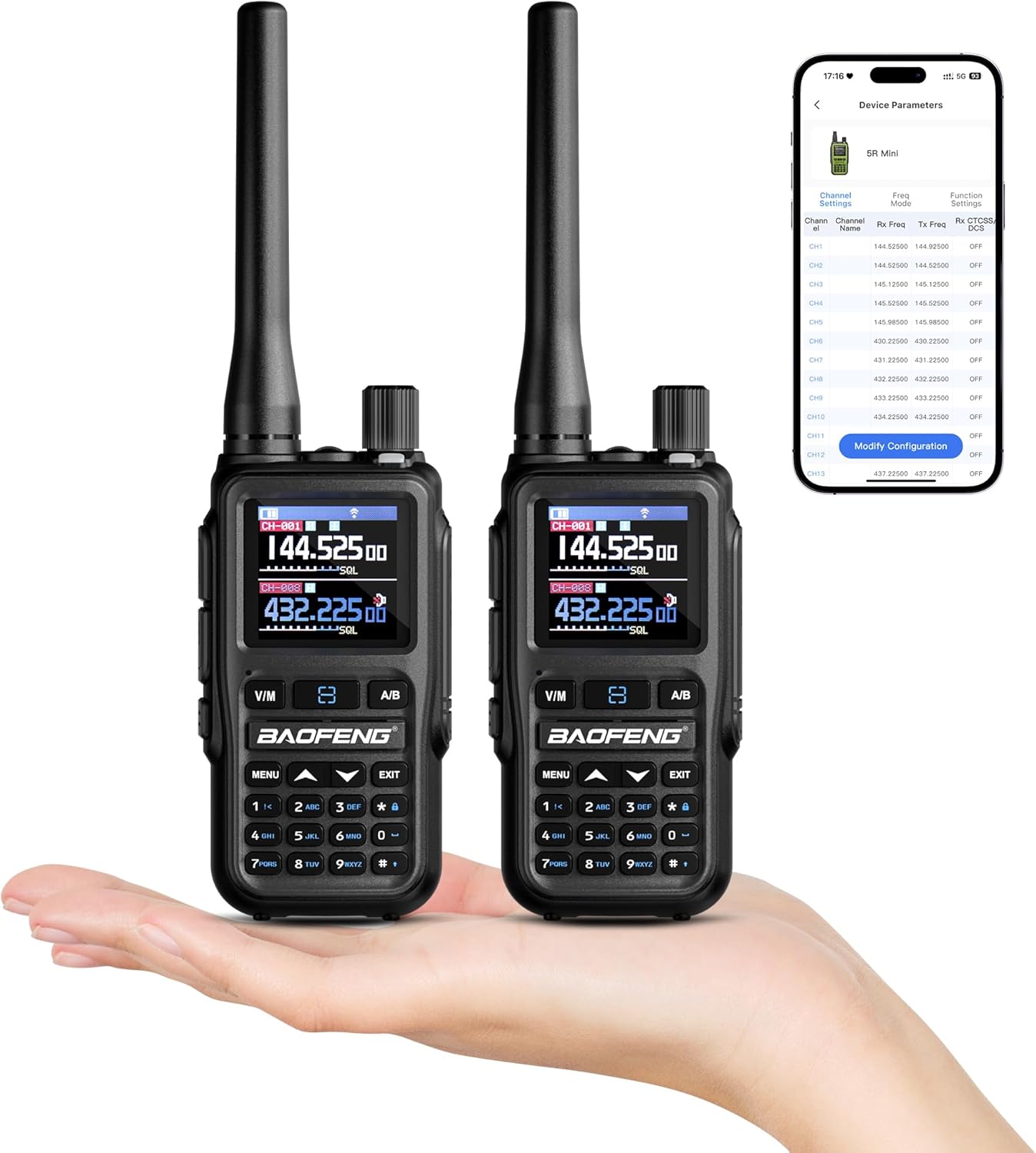
Image 1.1: Two BAOFENG UV-5R Mini handheld radios, highlighting their small form factor and the clear digital display. One radio also shows a mobile app interface for programming.
2. Package Contents
Verify that all items are present in your package:
- UV-5R Mini Radio x 2
- USB-C Charging Cable x 2
- Antenna x 2
- Battery x 2
- Belt Clip x 2
- Hand Strap x 2

Image 2.1: A flat lay image displaying the complete contents of the BAOFENG UV-5R Mini package: two radio units, two antennas, two batteries, two USB-C charging cables, two belt clips, and two hand straps.
3. Key Features
The BAOFENG UV-5R Mini offers a range of advanced features for enhanced communication:
- 999 Channels: Extensive channel storage for various frequencies.
- Wireless APP Programming: Convenient programming via iOS/Android mobile applications.
- Dual PTT: Two programmable Push-To-Talk buttons for flexible operation.
- USB-C Charging: Modern and versatile charging capability.
- Multi-Band Reception: Includes FM, AM (Aviation), and NOAA weather radio.
- Compact Design: Pocket-sized for portability and ease of use.
- VOX Function: Voice Operated Transmission for hands-free operation.
- Integrated Flashlight: Built-in light for utility in low-light conditions.
- Stopwatch: Integrated timing function.
- DTMF: Dual-Tone Multi-Frequency signaling support.

Image 3.1: This diagram outlines the primary functionalities of the UV-5R Mini, such as its 999 channel capacity, wireless app programming, USB-C charging, Voice Operated Transmission (VOX), integrated flashlight, dual Push-To-Talk (PTT) buttons, quick channel cloning, multi-band reception (FM, NOAA, AM Aviation, UHF, VHF), and a built-in stopwatch.
4. Setup
4.1 Attaching the Antenna
- Align the antenna's threaded end with the connector on top of the radio.
- Gently screw the antenna clockwise until it is finger-tight. Do not overtighten.
4.2 Installing the Battery
- Ensure the radio is powered off.
- Align the battery pack with the grooves on the back of the radio.
- Slide the battery upwards until it clicks securely into place.
4.3 Attaching the Belt Clip and Hand Strap
- Attach the belt clip to the designated slot on the back of the radio using the provided screws.
- Thread the hand strap through the loop on the top side of the radio.
5. Operating Instructions
5.1 Power On/Off and Volume Control
- Power On: Rotate the power/volume knob clockwise until you hear a click.
- Power Off: Rotate the power/volume knob counter-clockwise until you hear a click.
- Volume Adjustment: Rotate the power/volume knob to increase (clockwise) or decrease (counter-clockwise) the audio level.
5.2 Channel Selection (VFO/MR Mode)
- Press the V/M button to switch between Frequency Mode (VFO) and Channel Mode (MR).
- In Channel Mode, use the Up/Down arrow keys or the keypad to select a stored channel.
- In Frequency Mode, use the keypad to enter a desired frequency directly.
5.3 Transmitting (PTT)
To transmit, press and hold the main Push-To-Talk (PTT) button on the side of the radio. Speak clearly into the microphone. Release the PTT button to receive.
5.4 Dual PTT Function
The UV-5R Mini features two programmable PTT buttons (A and B) on the side. These can be configured for different functions or to transmit on different frequencies/channels. Refer to the programming section for customization.
5.5 Multi-Band Reception
The radio supports reception across multiple bands:
- FM Radio (65-108MHz): For commercial FM broadcast stations.
- AM (Aviation) (108-136MHz): For receiving aircraft communications.
- NOAA Weather Radio (162.400-162.550MHz): Provides weather forecasts and emergency alerts.

Image 5.1: This graphic illustrates the radio's extensive frequency capabilities, covering UHF and VHF for transmit and receive, FM reception (65-108MHz), Airband reception (108-136MHz), and NOAA weather reception (162.400-162.550MHz).
5.6 Flashlight Function
The integrated flashlight can be activated via a dedicated button or menu option. Consult the radio's on-screen menu for specific activation steps.
5.7 VOX (Voice Operated Transmission)
VOX allows for hands-free transmission. When enabled, the radio will transmit automatically when it detects your voice. Adjust VOX sensitivity in the menu to prevent accidental transmissions.
6. Programming
The UV-5R Mini offers multiple methods for programming channels and settings:
6.1 Wireless APP Programming
The radio can be programmed wirelessly using a dedicated mobile application available for iOS and Android devices. This method allows for quick adjustments and channel management directly from your smartphone.
6.2 PC Software Programming (CPS & CHIRP)
For advanced or bulk programming, the radio supports Computer Programming Software (CPS) and CHIRP software on a PC. A USB programming cable (sold separately) is typically required for this method. These programs allow for detailed customization of frequencies, tones, and other parameters.
6.3 Manual Keypad Programming
Basic programming and setting adjustments can be performed directly using the radio's keypad and menu system. Refer to the on-screen menu for navigation and parameter entry.
6.4 Channel Clone
The one-key channel clone feature allows for quick duplication of channel settings from one UV-5R Mini to another compatible radio. This simplifies setup for multiple units.
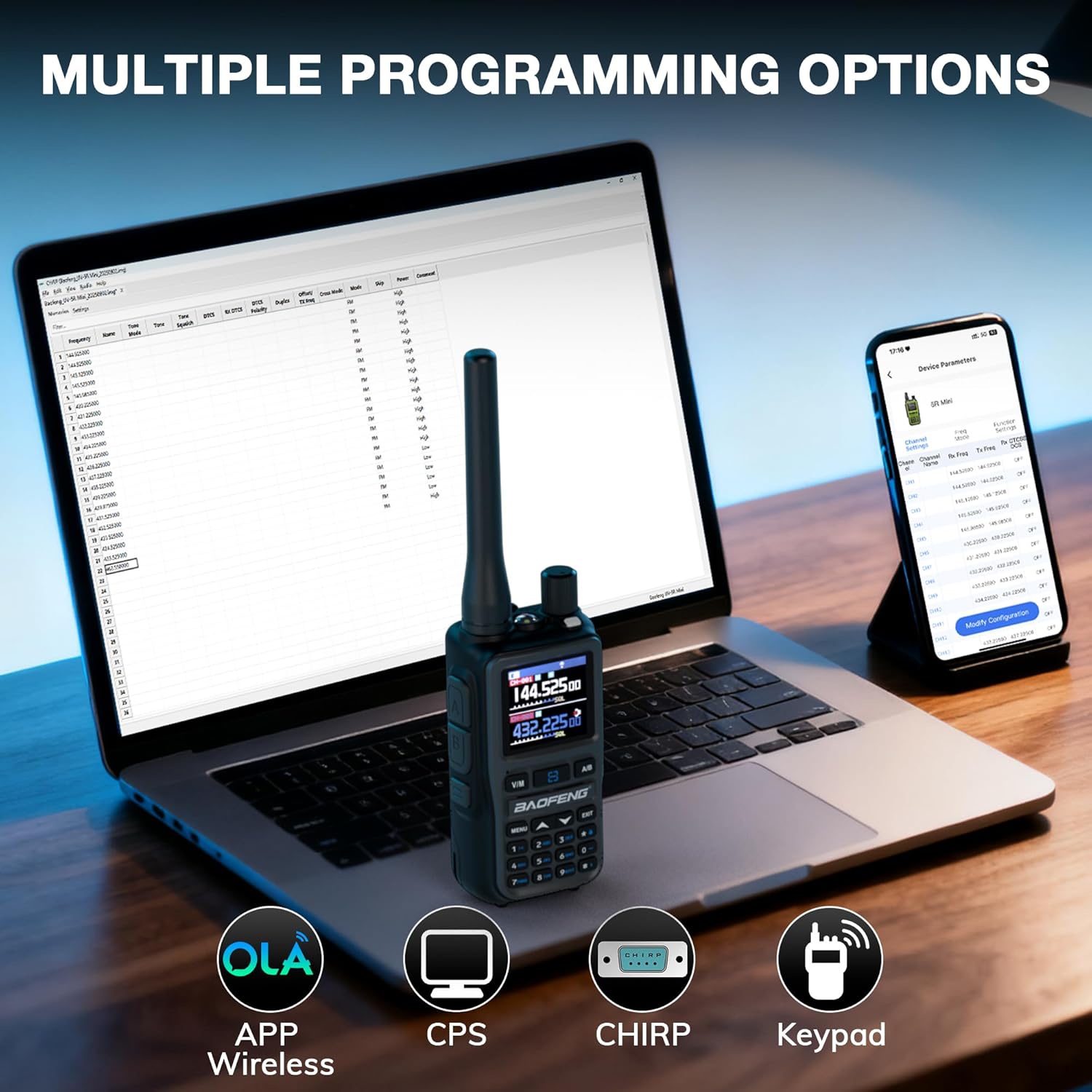
Image 6.1: The image demonstrates the various programming methods available for the UV-5R Mini: wireless programming via a mobile application (OLA Radio app), Computer Programming Software (CPS), CHIRP software on a PC, and direct manual input using the radio's keypad.

Image 6.2: The image shows two BAOFENG radios, one displaying 'SEARCH' and the other showing a frequency, illustrating the one-key channel clone feature for quick duplication of settings between devices.
7. Charging
The BAOFENG UV-5R Mini features a convenient USB-C charging port. This allows for flexible charging from various power sources:
- Wall adapter (using a USB-C cable and a compatible USB wall charger)
- Portable power bank
- Car charger (using a USB-C car adapter)
- Laptop USB port
Connect the USB-C cable to the radio's charging port and the other end to a power source. The charging indicator on the radio will show the charging status.

Image 7.1: The image highlights the versatility of the UV-5R Mini's USB-C charging, showing it can be charged using a standard wall adapter, a portable power bank, a car charger, or directly from a laptop's USB port.
8. Maintenance
- Cleaning: Use a soft, damp cloth to clean the radio's exterior. Do not use harsh chemicals or solvents.
- Battery Care: Avoid fully discharging the battery frequently. Store the radio and battery in a cool, dry place when not in use for extended periods.
- Antenna: Ensure the antenna is securely attached but do not force it. Avoid bending or stressing the antenna.
- Storage: Store the radio in a protective case to prevent damage from drops or impacts.
9. Troubleshooting
| Problem | Possible Cause | Solution |
|---|---|---|
| Radio does not power on | Battery is dead or not installed correctly. | Charge the battery. Reinstall the battery ensuring it clicks into place. |
| No reception or poor audio quality | Antenna not connected properly. Incorrect frequency/channel selected. Out of range. | Check antenna connection. Verify frequency/channel settings. Move closer to the transmitting station or repeater. |
| Cannot transmit | Incorrect frequency/channel. PTT button not pressed. Battery low. | Verify frequency/channel settings. Ensure PTT is pressed firmly. Charge the battery. |
| Programming via app/PC fails | Incorrect cable/Bluetooth connection. Software issues. | Ensure correct cable is used and drivers are installed. Verify Bluetooth pairing for app. Restart software and radio. |
10. Specifications
| Feature | Specification |
|---|---|
| Item Weight | 7 ounces |
| Product Dimensions | 4.25 x 1.46 x 2.05 inches |
| Batteries | 2 x 9V batteries (included) |
| Number of Channels | 999 |
| Frequency Range | UHF, VHF |
| Talking Range Maximum | 3 Kilometers |
| Voltage | 7.4 Volts |
| Water Resistance Level | Not Water Resistant |
11. Warranty and Support
The BAOFENG UV-5R Mini comes with an 18-month warranty. Lifetime support is also provided for this product. For warranty claims or technical assistance, please contact BAOFENG customer service through their official channels.


