
1. Introduction
The Pecron E600LFP Portable Power Station is a versatile and reliable power solution designed for various applications, including camping, RV use, emergency backup, and home power needs. Featuring a 614Wh LiFePO4 battery and a 1200W AC output, it provides stable and efficient power for a wide range of electronic devices and appliances.
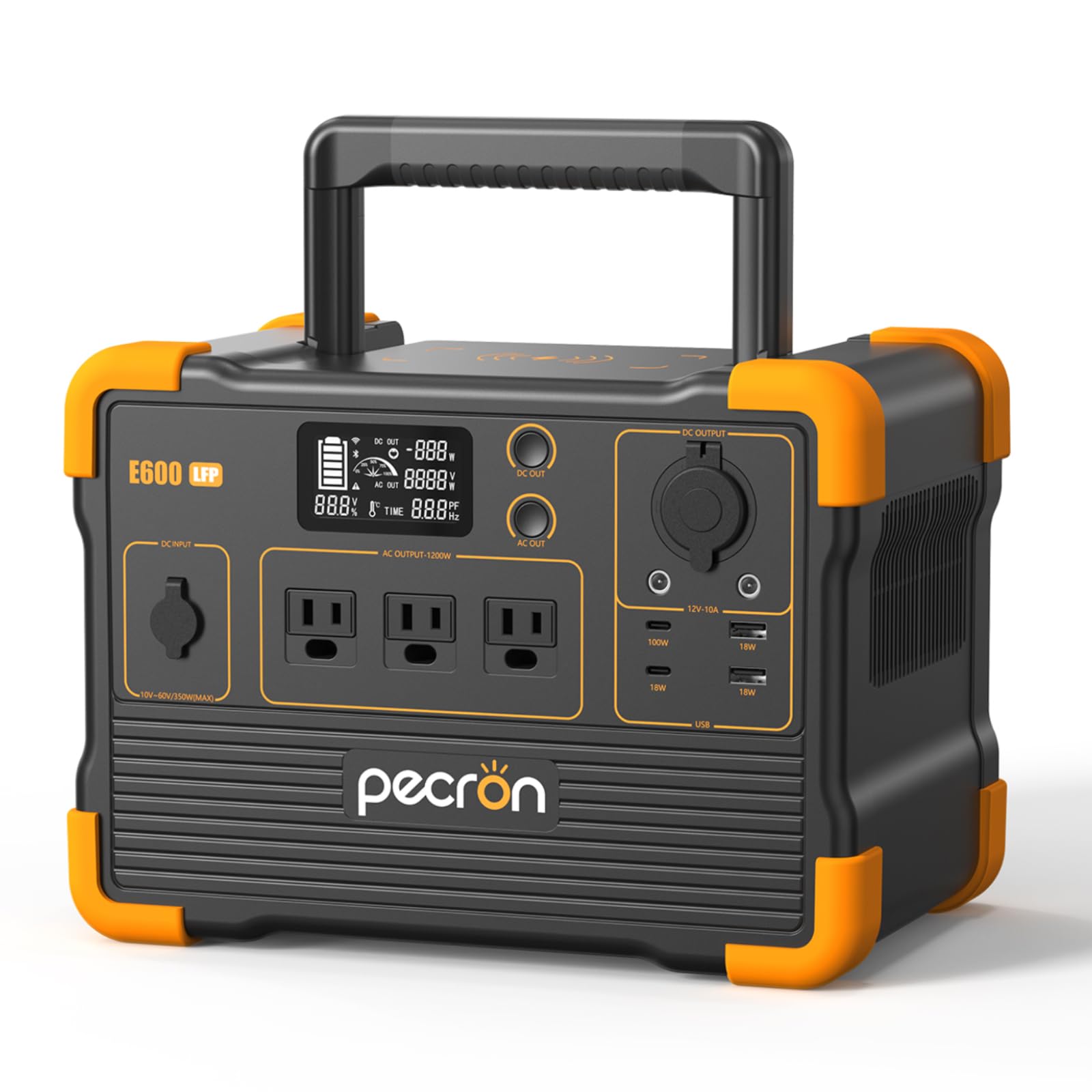
Image 1: The Pecron E600LFP Portable Power Station, showcasing its compact design and multiple output ports.
2. Safety Information
Please read and understand all safety instructions before operating the Pecron E600LFP Power Station. Failure to follow these instructions may result in electric shock, fire, or serious injury.
- Do not disassemble, repair, or modify the unit.
- Keep the unit away from fire, water, and extreme temperatures.
- Ensure proper ventilation during use to prevent overheating.
- Do not use the unit if it is damaged or has been dropped.
- Keep out of reach of children.
- Dispose of the unit and its battery according to local regulations.
3. Product Overview
The Pecron E600LFP is equipped with a variety of ports and features to meet diverse power requirements.
3.1. Key Features
- Battery Capacity: 614Wh LiFePO4 battery.
- AC Output: 1200W rated power (pure sine wave).
- Cycle Life: Over 3500 cycles to 80%+ capacity.
- Portability: Compact design with integrated handle.
- Safety: Built-in Battery Management System (BMS) for protection against overheating, overloads, and short circuits.
3.2. Output Ports

Image 2: Detailed view of the Pecron E600LFP's 11 output ports, including AC, USB, and DC options.
- AC Outlets: 3 x 1200W AC outlets (100V~120V).
- USB-C Ports: 2 ports (18W / 100W Max).
- USB-A Ports: 2 ports (18W each).
- DC 5525 Output: 2 ports.
- 12V Cigar Port: 1 port.
- Wireless Charger: 1 on top of the unit.
3.3. Display Information
The integrated LCD display provides real-time information about the power station's status:
- Battery charge level (percentage and graphic).
- DC output wattage.
- AC output wattage.
- Estimated remaining runtime (in hours).
4. Setup
Before first use, fully charge your Pecron E600LFP Power Station.
4.1. Unboxing and Inspection
- Carefully remove all components from the packaging.
- Verify that all included components are present (E600LFP unit, AC adapter, car charger cable, solar charging cable, user manual).
- Inspect the unit for any visible damage. If damaged, do not use and contact customer support.

Image 3: All components included with the Pecron E600LFP, such as the power station, various charging cables, and the user manual.
4.2. Initial Charging
It is recommended to fully charge the power station before its first use to optimize battery performance.
- Connect the AC adapter to the DC input port on the power station.
- Plug the AC adapter into a standard wall outlet.
- The display will indicate charging status. The unit is fully charged when the battery icon is full and the percentage reaches 100%.
5. Operating Instructions
5.1. Turning On/Off
- To turn on the main unit, press and hold the main power button.
- To activate AC output, press the 'AC OUT' button. The AC icon will appear on the display.
- To activate DC output, press the 'DC OUT' button. The DC icon will appear on the display.
- To turn off AC/DC output, press the respective button again.
- To turn off the entire unit, press and hold the main power button.
5.2. Connecting Devices
Plug your devices into the appropriate output ports. Ensure the total wattage of connected devices does not exceed the power station's rated output of 1200W.
- For AC-powered devices, use the 3-prong AC outlets.
- For USB-powered devices, use the USB-A or USB-C ports. The 100W USB-C port supports fast charging for compatible devices.
- For 12V DC devices, use the DC 5525 ports or the 12V cigar port.
5.3. Wireless Charging
Place your Qi-compatible device on the wireless charging pad located on top of the power station. Ensure the device is centered for optimal charging.
6. Charging the Power Station
The Pecron E600LFP offers multiple charging options for convenience.
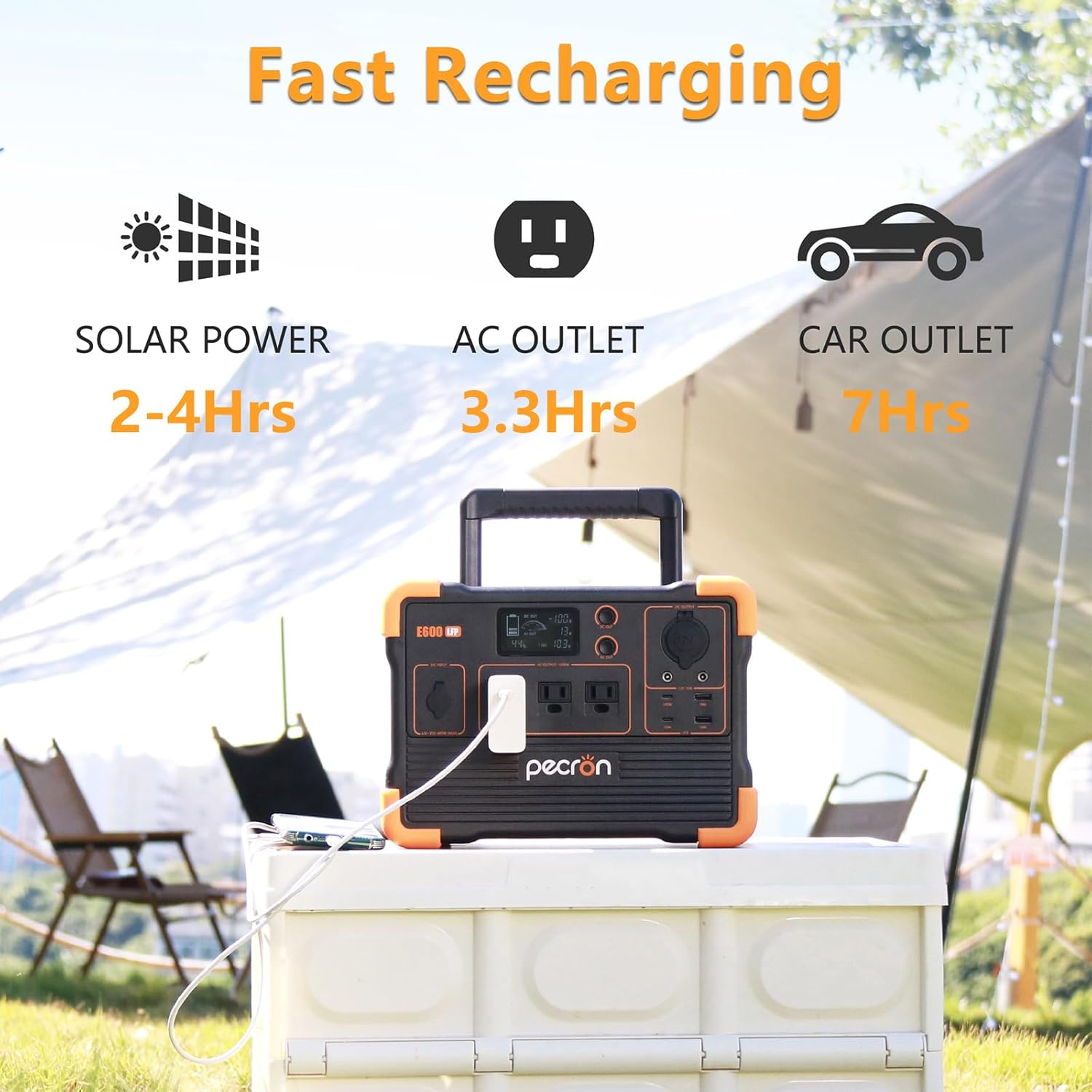
Image 4: Illustration of the Pecron E600LFP's fast recharging capabilities via solar, AC outlet, and car outlet.
6.1. AC Wall Charging
- Connect the provided AC adapter to the DC input port (12V-18V, 100W Max) on the power station.
- Plug the AC adapter into a standard wall outlet.
- A full charge from a standard wall outlet takes approximately 3.3 hours.
6.2. Solar Charging

Image 5: The Pecron E600LFP connected to a solar panel for efficient outdoor charging.
- Connect compatible solar panels (10V~60V, Max 350W PV input) to the GX16MF port on the power station using the appropriate cable.
- Position solar panels in direct sunlight for optimal charging efficiency.
- Charging time varies depending on solar panel wattage and sunlight intensity.
6.3. Car Charging

Image 6: The Pecron E600LFP being charged via a car's 12V outlet, providing convenient power on the go.
- Connect the car charger cable to the DC input port (12V-18V, 100W Max) on the power station.
- Plug the other end into your vehicle's 12V cigarette lighter socket.
- Charging via car outlet is slower than AC wall charging.
7. Maintenance
Proper maintenance ensures the longevity and optimal performance of your Pecron E600LFP Power Station.
7.1. Battery Care
- For best results, fully charge the unit every 3-6 months, even if not in use.
- Avoid completely draining the battery frequently.
- The LiFePO4 battery is designed for over 3500 charge cycles to retain 80%+ capacity.
7.2. Storage
- Store the power station in a cool, dry place, away from direct sunlight and extreme temperatures.
- Ensure the unit is turned off before storing.
7.3. Cleaning
- Use a soft, dry cloth to clean the exterior of the unit.
- Do not use abrasive cleaners or solvents.
8. Troubleshooting
If you encounter issues with your Pecron E600LFP, refer to the following common troubleshooting steps:
- Unit not turning on: Ensure the battery is charged. Press and hold the main power button for a few seconds.
- No output from ports: Verify that the specific output (AC or DC) is activated by pressing its respective button. Check if the device is properly connected and within the power station's wattage limits.
- Slow charging: Ensure the charging cable and adapter are correctly connected. For solar charging, verify panels are in direct sunlight and clean.
- Overload protection activated: If the unit shuts down due to overload, disconnect some devices and restart the unit. Ensure total wattage does not exceed 1200W.
For persistent issues, please contact Pecron customer support.
9. Specifications
| Feature | Specification |
|---|---|
| Model Name | E600LFP |
| Battery Type | LiFePO4 |
| Battery Capacity | 614Wh |
| AC Output Power | 1200W (Rated), 1.2 Kilowatts (Max) |
| AC Output Voltage | 100V~120V |
| USB-C Output | Max 100W |
| DC Input (Car/AC Adapter) | 12V-18V, 100W Max |
| Solar Input (GX16MF) | 10V~60V, 350W Max |
| Product Dimensions | 11.7"L x 7.8"W x 8.5"H |
| Weight | Approximately 20 lbs (from image PT02) |
| Operating Temperature (Charging) | 32°F to 113°F (0°C to 45°C) |
| Operating Temperature (Discharging) | -4°F to 113°F (-20°C to 45°C) |
10. Warranty and Support
Pecron warrants the E600LFP power station for one year from the date of purchase. If the original purchaser registers their purchase within 30 days of purchase, the power station warranty is extended for an additional 1 year, totaling 2 years.
For warranty claims, technical support, or any inquiries, please visit the official Pecron website or contact their customer service team.


