
1. Important Safeguards
Please read all instructions carefully before using your KEENSTAR ICN1580 Nugget Ice Maker. Keep this manual for future reference.
- Ensure the appliance is connected to a properly grounded electrical outlet.
- Do not immerse the power cord, plug, or any part of the appliance in water or other liquids.
- Unplug the ice maker from the outlet before cleaning, servicing, or when not in use.
- Keep children away from the ice maker. This appliance is not intended for use by persons with reduced physical, sensory, or mental capabilities, or lack of experience and knowledge, unless they have been given supervision or instruction concerning use of the appliance by a person responsible for their safety.
- Do not operate any appliance with a damaged cord or plug, or after the appliance malfunctions or has been damaged in any manner. Contact customer service for assistance.
- Use only potable water in the ice maker.
- Do not place the ice maker near heat sources or in direct sunlight.
- Ensure adequate ventilation around the appliance. Maintain at least 5 inches of space on all sides.
2. Product Overview
The KEENSTAR ICN1580 is a countertop nugget ice maker designed to produce soft, chewable ice. It features a stainless steel exterior, a touch screen control panel, and a self-cleaning function. With a 2.1-liter water tank, it can produce up to 40 lbs of ice per day.
Key Features:
- Produces soft, chewable nugget ice.
- High ice production capacity: up to 40 lbs per 24 hours.
- 2.1L water tank capacity.
- Intuitive touch screen control panel.
- Automatic self-cleaning function.
- Ice full and add water indicator lights.
- Removable ice basket for easy ice transfer.
Product Components:

Figure 2.1: KEENSTAR ICN1580 Nugget Ice Maker with its removable ice basket and scoop. This image shows the overall design and key accessories.
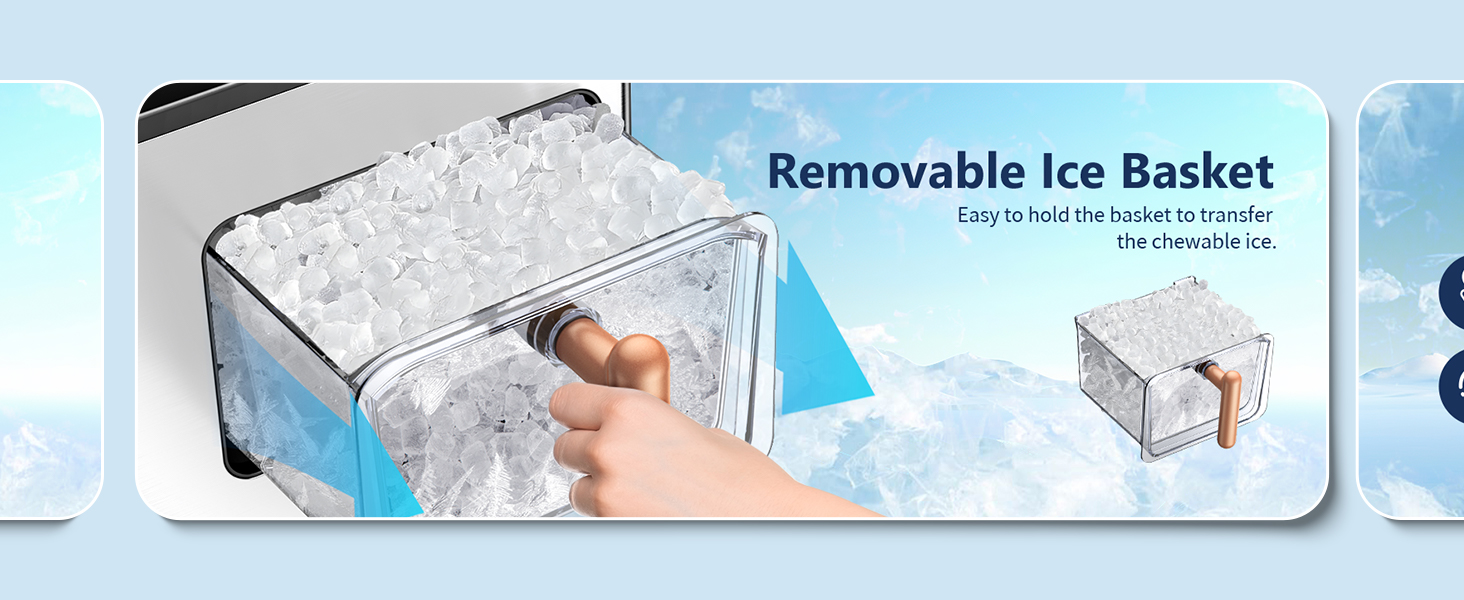
Figure 2.2: Close-up view of the removable ice basket, highlighting its design for easy handling and ice transfer.
3. Setup
3.1 Unpacking
Carefully remove all packaging materials. Inspect the ice maker for any damage. If any damage is found, do not operate the appliance and contact customer service.
3.2 Placement
- Place the ice maker on a flat, stable, and level surface.
- Ensure there is at least 5 inches (12.7 cm) of clear space around the unit for proper ventilation.
- Avoid placing the unit near heat sources (e.g., ovens, radiators) or in direct sunlight.
3.3 Initial Cleaning
Before first use, it is recommended to clean the ice maker. Follow these steps:
- Fill the water reservoir with potable water up to the MAX fill line.
- Press and hold the 'SELFCLEAN' button for more than 3 seconds to activate the self-cleaning cycle.
- The cleaning cycle will run for approximately 7 minutes.
- Once the cycle is complete, drain the water from the unit using the drainage outlet (refer to Section 5.2 for draining instructions).
- Rinse the interior with fresh water and drain again.
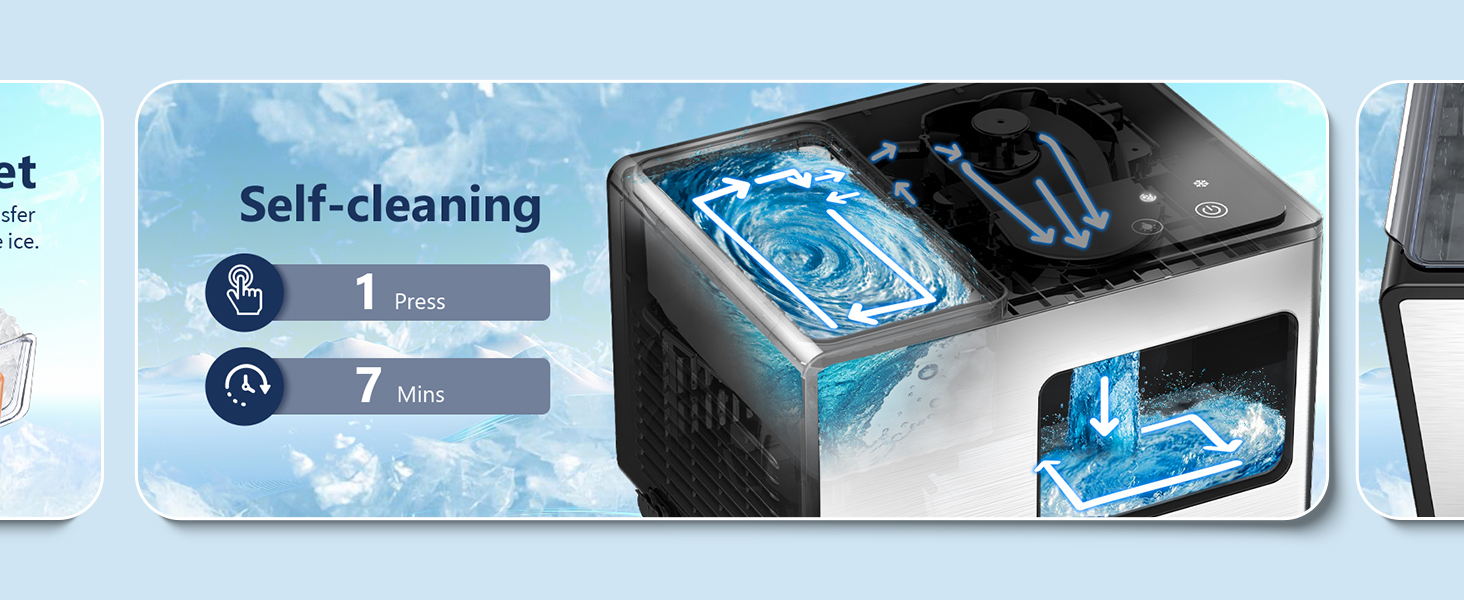
Figure 3.1: Illustration of the automatic self-cleaning process, showing water circulation within the unit.
4. Operation
4.1 Control Panel
The ice maker features an intelligent touch control panel with indicator lights and operation buttons.

Figure 4.1: The intelligent touch control panel with indicator lights for 'Add Water', 'Ice Full', 'Cleaning', and 'Power', along with buttons for 'Selfclean', 'LED Light', and 'ON/OFF'.
- Indicator Light Zone: Displays status for 'Add Water', 'Ice Full', 'Cleaning', and 'Power'.
- Operation Touch Zone: Includes 'Selfclean Button', 'LED Light Button', and 'ON/OFF Button'.
4.2 Making Ice
To start making ice, follow these simple steps:
- Ensure the ice maker is plugged into a grounded electrical outlet.
- Open the top lid and fill the water reservoir with potable water up to the MAX fill line. Do not overfill.
- Close the top lid.
- Press the 'ON/OFF' button to turn on the unit. The ice making process will begin automatically.
- The ice maker will produce fresh ice in approximately 12 minutes.

Figure 4.2: The ice maker actively producing nugget ice, with an indication of 12 minutes for fresh ice production.
4.3 Indicator Lights
- Add Water Indicator: A red light will illuminate when the water reservoir needs refilling. Ice production will pause until water is added.
- Ice Full Indicator: A red light will illuminate when the ice basket is full. Ice production will pause until ice is removed.
- Power Indicator: A white light indicates the unit is powered on.
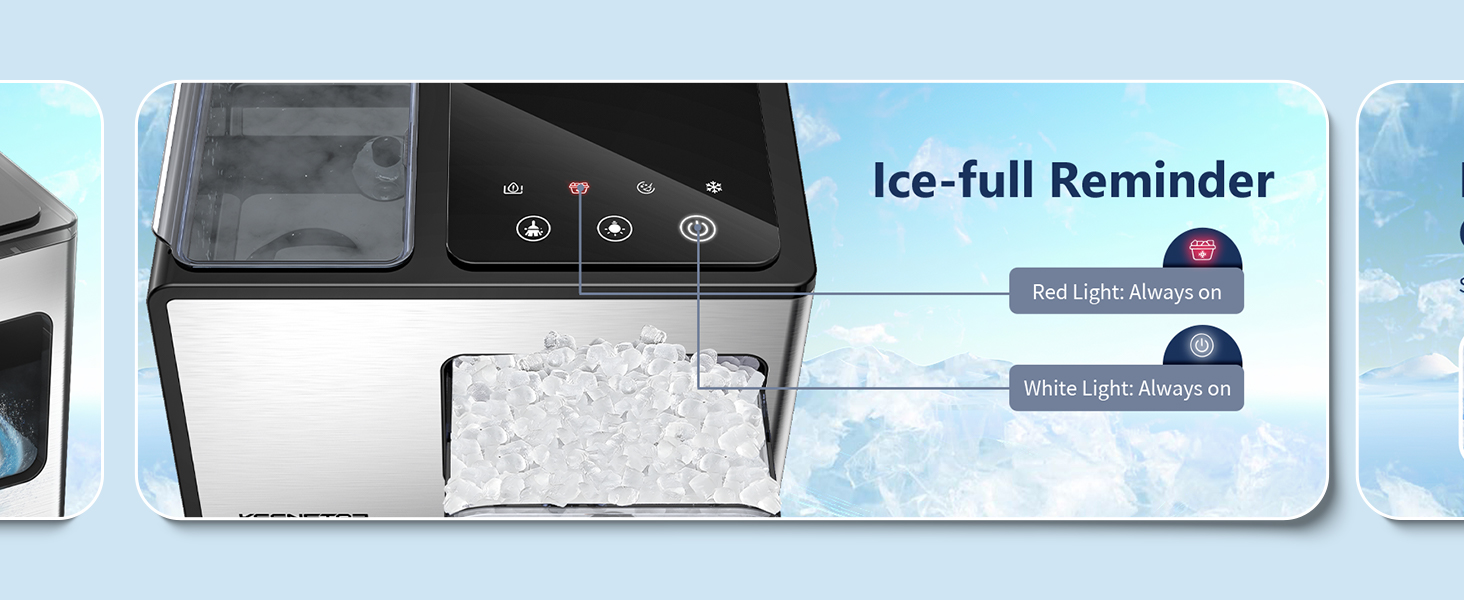
Figure 4.3: The 'Ice Full' indicator light, showing a red light when the ice basket is full.

Figure 4.4: Illustrates the process of refilling the water reservoir, ensuring water does not exceed the maximum fill line.
5. Maintenance
Regular maintenance ensures optimal performance and longevity of your ice maker.
5.1 Daily Cleaning
For daily cleaning, use the automatic self-cleaning function:
- Ensure the water reservoir is filled with potable water.
- Press and hold the 'SELFCLEAN' button for more than 3 seconds.
- The cycle will run for 7 minutes.
- After the cycle, drain the water as described in Section 5.2.
5.2 Draining Water
To drain water from the ice maker:
- Unplug the ice maker from the power outlet.
- Locate the drainage outlet at the bottom or side of the unit.
- Place a container under the outlet to collect the water.
- Remove the drain plug to allow water to flow out.
- Once all water has drained, replace the drain plug securely.
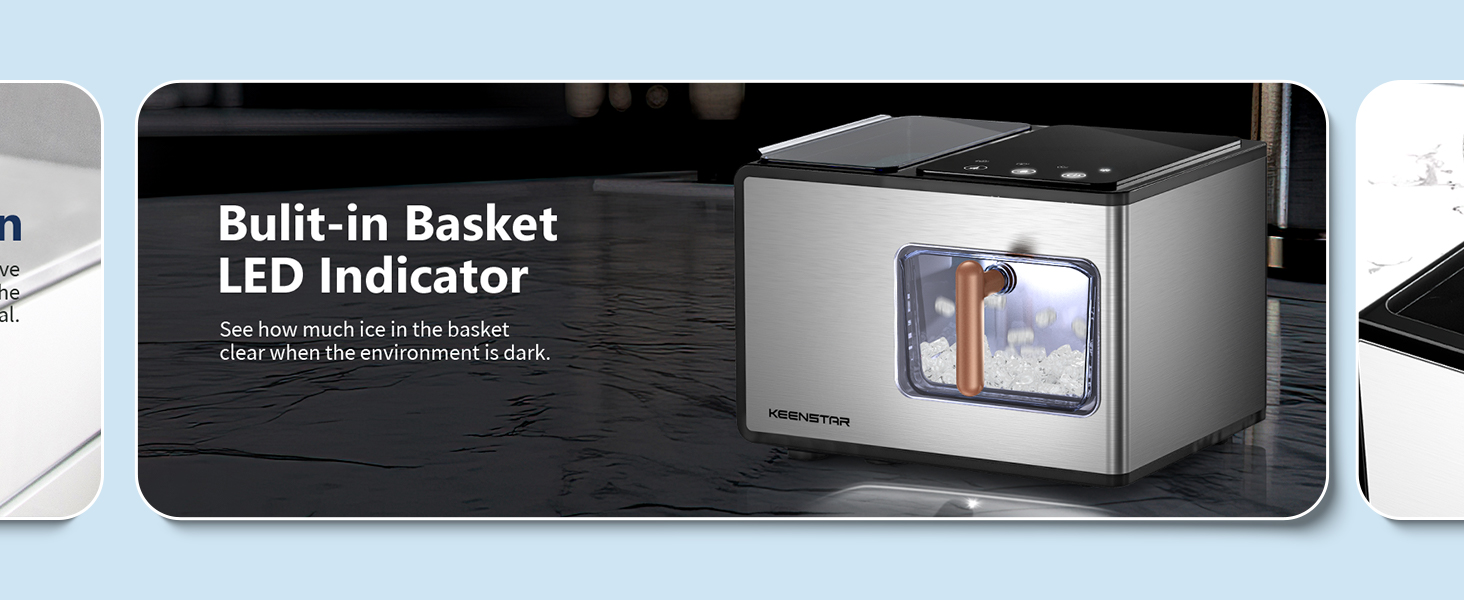
Figure 5.1: Shows the drainage outlet located at the back of the ice maker, making it easy to drain water into a sink.
5.3 Descaling (Hard Water Areas)
If you live in an area with hard water, mineral buildup (scale) can affect the ice maker's performance and cause noise. Descale the unit once a week or more often if necessary.
- Stop the machine and allow any internal ice to melt.
- Remove the filter screen.
- Run a self-clean cycle with a descaling solution (e.g., a mixture of water and vinegar or a commercial descaling agent suitable for ice makers). Follow the descaling solution manufacturer's instructions.
- Clean the front and back sides of the filter screen.
- Rinse thoroughly by running several self-clean cycles with fresh water.

Figure 5.2: Illustrates how hard water can affect the ice maker and shows the location of the filter screen for cleaning.
6. Troubleshooting
If you encounter issues with your ice maker, refer to the following table for common problems and solutions.
| Problem | Possible Cause | Solution |
|---|---|---|
| Ice maker not producing ice. | No water in reservoir; power issue; ambient temperature too high. | Fill water reservoir; check power connection; ensure unit is in a cool, well-ventilated area. |
| Ice production is slow or ice is too thin. | High ambient temperature; poor ventilation; water quality. | Move unit to a cooler location; ensure proper ventilation; use filtered water. |
| Ice maker is noisy. | Mineral buildup (scale); unit not level; internal components. | Perform descaling (Section 5.3); ensure unit is on a level surface; contact customer service if noise persists. |
| 'Add Water' indicator is on. | Water reservoir is empty. | Refill the water reservoir with potable water. |
| 'Ice Full' indicator is on. | Ice basket is full. | Remove ice from the basket. |
| Ice maker stops mid-cycle. | Ice full sensor triggered; water low sensor triggered; internal malfunction. | Check ice basket and water level; if problem persists, contact customer service. |
7. Specifications
Technical specifications for the KEENSTAR ICN1580 Nugget Ice Maker.
| Specification | Value |
|---|---|
| Brand | KEENSTAR |
| Model Name | ICN1580 |
| Product Dimensions | 18.5"D x 13.7"W x 11.4"H |
| Capacity (Water Tank) | 2.1 Liters |
| Wattage | 150 watts |
| Voltage | 120 Volts |
| Refrigerant | R600a |
| Ice Production per Day | 40 Pounds |
| Material | Stainless Steel |
| Item Weight | 20 pounds |
8. Warranty and Support
KEENSTAR offers a 30-day money-back guarantee and free replacement within 1 year from the date of purchase. Lifetime after-customer service is also provided.
If you experience any issues or have questions regarding your KEENSTAR ICN1580 Nugget Ice Maker, please contact KEENSTAR customer service for prompt assistance. Refer to your purchase documentation for specific contact details.