
Introduction
Thank you for choosing the TARARIUM WP-607H Hang-on-Back Aquarium Filter. This filter is designed to provide comprehensive 4-stage filtration for aquariums ranging from 10 to 40 gallons, suitable for both freshwater and saltwater environments. It features a detachable UV light, a surface skimmer, and adjustable water flow to maintain a clean and healthy aquatic habitat.

Image: The TARARIUM WP-607H filter operating in a clear aquarium.
Safety Instructions
- Always disconnect power to the filter and all other aquarium equipment before performing maintenance or handling the filter.
- Ensure the filter is securely installed on the aquarium rim.
- Do not operate the filter if the power cord or plug is damaged.
- The UV light is for internal use only. Do not expose eyes or skin to direct UV radiation.
- Ensure the water level in the aquarium is always above the minimum water level indicated on the filter to prevent dry running.
- This appliance is intended for household use only.
Package Contents
Verify that all components are present before assembly:
- TARARIUM WP-607H Filter Unit
- 3 x Bio-sponges
- 2 x Activated Carbon Plates
- 1 x Detachable UV Lamp
- 1 x Surface Skimmer
- 1 x Telescopic Inlet Pipe
Product Features
- 4-Stage Filtration: Combines mechanical, physical, chemical, biological, and UV sterilization for comprehensive water purification.
- Detachable UV Light: A 5W, 253.7nm wavelength UV lamp effectively reduces green water and odors. The large, isolated chamber maximizes light-to-water contact while protecting beneficial bacteria.
- Surface Skimmer: Efficiently removes oil film and debris from the water surface, ensuring optimal oxygen exchange.
- Adjustable Water Flow: A knob allows for precise control of water flow, accommodating various fish and shrimp species.
- Telescopic Inlet Pipe: Adjustable height for versatile aquascaping and proper water intake.
- Quiet Operation: Engineered for low noise output (below 40 dB), suitable for use in living areas and bedrooms.

Image: Optimized water flow path through the filter media.
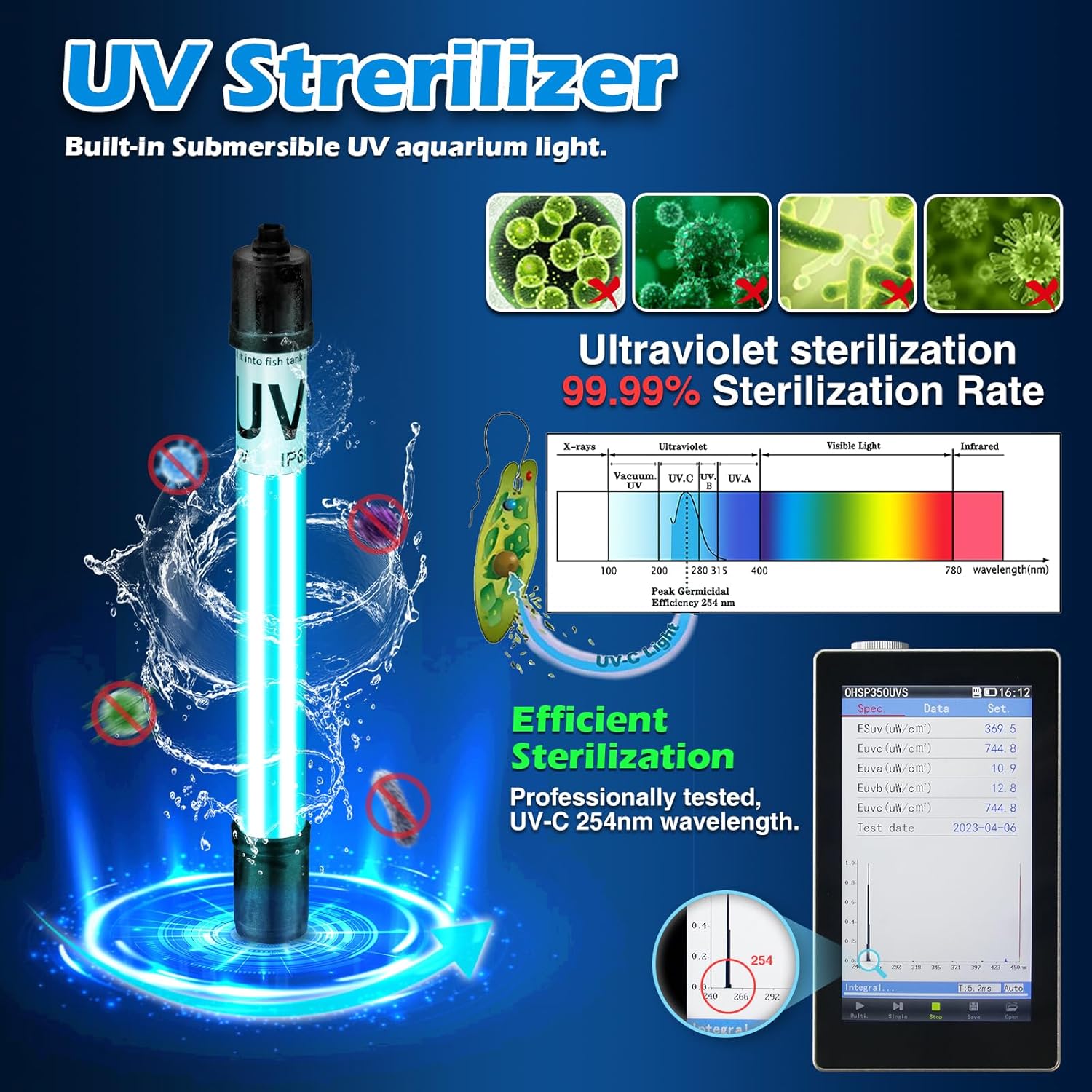
Image: Detail of the UV sterilizer's effectiveness.

Image: Visual demonstration of water clarity improvement.

Image: The filter's quiet operation, suitable for night use.

Image: Internal view highlighting the removable UV chamber.
Setup Guide
Assembly
- Unpack all components and ensure they are intact.
- Insert the bio-sponges and activated carbon plates into their designated compartments within the filter unit. Refer to the flow path diagram for correct placement.
- Carefully install the UV lamp into its dedicated chamber. Ensure it is securely seated.
- Attach the telescopic inlet pipe to the bottom of the filter unit.
- Connect the surface skimmer to the top of the inlet pipe.
Installation
- Hang the assembled filter unit onto the back rim of your aquarium. Ensure it is level and stable.
- Adjust the telescopic inlet pipe so that the bottom intake is submerged and the surface skimmer is at the water surface. Note: The water level must be higher than the fixed pipe of the surface skimmer for proper operation.
- Fill the filter chamber with aquarium water before plugging it in. This primes the pump and prevents dry running.
- Plug the filter into a grounded electrical outlet.

Image: Components for water flow adjustment and intake.

Image: Filter dimensions and component breakdown.
Operating Instructions
Powering On/Off
Once installed and primed with water, plug the filter into a suitable electrical outlet to turn it on. Unplug the filter to turn it off.
Adjusting Water Flow
Locate the flow adjustment knob on the top of the filter unit. Rotate the knob to increase or decrease the water flow rate according to your aquarium's needs and the preferences of your aquatic inhabitants.
Surface Skimmer Operation
The surface skimmer operates automatically when the water level is appropriate. Ensure the skimmer intake is positioned at the water surface to effectively remove surface film.
Maintenance
Regular maintenance is crucial for optimal filter performance and water quality.
Cleaning the Filter
- Disconnect the filter from power.
- Carefully remove the filter from the aquarium.
- Disassemble the filter components. Rinse the bio-sponges in old aquarium water (not tap water) to preserve beneficial bacteria.
- Clean the impeller and impeller housing with a small brush to remove any debris.
- Wipe down the filter casing and other non-media components.
- Reassemble the filter and reinstall it as per the setup guide.
Filter Media Replacement
- Bio-sponges: Rinse these in old aquarium water during routine cleaning. Replace them every 3-6 months, or sooner if they show significant wear or clogging.
- Activated Carbon Plates: Replace activated carbon every 2-4 weeks, as its adsorptive capacity diminishes over time.
UV Lamp Replacement
The UV lamp has a limited lifespan and its effectiveness decreases over time. It is recommended to replace the UV lamp every 6-12 months, depending on usage. Always use genuine TARARIUM replacement UV lamps.
Image: Visual guide to filter media placement.
Troubleshooting
| Problem | Possible Cause | Solution |
|---|---|---|
| Filter not starting/no water flow | Not plugged in; power outage; impeller jammed; filter not primed. | Check power connection; restore power; clean impeller; fill filter with water before starting. |
| Reduced water flow | Clogged filter media; dirty impeller; low water level. | Clean/replace filter media; clean impeller; ensure water level is adequate. |
| Excessive noise | Impeller dirty/damaged; air trapped in filter; filter not stable. | Clean/inspect impeller; gently shake filter to release air; ensure filter is securely mounted. |
| Green water persists | UV lamp expired/faulty; excessive algae growth; improper UV usage. | Replace UV lamp; reduce light exposure; ensure UV is running continuously. |
| Surface film present | Surface skimmer clogged; water level too low for skimmer. | Clean surface skimmer intake; raise water level. |
Specifications
| Feature | Specification |
|---|---|
| Model | WP-607H |
| Pump Power | 12W |
| UV Power | 5W |
| Voltage | AC 110-120V/60Hz |
| Max Flow Rate (F.MAX) | 158.5 GPH |
| Retracted Height | 8.27 inches |
| Extended Height | 10.83 inches |
| Pump Cable Length | 48.03 inches |
| UV Cable Length | 54.33 inches |
| Item Weight | 2.14 pounds |
| Package Dimensions | 6.81 x 6.57 x 5.94 inches |
Image: Detailed specifications and dimensions.
Warranty and Support
The TARARIUM WP-607H Aquarium Filter comes with a 6-month warranty from the date of purchase. This warranty covers manufacturing defects under normal use.
If you have any questions, problems, or require technical assistance with your aquarium filter, please contact TARARIUM customer support. Our team is available to help resolve issues and provide guidance within 24 hours.
For support, please refer to the contact information provided with your product packaging or visit the official TARARIUM website.