
Introduction
Welcome to your Futanwei G62 Smartwatch Band and Screen Protector manual. This guide provides detailed instructions for the proper installation, use, and maintenance of your new quick-release watch band and screen protectors, ensuring optimal performance and longevity.
Package Contents
- 1 x Quick Release Watch Band (22mm)
- 3 x Smartwatch Screen Protectors
Compatibility
This accessory set is specifically designed for the following G62 smartwatch models:
- Banlvs G62 Smart Watch
- Sanorum G62 Smart Watch
- RUXINGX G62 Smart Watch
- SWGOTA G62 Smart Watch
Note: This product is NOT compatible with TOOBUR DR06 Smart Watch or other devices not listed above.
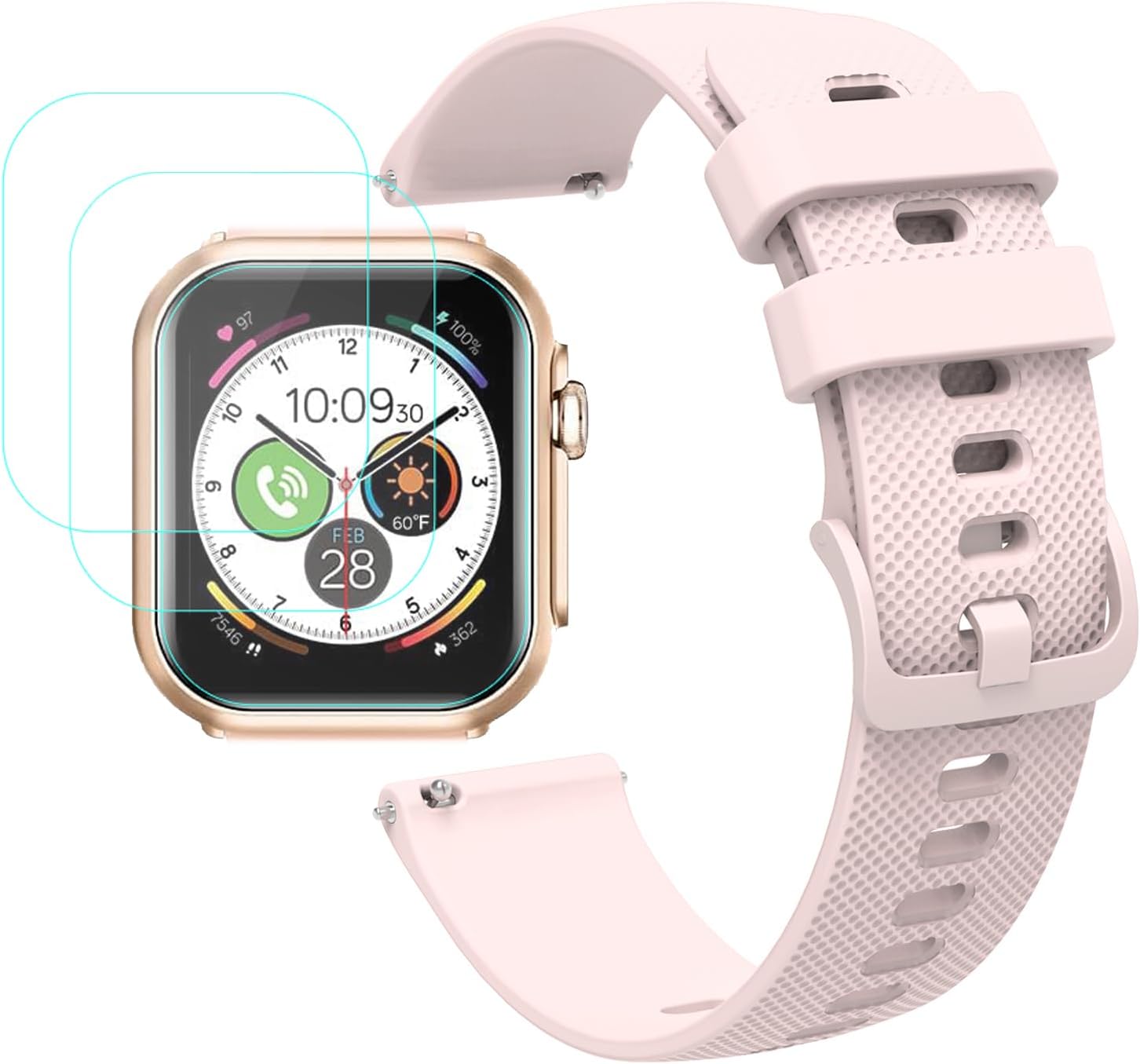
This image illustrates the product's compatibility, showing the quick-release watch bands and a smartwatch with the screen protector applied. It explicitly lists compatible brands: Banlvs G62, Sanorum G62, RUXINGX G62, and SWGOTA G62.
Product Features
Quick Release Watch Band
- Material: Crafted from high-quality soft silicone, ensuring comfort and durability for daily wear.
- Design: Features a smooth design with no sharp edges, lightweight, flexible, yet robust for various activities.
- Adjustability: Equipped with multiple holes to accommodate a wide range of wrist sizes, from 140mm to 221mm (5.5 inches to 8.7 inches).
- Installation: Integrated quick-release spring bars allow for effortless installation and removal without the need for specialized tools.

This diagram shows the minimum and maximum wrist circumference the watch band can accommodate, ranging from 5.5 inches (140mm) to 8.7 inches (221mm), ensuring a comfortable fit for various users.
Smartwatch Screen Protector
- Material: Made from high-quality flexible PET film, providing robust protection without being tempered glass.
- Properties: Features oleophobic and hydrophobic coatings, making it resistant to fingerprints, oils, and water. It is also anti-scratch.
- Performance: Maintains high touch sensitivity for seamless interaction with your smartwatch screen and is designed for bubble-free application.

This image highlights the key features of the screen protector, including its high touch sensitivity, anti-bubble properties, fingerprint resistance, and the presence of an oleophobic coating for a clear display.
Setup and Installation
Installing the Quick Release Watch Band
- Locate the quick release spring bar on the back of the watch band.
- Slide the small lever inwards to compress the pin of the spring bar.
- Align one end of the spring bar with the lug hole on your smartwatch.
- Release the lever to allow the pin to extend and secure itself into the lug hole.
- Gently pull on the band to ensure it is securely attached to the watch. Repeat these steps for the other side of the watch band.
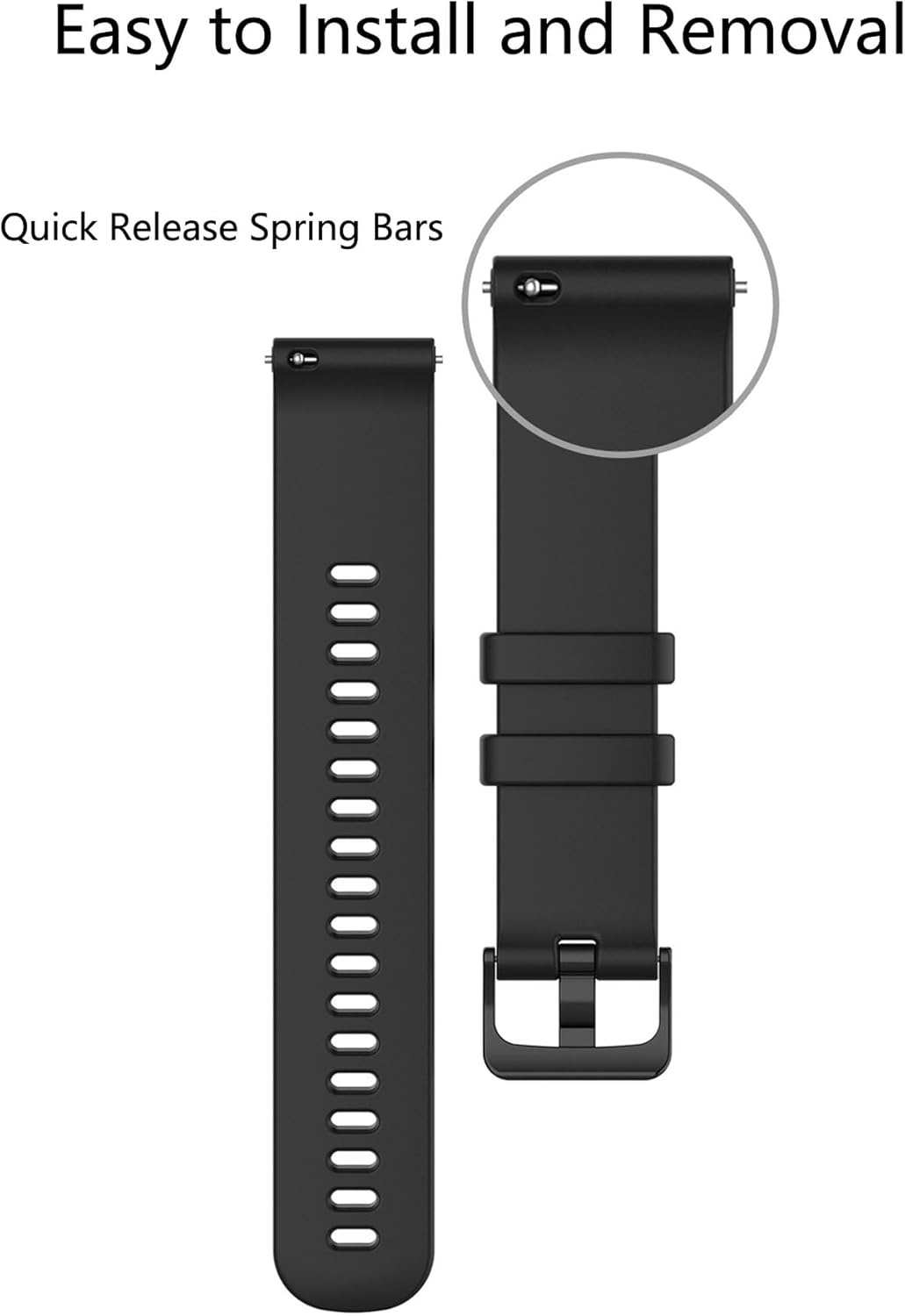
This image demonstrates the quick release spring bar mechanism on the watch band, which allows for swift and tool-free attachment and detachment from the smartwatch lugs.
Applying the Smartwatch Screen Protector
Step 1: Clean the Watch Surface
Wipe the surface of your smartwatch screen thoroughly with a dry and wet cloth to remove any dust, oils, or smudges. Ensure the screen is completely dry and free of particles before proceeding.Step 2: Remove Protective Layer
Gently pull down the designated label or tab to carefully peel off the first protective layer from the screen protector. Avoid touching the adhesive side to prevent fingerprints or dust.Step 3: Align and Place
Carefully align the screen protector with your smartwatch screen, ensuring it matches the contours precisely. Once aligned, gently place it onto the screen, starting from one edge and slowly lowering it across the surface.Step 4: Press and Secure
Press the protective film from side to side, gently pushing out any trapped air bubbles towards the edges of the screen. Use a soft cloth or a smooth card to help smooth out the protector and ensure full adhesion.
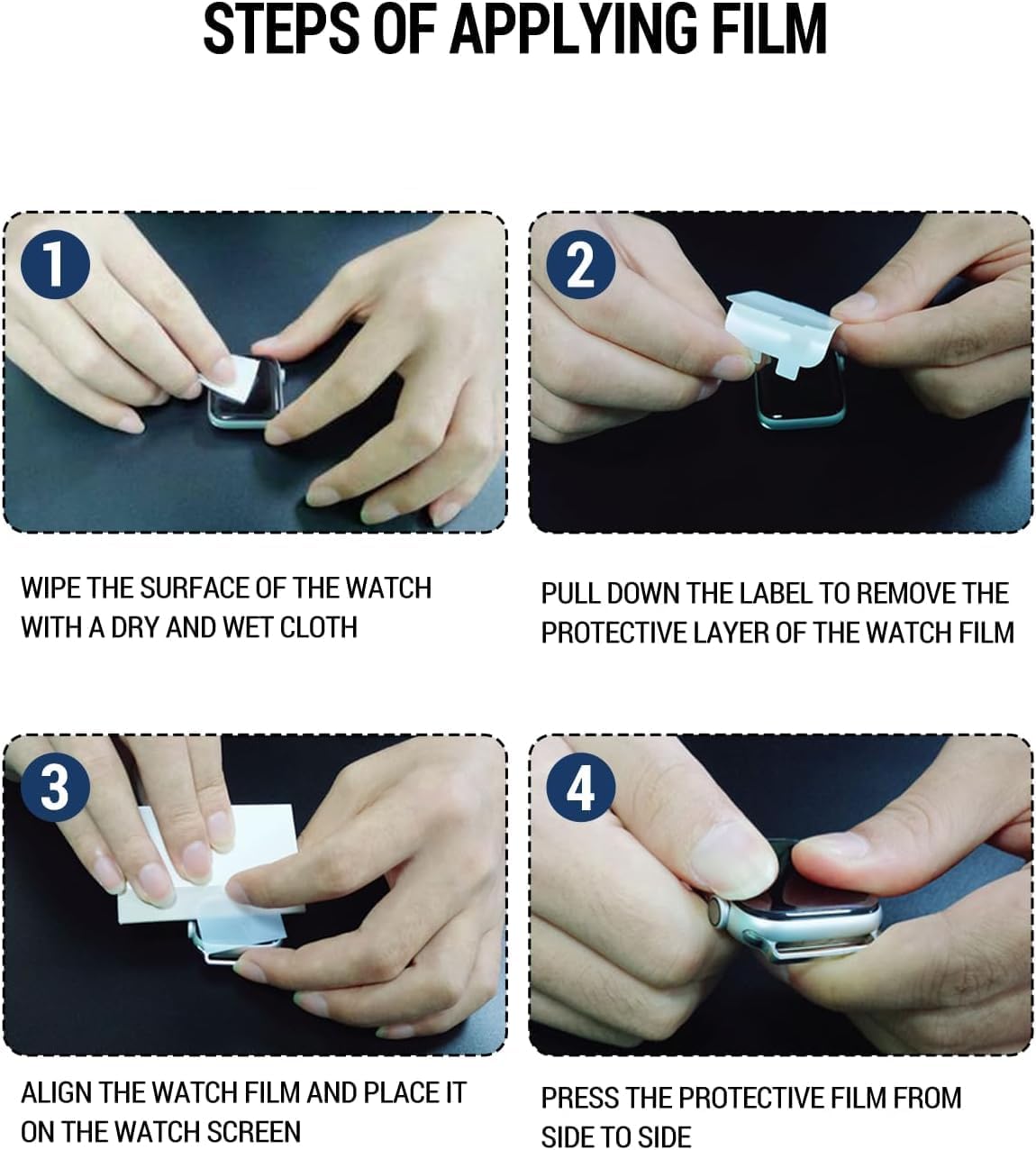
This image provides a visual guide for applying the screen protector. It shows cleaning the watch surface, removing the protective film, aligning the protector, and pressing it down to remove bubbles.
Maintenance
Watch Band Care
The silicone watch band is designed for easy cleaning and can be washed repeatedly. Use mild soap and lukewarm water to clean the band. Rinse thoroughly to remove all soap residue and allow it to air dry completely before reattaching it to your smartwatch. Avoid using harsh chemicals, abrasive cleaners, or stiff brushes, as these may damage the silicone material.
Screen Protector Care
The screen protector is durable and designed to withstand daily use. To clean, gently wipe the surface with a soft, lint-free cloth. Avoid using excessive force or sharp objects that could peel or scratch the protector. If the protector becomes severely damaged or loses adhesion, replace it with one of the included spares.
Specifications
| Feature | Detail |
|---|---|
| Product Type | Quick Release Watch Band & Screen Protector |
| Band Material | Silicone |
| Clasp Type | Tang Buckle |
| Metal Components | Stainless Steel |
| Screen Protector Material | Flexible PET (Not Tempered Glass) |
| Compatible Watch Lug Width | 22mm |
| Adjustable Wrist Size | 140mm to 221mm (5.5" to 8.7") |
| Manufacturer | Futanwei |
| Model Number | 22mm Watch Band |
Troubleshooting
Watch Band Installation Issues
Band does not fit into watch lugs:
Ensure your smartwatch has a 22mm lug width. This band is specifically designed for 22mm lugs. Verify you are using one of the compatible G62 models listed in the 'Compatibility' section.
Spring bar is difficult to engage:
Ensure the spring bar is fully compressed by sliding the lever inwards and is properly aligned with the lug hole. Wiggle it gently until you feel it click into place. Do not force the spring bar, as this may cause damage to the watch or band.
Screen Protector Application Issues
Bubbles under the screen protector:
During application, use a soft card or cloth to gently push any trapped air bubbles towards the edges of the screen. For very small bubbles, they may dissipate naturally over 24-48 hours. The most crucial step to prevent bubbles is to ensure the screen is thoroughly cleaned and dust-free before application.
Screen protector does not adhere properly:
Ensure the smartwatch screen surface is completely clean, dry, and free of any oils or residues before applying the protector. Avoid touching the adhesive side of the protector during installation, as oils from your fingers can impair adhesion.
Support
If you encounter any issues, have questions, or require further assistance regarding your Futanwei G62 Smartwatch Band and Screen Protector, please do not hesitate to contact the seller or manufacturer. We are committed to providing excellent customer service and will do our best to resolve your concerns quickly and efficiently.