
ILM FM159BT-New
ILM 159BT Bluetooth Modular Motorcycle Helmet User Manual
Model: FM159BT-New
Introduction
This manual provides essential information for the safe and effective use of your ILM 159BT Bluetooth Modular Motorcycle Helmet. Please read it thoroughly before using the helmet to ensure proper operation, maintenance, and to maximize your riding experience.
The ILM 159BT helmet is designed for motorcycle riders, featuring a modular flip-up design, integrated Bluetooth communication, and a dual visor system for enhanced safety and comfort.
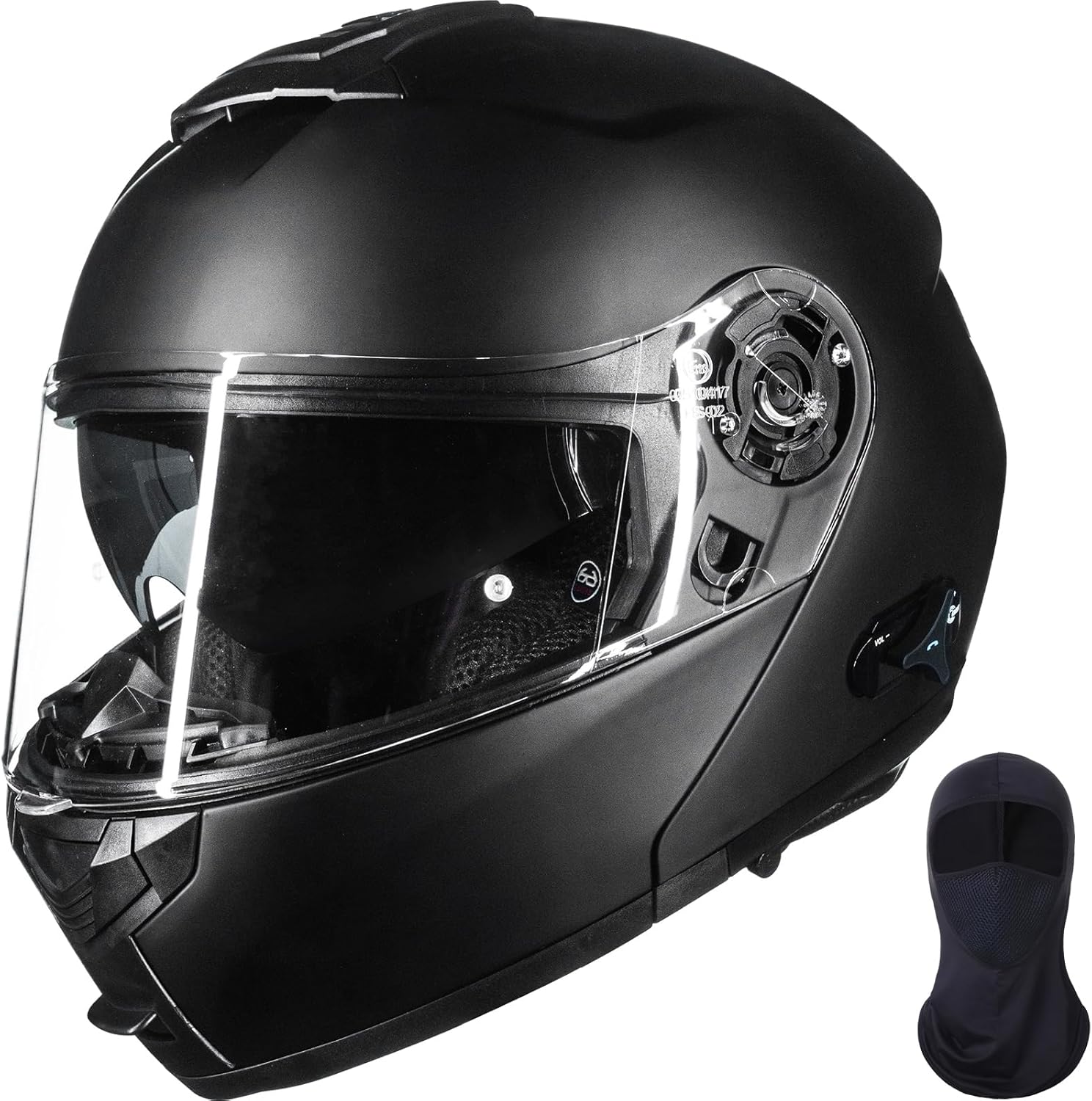
Image: The ILM 159BT Bluetooth Modular Motorcycle Helmet in matte black, shown with its clear outer visor and a balaclava.
Safety Information
Your ILM 159BT helmet complies with FMVSS 218 and DOT safety standards, providing reliable protection. Always ensure the helmet fits correctly and all components are securely fastened before riding.
- Always wear a helmet that fits properly. Refer to the size chart for guidance.
- Ensure the chin strap is securely fastened.
- Do not modify the helmet in any way, as this may compromise its protective capabilities.
- Avoid exposing the helmet to extreme temperatures or harsh chemicals.
- In case of an impact, replace the helmet immediately, even if visible damage is not apparent.

Image: Rear view of the ILM 159BT helmet, highlighting the DOT FMVSS No. 218 certification label, indicating trusted protection.
Helmet Components
Familiarize yourself with the key components of your ILM 159BT helmet:
- Outer Visor: Clear, wide-vision, detachable, Pinlock compatible for anti-fog function (Pinlock not included).
- Inner Visor: Glare protection, detachable design, operated by a switch.
- Modular Chin Bar: Flip-up design with secure locking mechanism.
- Ventilation System: Multiple air vents including mouth, top, and rear vents for continuous airflow.
- Bluetooth 5.0 Module: Integrated for communication and audio.
- Removable Liner: Sweat-absorbing, upgraded fabric, easy to wash and quick to dry.


Image: Various components of the helmet, including the removable inner lining, the glasses groove for comfortable wear with spectacles, and the complimentary balaclava.
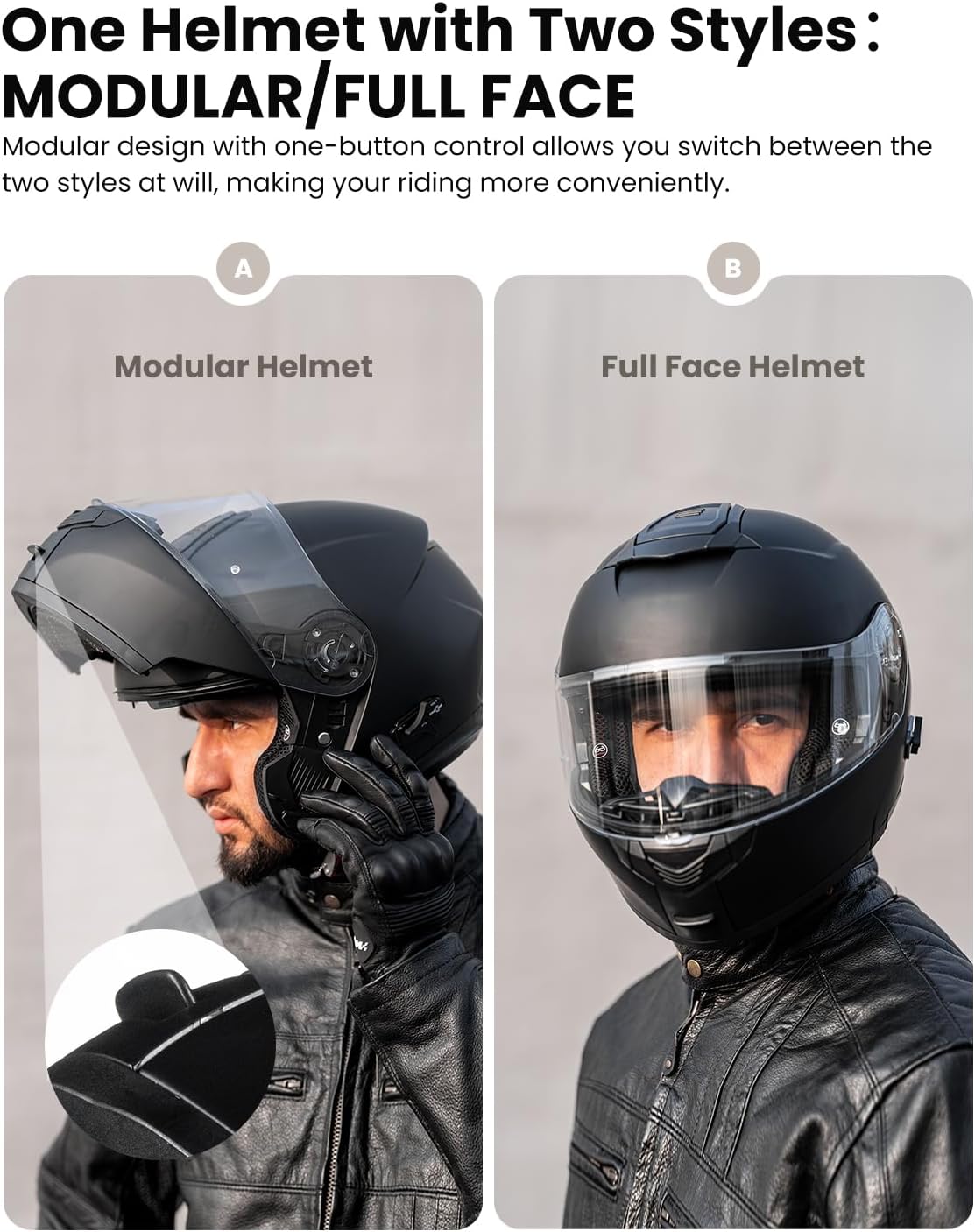
Image: A detailed diagram showing the outer visor, inner visor, Pinlock compatibility, Bluetooth 5.0 module, and inner visor switch on the ILM 159BT helmet.
Setup
1. Sizing and Fit
Proper fit is crucial for safety and comfort. Measure the circumference of your head as shown in the diagram below. Place a measuring tape above your ears and slightly above your eyebrows. Wrap it around just below the crown on the back of your head.
Note: The helmet sizing runs small. It is recommended to choose one size up from your measured size for optimal comfort.

Image: A size chart for ILM motorcycle helmets, illustrating how to measure head circumference and providing corresponding helmet sizes in CM, Inches, and Hat Size.
| SIZE | CM | INCHES | HAT SIZE |
|---|---|---|---|
| S | 55 - 56 | 21⅝ - 22 | 6⅞ - 7 |
| M | 57 - 58 | 22½ - 22⅞ | 7⅛ - 7¼ |
| L | 59 - 60 | 23¼ - 23⅝ | 7⅜ - 7½ |
| XL | 61 - 62 | 24 - 24⅜ | 7⅝ - 7¾ |
| XXL | 63 - 64 | 24¾ - 25¼ | 7⅞ - 8 |
Sizing information is provided by the manufacturer and does not guarantee a perfect fit. Please use this chart as a guide only.
2. Charging the Bluetooth Module
Before first use, fully charge the integrated Bluetooth module. The helmet comes with 1 Lithium Ion battery included. Connect the charging cable (not specified if included, assume standard USB) to the charging port on the helmet's Bluetooth module and to a power source. A full charge provides up to 14 hours of talk time.
Operating Instructions
1. Bluetooth Communication
The ILM 159BT features upgraded Bluetooth 5.0 for stable and clear wireless communication. It supports intercom functionality for 2-3 riders.
- Pairing: Refer to the specific instructions provided with the helmet for Bluetooth pairing procedures with your mobile device or other Bluetooth-enabled helmets.
- Intercom: The intercom system allows for communication between 2-3 riders. Follow the pairing instructions to establish an intercom connection.
- Talk Time: Enjoy up to 14 hours of talk time for intercom and phone calls, and 13 hours for music playback. Standby time is up to 120 hours.
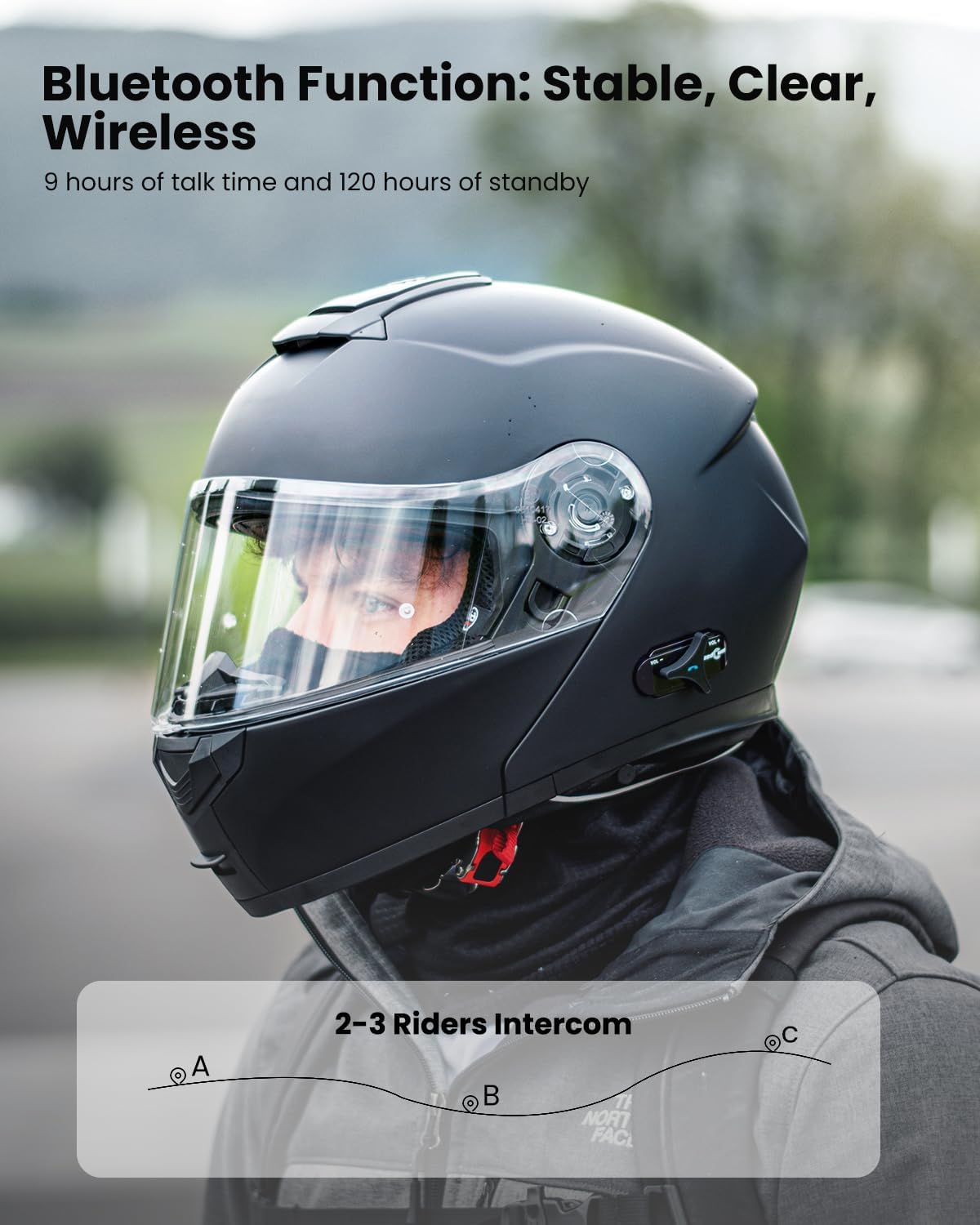
Image: A rider wearing the ILM 159BT helmet, illustrating the Bluetooth function for stable, clear, and wireless communication, including 2-3 rider intercom capability.

Image: Three riders on motorcycles, highlighting the upgraded Bluetooth performance of the ILM 159BT helmet, with icons indicating 14H intercom, 2-3 riders, 14H phone calls, and 13H music playback.
2. Visor Operation
The helmet features a dual visor system for varying light conditions.
- Outer Visor: The clear outer visor can be raised or lowered manually. It is Pinlock30-ready for anti-fog inserts (sold separately).
- Inner Visor: The inner sun visor can be deployed or retracted using the switch located on the side of the helmet. This provides protection from harsh sunlight.

Image: A close-up of the ILM 159BT helmet's dual visor system, showing the clear outer visor and the inner sun visor. Options for colorful and heated visors are also shown as available for purchase.
3. Modular Functionality
The modular design allows you to switch between a full-face and open-face helmet style with a one-button control. This feature enhances convenience and adaptability.
Image: Two views of the ILM 159BT helmet, demonstrating its modular design. One image shows the helmet in its open, modular configuration, and the other shows it in the closed, full-face configuration.

Image: A rider wearing the ILM 159BT helmet in its modular (flip-up) configuration, emphasizing the convenience of the design.
4. Ventilation System
The helmet is equipped with multiple air vents to ensure continuous airflow, keeping you cool and comfortable during rides.
- Mouth Air Vent: Located on the chin bar.
- Top Air Vent: Located on the crown of the helmet.
- Rear Air Vent: Located at the back of the helmet for exhaust.

Image: A diagram of the ILM 159BT helmet highlighting the efficient ventilation system with arrows indicating airflow through the mouth, top, and rear air vents.
Maintenance
- Cleaning the Shell: Use a soft, damp cloth and mild soap to clean the exterior of the helmet. Avoid abrasive cleaners or solvents.
- Cleaning the Visors: Clean visors with a soft cloth and warm water. Do not use harsh chemicals. For Pinlock-ready outer visor, follow Pinlock cleaning instructions.
- Cleaning the Liner: The sweat-absorbing, removable liner can be easily washed. Follow the care instructions on the liner's label. Ensure it is completely dry before reinserting.
- Bluetooth Module Care: Keep the Bluetooth module dry. If it gets wet, allow it to dry completely before use. Do not attempt to disassemble the module.
- Storage: Store the helmet in a cool, dry place away from direct sunlight and extreme temperatures.
Troubleshooting
| Issue | Possible Cause | Solution |
|---|---|---|
| Bluetooth not pairing | Module not in pairing mode, low battery, interference. | Ensure module is in pairing mode. Charge the battery. Move away from other electronic devices. |
| Intercom connection unstable | Distance too great, obstacles, interference. | Reduce distance between helmets. Ensure clear line of sight. |
| Poor audio quality | Speaker placement, wind noise, low battery. | Adjust speaker position. Ensure visors are closed. Charge battery. |
| Visor fogging | Temperature difference, humidity. | Ensure proper ventilation. Consider installing a Pinlock insert (sold separately). |
If you encounter issues not listed here, please refer to the support section or contact ILM customer service.
Specifications
- Model: FM159BT-New
- Brand: ILM
- Safety Rating: DOT Certified (FMVSS 218)
- Bluetooth Version: 5.0
- Battery: 1 Lithium Ion battery (included)
- Talk Time: Up to 14 hours (Intercom/Phone Calls)
- Music Playback Time: Up to 13 hours
- Standby Time: Up to 120 hours
- Intercom Range: For 2-3 riders (specific range not provided, based on general Bluetooth intercoms)
- Item Weight: Approximately 3.86 pounds
- Package Dimensions: Approximately 14.57 x 10.83 x 10.83 inches
Warranty and Support
For warranty information and customer support, please refer to the documentation included with your purchase or visit the official ILM website. You can also contact the seller directly for assistance.
ILM Store: Visit the ILM Store on Amazon
Related documentsFM159BT-New


Ask a question about this manual
Ask about setup, troubleshooting, compatibility, parts, safety, or missing instructions. Manuals+ will review the question and use this page’s manual context to help answer it.