
Important Safety Information
Read all instructions carefully before assembly and use. Keep this manual for future reference.
- Do not exceed the maximum weight recommendation of 220 pounds (100 kg).
- Ensure the desk is properly anchored using the adjustable anti-slip feet to prevent tipping.
- Be cautious when using the built-in charging station to avoid electrical hazards.
- Keep liquids away from electrical components to prevent damage or electrical shock.
Package Contents
Verify that all components are present and undamaged before beginning assembly. If any parts are missing or damaged, please contact customer support.
- Desktop Panels (Carbon Fiber Texture)
- Metal Frame Components
- 3 Fabric Drawers
- Monitor Stand/Shelf
- Side Hooks (4 pieces)
- Built-in Power Outlet Unit (3 AC outlets, 2 USB ports)
- LED Light Strip
- Adjustable Anti-Slip Feet
- Assembly Hardware (screws, bolts, etc.)
- Assembly Tools
- Instruction Manual
Assembly Instructions
This desk is designed for straightforward assembly. Follow the detailed instructions provided with your product. All parts are clearly labeled to assist you.
Step 1: Unpack and Identify Components
Carefully unpack all parts from the packaging and lay them out on a clean, soft surface (e.g., a blanket or carpet) to prevent scratches. Refer to the included parts list and diagrams to identify each component.
Step 2: Assemble the Main Frame
Begin by assembling the main metal frame of the desk. Use the provided hardware to connect the frame pieces. Secure all connections firmly but do not overtighten until the desk is fully assembled and leveled.
Step 3: Attach Desktop Panels
Place the carbon fiber textured desktop panels onto the assembled frame. Ensure proper alignment of all panels before securing them with the provided screws. Tighten all screws once aligned.
Step 4: Install Storage Components
Install the three fabric drawers into their designated slots within the side storage unit. Attach the four side hooks to the frame as desired for hanging accessories. The lower storage shelf is reversible and can be positioned on either the left or right side to accommodate your gaming PC tower or other equipment.
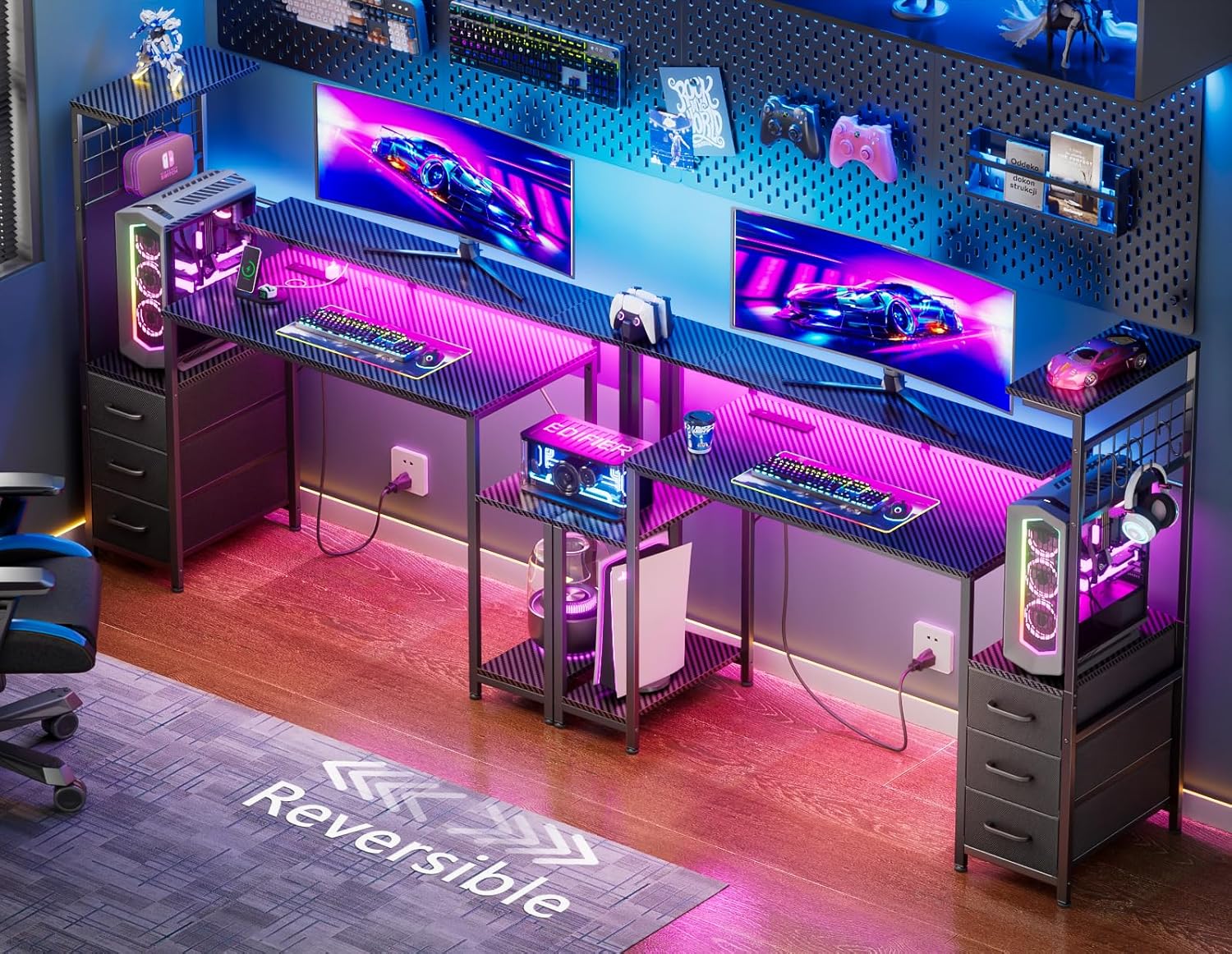
Image: Fully assembled Korfile 48-Inch Gaming Desk, showcasing its design with LED lighting and various accessories.

Image: Detailed product dimensions of the Korfile 48-Inch Gaming Desk, including measurements for height, width, and depth of various sections like the monitor stand and storage unit. It also illustrates the reversible shelf option.
Step 5: Connect LED Lighting and Power Outlets
Install the LED light strip under the monitor stand, ensuring it adheres securely. Connect the built-in power outlet unit to a standard wall socket. Organize cables using the provided cable management features.
Video: A short demonstration of the desk's initial setup, including the LED lights and the fabric drawers. This video shows the desk being assembled and its features being tested.
Operating Instructions
LED Lighting Control
The desk features advanced RGB lighting with 10 static colors, 10 dynamic modes, and 6 brightness levels, allowing you to customize your gaming environment.
- Use the intuitive smartphone application (refer to the separate app manual for download and pairing instructions) to customize and save your favorite lighting effects.
- The lights can be adjusted to create various ambient settings to enhance your experience.

Image: The Korfile Gaming Desk illuminated with RGB LED lights, demonstrating the various color and mode options controlled via a smartphone application. Icons for app control, color change, dynamic modes, brightness levels, and flicker frequencies are displayed.
Built-in Charging Station
The desk is equipped with a convenient charging station featuring 3 AC power outlets and 2 high-speed USB charging ports (1 USB-A, 1 USB-C).
- Plug your computer, monitor, and other AC-powered devices into the AC outlets.
- Use the USB ports to charge compatible devices such as smartphones, tablets, headsets, and other gaming peripherals.
- Ensure your devices are compatible with the 5V/3A USB output for optimal charging.
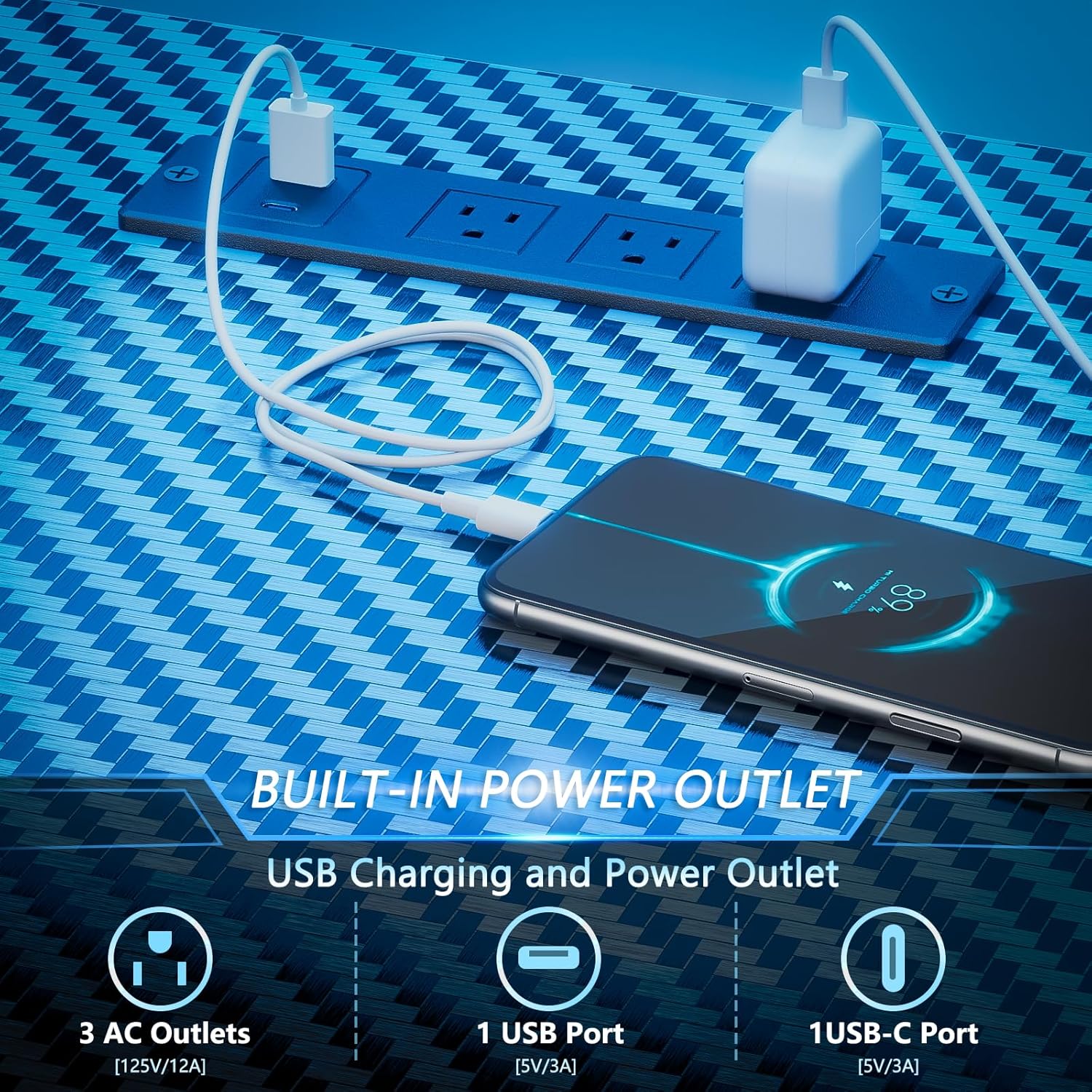
Image: A close-up view of the built-in power outlet on the Korfile Gaming Desk, showing 3 AC outlets, 1 USB port, and 1 USB-C port in use, charging a smartphone.
Storage Features
Utilize the integrated storage solutions to keep your workspace organized and clutter-free.
- The 3 fabric drawers provide ample space for storing documents, games, and small accessories.
- The 4 side hooks are ideal for hanging headphones, VR headsets, or managing cables.
- The reversible storage shelf is perfectly sized to house a gaming PC tower, keeping it off the floor and easily accessible.

Image: An overview of the storage features of the Korfile Gaming Desk, highlighting the three fabric drawers, four hanging S-hooks for accessories, and a dedicated computer tower stand.
Maintenance
Cleaning
- For general cleaning, wipe the desk surfaces with a soft, damp cloth.
- For stubborn marks, use a mild cleaning solution and then wipe dry immediately with a clean, dry cloth.
- Avoid abrasive cleaners, harsh chemicals, or solvents that may damage the carbon fiber texture or lacquered finish.
Care
- Regularly check all screws and connections to ensure they remain tight. Retighten as necessary to maintain stability.
- Do not place excessively hot or cold items directly on the desktop without protective coasters to prevent surface damage.
- Avoid exposing the desk to direct sunlight or extreme temperature changes, as this can lead to material degradation or discoloration.
Troubleshooting
LED Lights Not Working
- Check if the LED light strip is properly connected to its power source.
- Ensure the power outlet the desk is plugged into is functional.
- Verify that the control app is correctly paired and functioning. Try restarting the app or your device.
Power Outlets/USB Ports Not Functioning
- Confirm the desk's main power cord is securely plugged into a working wall outlet.
- Check if the power strip on the desk is switched on (if applicable).
- Test with different devices to rule out device-specific issues.
Desk Instability
- Ensure all assembly screws are tightened securely.
- Adjust the anti-slip feet on the bottom of the desk to level it on uneven surfaces.
- Verify that the desk is not overloaded beyond its 220-pound weight capacity.
Specifications
| Feature | Detail |
|---|---|
| Brand | Korfile |
| Model Number | GD-006-48 |
| Product Dimensions (D x W x H) | 18.9"D x 48.98"W x 47.24"H |
| Material | Engineered Wood (Top), Metal (Base) |
| Color | Carbon Fiber Black |
| Maximum Weight Capacity | 220 Pounds (100 kg) |
| Power Outlets | 3 AC Outlets (125V/12A) |
| USB Charging Ports | 1 USB-A (5V/3A), 1 USB-C (5V/3A) |
| LED Lighting | RGB, 10 Static Colors, 10 Dynamic Modes, 6 Brightness Levels |
| Storage | 3 Fabric Drawers, 4 Side Hooks, Reversible Storage Shelf |
| Assembly Required | Yes |
Warranty and Support
This product comes with a limited warranty. Please refer to the warranty card included in your package for specific terms and conditions regarding coverage and duration.
For product-related issues, technical assistance, or warranty claims, please contact Korfile customer support. Our professional customer support team is ready to assist you within 24 hours.
Contact Information: Please refer to your product packaging or the official Korfile website for the most current contact details.