
Camcamp B0FJ1HTFFF
Camcamp Solar Camera System User Manual
Model: B0FJ1HTFFF
Product Overview
The Camcamp Solar Camera System is an all-in-one home security solution featuring wireless solar-powered cameras and a 10-inch monitor. Designed for easy installation and comprehensive surveillance, this system offers high-resolution video, color night vision, and local storage without monthly fees.

Figure 1: Overview of the Camcamp Solar Camera System, including the 10-inch monitor, multiple solar-powered cameras, and a 500GB hard drive.
Setup Guide
1. Unboxing and Initial Inspection
Carefully unpack all components and verify that all items listed in the packing list are present and undamaged. The system includes the 10-inch NVR monitor, solar cameras, power adapter, USB mouse, mounting bases, and necessary cables.

Figure 2: Included components of the Camcamp Solar Camera System, showing the NVR monitor, solar cameras, and accessories.
2. Monitor Setup (Plug & Play)
The 10-inch monitor and cameras are pre-paired for immediate use. Simply connect the power adapter to the NVR monitor and plug it into an electrical outlet. The monitor will power on and display the camera feeds automatically.
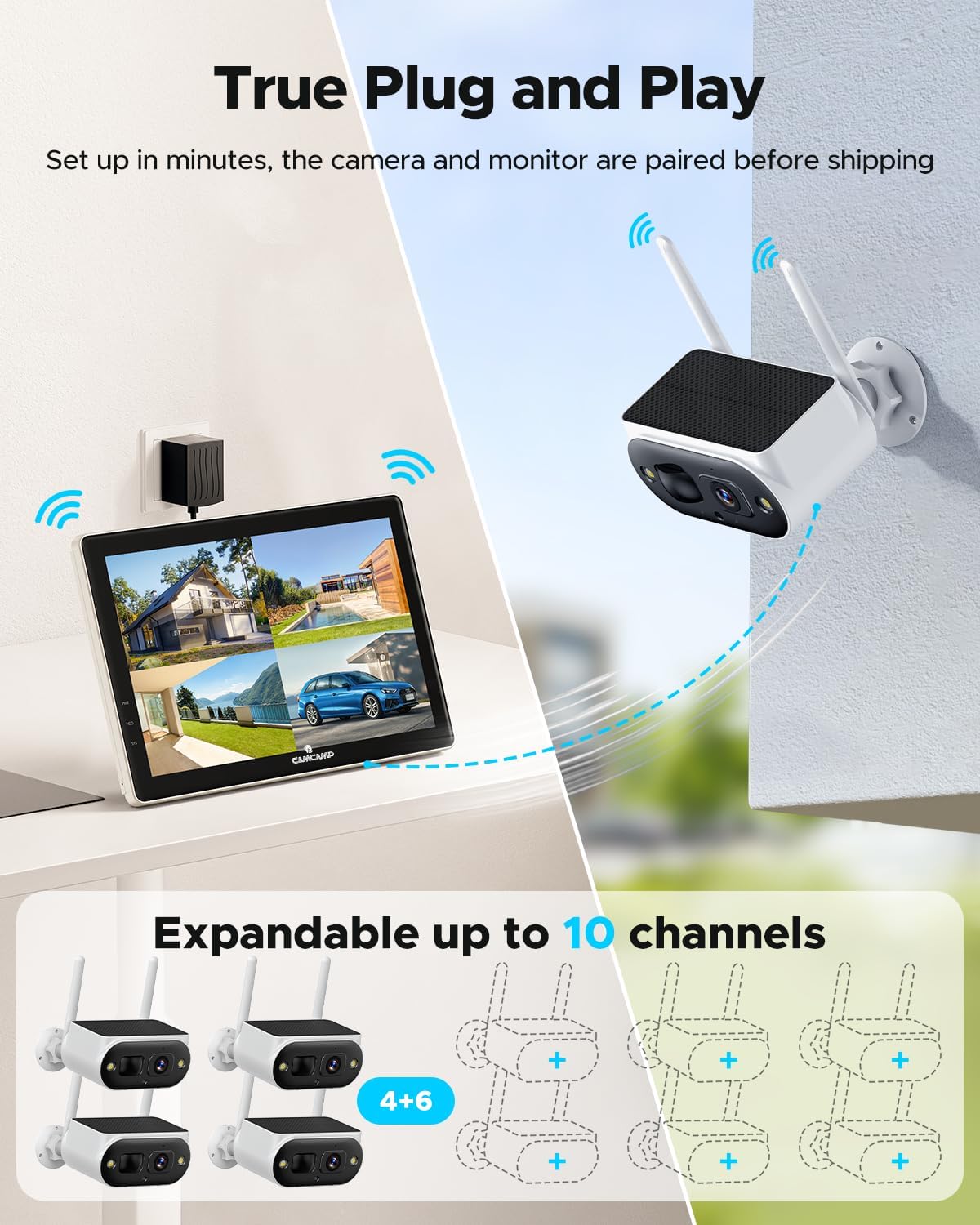
Figure 3: The system is designed for true plug-and-play operation, with cameras and monitor pre-paired.
The monitor also supports HDMI output for connecting to a larger display, if desired.
Video 1: Demonstrates the quick and easy setup of the Camcamp Solar Camera System, highlighting the plug-and-play functionality and monitor features.
3. Camera Installation
The solar cameras are 100% wire-free and can be mounted almost anywhere with sufficient sunlight. Choose a location that provides optimal surveillance coverage and receives at least 2 hours of direct sunlight daily for continuous charging.

Figure 4: Installation of the solar camera is simple, requiring only a few screws to mount.
Use the provided mounting base and screws to securely attach the camera to a wall or other stable surface. Ensure the solar panel faces an unshaded area to maximize charging efficiency.

Figure 5: The camera features an integrated solar panel for continuous power, requiring minimal sunlight.
Operating Instructions
1. Viewing Live Feed and Playback
Once powered on, the monitor will display live feeds from all connected cameras. Use the included USB mouse to navigate the on-screen menu for options like viewing individual cameras, playback of recorded footage, and system settings.
2. Local Storage and Expansion
The system comes with a pre-installed 500GB hard drive for local storage, eliminating the need for monthly subscription fees. This storage can be expanded up to 6TB by replacing the existing hard drive with a larger 2.5-inch HDD.

Figure 6: The system supports local storage via HDD, TF card, and optional cloud storage.
3. Smart Detection and Alerts
The cameras are equipped with PIR sensors for human detection, reducing false alarms. When motion is detected, the system can send instant alerts to your connected mobile device via the CloudEye 365 app.

Figure 7: Smart detection features provide instant alerts for human presence.
The system also features sound and light alarms to deter intruders, activated upon detection.

Figure 8: The camera's smart detection triggers spotlights and sound alarms for deterrence.
4. Color Night Vision and Resolution
The 4MP cameras provide 2K QHD resolution, capturing clear and detailed images. With built-in spotlights, the cameras offer full-color night vision up to 30 feet, ensuring visibility even in low-light conditions.
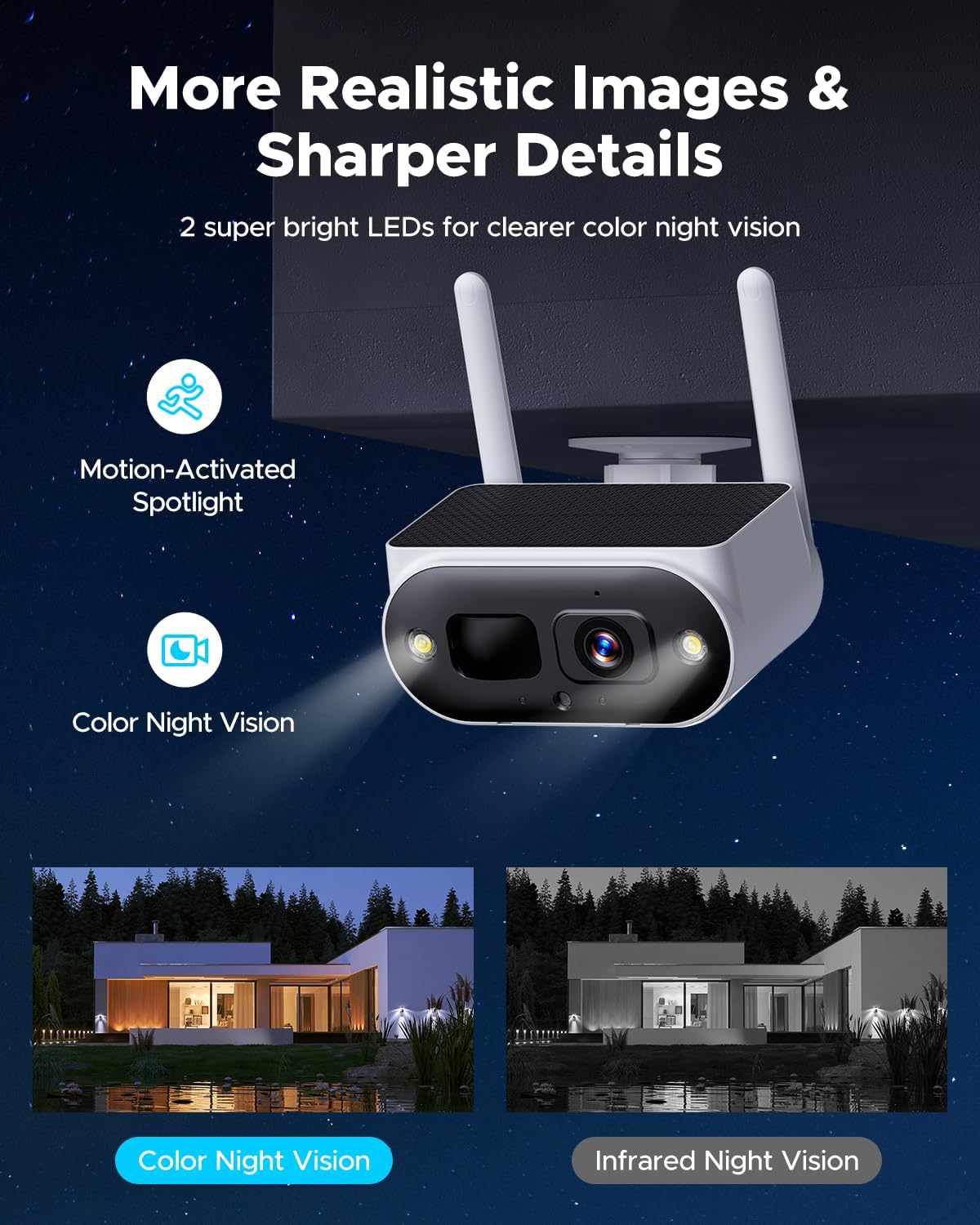
Figure 9: Enhanced night vision provides clear, full-color footage after dark.

Figure 10: The 2K QHD resolution captures fine details for improved surveillance.
5. Mobile App Control
Download the "CloudEye 365" app from your device's app store to remotely view live feeds, receive alerts, and manage your camera system from anywhere. The app allows for easy access sharing with family and trusted friends.
The system is also compatible with voice assistants like Alexa, allowing you to view camera footage on compatible devices.
Maintenance
- Solar Panel Cleaning: Regularly wipe the solar panels on the cameras with a soft, damp cloth to ensure maximum charging efficiency. Dust, dirt, and debris can reduce sunlight absorption.
- Lens Cleaning: Gently clean the camera lenses with a microfiber cloth to prevent smudges or dirt from affecting image clarity.
- Firmware Updates: Check the CloudEye 365 app or Camcamp's official website periodically for firmware updates to ensure optimal performance and security.
- Battery Health: While designed for continuous power, ensure cameras are placed in areas receiving adequate sunlight. If a camera frequently runs out of power, consider relocating it or using an additional solar panel.
Troubleshooting
| Problem | Possible Cause | Solution |
|---|---|---|
| No image on monitor | Power issue; Camera not paired; Signal interference. | Check power connections for monitor and cameras. Ensure cameras are within range and properly paired. Reduce interference by moving other wireless devices. |
| Camera battery drains quickly | Insufficient sunlight; Excessive motion detection; Frequent live view. | Relocate camera to a sunnier spot. Adjust motion detection sensitivity. Limit frequent live viewing to conserve battery. |
| Poor image quality at night | Dirty lens; Obstruction; Insufficient ambient light for color night vision. | Clean camera lens. Remove any obstructions blocking the camera's view or spotlights. Ensure spotlights are enabled in settings. |
| False alarms | PIR sensitivity too high; Environmental factors (e.g., swaying branches, insects). | Adjust PIR sensitivity settings in the app. Ensure camera is not pointed at areas with frequent non-human motion. |
Specifications
- Model: B0FJ1HTFFF
- Monitor Size: 10 inches
- Camera Resolution: 4MP (2K QHD)
- Storage: 500GB HDD (Expandable up to 6TB)
- Camera Power: Solar-powered with 8000mAh built-in battery
- Connectivity: 2.4 & 5GHz WiFi (for app connection, system uses private wireless protocol)
- Channels: 10CH Expandable (supports up to 10 cameras)
- Night Vision: Color Night Vision (up to 30ft)
- Detection: PIR Human Detection
- Date First Available: July 16, 2025
Warranty and Support
Camcamp is committed to providing high-quality products and excellent customer service. Your Camcamp Solar Camera System comes with the following:
- 12-Month Replacement Warranty: In case of product defects, Camcamp offers a 12-month replacement policy.
- 30-Day Money Back Guarantee: If you are not satisfied with your purchase, you may return it within 30 days for a full refund.
- Lifetime Professional Technical Support: Our dedicated support team is available to assist you with any technical questions or issues you may encounter throughout the product's lifespan.
For support, please visit the official Camcamp website or contact our customer service team through the CloudEye 365 app.
Related documentsB0FJ1HTFFF


Ask a question about this manual
Ask about setup, troubleshooting, compatibility, parts, safety, or missing instructions. Manuals+ will review the question and use this page’s manual context to help answer it.