
Introduction
This manual provides essential instructions for the proper use and maintenance of your WANGCL CP121404 Mini Digital Voice Recorder. Please read this guide thoroughly before operating the device to ensure optimal performance and longevity.
Package Contents
Verify that all items listed below are included in your package:
- 1 x WANGCL Mini Digital Voice Recorder (Model: CP121404)
- 1 x USB Charging/Data Cable
- 1 x Earphones

Figure 1: All components included in the package: the heart-shaped voice recorder, a USB charging/data cable, and a pair of white earphones.
Setup
1. Charging the Device
Before first use, fully charge the voice recorder. Connect the provided USB cable to the recorder's port and plug the other end into a USB power adapter (not included) or a computer's USB port. The device's indicator light will show charging status and turn off when fully charged. A full charge provides approximately 24 hours of recording time.

Figure 2: The included USB charging and data transfer cable.
2. Connecting Earphones
To listen to recordings directly from the device, plug the earphones into the designated audio jack on the recorder.
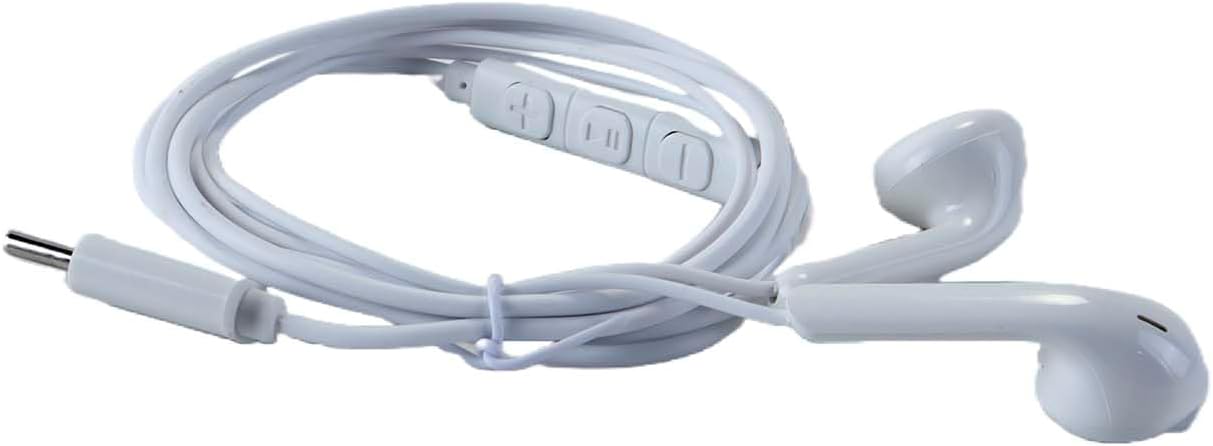
Figure 3: The white earphones provided for audio playback.
Operating Instructions
1. Power On/Off and Recording
To begin recording, slide the power switch to the 'ON' position. The indicator light will illuminate briefly and then turn off, signifying that recording has started. To stop recording and save the file, slide the power switch to the 'OFF' position. The device will automatically save the current recording and power down.

Figure 4: The WANGCL Mini Digital Voice Recorder, showing its heart-shaped design and controls.
2. Playback
Connect the earphones to the device. Power on the device. Use the control buttons (if available, typically volume or track skip on earphones) to navigate and play your recordings. Refer to the specific button functions for detailed playback control.
3. Connecting to a Computer
To transfer or manage your recorded files, connect the voice recorder to your computer using the provided USB cable. The device will appear as a removable storage drive. You can then copy, move, or delete audio files as needed. The device has an 8GB storage capacity, capable of storing approximately 100 hours of recordings.
4. DSP Noise Reduction
The recorder features a built-in new-generation DSP intelligent chip for noise reduction, which enhances recording quality by up to 20% by filtering out ambient noise.
Maintenance
To ensure the longevity and proper functioning of your voice recorder, follow these maintenance guidelines:
- Cleaning: Use a soft, dry cloth to clean the device. Avoid using liquid cleaners or solvents.
- Storage: Store the device in a cool, dry place away from direct sunlight, extreme temperatures, and humidity.
- Handling: Avoid dropping the device or subjecting it to strong impacts.
- Battery Care: For optimal battery life, avoid fully discharging the battery frequently. Charge the device regularly, even if not in use for extended periods.
Troubleshooting
If you encounter issues with your WANGCL Mini Digital Voice Recorder, refer to the following common problems and solutions:
- Device not turning on:
- Ensure the device is fully charged. Connect it to a power source and allow it to charge for at least 30 minutes before attempting to power it on again.
- Check the power switch position.
- Cannot record:
- Verify that the device has sufficient battery charge.
- Check if the internal memory is full. Connect to a computer and delete unnecessary files to free up space.
- Poor recording quality:
- Ensure the microphone is not obstructed.
- Record in a quiet environment to minimize background noise.
- The DSP noise reduction feature is automatic, but extreme noise levels may still affect quality.
- Device not recognized by computer:
- Try a different USB port on your computer.
- Ensure the USB cable is securely connected to both the device and the computer.
- Try using a different USB cable if available.
- Restart your computer.
Specifications
| Model Number | CP121404 |
| Dimensions | 42 x 37 x 9.6 mm (1.65 x 1.46 x 0.38 inches) |
| Material | Zinc Alloy |
| Color | Black |
| Storage Capacity | 8 GB (approximately 100 hours of recording) |
| Battery Life (Recording) | Approximately 24 hours |
| Interface | USB |
| Weight | 100 Grams |
| Noise Reduction | DSP Intelligent Chip (improves quality by 20%) |

Figure 5: Detailed dimensions of the WANGCL Mini Digital Voice Recorder.
Warranty and Support
For warranty information or technical support, please refer to the documentation provided with your purchase or contact the retailer/manufacturer directly. Keep your proof of purchase for warranty claims.