
1. Introduction
This manual provides detailed instructions for the setup, operation, and maintenance of your FULODE V600 4-Channel UHF Wireless Microphone System. Please read this manual thoroughly before using the product to ensure proper function and to prevent damage.
2. Package Contents
Verify that all items listed below are included in your package. If any items are missing or damaged, please contact customer support.
- Wireless Receiver x 1
- Handheld Microphone x 4
- 6.35mm Audio Cable x 1
- Power Adapter x 1
- User Manual x 1
- Anti-slip Rings x 4
- Microphone Covers x 4
Note: 8 AA batteries (2 per microphone) are required and are not included.

Image: The FULODE V600 receiver and one microphone are shown with dimensions. Below, a list of accessories including 4 anti-slip rings, 4 mic covers, 1 x 6.35mm audio cable, 1 power adapter, and 1 user manual are displayed.
3. Product Overview
3.1 Wireless Receiver
The metal receiver features four independent channels, each with its own LCD screen and volume control for precise audio adjustment. It offers stable UHF signal transmission up to 262 feet (80 meters) in open spaces.

Image: A detailed view of the FULODE V600 metal wireless receiver. Labels point to the Volume Knobs (RF-A, RF-B, RF-C, RF-D), LCD Display, Power switch, Antenna jacks (ANT.A, ANT.B), Balanced output sockets (BALANCED.B, BALANCED.A), 6.35mm unbalanced output socket (MIX.OUT), and Power adapter socket (DC 12V INPUT).
3.2 Handheld Microphones
Each microphone features a durable metal, drop-proof head and an HD digital display showing power and frequency. They are powered by two AA batteries (not included) and utilize a unidirectional cardioid pickup pattern for clear sound with reduced noise and high sensitivity.

Image: A close-up of the FULODE V600 handheld wireless microphone, highlighting its metal drop-proof mic head, HD digital display for real-time power and frequency, and the battery compartment for 2 AA batteries (not included).
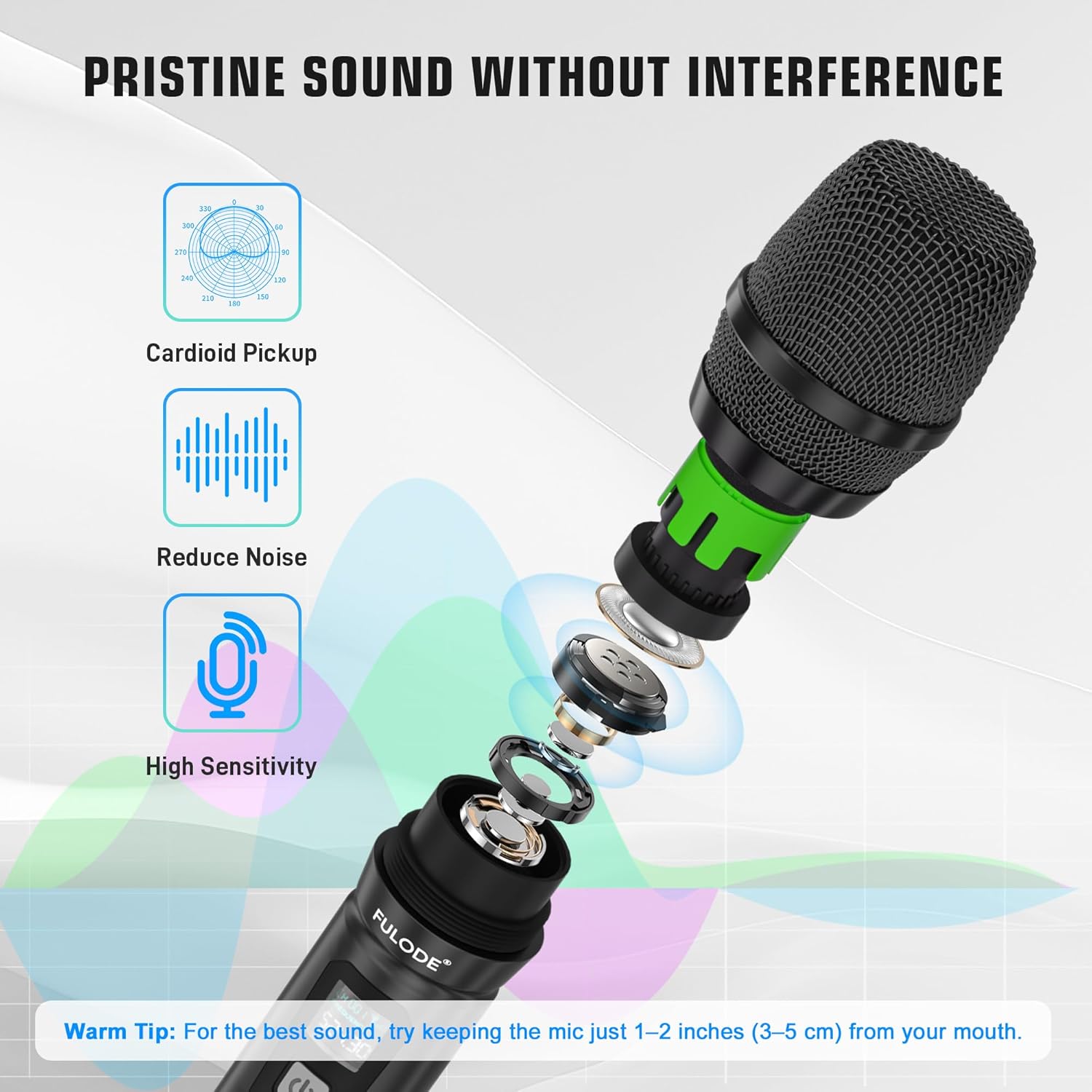
Image: An exploded view of the FULODE V600 microphone's internal components, illustrating its cardioid pickup pattern, noise reduction capabilities, and high sensitivity for pristine sound. A warm tip advises keeping the mic 1-2 inches (3-5 cm) from the mouth for best sound.
4. Setup Instructions
Follow these steps to set up your wireless microphone system.
- Install Batteries in Microphones: Unscrew the bottom part of each handheld microphone and insert two AA batteries, ensuring correct polarity. Screw the bottom back on securely.
- Connect Power to Receiver: Connect the provided power adapter to the DC 12V INPUT socket on the receiver and plug it into a power outlet.
- Connect Receiver to Audio System:
- For individual channel output: Use XLR cables (not included) to connect the BALANCED.A and BALANCED.B outputs on the receiver to the corresponding inputs on your audio mixer or amplifier.
- For mixed output: Use the 6.35mm audio cable to connect the MIX.OUT socket on the receiver to the 6.35mm input on your karaoke machine, amplifier, mixer, or PA system. An adapter may be needed for 3.5mm inputs (not included).
Important: An amplifier or speaker is required to output sound from the receiver.
- Position Antennas: Ensure the receiver's antennas are upright and unobstructed for optimal signal reception.
- Power On: Turn on the receiver using the power switch. Then, power on each handheld microphone. The system features automatic frequency pairing.

Image: Diagrams illustrating how to connect the FULODE V600 wireless receiver to various audio systems. One diagram shows XLR to XLR connections to an audio mixer. Another shows 6.35mm to 6.35mm connections to a portable speaker, mixer, or speaker, with an option for a 6.35mm to 3.5mm adapter. Compatible devices such as mixers, karaoke machines, PA systems, outdoor speakers, power amplifiers, and portable speakers are also shown.
5. Operating Instructions
5.1 Power On/Off
- To turn on the receiver, press the POWER button on the front panel.
- To turn on each microphone, press and hold the power button on the microphone handle until the display illuminates.
- To turn off, reverse the process.
5.2 Volume Control
Each channel (RF-A, RF-B, RF-C, RF-D) on the receiver has a dedicated volume knob. Rotate the knob clockwise to increase volume and counter-clockwise to decrease it. Adjust these to achieve the desired balance for each microphone.

Image: A close-up of the FULODE V600 receiver's LCD display and volume controls. The display shows frequency information for channels A, B, C, and D, along with individual volume levels (VOL:16). Four separate volume knobs (VOL-A, VOL-B, VOL-C, VOL-D) are visible below the display.
5.3 Microphone Usage
For optimal sound quality and to minimize feedback, hold the microphone approximately 1-2 inches (3-5 cm) from your mouth. Avoid covering the microphone grille with your hand.
5.4 Range and Performance
The system provides a reliable operating range of up to 262 feet (80 meters) in open, unobstructed environments. Performance may vary depending on environmental factors, obstacles, and other RF interference.

Image: The FULODE V600 wireless receiver is depicted with a large '262 FT' graphic overlay, indicating its operational range. Text states that the PRO-UHF chip and high-gain antennas help reduce signal loss, feedback, and background noise for consistent, clear performance.
6. Maintenance
- Battery Replacement: Replace AA batteries in the microphones when the battery indicator on the microphone display shows low power. Always use fresh batteries for optimal performance.
- Cleaning: Use a soft, dry cloth to clean the receiver and microphones. Do not use liquid cleaners or abrasive materials.
- Storage: When not in use for extended periods, remove batteries from the microphones and store the system in a cool, dry place away from direct sunlight and extreme temperatures.
7. Troubleshooting
If you encounter issues with your FULODE V600 system, refer to the following common problems and solutions:
| Problem | Possible Cause | Solution |
|---|---|---|
| No sound output |
|
|
| Crackling, static, or interference |
|
|
| Signal drops or intermittent audio |
|
|
| Microphone display not working |
|
|
8. Specifications
- Brand: FULODE
- Model: V600_SC
- Connectivity Technology: UHF
- Number of Channels: 4
- Frequency Range: 500-590MHz
- Operating Range: Up to 262 ft (80 meters) in open space
- Receiver Connector Types: 6.35 mm Jack (Mix Out), XLR (Balanced A, Balanced B)
- Special Feature: Individual Volume Control for each channel
- Compatible Devices: Amplifier, Audio Interface, Audio Mixer, PA System, Karaoke Machine
- Microphone Power Source: 2 x AA batteries per microphone (not included)
- Receiver Material: Metal
- Microphone Polar Pattern: Unidirectional
- Receiver Dimensions: Approximately 21 x 14.3 x 5 cm
9. Warranty and Support
For warranty information and technical support, please refer to the documentation included with your purchase or visit the official FULODE website. Keep your purchase receipt as proof of purchase for any warranty claims.